


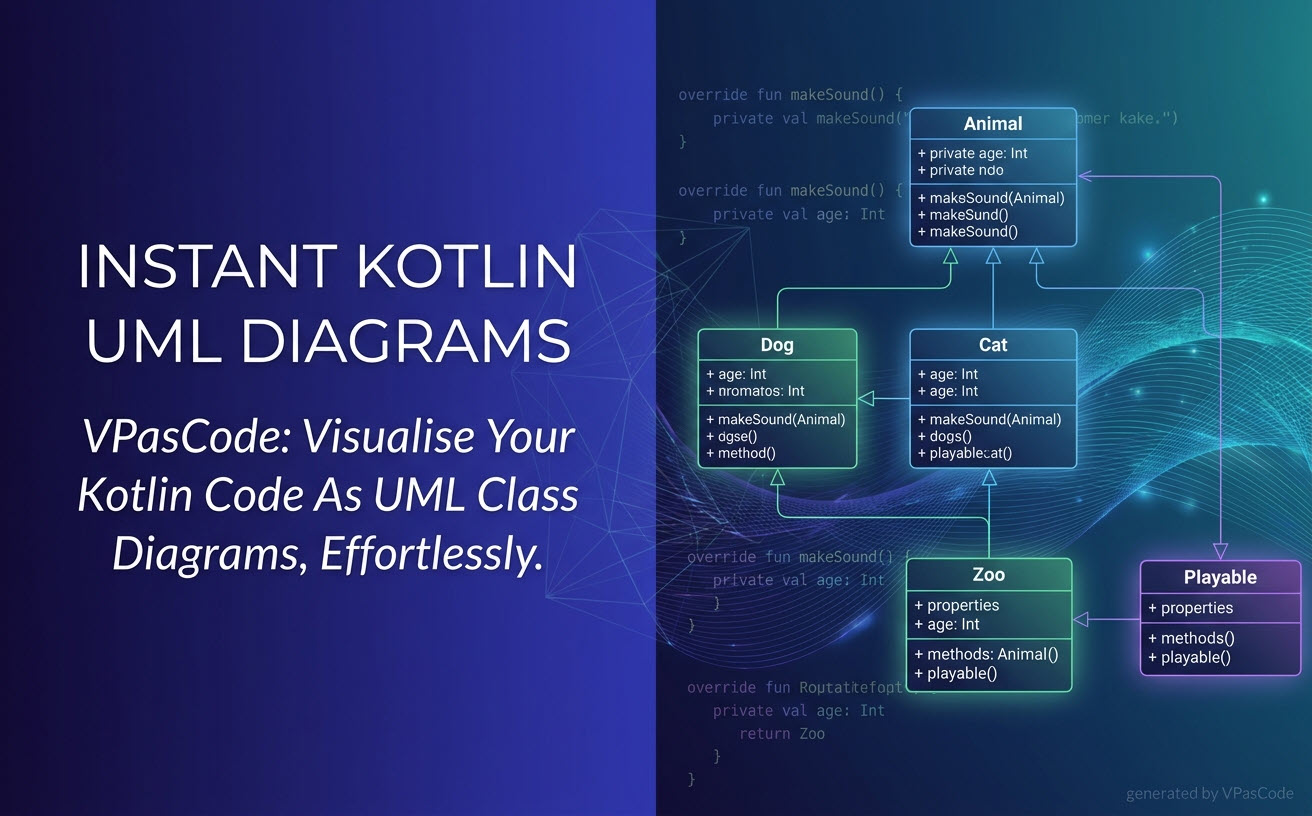
 Software design moves fast, and keeping architecture documentation in sync with actual implementation is a constant challenge for modern development teams. Today, we are thrilled to announce a major enhancement to Visual Paradigm VPasCode: native, real-time visualization of Kotlin source code as clean, accurate UML Class Diagrams!Whether you are refactoring an existing Android application, designing server-side Kotlin microservices, or explaining object-oriented structures to team members, VPasCode eliminates the need to draw class diagrams manually. As a comprehensive diagram-as-code tool, VPasCode transforms your live Kotlin code straight into visual models automatically.
What is VPasCode?
If you are new to VPasCode, it is Visual Paradigm’s lightweight, web-based diagram-as-code tool built to streamline how developers, architects, and technical writers create, edit, and share visual documentation. Instead of struggling with drag-and-drop shapes, VPasCode uses text-to-diagram engines and source code to render professional diagrams automatically.
VPasCode acts as a unified platform supporting a vast range of diagram scripting languages (such as PlantUML, Mermaid, Graphviz, and ECharts), structured data files (JSON, YAML, XML), database scripts (SQL), and a growing suite of programming languages including Java, TypeScript, Go, Rust, C#, Python, C++, PHP, Ruby, Swift, and now Kotlin.
Want to start diagramming right away? You can jump straight into the VPasCode editor page and start visualizing your ideas instantly without creating an account.
How Kotlin Visualization Works in VPasCode
Using VPasCode as an online Kotlin diagram tool is straightforward and intuitive. The interface is split into two synchronized workspaces: a code editor on the left and a live-rendering diagram viewer on the right.
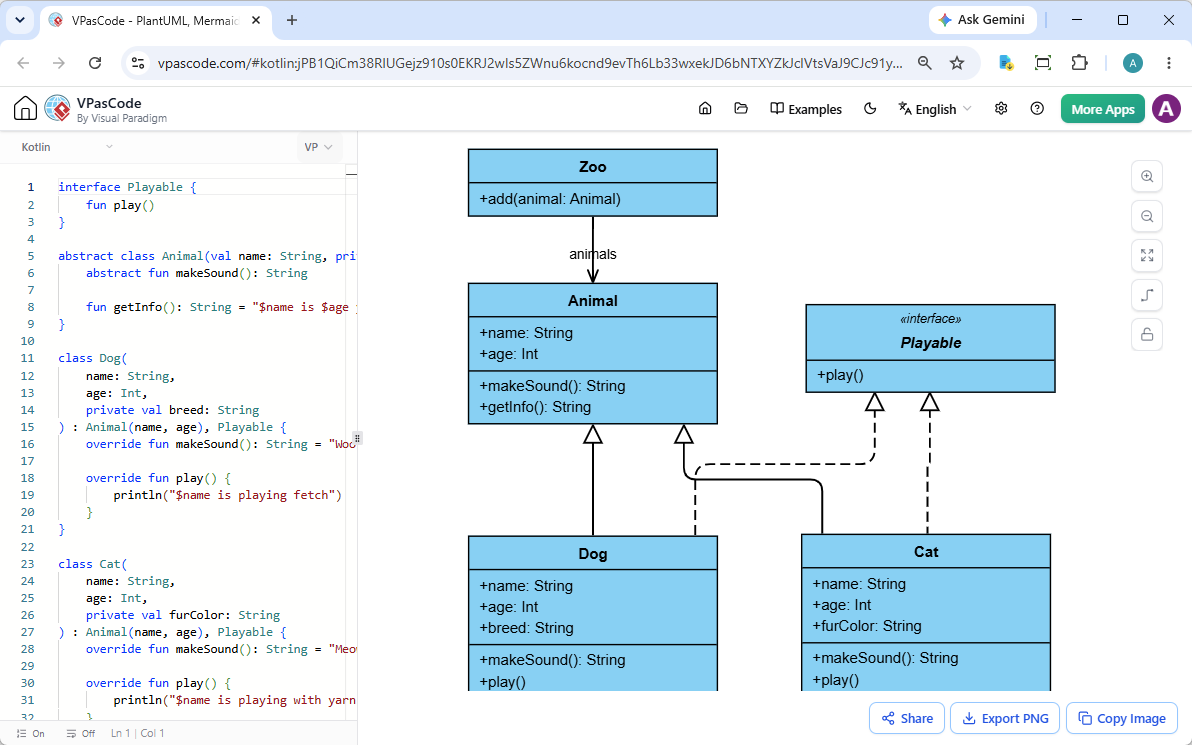
- Live Code Editing: Type or paste your Kotlin source code directly into the editor on the left. The UML class diagram on the right updates instantly to reflect your interfaces, abstract classes, concrete implementations, inheritance paths, and property visibility.
- Drag and Drop File Support: Rather than copying text line by line, simply drag a
.ktfile from your local file system and drop it into the editor to generate a class diagram immediately. - Automatic Syntax Detection: VPasCode features automatic code detection. Paste your Kotlin snippets directly into the editor, and the engine will recognize the structure and render the correct diagram without requiring complex manual format configurations.
Interactive Example: From Kotlin Code to Class Diagram
To see how VPasCode handles interfaces, class inheritance, primary constructors, and aggregation, let’s look at a concrete Kotlin example featuring an animal hierarchy and a zoo manager:
interface Playable {
    fun play()
}

abstract class Animal(val name: String, private val age: Int) {
    abstract fun makeSound(): String

    fun getInfo(): String = "$name is $age years old"
}

class Dog(
    name: String,
    age: Int,
    private val breed: String
) : Animal(name, age), Playable {
    override fun makeSound(): String = "Woof!"

    override fun play() {
        println("$name is playing fetch")
    }
}

class Cat(
    name: String,
    age: Int,
    private val furColor: String
) : Animal(name, age), Playable {
    override fun makeSound(): String = "Meow!"

    override fun play() {
        println("$name is playing with yarn")
    }
}

class Zoo {
    private val animals = mutableListOf<Animal>()

    fun add(animal: Animal) {
        animals.add(animal)
    }
}
When this code is processed inside VPasCode, it automatically detects:
- The
Playableinterface and its abstraction contract. - The abstract class
Animalwith its public property (name) and private property (age). - The concrete classes
DogandCat, correctly rendering both realization (implementingPlayable) and generalization (extendingAnimal) relationships. - The
Zoocontainer class and its association/dependency on theAnimaltype.
Try it yourself: You can open, explore, and modify this exact Kotlin snippet in your browser right now using our interactive Kotlin sample link.
Exporting, Sharing, and Collaborating
Once your Kotlin class diagram is generated, VPasCode offers multiple built-in utilities for sharing and documentation workflow:
- Export to Vector (SVG) & Raster (PNG): Download high-resolution SVG images for sharp inline presentation in documentation sites, or save quick PNG files for slide decks and design reviews.
- Copy Image to Clipboard: Instantly copy rendered diagrams to your system clipboard and paste them directly into Slack, Microsoft Teams, or email threads.
- Instant Hyperlink Sharing: Share exact diagrams and underlying code snippets via direct URLs—no sign-in or account registration required for recipients to view or edit.
Advanced Capabilities: AI-Assisted Features & Integration
While core editing, rendering, and exporting on VPasCode are completely free, power users can unlock enterprise-grade AI capabilities and documentation integrations:
- AI Code Error Fixing: Stuck on a syntax error? Click “Fix by AI” to automatically resolve scripting errors. VPasCode displays detailed side-by-side diffs and explanations so you can learn from every correction.
- AI Multi-Language Translation: Translate textual labels across diagrams into global languages seamlessly without altering underlying syntax logic.
- OpenDocs Integration: Send rendered Kotlin diagrams directly into Visual Paradigm OpenDocs to build end-to-end technical documentation suites effortlessly.
Note: AI features are accessible through Visual Paradigm Online Combo Edition (or higher) and Visual Paradigm Professional Edition (or higher) with active maintenance.
Try VPasCode Today
Looking for a reliable, fast, and free Kotlin editor that turns source code into visual architectural diagrams in real time? VPasCode gives you an intuitive environment to analyze, document, and share software designs effortlessly.
Visit the VPasCode’s Home Page to discover all supported languages, or head straight over to the VPasCode Web App to transform your Kotlin code into UML class diagrams right away!
Unified Platform entrance of VPasCode: Under the “Developer” category of the app hub.