


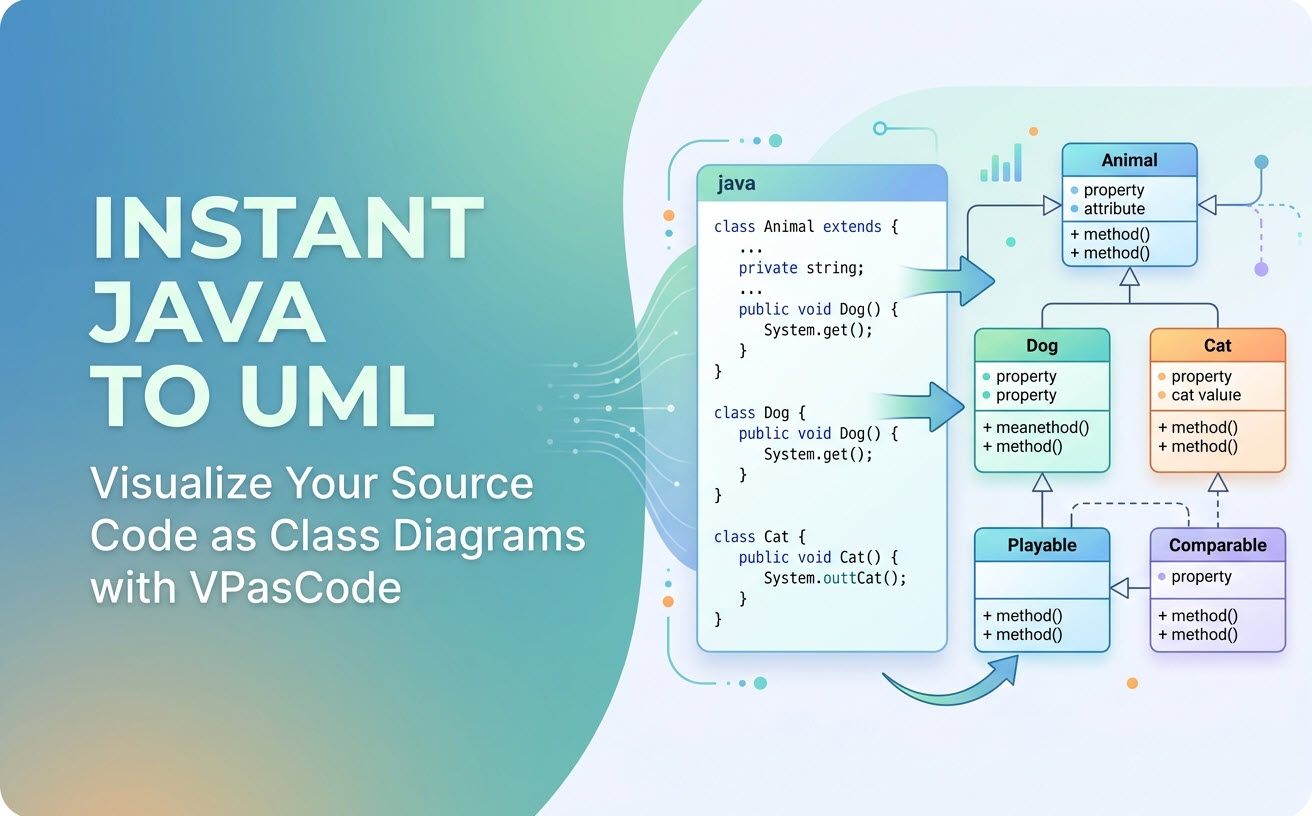
We are thrilled to announce a major enhancement to Visual Paradigm VPasCode! You can now automatically generate interactive UML Class Diagrams directly from Java source code. Whether you are refactoring legacy architecture, onboarding new developers, or documenting software designs, VPasCode transforms raw Java structures—classes, abstract classes, interfaces, inheritance, and realizations—into clear, standardized visual models in real time.
As modern software development moves toward lightweight, text-first workflows, using a dedicated diagram-as-code tool eliminates the tedious manual effort of dragging and dropping shapes. With our latest update, software engineers, architects, and students get an effortless, browser-based solution that serves as both a powerful online Java diagram tool and a frictionless free Java editor for visual architecture mapping.
What is VPasCode?
VPasCode (short for Visual Paradigm’s diagram-as-code platform) is an all-in-one web platform engineered to help software teams create, edit, and share diagrams using simple text and code formats. Instead of wrestling with complex design software, VPasCode turns code declarations directly into professional diagrams.
Beyond native programming languages, VPasCode functions as a unified environment supporting leading text-to-diagram Domain Specific Languages (DSLs), structured data formats, and database scripts:
- Diagramming Languages: PlantUML, Mermaid, Graphviz, Markmap, ECharts
- Structured Data Formats: JSON, YAML, XML, CSV, TOML
- Database Languages: SQL
- Programming Languages: Java, TypeScript, Go, Rust, C#, Python, C, C++, PHP, Ruby, Scala, Zig, Kotlin, Swift, Elixir
Whether you need a C4 model, sequence diagram, entity-relationship diagram (ERD), architecture map, or flowcharts via PlantUML or Mermaid, VPasCode parses your inputs automatically to deliver instant real-time rendering.
How Java Code-to-UML Rendering Works in VPasCode
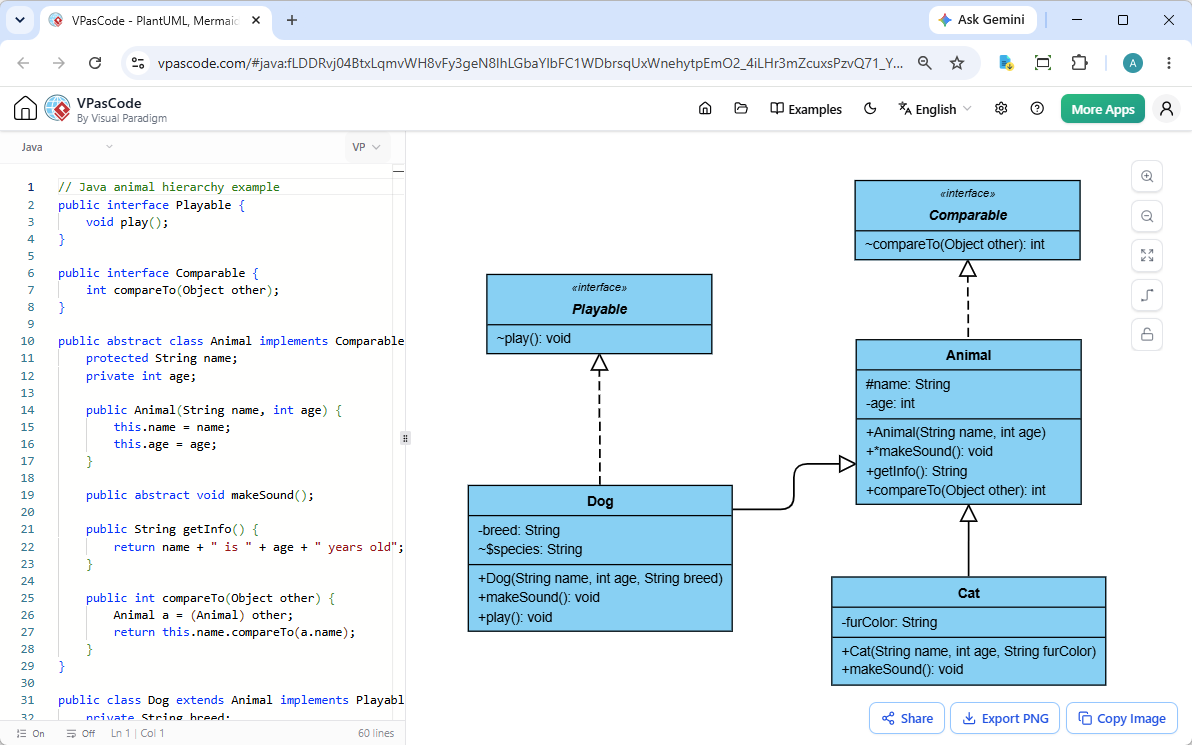
Turning object-oriented Java code into a live UML class diagram in VPasCode is fast and seamless. The platform split-screen interface puts control right at your fingertips:
- Live Code Panel (Left): Write, paste, or drop your
.javasource files into the code editor on the left side of the screen. - Instant Diagram Renderer (Right): As you type or modify attributes, methods, and class structures, the right side dynamically updates the UML class diagram in real time.
- Drag-and-Drop Convenience: Skip the copy-pasting entirely! Drag any Java file directly onto the VPasCode workspace to visualize its architecture immediately.
Our intelligent engine automatically detects Java constructs—including access modifiers (public, protected, private), static members, abstract elements, interface realizations (implements), and class inheritance (extends)—and converts them into standard UML notation.
Interactive Example: Animal Hierarchy in Java
To see the power of our online Java diagram tool in action, examine how VPasCode handles the following Java Object-Oriented Programming (OOP) example featuring abstract classes, interface inheritance, field visibilities, and method signatures.
Java Source Code Sample
// Java animal hierarchy example
public interface Playable {
    void play();
}

public interface Comparable {
    int compareTo(Object other);
}

public abstract class Animal implements Comparable {
    protected String name;
    private int age;

    public Animal(String name, int age) {
        this.name = name;
        this.age = age;
    }

    public abstract void makeSound();

    public String getInfo() {
        return name + " is " + age + " years old";
    }

    public int compareTo(Object other) {
        Animal a = (Animal) other;
        return this.name.compareTo(a.name);
    }
}

public class Dog extends Animal implements Playable {
    private String breed;
    static String species = "Canine";

    public Dog(String name, int age, String breed) {
        super(name, age);
        this.breed = breed;
    }

    public void makeSound() {
        System.out.println("Woof!");
    }

    public void play() {
        System.out.println(name + " is playing fetch");
    }
}

public class Cat extends Animal {
    private String furColor;

    public Cat(String name, int age, String furColor) {
        super(name, age);
        this.furColor = furColor;
    }

    public void makeSound() {
        System.out.println("Meow!");
    }
}
Key UML Relationships Extracted Automatically
- Interface Realization:
AnimalimplementsComparable, andDogimplementsPlayable(rendered with dashed arrows and hollow triangles). - Class Inheritance:
DogandCatextend the abstract base classAnimal(rendered with solid arrows and hollow triangles). - Visibility Indicators: Private fields (
- age,- breed) and protected attributes (# name) are clearly marked using official UML visibility symbols. - Static & Abstract Modifiers: Abstract methods and static fields like
static String speciesare properly styled per standard conventions.
Want to try editing this code live? Open this exact Java example in VPasCode to explore and modify the diagram immediately.
Essential Productivity Features in VPasCode
VPasCode goes beyond basic rendering by integrating key workflow tools that simplify documentation, export, and collaboration:
1. Universal Export Formats (SVG & PNG)
Need vector graphics for high-resolution print or scaled technical reports? Export your generated class diagrams as crisp SVG vector images. Prefer quick image embedding for documentation slides or wikis? Export high-definition PNG files with one click.
2. Instant Copy to Clipboard
Skip download folders entirely when working fast. Simply copy your rendered UML diagram straight to your clipboard and paste it directly into Slack, Microsoft Teams, Notion, or Confluence pages.
3. No-Login Instant Link Sharing
Share your architectural designs effortlessly without hitting sign-up paywalls or requiring team authentication. Generate a unique encoded URL or QR code that allows teammates to open, inspect, and edit the exact code and diagram state instantly.
4. Automatic Syntax and Code Detection
When you paste source code into VPasCode, the engine automatically analyzes the language syntax and parses the script into the appropriate diagram format without requiring manual configuration.
Supercharge Your Workflow with VPasCode AI Capabilities
For development teams looking to speed up software design, VPasCode offers advanced AI-driven tools that streamline learning, debugging, and documentation:
- AI Code Error Fixing: Stuck on a syntax error or broken snippet? Hit “Fix by AI” to fix code instantly, complete with a detailed side-by-side diff explanation so you can learn from the correction.
- AI Multilingual Translation: Working across international software teams? Translate labels, comments, and identifiers natively inside your diagrams into multiple languages (e.g., converting “Withdraw Cash” into Chinese or Spanish) without breaking syntax.
- OpenDocs Integration: Send your completed software diagrams directly to Visual Paradigm OpenDocs to convert technical visual models into comprehensive project documentation.
Note: Core features—including live diagram editing, automated parsing, real-time rendering, sharing, and image exports—are completely free. AI error fixing and AI translation are available in Visual Paradigm Online Combo Edition (or higher) and Visual Paradigm Desktop Professional Edition (with active maintenance).
Try the Ultimate Diagram-as-Code Tool Today!
Stop wasting valuable engineering hours drawing class diagrams by hand. Experience how simple software design can be when you turn your actual code directly into clean, standards-compliant UML architecture diagrams.
Whether you need a free Java editor for rapid prototyping or a versatile diagram-as-code tool to handle multiple languages and formats, VPasCode delivers everything you need right in your browser.