
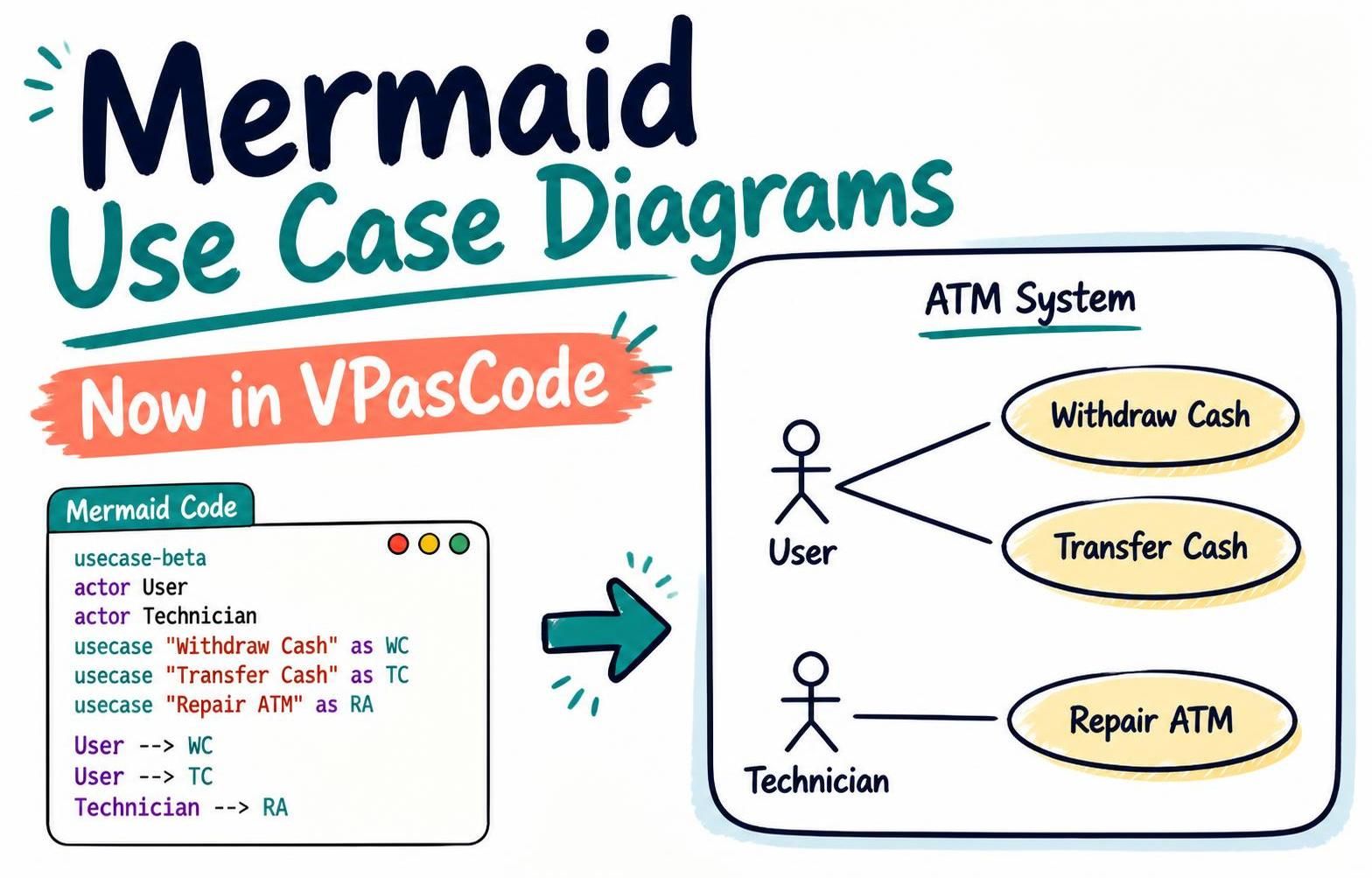
Use case diagrams help teams explain how people and external systems interact with the functions a system provides. Now you can create them in Mermaid and preview them in VPasCode. This new capability expands VPasCode’s diagram-as-code support and gives you another way to describe system behavior using text instead of drawing each element by hand.
Already use Mermaid for technical documentation? You can now use VPasCode as a Mermaid diagram editor for use case diagrams, alongside the other supported diagram types. If you’re looking for a free Use Case Diagram editor to turn Mermaid syntax into a visual diagram, try it in the VPasCode editor.
What’s new: Mermaid use case diagrams
VPasCode already supported use case diagrams written in PlantUML. With this update, you can also write them in Mermaid’s usecase-beta syntax, available in Mermaid 12.0.0 and later. The syntax represents actors, use cases, system boundaries, and the relationships between actors and use cases.
This addition makes it easier to keep use case models in the same text-based workflow as your other Mermaid diagrams. Edit the source, render a preview, and revise the diagram as your requirements change.
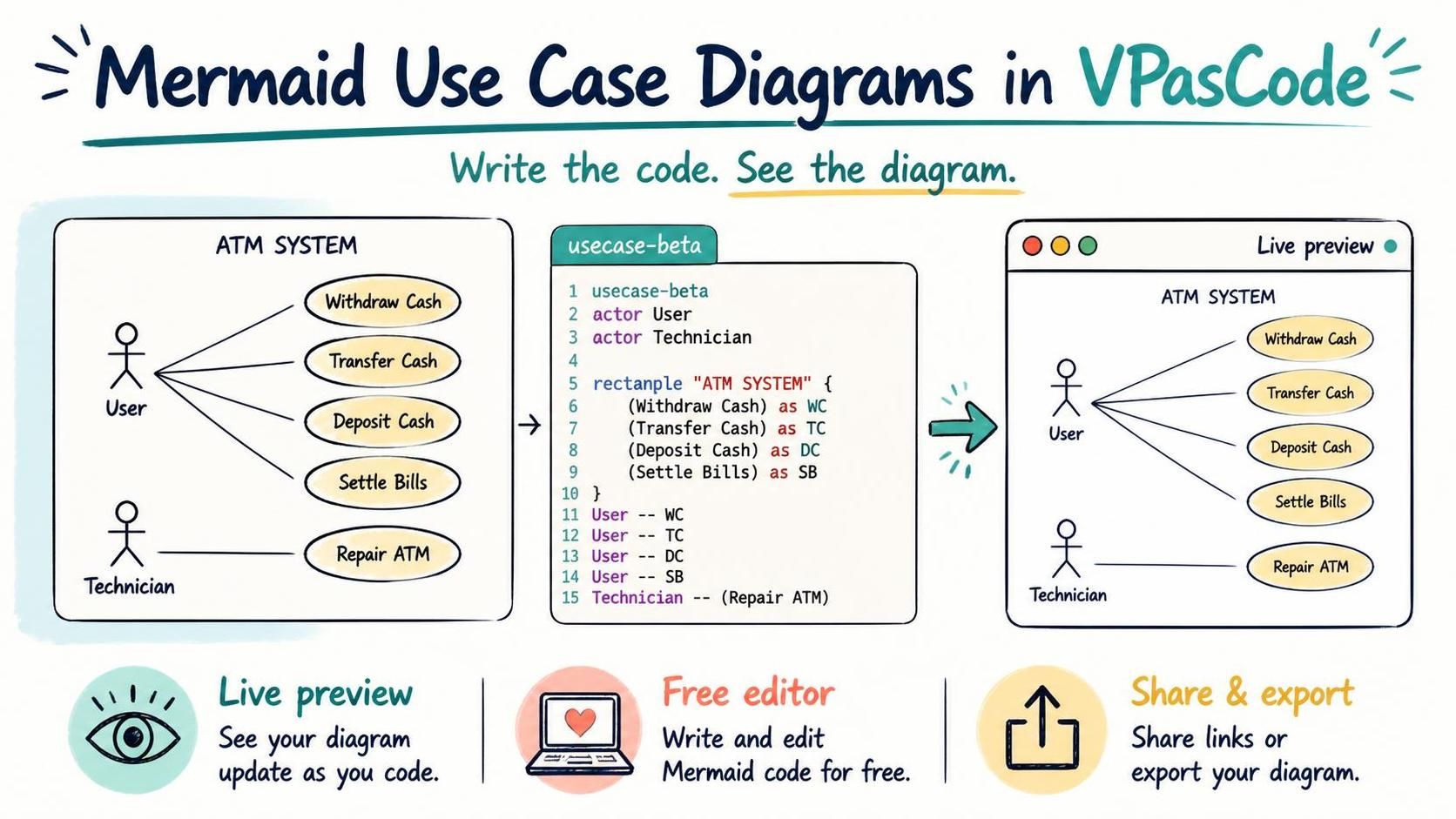
Example: ATM system use case diagram
The example below shows two actors and the ATM functions they can access. The system boundary groups the use cases that belong to the ATM System.
usecase-beta
direction LR
actor User("User")
actor Technician("Technician")
systemBoundary "ATM System"
  Withdraw("Withdraw Cash")
  Transfer("Transfer Cash")
  Deposit("Deposit Cash")
  SettleBills("Settle Bills")
  Repair("Repair ATM")
end
User --> Withdraw
User --> Transfer
User --> Deposit
User --> SettleBills
Technician --> RepairHere, actor declares the people who interact with the system, and each named use case represents a function. The systemBoundary groups those functions under the ATM System. The arrows show which functions each actor can access, while direction LR asks for a left-to-right layout.
Why use Mermaid for use case diagrams?
A text-based diagram can be practical when you want a model that is easy to revise alongside requirements, documentation, or code. Instead of repositioning shapes manually, you can change a label, add an actor, or update a relationship in the source. That makes Mermaid useful for early design discussions as well as for keeping diagrams current as a system evolves.
Use case diagrams can help product managers, business analysts, developers, architects, and stakeholders build a shared picture of system scope. They can make it easier to discuss questions such as:
- Who interacts with the system?
- What functions does the system provide?
- Which functions are available to each actor?
- Where does the system’s scope begin and end?
VPasCode: a diagram-as-code editor in your browser
VPasCode is an online diagram-as-code platform for developers, architects, and technical teams. It turns supported text-based diagram languages and structured data into visual diagrams, all within an editor and live preview. It is designed to make it straightforward to move between diagram source and the rendered result.
To get started, paste or write your diagram code in the editor. VPasCode automatically detects supported formats, so you don’t need to choose a language manually. As you edit, the preview updates in real time, helping you spot changes and refine your diagram.
Beyond Mermaid, VPasCode supports PlantUML and other diagram and visualization formats, including D2, Graphviz, Markmap, and ECharts. It also works with structured data formats and programming languages. This makes it useful as a single workspace for teams that document systems in more than one notation.
More than a live preview
VPasCode includes practical tools for working with diagrams after they render:
- Share diagrams: Create shareable URLs, generate QR codes, or share through supported social channels.
- Export images: Download diagrams as SVG or PNG for documentation, presentations, and other materials.
- Fix syntax with AI: With access to the applicable premium features, use “Fix by AI” to repair syntax errors and review a code diff and explanation of the changes.
- Translate diagram labels: Premium AI features can translate diagram text into other languages directly in the editor.
- Send diagrams to OpenDocs: With the applicable premium access, send diagrams to Visual Paradigm OpenDocs for use in technical documentation.
Core editing, live rendering, image export, and sharing are free to use. AI features and OpenDocs integration are available through qualifying Visual Paradigm plans. For more information about the platform, visit the VPasCode feature overview.
Try Mermaid use case diagrams in VPasCode
Whether you are mapping ATM services, describing an online checkout, or documenting the actors and capabilities of a software product, VPasCode gives you a convenient place to write and preview your diagram. Use it as a free Use Case Diagram editor for supported Mermaid syntax, or as a Mermaid diagram editor for a broader diagram-as-code workflow.
Open VPasCode and create a Mermaid use case diagram. To learn more about its supported formats and capabilities, see the VPasCode overview.