


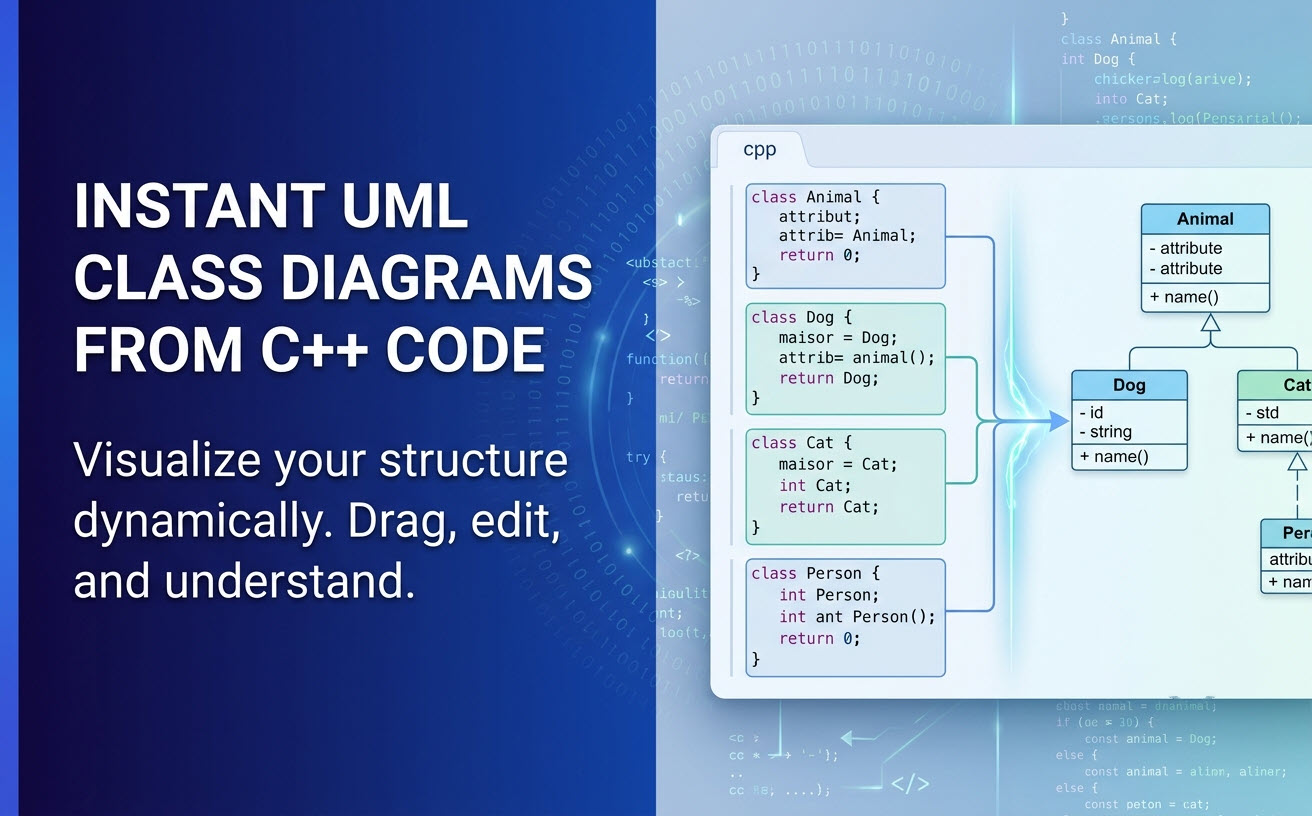
Good morning, software architects, C++ developers, and visual thinkers! We are thrilled to announce a major enhancement to Visual Paradigm VPasCode—Visual Paradigm’s unified diagram-as-code platform. You can now automatically transform native C++ source code into clean, accurate UML class diagrams in real time.
Whether you are refactoring legacy C++ codebases, documenting object-oriented architectures, or onboarding developers, manual diagramming is now a thing of the past. As a powerful, free C++ editor and rendering workspace, VPasCode parses your C++ source code on the fly and generates high-level architectural views without requiring manual layout adjustments.
Explore this new capability right now by visiting the VPasCode Home or start diagramming directly in the VPasCode App.
What is VPasCode?
VPasCode is an all-in-one diagram-as-code environment designed to bridge the gap between text-based code and visual system design. Beyond traditional Domain-Specific Languages (DSLs) like PlantUML, Mermaid, Graphviz, ECharts, and Markmap, VPasCode supports native source code parsing across 15 programming languages—including Java, TypeScript, Go, Rust, C#, Python, C, C++, PHP, Ruby, Scala, Zig, Kotlin, Swift, and Elixir.
VPasCode features an intuitive dual-pane workspace: write or paste your code in the left pane, and watch your diagram instantly render in the right pane as you type.
Key Features of the C++ Diagram-as-Code Workflow
Our goal with VPasCode is to offer the ultimate online C++ diagram tool that fits effortlessly into your development workflow. Here is what makes the C++ visualization experience seamless:
- Automatic Code Detection: Simply paste your source code into the editor. VPasCode analyzes your code structures, recognizes the syntax, and automatically renders the appropriate UML class diagram. No manual format selection required!
- Drag-and-Drop File Support: Instead of manually copying and pasting, simply drag and drop your
.cpp,.hpp, or.hsource files directly into the editor to generate a class diagram instantly. - Zero-Login Hyperlink Sharing: Need a quick design review? Generate a lightweight, shareable URL to send your diagram and underlying C++ code to teammates without requiring them to log in or create an account.
- Multiple Export Options: Export your rendered class diagrams as high-resolution PNG raster images or crisp SVG vector graphics for technical documentation. You can also quickly copy the image straight to your clipboard with a single click.
See It in Action: C++ Inheritance and Smart Pointers Example
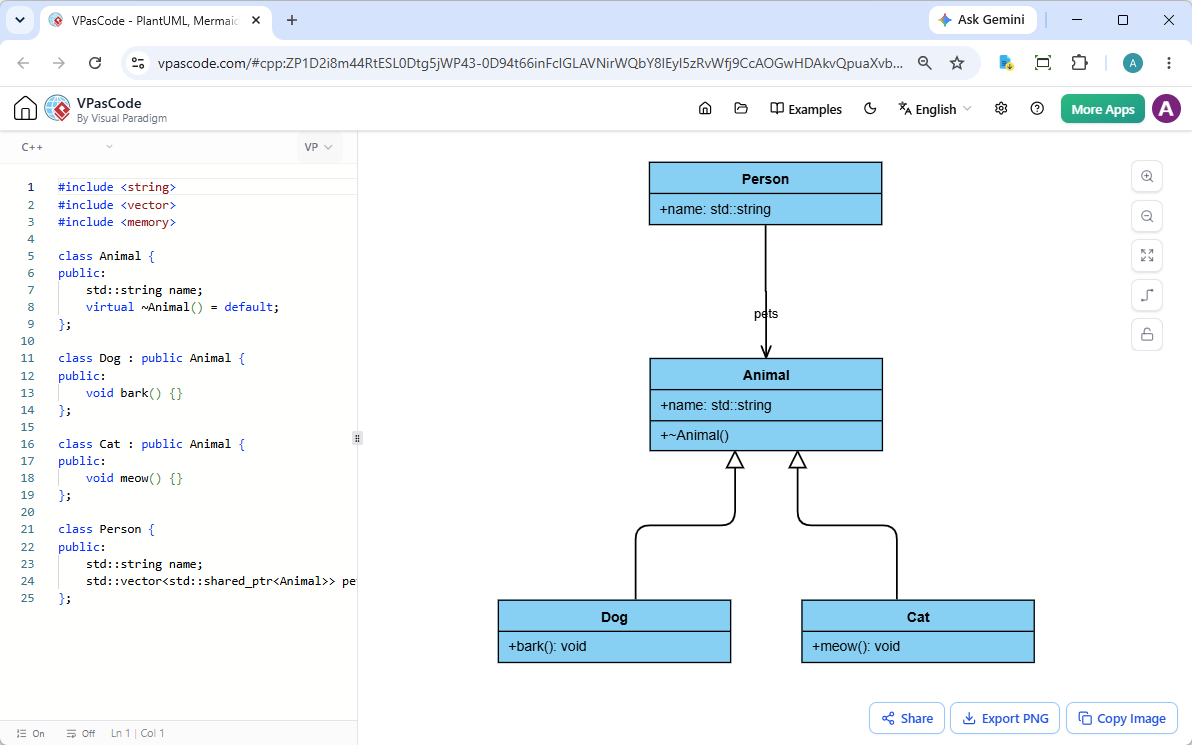
VPasCode accurately parses object-oriented C++ concepts, including inheritance, member variables, methods, virtual destructors, and relationships established through smart pointers like std::shared_ptr.
Consider the following C++ example demonstrating an Animal base class, derived Dog and Cat classes, and a Person class holding a collection of smart pointers:
#include <string>
#include <vector>
#include <memory>

class Animal {
public:
    std::string name;
    virtual ~Animal() = default;
};

class Dog : public Animal {
public:
    void bark() {}
};

class Cat : public Animal {
public:
    void meow() {}
};

class Person {
public:
    std::string name;
    std::vector<std::shared_ptr<Animal>> pets;
};
When loaded into our diagram-as-code tool, VPasCode extracts the structural relationships and renders them instantly as an interactive UML Class Diagram:
- Generalization/Inheritance: Visualizes
DogandCatinheriting fromAnimal. - Member Details: Identifies public attributes (like
name) and methods (likebark()andmeow()). - Associations & Aggregations: Captures complex container relationships, mapping
Person‘s collection ofstd::shared_ptr<Animal>directly into class associations.
Want to test this exact snippet yourself? Click the link below to open, edit, and experiment with this example live in your browser:
Try the C++ UML Diagram Example in VPasCode Now
Industry-Unique Features to Supercharge Your Workflow
Beyond being an incredible free C++ editor and rendering engine, VPasCode packs powerful productivity tools designed to eliminate syntax headaches and bridge team documentation gaps:
1. AI Code Error Fixing
Got a missing semicolon or broken syntax in your diagram DSL or code? With VPasCode’s built-in AI Code Error Fixing, you don’t have to spend minutes hunting down typos. Click ‘Fix by AI’, and let artificial intelligence correct your code automatically. Additionally, our AI Fix Details with side-by-side diff explains what went wrong so you can learn while you fix.
2. Native AI Diagram Translation
Working in global or multi-language engineering teams? Use AI Diagram Translation to automatically translate labels, classes, and comments inside your code into alternative languages (e.g., converting “Withdraw Cash” to “提取现金”) with one click.
3. Seamless OpenDocs Integration
Elevate your technical writing by using OpenDocs Integration. You can easily push your rendered UML class diagrams into Visual Paradigm OpenDocs to maintain comprehensive project documentation, system architecture records, and software specs in one place.
Supported Formats and Plan Options
VPasCode is built to accommodate virtually any developer background or project requirement. In addition to C++ and native programming code, you can leverage popular text-to-diagram DSLs including:
- Diagramming DSLs: PlantUML, Mermaid, Graphviz, ECharts, Markmap
- Data Formats: JSON, YAML, XML, CSV, TOML
- Database Languages: SQL
Free vs. Premium Capabilities:
Diagram editing, real-time rendering, live previews, standard exports (PNG/SVG), and URL sharing are 100% free for all users. Advanced AI features (AI Code Error Fixing and AI Translation) are available to users with a Visual Paradigm Online Combo Edition subscription (or higher), as well as active maintenance subscribers of Visual Paradigm Desktop Professional Edition (or higher).
Get Started with Free Online C++ Diagramming Today
Ready to visualize your software architecture without wrestling with manual drawing tools? Try out our powerful online C++ diagram tool and turn complex codebases into readable UML class diagrams instantly.
Launch VPasCode Now — Free Diagram-as-Code Tool
Unified Platform entrance of VPasCode: Under the “Developer” category of the app hub.