


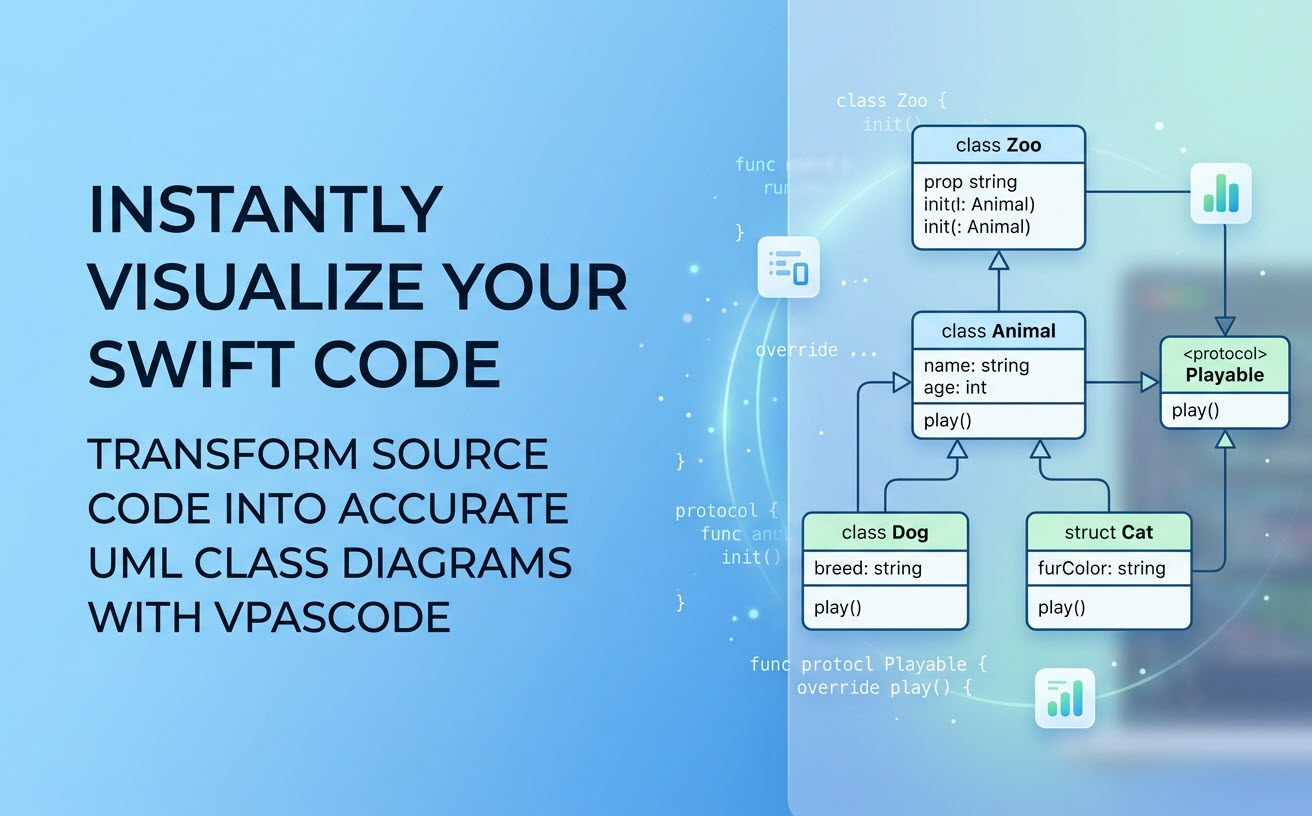
At Visual Paradigm, we are constantly expanding the boundaries of diagram-as-code technology to help developers, software architects, and technical writers communicate software design effortlessly. Today, we are excited to announce a major enhancement to Visual Paradigm VPasCode: native visualization support for programming languages as UML Class Diagrams!
While VPasCode has long been trusted for popular text-to-diagram DSLs like PlantUML and Mermaid, you can now input actual application source code and instantly see its structural architecture visualized as a clean, standardized UML class diagram. We are rolling out support across a broad spectrum of modern languages—including Java, TypeScript, Go, Rust, C#, Python, C, C++, PHP, Ruby, Scala, Zig, Kotlin, Swift, and Elixir.
In this product update, we are shining a spotlight on Swift—showing you how iOS, macOS, and cross-platform Swift developers can instantly transform raw object-oriented code into intuitive visual models.
What is VPasCode?
For those new to the platform, VPasCode (Visual Paradigm’s diagram-as-code platform) is an all-in-one, browser-based environment designed to turn code into clear visual diagrams. It serves as an accessible free Swift editor and instant rendering engine for developers who prefer text-driven modeling over manual drag-and-drop drawing.
VPasCode unifies support across multiple visualization ecosystems, including:
- Diagram & Visualization DSLs: PlantUML, Mermaid, Graphviz, Markmap, ECharts
- Structured Data Formats: JSON, YAML, XML, CSV, TOML
- Database Query Languages: SQL
- Programming Languages: Swift, Java, TypeScript, Go, Rust, C#, Python, C, C++, PHP, Ruby, Scala, Zig, Kotlin, Elixir
Whether you need sequence diagrams, flowcharting, entity-relationship diagrams (ERD), or software architecture models, VPasCode brings these formats into a single browser-based workspace.
How Swift to UML Class Diagram Visualization Works
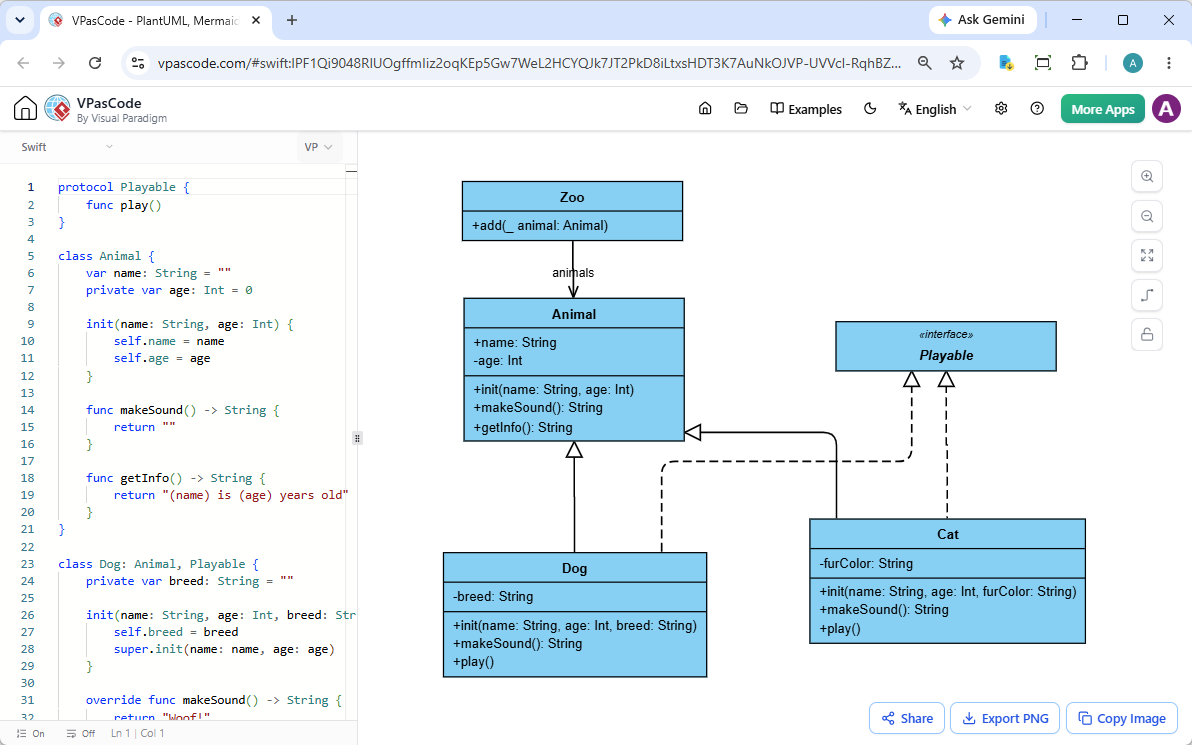
Visualizing Swift code with VPasCode is straightforward. The user interface features a split-screen workspace: write or paste your code on the left, and watch the UML class diagram generate automatically on the right in real time.
You can start using this feature in two simple ways:
- Type or Paste Code: Simply copy your Swift source code directly into the code panel on the left.
- Drag and Drop Files: Drag any
.swiftsource file directly from your computer into the editor window. VPasCode will read the file and generate the corresponding UML diagram instantly.
Because VPasCode features automatic code detection, it automatically recognizes your Swift syntax upon pasting and renders the appropriate class diagram—no complex manual configuration required.
See It in Action: A Swift Object-Oriented Example
To demonstrate how accurately VPasCode interprets Swift constructs—such as classes, inheritance, protocol implementation, member visibility, and properties—let’s examine a classic object-oriented example involving an animal hierarchy and a zoo container.
The Swift Code Example:
protocol Playable {
    func play()
}

class Animal {
    var name: String = ""
    private var age: Int = 0

    init(name: String, age: Int) {
        self.name = name
        self.age = age
    }

    func makeSound() -> String {
        return ""
    }

    func getInfo() -> String {
        return "\(name) is \(age) years old"
    }
}

class Dog: Animal, Playable {
    private var breed: String = ""

    init(name: String, age: Int, breed: String) {
        self.breed = breed
        super.init(name: name, age: age)
    }

    override func makeSound() -> String {
        return "Woof!"
    }

    func play() {
        print("\(name) is playing fetch")
    }
}

class Cat: Animal, Playable {
    private var furColor: String = ""

    init(name: String, age: Int, furColor: String) {
        self.furColor = furColor
        super.init(name: name, age: age)
    }

    override func makeSound() -> String {
        return "Meow!"
    }

    func play() {
        print("\(name) is playing with yarn")
    }
}

class Zoo {
    var animals: [Animal] = []

    func add(_ animal: Animal) {
        animals.append(animal)
    }
}
When parsed by our online Swift diagram tool, VPasCode automatically maps out the relationships:
- The
Playableinterface/protocol is modeled alongside implementing classes. - Inheritance generalization arrows point from
DogandCatup to theAnimalbase class. - Private (
-) and public (+) fields and methods are distinguished visually. - Collection attributes like
animals: [Animal]in theZooclass are parsed into associations.
Want to test and interact with this exact model live? You can open and edit this snippet directly in your browser using our Interactive Swift UML Example Link.
Export, Sharing, and Productivity Features
Converting code to diagrams is only half the battle; sharing those insights with your engineering team or embedding them into documentation is equally critical. VPasCode includes powerful built-in utilities designed for modern developer workflows:
- Export to SVG & PNG: Download your generated class diagrams in vector format (SVG) for crisp scaling inside presentation decks, or as high-resolution PNG images for quick image embedding.
- Copy Image to Clipboard: Instantly copy rendered diagrams to your system clipboard with a single click to paste directly into Slack, Microsoft Teams, or Jira tickets.
- Zero-Login Hyperlink Sharing: Share lightweight, stateful links that encode your diagram structure directly in the URL. Recipients can view and interact with your diagrams instantly without needing to create an account or log in.
Advanced AI Capabilities & Ecosystem Integration
Beyond standard diagram generation, VPasCode functions as a powerful next-generation diagram-as-code tool equipped with AI-assisted productivity features:
- AI Code Error Fixing: If you encounter syntax issues while writing or modifying diagram code, simply click “Fix by AI”. The system automatically repairs broken syntax while providing detailed side-by-side diff explanations so you can learn from errors.
- AI Diagram Translation: Working with global development teams? Use native AI translation to translate label text, variable concepts, or comments across languages in seconds.
- Visual Paradigm OpenDocs Integration: Send your finalized diagrams straight into Visual Paradigm OpenDocs to maintain comprehensive, living software architecture documentation.
Note: Core diagram editing, real-time live preview rendering, SVG/PNG exporting, and hyperlink sharing are completely free features. Advanced AI error fixing and translation features are accessible via Visual Paradigm Online Combo Edition (or higher) and Visual Paradigm Desktop Professional Edition (or higher with active maintenance).
Try VPasCode Today
Whether you need an efficient free Swift editor to inspect unfamiliar class hierarchies, an intuitive online Swift diagram tool for onboarding discussions, or a reliable multi-language diagram-as-code tool for technical documentation, VPasCode has you covered.
Ready to turn your Swift code into visual architecture?
Launch the Free VPasCode Editor Now
Unified Platform entrance of VPasCode: Under the “Developer” category of the app hub.