


We are excited to introduce a completely new capability to our platform: Flowchart generation support.
This is a brand-new feature built from the ground up, expanding the visual language of the AI Diagramming Chatbot V2. Users can now generate complete, logical flowcharts simply by describing a process. Whether you need to map out a user onboarding journey, a decision-making tree, or a business operations process, the chatbot will interpret the logic and generate the corresponding sequence instantly.
How It Works.
The flowchart generation engine uses sophisticated structural rendering rules that emulate the layout design of an expert business analyst.
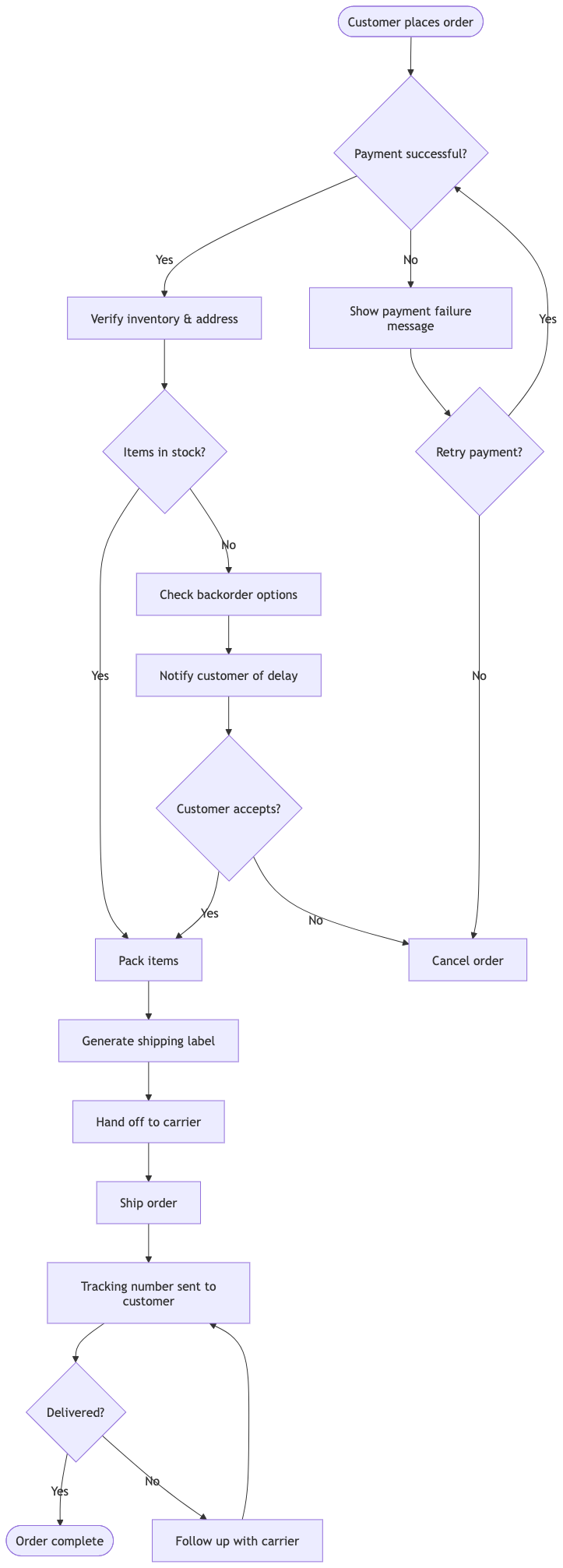
(Chat session: https://ai-toolbox.visual-paradigm.com/app/chatbot-v2/share/6dc3eadd-ca97-485d-8e39-efd55e8398f2)
Standardized, High-Contrast Shapes for Clear Logical Flows
A great flowchart should tell a story at a glance. The AI Chatbot applies sharp, standardized, and unmistakable shape paradigms to eliminate all visual ambiguity:
- Start & End Points (Terminators): Rendered as rounded shapes, letting the reader instantly spot where a process begins and ends.
- Action Steps (Processes): Crisp rectangular boxes that clearly display what action needs to be taken.
- Decision Points: Perfect diamond shapes with clear paths branching out (like “Yes” and “No”), standardizing how logical splits are mapped.
See It in Action: The Clean Code Powering Your Flowcharts
To demonstrate how this works, here is the clean, structurally optimized code generated by our AI Chatbot using the prompt: “Generate a flowchart for a Customer Refund Request.”
flowchart TD
    %% --- STYLES ---
    classDef terminator fill:#E1F5FE,stroke:#0288D1,stroke-width:2px,round:4px;
    classDef process fill:#E1F5FE,stroke:#0288D1,stroke-width:2px;
    classDef decision fill:#FFF9C4,stroke:#FBC02D,stroke-width:2px;

    %% --- NODES ---
    Start([Start]):::terminator
    Submit[Customer Submits Refund Request]:::process
    Check{Is item within
30 days?}:::decision
    Approve[Process Refund Payment]:::process
    Deny[Send Rejection Email]:::process
    End([End]):::terminator

    %% --- FLOWS ---
    Start --> Submit
    Submit --> Check
    Check -- Yes --> Approve
    Check -- No --> Deny
    Approve --> End
    Deny --> End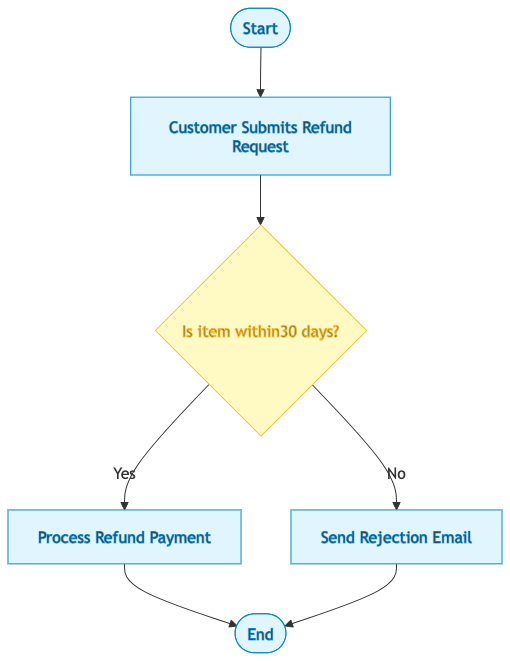
Seamless Integration with VPasCode: Edit Diagrams Instantly
What good is an AI-generated flowchart if you can’t customize it? Thanks to our native integration with Visual Paradigm VPasCode, our premium Diagram-as-Code platform, you retain complete creative control.
When you generate a flowchart inside the AI chatbot, a button reading “Open in VPasCode” will appear directly underneath the diagram viewer.
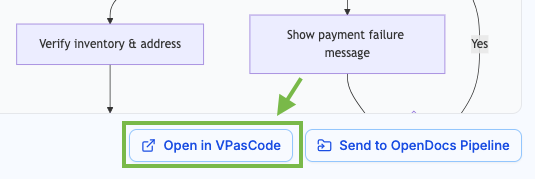
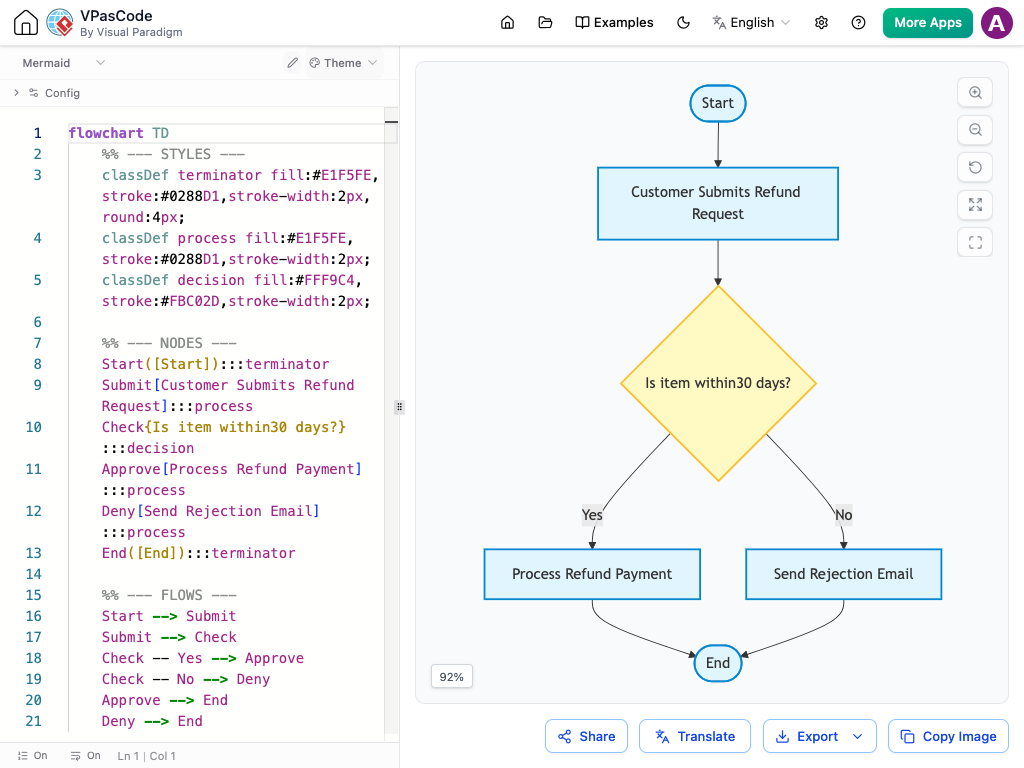
Clicking this button seamlessly opens your flowchart code inside the VPasCode workspace. From there, you can:
- Modify processes, add decision routes, or adjust steps using straightforward, readable syntax.
- See your modifications update in real-time right alongside your code editor.
- Instantly export your final layout to crisp, high-resolution formats like PNG, JPEG, or scalable vectors for your documentation and presentations.
Ready to Generate Your Enhanced Flowchart?
Experience the precision of our enhanced Flowchart layout logic right now. Use the link below to load up the chatbot app and generate professional process maps within seconds.