


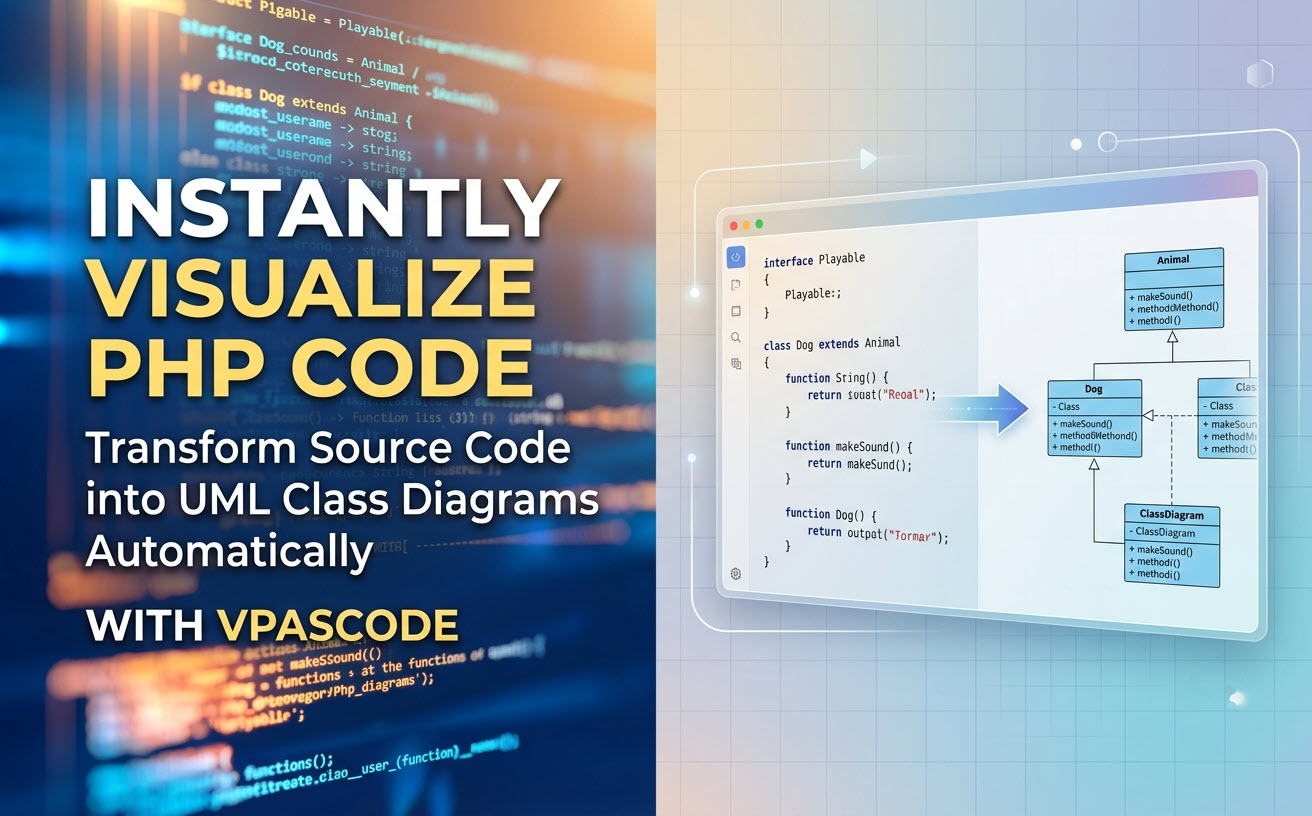
Understanding complex object-oriented architecture in PHP applications can be challenging, especially when onboarding new team members or auditing legacy codebases. Visual Paradigm is excited to announce a major enhancement to Visual Paradigm VPasCode: native support for visualizing PHP source code as comprehensive UML Class Diagrams.
As a unified diagram-as-code tool, VPasCode now bridges the gap between raw source code and architecture diagrams. Whether you need a quick free PHP editor or a dedicated online PHP diagram tool, VPasCode handles the rendering automatically so you can focus on system design.
What is VPasCode?
If you are new to VPasCode, it is Visual Paradigm’s all-in-one diagram-as-code tool designed to simplify diagram creation using popular text-to-diagram Domain Specific Languages (DSLs) and programming code. VPasCode combines a lightweight, free PHP editor and code editor experience with an instant side-by-side graphical renderer.
Beyond PHP, VPasCode supports a vast array of formats and languages, including:
- Diagram & Visualization Tools: PlantUML, Mermaid, Graphviz, Markmap, ECharts
- Structured Data & Query Languages: JSON, YAML, XML, CSV, TOML, SQL
- Programming Languages: Java, TypeScript, Go, Rust, C#, Python, C, C++, PHP, Ruby, Scala, Zig, Kotlin, Swift, and Elixir
How PHP-to-UML Visualization Works
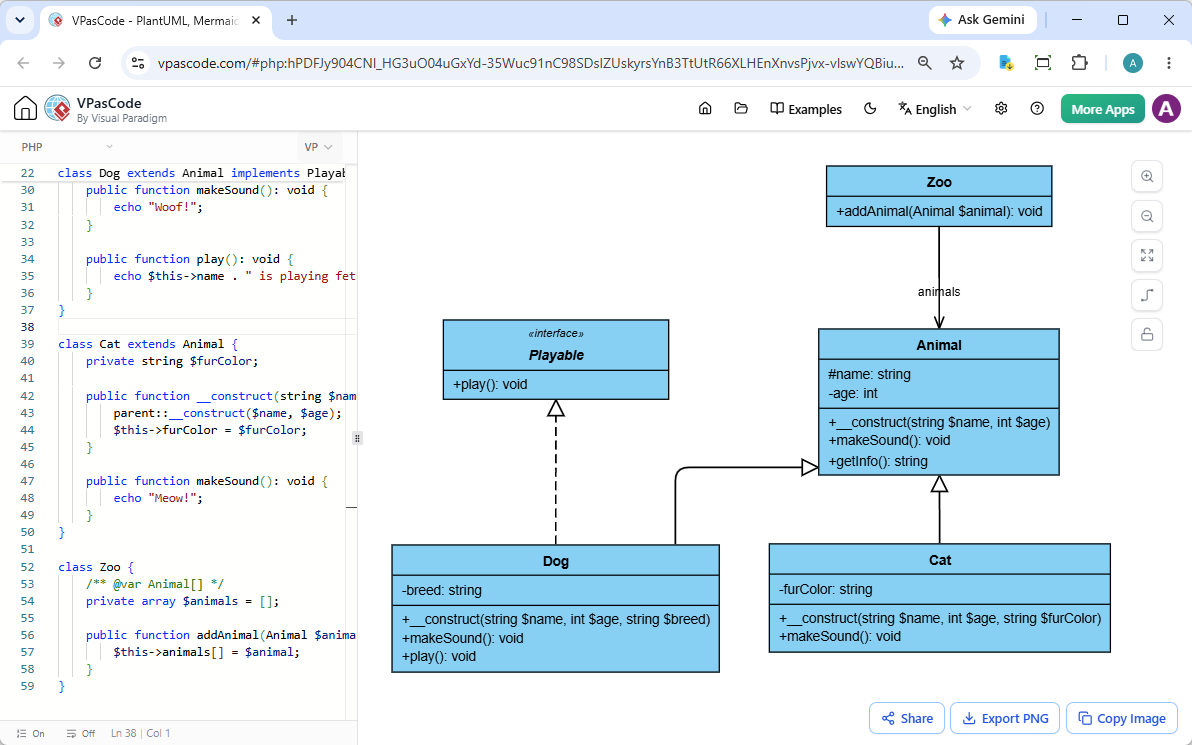
Creating UML diagrams from your existing PHP project takes just a few seconds. VPasCode provides a streamlined interface where your code lives on the left and your visual architecture renders live on the right.
1. Paste, Type, or Drag & Drop
You can directly write or paste your Object-Oriented PHP code into the editor. If you are working with an existing file on your machine, simply drag and drop the PHP source file directly into the VPasCode workspace—the editor instantly ingests the code and generates the corresponding class structures, interfaces, properties, methods, and relationships.
2. Real-Time Diagram Preview
As you modify class definitions, visibility modifiers (public, protected, private), inheritance, or interface implementations in the editor, your UML Class Diagram updates instantaneously. It acts as both a rapid free PHP editor and an interactive online PHP diagram tool.
3. Seamless Sharing and Export Options
Once your diagram is ready, sharing your architecture with team members or adding it to documentation is frictionless:
- No-Login Link Sharing: Share an exact interactive preview of your code and diagram via a simple hyperlink—no user registration required.
- Vector Export (SVG): Download high-resolution SVG files ideal for web embedding and detailed technical specifications.
- Image Export (PNG): Save image files for quick reports or presentation slides.
- Clipboard Copy: Copy rendered images directly to your system clipboard for quick pasting into Slack, Teams, or email.
See It in Action: PHP Object-Oriented Example
To demonstrate how cleanly VPasCode parses class hierarchies, abstract classes, and interfaces, consider the following Object-Oriented PHP code sample defining a simple animal domain model:
<?php
interface Playable {
    public function play(): void;
}

abstract class Animal {
    protected string $name;
    private int $age;

    public function __construct(string $name, int $age) {
        $this->name = $name;
        $this->age = $age;
    }

    abstract public function makeSound(): void;

    public function getInfo(): string {
        return $this->name . " is " . $this->age . " years old";
    }
}

class Dog extends Animal implements Playable {
    private string $breed;

    public function __construct(string $name, int $age, string $breed) {
        parent::__construct($name, $age);
        $this->breed = $breed;
    }

    public function makeSound(): void {
        echo "Woof!";
    }

    public function play(): void {
        echo $this->name . " is playing fetch";
    }
}

class Cat extends Animal {
    private string $furColor;

    public function __construct(string $name, int $age, string $furColor) {
        parent::__construct($name, $age);
        $this->furColor = $furColor;
    }

    public function makeSound(): void {
        echo "Meow!";
    }
}

class Zoo {
    /** @var Animal[] */
    private array $animals = [];

    public function addAnimal(Animal $animal): void {
        $this->animals[] = $animal;
    }
}
When parsed inside VPasCode, this snippet visually illustrates:
- The
Playableinterface contract. - The abstract base class
Animalwith protected and private properties. - Concrete classes
DogandCatinheriting fromAnimal. - Class
DogimplementingPlayable. - Aggregation relationships between
ZooandAnimal.
Try this example yourself live: You can inspect and edit this exact script in our online PHP diagram tool by opening the pre-loaded workspace link below:
Open interactive PHP UML Class Diagram in VPasCode
Advanced Capabilities: AI Assistance & Integration
VPasCode goes beyond traditional text-to-diagram tools by including smart productivity features designed for enterprise development workflows:
- Automatic Code Detection: Simply paste your code snippet into the canvas. VPasCode analyzes the input format automatically and renders the proper diagram view without requiring manual selector toggles.
- AI Code Error Fixing: Encountered a syntax bug? Click ‘Fix by AI’ to automatically resolve syntax mistakes. VPasCode also displays a side-by-side diff explanation so you learn how the syntax error was corrected.
- AI Diagram Translation: Natively translate text inside your diagrams into multiple languages with a single click—ideal for distributed international engineering teams.
- OpenDocs Integration: Export and embed your generated diagrams straight into Visual Paradigm OpenDocs to maintain up-to-date system architecture manuals alongside your living codebase.
Note on Plans: Core features including live code editing, automatic visual rendering, drag-and-drop file ingestion, PNG/SVG exports, and URL link sharing are completely free. Advanced AI Error Fixing and AI Translation are available to subscribers of Visual Paradigm Online Combo Edition (and higher) or active maintenance users of Visual Paradigm Desktop Professional Edition (and higher).
Start Mapping Your PHP Architecture Today
Stop spending hours manually sketching class diagrams in image editors. Use VPasCode as your flexible free PHP editor and lightweight diagram-as-code tool to keep your documentation in sync with your code.
Unified Platform entrance of VPasCode: Under the “Developer” category of the app hub.