


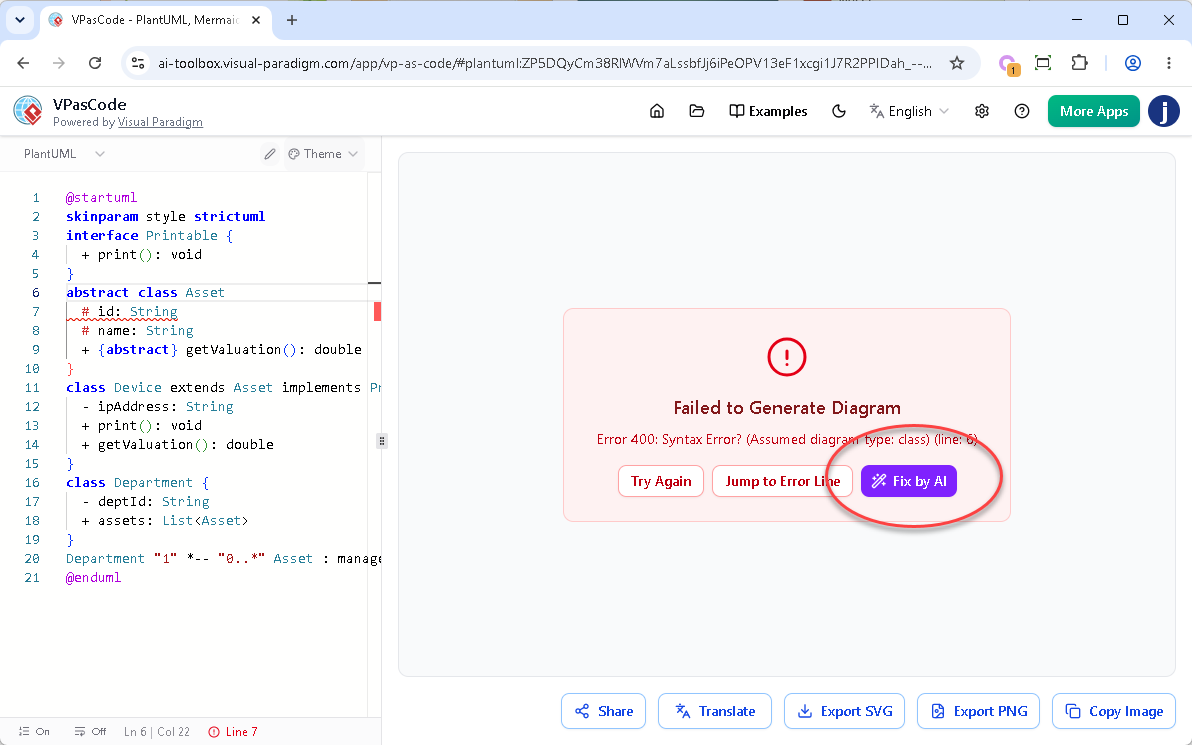
When we launched the “Fix by AI” feature on Visual Paradigm VPasCode, our goal was to eliminate the frustration of debugging broken PlantUML, Mermaid, or Graphviz code. While having the AI instantly repair syntax errors was a massive productivity booster, we realized something was missing: transparency.
Automated fixes feel like magic, but engineers need to know exactly what is changing under the hood. Today, we are thrilled to roll out a major enhancement to our troubleshooting workflow: the brand-new AI Fix Details panel, complete with a side-by-side code diff component and natural language reasoning.
The Upgraded Workflow: Complete Transparency in Real-Time
The core functionality remains seamlessly fast, but you now have complete visibility over your code modifications:
- The Fix: When you hit “Fix by AI”, the engine instantly repairs your syntax, cleans up the script, and renders your diagram.
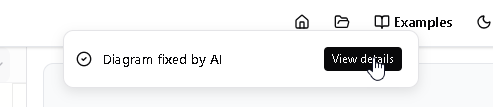
- The Notification: Simultaneously, a sleek notification banner will appear at the top of your screen displaying the message: “Diagram fixed by AI”.
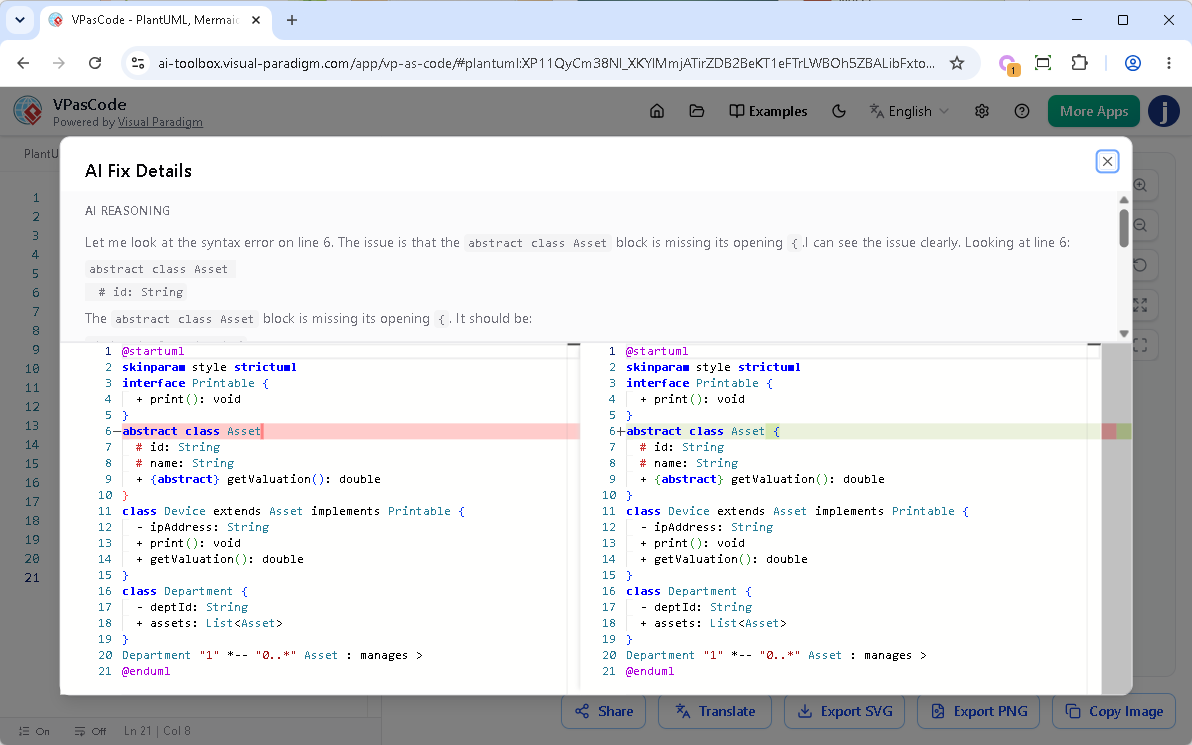
- The Reveal: To the right of that banner, you will find a “View details” button. Clicking this button opens up a comprehensive popup dialog box detailing the exact changes made to your project.
Try it now
You can try the enhancement by using the problematic PlantUML code below. Click on the Edit PlantUML in VPasCode button to open VPasCode and try to repair it.
@startuml
skinparam style strictuml
interface Printable {
  + print(): void
}
abstract class Asset
  # id: String
  # name: String
  + {abstract} getValuation(): double
}
class Device extends Asset implements Printable {
  - ipAddress: String
  + print(): void
  + getValuation(): double
}
class Department {
  - deptId: String
  + assets: List
}
Department "1" *-- "0..*" Asset : manages >
@endumlInside the AI Fix Details Dialog
As shown in the image above, the new dialog box is cleanly divided into two highly informative sections:
- Upper Part (AI Reasoning): A plain-English explanation generated by the AI detailing exactly what syntax issue it discovered (e.g., locating a missing opening bracket
{on a specific line) and how it approached the solution. - Lower Part (Code Diff Component): A precise, side-by-side comparison of your code block before and after the modification. Red highlights mark the broken or missing sections on the left, while green highlights cleanly call out the repaired syntax injected on the right.
Why This Enhancement is a Game-Changer
1. Absolute Trust and Control
As developers, we hate when software edits our work unpredictably. The code diff gives you total peace of mind, proving that the AI is safely targeting the exact syntax error without making arbitrary, unexpected, or unneeded changes to your underlying business logic.
2. Interactive Learning on the Go
Syntax rules across PlantUML, Mermaid, and Graphviz can sometimes get confusing. By reading the AI’s plain-text reasoning and seeing the exact visual diff highlight, the platform transforms from an editor into a learning tool—helping you master the subtle syntax nuances so you can avoid making the same mistakes in the future.
3. Effortless Auditing and Quick Reversals
If you are managing large diagrams, trying to figure out what tiny code modification changed your structural layout can be difficult. By knowing exactly what changed and where, you can easily audit changes or manually revert specific choices if your original intent differed from the syntax requirements.
Availability
The enhanced AI Fix Details dialog is seamlessly integrated into the existing AI Code Error Fixing tool. It is accessible to all premium accounts including:
- Visual Paradigm Online Combo Edition (or higher).
- Visual Paradigm Desktop Professional Edition (or higher) with active maintenance.
Stop guessing what broke your script and start learning from your code fixes. Head over to VPasCode, create freely, and check out the new transparent AI Fix Details interface today!
Try it now at https://www.vpascode.com/