


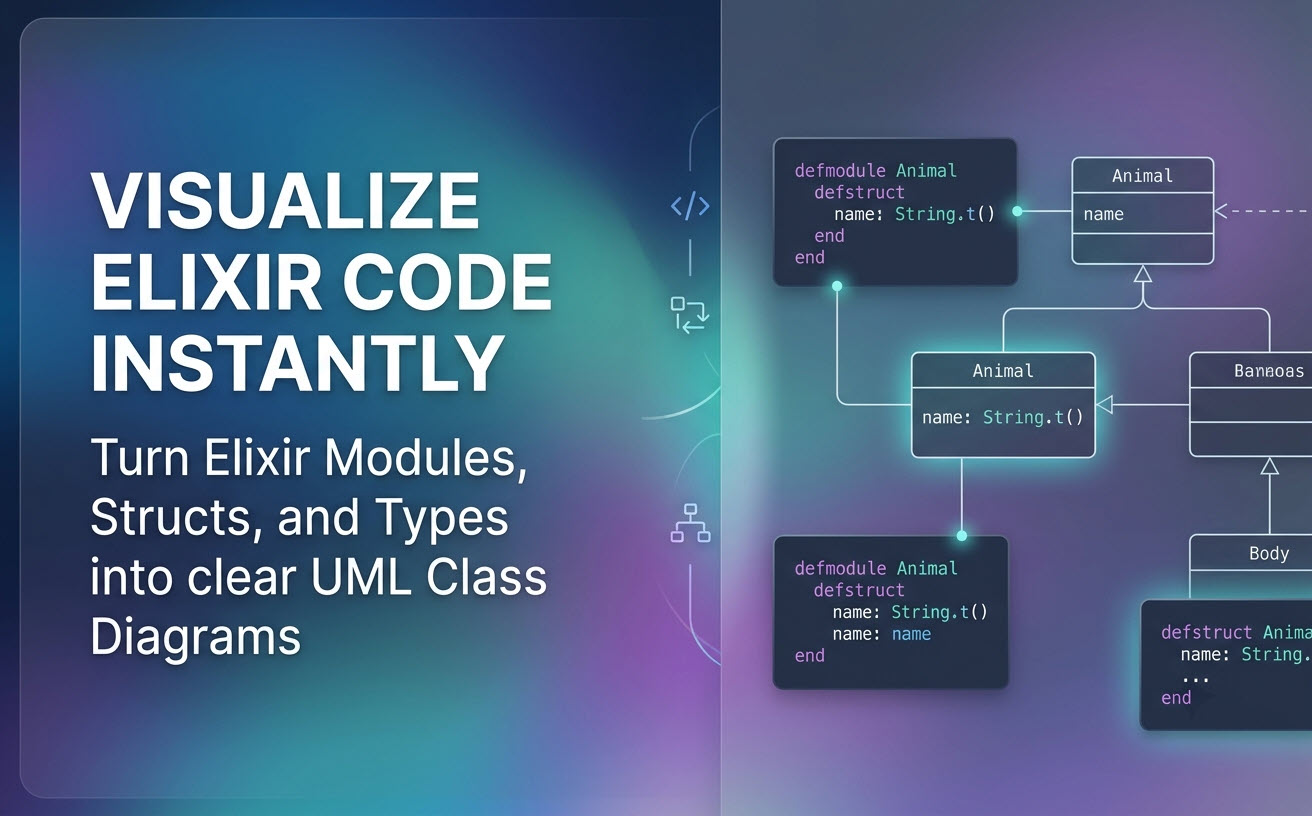
 Understanding complex codebases, mapping out module relationships, and communicating architecture to team members can be challenging in fast-paced development environments. Visual Paradigm is thrilled to announce a major feature update to Visual Paradigm VPasCode: native visualization support for programming languages as UML Class Diagrams.While VPasCode has long supported code-to-diagram workflows for declarative diagramming tools, you can now paste your application source code directly into our environment to instantly generate accurate UML class diagrams. Today, we are spotlighting how this works for Elixir developer workflows.
What is VPasCode?
VPasCode (Visual Paradigm’s diagram-as-code platform) is a unified, web-based platform designed to turn text and code into clear visual models effortlessly. Serving as an intuitive free Elixir editor and multi-language rendering suite, VPasCode streamlines visual documentation without requiring complex setup or heavy installations.
Whether you need a reliable online Elixir diagram tool or an all-in-one platform for standard markup formats, VPasCode supports a vast array of diagramming standards and structured formats:
- Diagramming DSLs: PlantUML, Mermaid, Graphviz, Markmap, ECharts
- Structured Data & Queries: JSON, YAML, XML, CSV, TOML, SQL
- Programming Languages: Java, TypeScript, Go, Rust, C#, Python, C, C++, PHP, Ruby, Scala, Zig, Kotlin, Swift, and Elixir
With automatic code detection, simply pasting your text lets VPasCode identify the source language and generate the corresponding visualization in real time.
Seamless Elixir Code to UML Class Diagram Visualization
Elixir’s functional paradigm relies heavily on modules, structs, and type specifications to define data shapes and behavior. With our updated engine, VPasCode parses your Elixir definitions and translates structs, fields, function signatures, and module associations into clear, standard UML class diagrams.
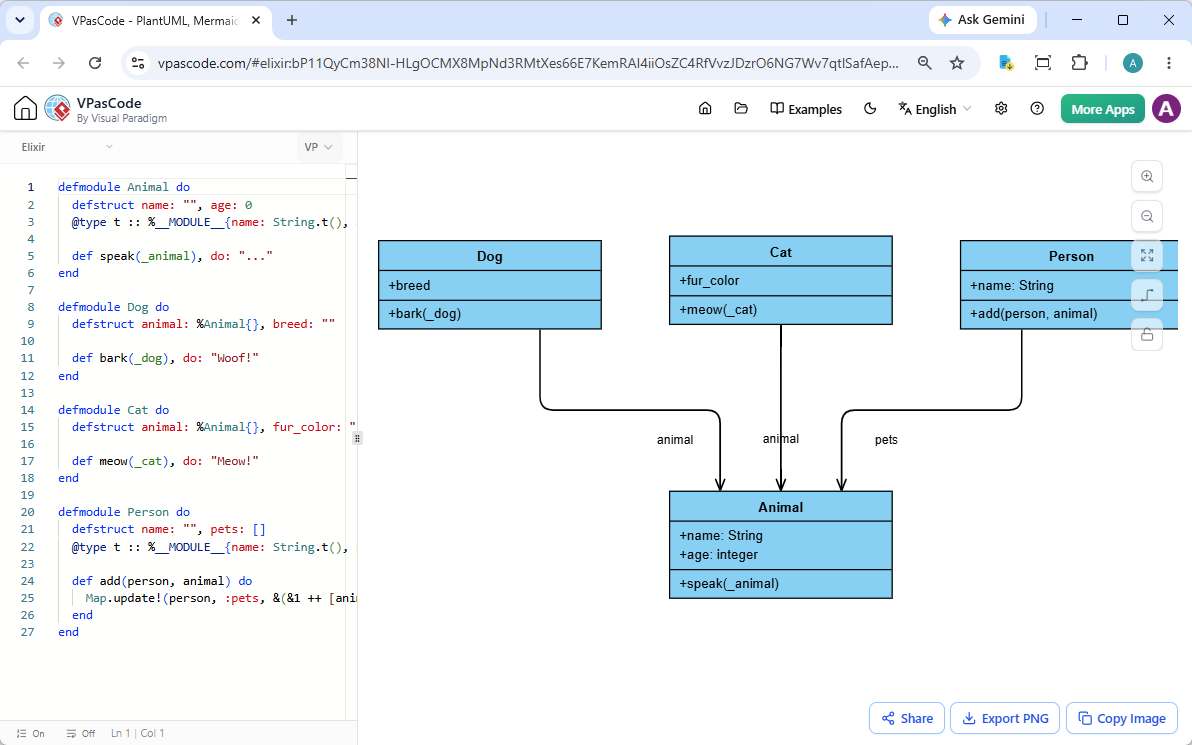
How It Works:
- Live Code Editing: Type or paste your functional code into the left editor panel. As you edit, the right panel dynamically renders your UML diagram in real time.
- Drag and Drop Support: Drag an Elixir source file (
.exor.exs) straight from your file manager into the editor space to load and visualize it immediately. - Automatic Struct and Spec Mapping: Struct fields, types defined with
@type, and module functions are accurately represented as class attributes and operations.
See It in Action: Interactive Elixir Example
To demonstrate how simple it is to use VPasCode as a diagram-as-code tool for Elixir, consider the following example defining modules for Animal, Dog, Cat, and Person:
defmodule Animal do
  defstruct name: "", age: 0
  @type t :: %__MODULE__{name: String.t(), age: integer()}

  def speak(_animal), do: "..."
end

defmodule Dog do
  defstruct animal: %Animal{}, breed: ""

  def bark(_dog), do: "Woof!"
end

defmodule Cat do
  defstruct animal: %Animal{}, fur_color: ""

  def meow(_cat), do: "Meow!"
end

defmodule Person do
  defstruct name: "", pets: []
  @type t :: %__MODULE__{name: String.t(), pets: list(Animal.t())}

  def add(person, animal) do
    Map.update!(person, :pets, &(&1 ++ [animal]))
  end
end
VPasCode analyzes these module structures, field specs, and nested definitions to render an intuitive class diagram showing attributes, functions, and module relationships.
Want to see this exact example live in your browser? You can explore and edit this script instantly without signing up:
Key Features for Better Visual Workflow
VPasCode goes beyond standard code rendering by offering robust productivity features for developers, architects, and technical writers using an online Elixir diagram tool:
- Zero-Barrier Sharing: Share interactive diagram state via lightweight hyperlinks or QR codes—no login or account creation required for viewers.
- Flexible Image Exporting: Export rendered diagrams to high-resolution PNG images or scalable SVG vectors for documentation, presentations, or repository READMEs.
- One-Click Clipboard Copy: Quick-copy visual diagrams straight to your clipboard to paste into team chats, Slack, or ticketing systems.
- Smart AI Assistance: When working with complex syntax or standard diagram formats like PlantUML and Mermaid, leverage built-in AI Code Error Fixing to automatically correct syntax errors, complete with detailed diff explanation logs.
- AI Diagram Translation: Instantly translate diagram labels and text into foreign languages for global technical documentation.
- OpenDocs Integration: Send your code diagrams directly to Visual Paradigm OpenDocs for consolidated document management.
Start Visualizing Your Elixir Code Today
Whether you need a lightweight free Elixir editor to draft quick models or an enterprise-ready diagram-as-code tool to document complex functional architectures, VPasCode simplifies how you bridge code and visualization.
Try converting your Elixir modules to visual class diagrams right now in your web browser—no sign-up needed.
Unified Platform entrance of VPasCode: Under the “Developer” category of the app hub.