


Managing complex configuration files is a daily reality for modern software developers and system architects. As projects grow, reading through deeply nested structures like Rust Cargo manifests, Hugo configurations, or PyProject files in raw text can quickly become overwhelming. At Visual Paradigm, we believe that understanding your code shouldn’t require mental gymnastics.
That is why we are excited to announce our latest product update: Visual Paradigm VPasCode now fully supports TOML visualization!
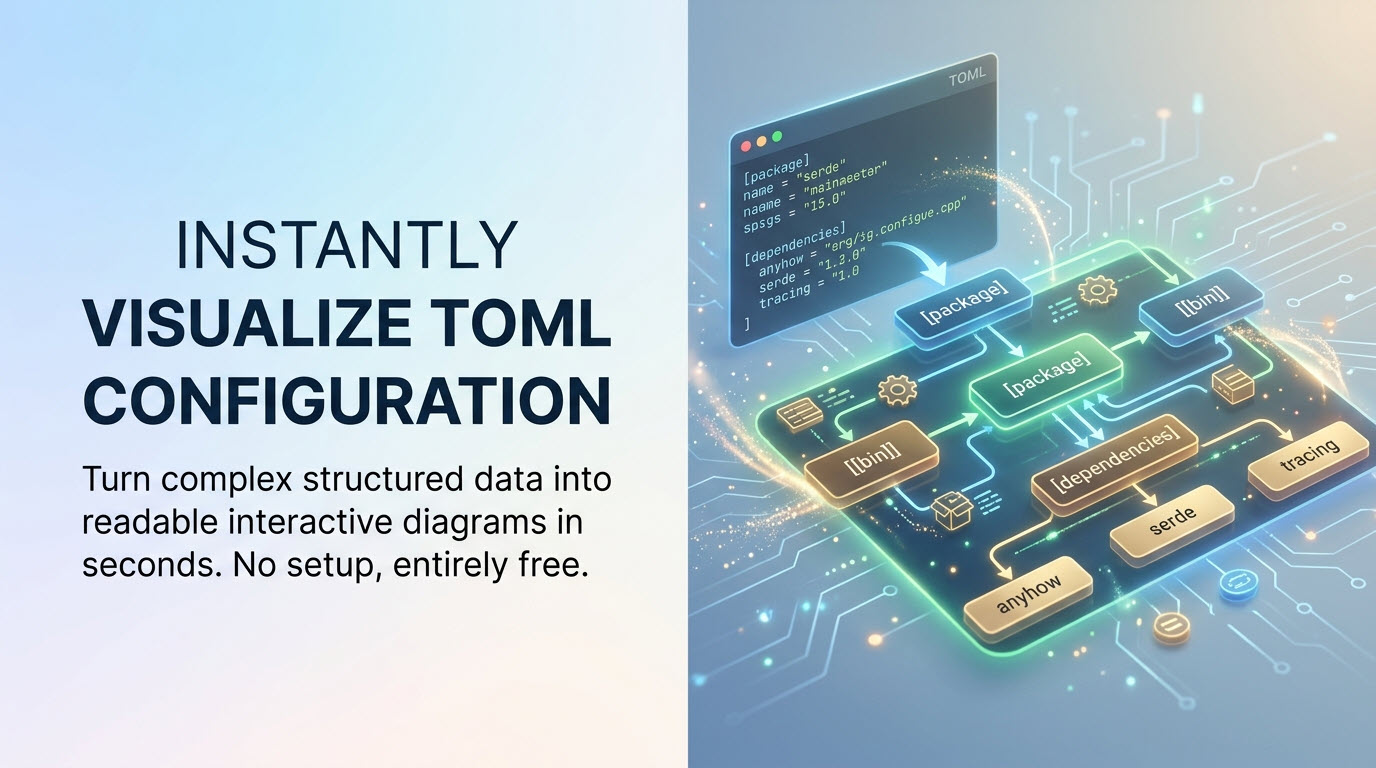
Whether you are looking for an online TOML diagram tool to map out project dependencies or an intuitive, free TOML editor to streamline your workflow, VPasCode makes visualizing structured data effortless.
What is VPasCode?
VPasCode (Visual Paradigm’s diagram-as-code platform) is a unified text-to-diagram platform designed to give developers, architects, and technical writers a fast, seamless way to turn code into clear visuals. Instead of forcing you to jump between different single-purpose tools, VPasCode brings diagramming, structured data rendering, database schemas, and programming languages together into a single browser-based application.
Powered by a flexible online editor and a instant live renderer, VPasCode lets you paste your code on the left and immediately see a clean, well-structured visual layout on the right. It supports a massive lineup of text-based diagramming standards and structured data formats, including:
- Diagram & Visualization Tools: PlantUML, Mermaid, Graphviz, Markmap, ECharts
- Structured Data Formats: JSON, YAML, XML, CSV, and now TOML
- Database Languages: SQL
- Programming Languages: Java, TypeScript, Go, Rust, C#, Python, C, C++, PHP, Ruby, Scala, Zig, Kotlin, Swift, and Elixir
Whether you need a quick PlantUML Sequence Diagrams, a Mermaid Git Graph, or a clear visual map of a database schema, VPasCode handles it out of the box with zero setup required.
Bringing Visual Clarity to TOML Files
TOML (Tom’s Obvious Minimal Language) has become the gold standard configuration format across major ecosystems like Rust (Cargo.toml), Python (pyproject.toml), and static site generators like Hugo. While TOML is intentionally easy for humans to read, large enterprise configuration files with dozens of tables, arrays, and dependencies can still be tricky to parse at a glance.
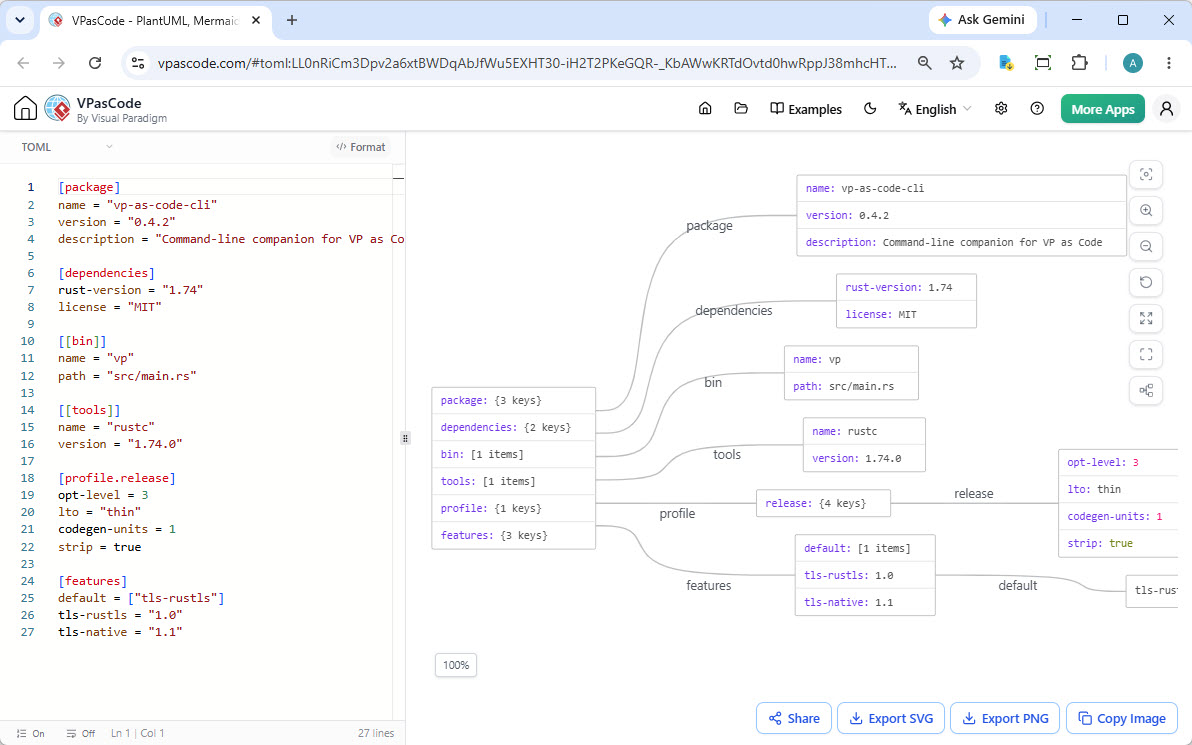
With our new update, VPasCode transforms plain TOML text into readable, structured visual nodes automatically.
Key Features Available in the TOML Editor
When working with TOML files in our free TOML editor, you get access to a full suite of interactive productivity features:
- Bi-Directional Code & Diagram Highlighting: Click on any shape or node inside the diagram to instantly jump to its corresponding block of code in the editor, complete with line highlighting.
- One-Click Code Formatting: Tidy up messy or unformatted TOML files instantly using the built-in code prettier.
- Multiple Diagram Themes: Customize the look and feel of your diagrams with dark, light, and high-contrast themes suited for presentation or dark-mode workflows.
- Export to SVG and PNG: High-resolution vector and image exports make it easy to drop your diagrams into documentation, slides, or pull requests.
- Copy Image to Clipboard: Copy visual diagrams directly to your clipboard for quick sharing in Slack, Microsoft Teams, or Jira.
- Instant Hyperlink Sharing (No Login Required): Share your interactive visual diagrams with teammates via a lightweight URL without requiring them to create an account.
See It in Action: Visualizing a Rust Cargo Manifest
To see how VPasCode acts as an online TOML diagram tool, take a look at this typical Cargo.toml file from a Rust command-line tool. It contains package information, build profiles, dependencies, and feature flags:
[package]
name = "vp-as-code-cli"
version = "0.4.2"
edition = "2021"
rust-version = "1.74"
description = "Command-line companion for VP as Code"
license = "MIT"
repository = "https://github.com/example/vp-as-code-cli"
authors = [ "VP Toolbox Authors <[email protected]>" ]
keywords = [ "diagram", "mermaid", "plantuml", "ai" ]
categories = [ "command-line-utilities", "development-tools" ]

[dependencies]
serde_json = "1"
anyhow = "1"
tracing = "0.1"

[dependencies.tokio]
version = "1.35"
features = [ "full" ]

[dependencies.reqwest]
version = "0.12"
features = [ "json", "rustls-tls" ]
default-features = false

[dependencies.serde]
version = "1"
features = [ "derive" ]

[dependencies.clap]
version = "4.4"
features = [ "derive", "env" ]

[dependencies.tracing-subscriber]
version = "0.3"
features = [ "env-filter" ]

[dev-dependencies]
assert_cmd = "2"
predicates = "3"

[[bin]]
name = "vp"
path = "src/main.rs"

[profile.release]
opt-level = 3
lto = "thin"
codegen-units = 1
strip = true

[features]
default = [ "tls-rustls" ]
tls-rustls = [ "reqwest/rustls-tls" ]
tls-native = [ "reqwest/native-tls" ]When pasted into VPasCode, this text immediately renders into a clean, hierarchical view showing how each section, dependency group, and feature flag connects.
👉 Click here to open and interact with this live TOML example directly in VPasCode
What Makes VPasCode Unique?
While standard editor capabilities like live rendering and SVG exports are included for free, VPasCode stands apart from standard tools thanks to several innovative, industry-first features designed to eliminate developer friction:
- Automatic Code Detection: Simply paste your code or data into the editor. VPasCode automatically detects whether it’s TOML, JSON, PlantUML, Mermaid, or SQL, and renders the diagram right away without asking you to pick a language manually.
- AI Code Error Fixing: Stuck on a syntax error? Hit “Fix by AI” to let AI resolve the error for you (learn more). VPasCode even presents a clear, side-by-side code diff explaining what was wrong so you can learn from it.
- AI Diagram Translation: Working across international teams? Instantly translate label text within your diagrams into different languages in one click.
- Visual Paradigm OpenDocs Integration: Seamlessly move your generated diagrams into Visual Paradigm OpenDocs to build comprehensive technical documentation without copy-paste headaches.
Note: Core editing, live TOML rendering, exports, and sharing are 100% free. Advanced AI capabilities (Code Error Fixing & Diagram Translation) are available in the Visual Paradigm Online Combo Edition (or higher) and for Visual Paradigm Desktop Professional Edition users with active maintenance.
Start Visualizing Your TOML Files Today
Whether you want to audit a Rust configuration, map out complex settings, or just need a reliable, free TOML editor with instant graphical output, VPasCode is ready for you.
No downloads or accounts are needed to get started.
Or read more about our full suite of diagramming features on the VPasCode Home.