


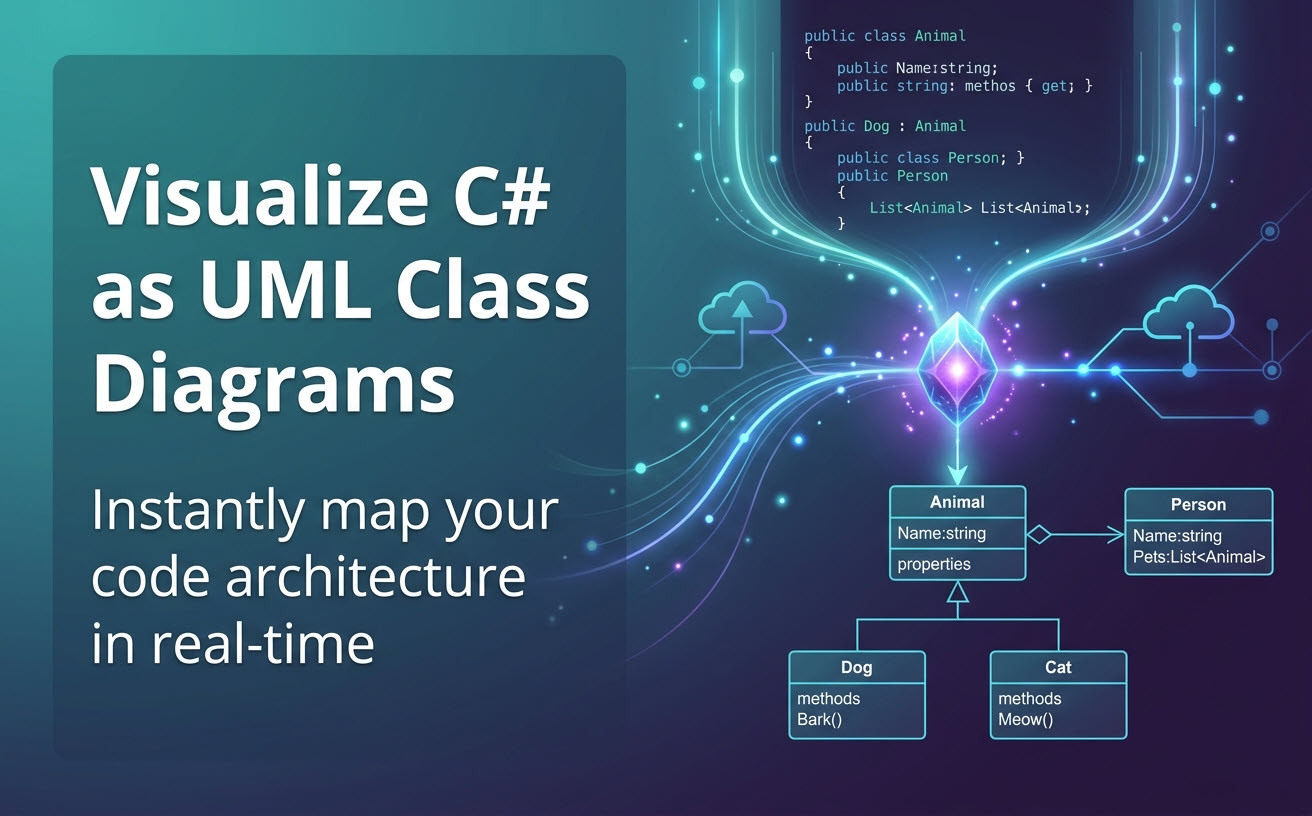
We are thrilled to announce a major update to Visual Paradigm VPasCode! As part of our continuous effort to make software architecture visualization seamless, we have enhanced our platform to support the automatic generation of UML Class Diagrams directly from programming languages. Today, we are shining the spotlight on our brand-new support for C#.
Whether you are documenting an existing legacy system, onboarding new developers, or simply planning out your object-oriented structures, you can now use VPasCode as a powerful online C# diagram tool to instantly visualize your code architecture.
What is VPasCode?
If you are new to our platform, VPasCode (Visual Paradigm’s diagram-as-code platform) is a unified diagram-as-code tool that allows users to create stunning diagrams using popular text-to-diagram formats like PlantUML, Mermaid, Graphviz, ECharts, and more.
Designed to be a centralized workspace for developers and architects, VPasCode comes with a convenient, integrated code editor and a real-time diagram renderer. Beyond rendering standard scripting languages, VPasCode now natively supports the visualization of structured data, database languages (SQL), and a growing list of programming languages including Java, TypeScript, Go, Rust, C#, Python, C, C++, PHP, Ruby, Scala, Zig, Kotlin, Swift, and Elixir.
You can learn more about our supported formats and capabilities on the VPasCode Home.
Visualizing C# with Our Free C# Editor
Generating a UML Class Diagram from your C# code is incredibly straightforward. We have designed the interface to be intuitive and friction-free.
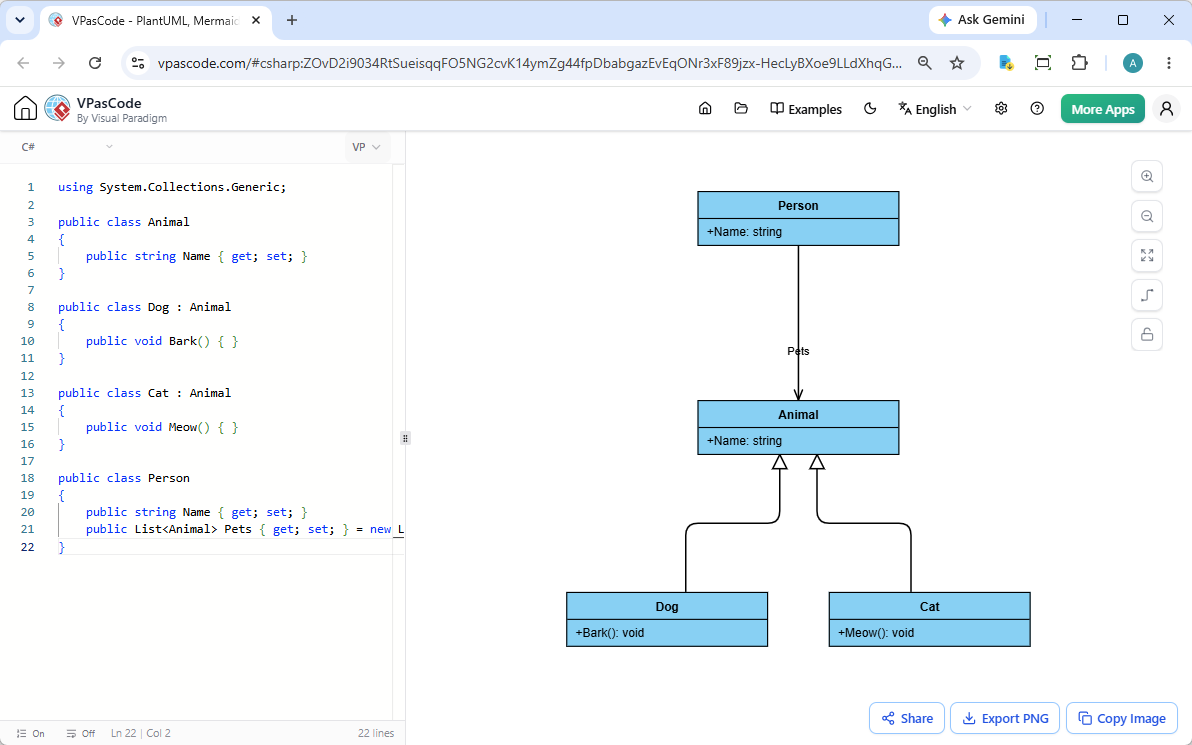
When you open the app, you will see a split-screen interface. On the left side of the GUI, you can paste and edit your C# source code directly into our free C# editor. As you type or modify the code, a beautiful UML class diagram is instantly rendered on the right side of your screen. There is no need to manually draw boxes or connect lines—the structure of your application is mapped out automatically.
Prefer working with existing files? You can simply drag and drop a C# source file directly into VPasCode. The platform will automatically extract the code and render the diagram, saving you even more time.
C# to UML Example
To demonstrate how this online C# diagram tool works in practice, let’s look at a simple object-oriented example involving inheritance and associations.
using System.Collections.Generic;

public class Animal
{
    public string Name { get; set; }
}

public class Dog : Animal
{
    public void Bark() { }
}

public class Cat : Animal
{
    public void Meow() { }
}

public class Person
{
    public string Name { get; set; }
    public List<Animal> Pets { get; set; } = new List<Animal>();
}
When this code is processed by VPasCode, it instantly generates a UML Class Diagram showing Dog and Cat inheriting from Animal, alongside a directed association representing the Person class’s collection of pets.
Want to see it in action? Click here to open and edit this exact C# example in VPasCode.
Seamless Workflow and Sharing
As a comprehensive diagram-as-code tool, VPasCode is built to integrate smoothly into your daily workflow. Once your C# UML Class Diagram is rendered, you can take advantage of several standard features to share and export your work:
- Export to Vector or Raster: Download your diagrams in high-quality SVG or PNG formats for use in reports, presentations, or documentation.
- Copy Image to Clipboard: Instantly copy the rendered diagram and paste it directly into your emails, chat applications, or documents.
- Frictionless Sharing: Generate a unique hyperlink to share your live diagram with colleagues or clients. The best part? No login is required for them to view it.
More Than Just an Online C# Diagram Tool
VPasCode isn’t just a basic free C# editor and visualizer. It is packed with industry-unique features designed to streamline your development process:
- Automatic Code Detection: Simply paste your code (whether it’s C#, PlantUML, JSON, or SQL) into the editor. We instantly analyze the format and automatically render the correct diagram without requiring you to manually select a language.
- AI Code Error Fixing (Premium): Encounter a syntax error in your diagram scripts? Click “Fix by AI” and our system will not only correct the mistake but explain the fix with a side-by-side code diff so you can learn from it.
- AI Translation (Premium): Instantly translate diagram content (e.g., from English to Chinese or vice versa) to break language barriers in international projects.
- OpenDocs Integration: Seamlessly push your diagrams to Visual Paradigm OpenDocs to build centralized, comprehensive project documentation.
Note: Diagram editing, live rendering, and image exports are completely free. Advanced AI features are available with Visual Paradigm Online Combo Edition (or higher), or Visual Paradigm Desktop Professional Edition (or higher) with active maintenance.
Try It Out Today
Ready to visualize your C# architecture without manually drawing a single box? Experience the fastest way to turn source code into clear, communicative UML diagrams.
Launch the VPasCode Editor and start visualizing your C# code for free!