Read this post in: en_USfr_FRhi_INid_IDjapl_PLru_RUvi

新功能:将您的 Visual Paradigm Online 创作内容直接发送至 OpenDocs

无论是技术 UML 模型还是高影响力的营销图形,您基于云的视觉内容现在都可以直接存放在您的文档中。

统一的云工作流

我们非常高兴地宣布,Visual Paradigm Online现在支持与Visual Paradigm OpenDocs。此更新使您能够弥合我们多功能的基于云的绘图工具与您集中化的知识管理平台之间的差距。现在,您在在线创建的任何视觉内容——从复杂的技術圖形到引人注目的社交媒體圖形——都可以通過Pipeline.

此集成非常适合需要快速推进的团队。在浏览器中创建您的设计,将其发送到 Pipeline,然后立即嵌入项目文档中。这消除了将图像下载到本地计算机的需要,使您的工作流程完全在云端进行。

注意:此功能仅对拥有Visual Paradigm Online Combo Edition订阅的用户可用。
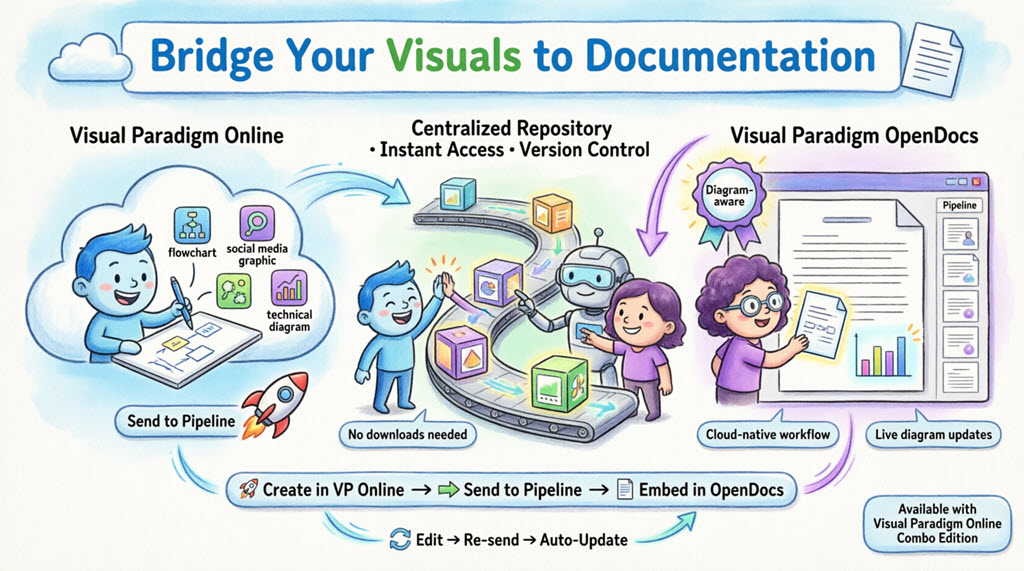
Infographic illustrating Visual Paradigm's cloud workflow: create diagrams in VP Online, send them through the Pipeline transit hub, and embed directly into OpenDocs documentation. Shows cartoon characters demonstrating the seamless integration with features like no downloads, live updates, and automatic synchronization between platforms.

什么是 Visual Paradigm OpenDocs?

OpenDocs 是我们的顶级知识与文档管理平台。与标准的文字处理软件不同,OpenDocs 具备“图形感知”功能。它将完整的绘图引擎直接集成到文档编辑器中,使您无需离开页面即可插入、查看甚至重新编辑视觉内容。通过将 Visual Paradigm Online 与 OpenDocs 连接,您的云端图表将成为文档中动态的一部分。

了解 Pipeline

Pipeline 充当您个人的“资产中转站”。它是一个集中式存储库,用于保存您的图表和图形(我们称之为“资产”),以便在 Visual Paradigm 生态系统中的不同应用程序之间轻松共享。当您从 Visual Paradigm Online 发送“到 Pipeline”时,您实际上是将该资产放置在一个 OpenDocs 可以立即看到并用作文档输入的位置。

如何将视觉内容从 VP Online 发送到 OpenDocs

将您的工作从云端编辑器移动到文档中非常简单直观:

  1. 在 Visual Paradigm Online 中打开您的图表或图形。
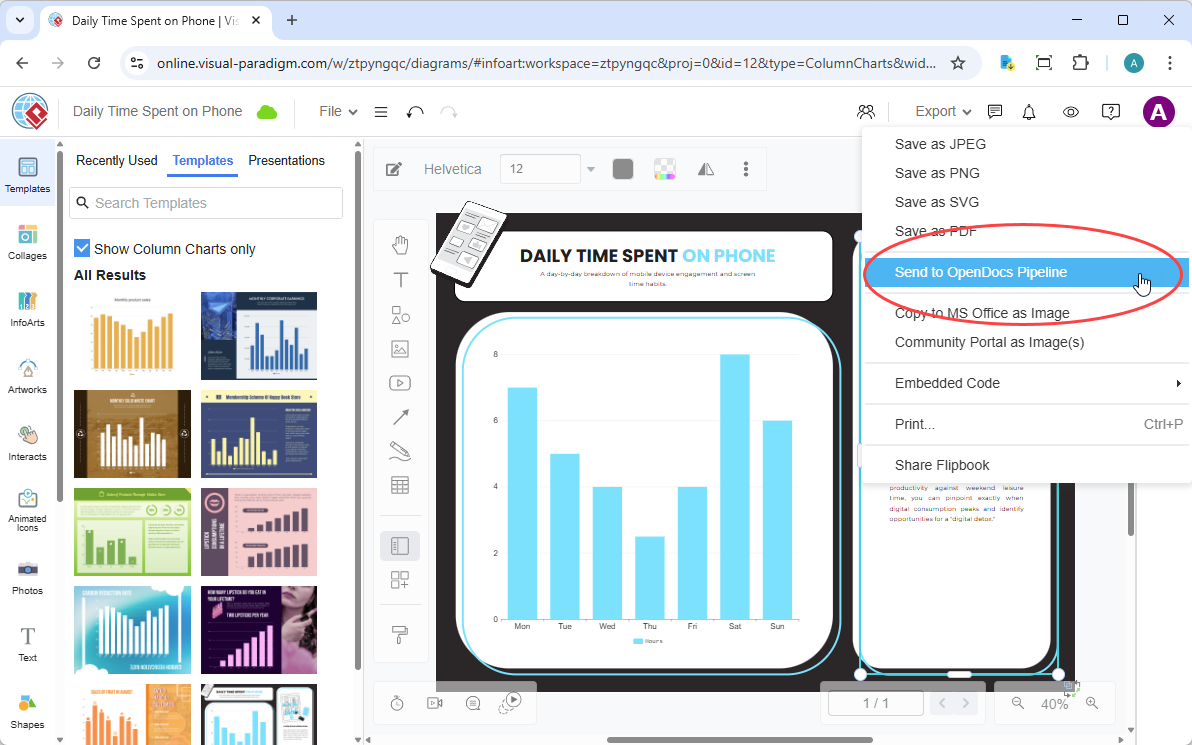
  2. 在顶部菜单中,选择导出 > 发送到 OpenDocs Pipeline.

    A screenshot of Visual Paradigm Online that shows how to send a column chart from Visual Paradigm Online to Visual Paradigm OpenDocs through the top menu.

  3. (可选)添加备注以描述该资产。这将使您在 Pipeline 面板中稍后更容易找到它。
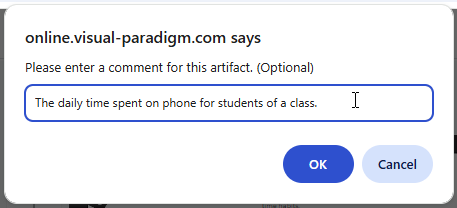
    Entering a comment for the column chart being sent to the OpenDocs

  4. 确认导出。您的视觉内容现在已安全存储在 Pipeline 中。

在 OpenDocs 中嵌入您的资产

一旦您的图表进入 Pipeline,您就可以将其放置在知识库的任何位置:

  1. 在 OpenDocs 中打开任意文档页面并点击编辑.

    A screenshot of Visual Paradigm OpenDocs that shows the position of the Edit button.

  2. 点击您想要插入图表的页面。

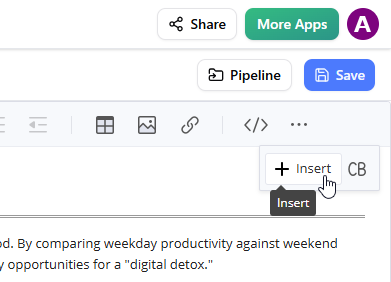
  3. 在工具栏上,点击插入.

    A screenshot of Visual Paradigm OpenDocs that shows the user clicking on the Insert button on the toolbar.

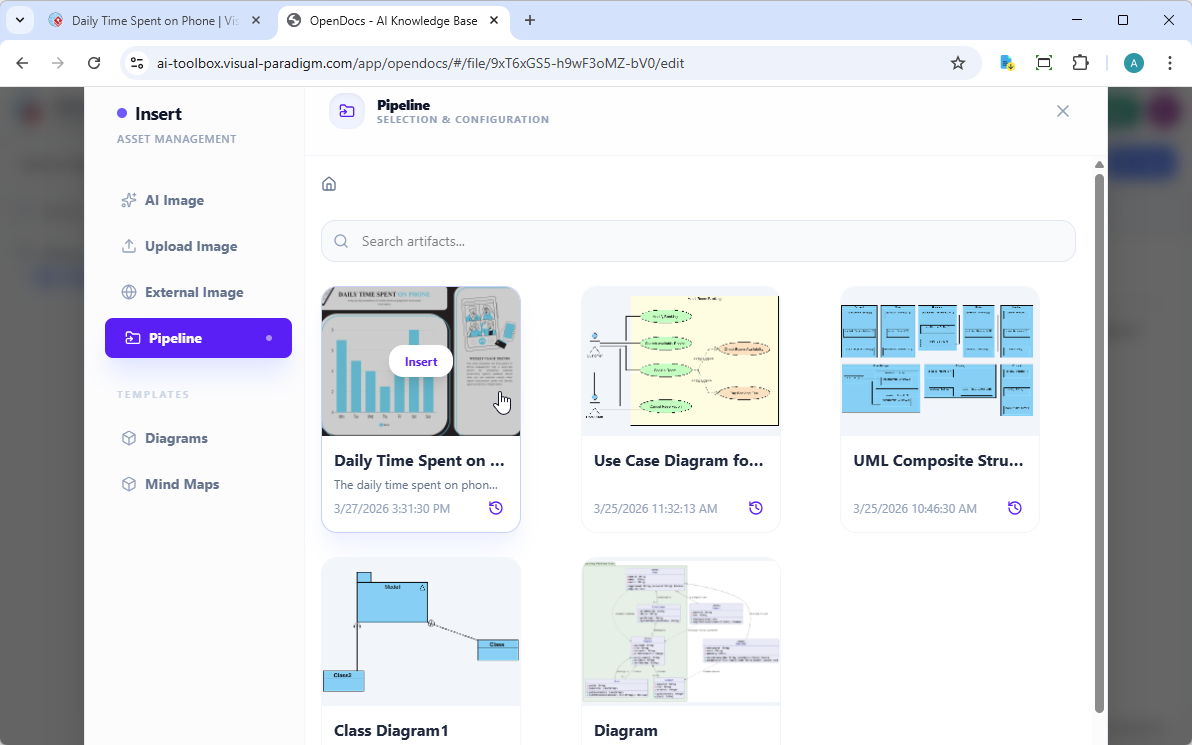
  4. 插入窗口中,选择流水线从左侧边栏中选择。您发送的图表将显示在此处。

    A screenshot of Visual Paradigm OpenDocs that shows the user selecting a diagram image from the Pipeline, through the Insert window

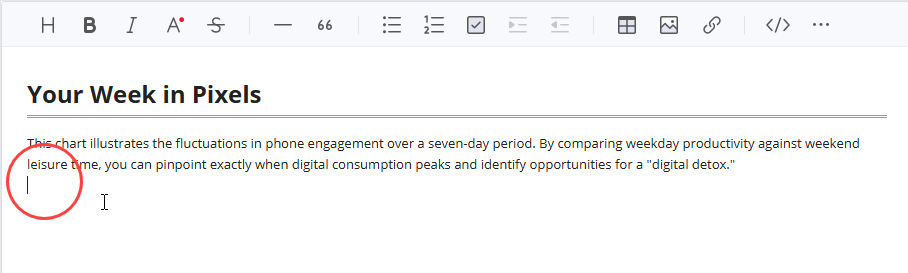
  5. 点击图表,即可将图像直接插入到光标位置。

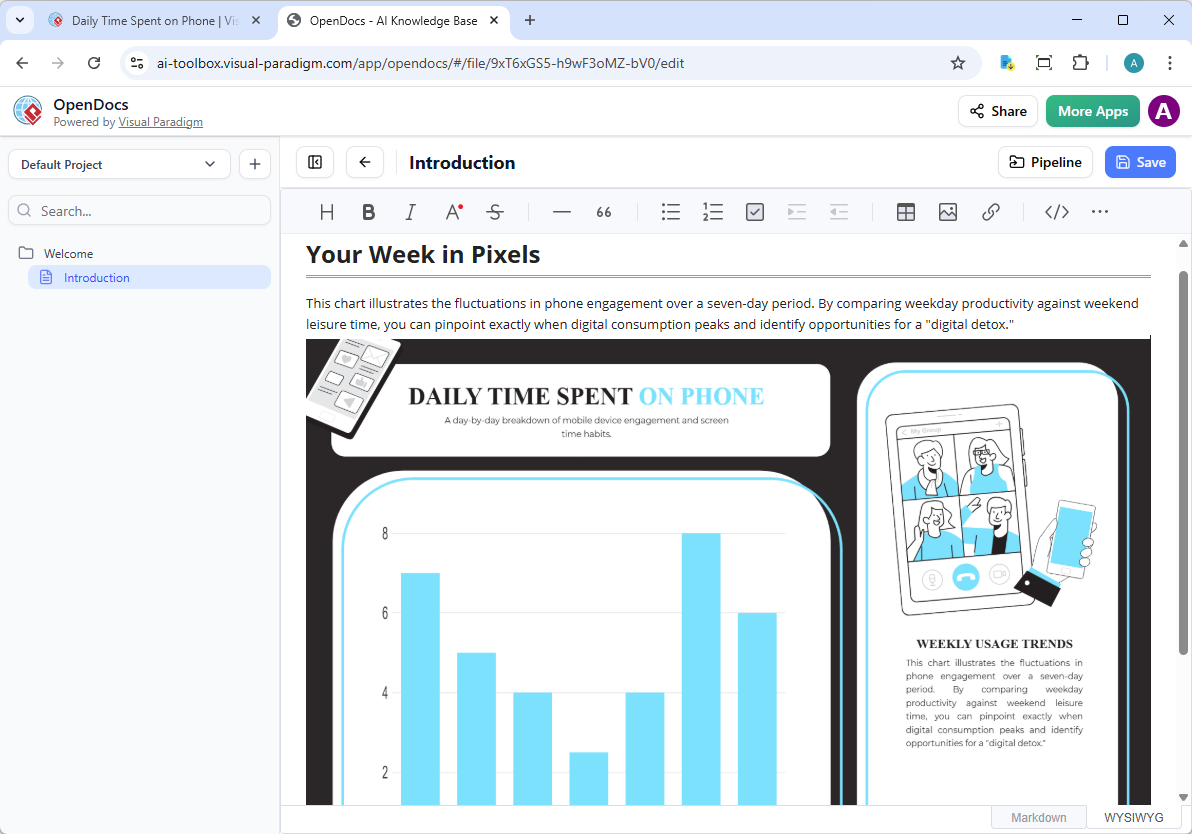
    A column chart sent from Visual Paradigm Online to OpenDocs, via the Pipeline

保持文档同步:更新资产

此集成最强大的功能之一,就是能够在模型演进的同时更新您的文档。如果需要对已存在于 OpenDocs 中的图表进行修改,请按照以下步骤操作:

1. 打开源图表

在 OpenDocs 中,点击图表右上角的编辑图标,以打开编辑图表窗口。
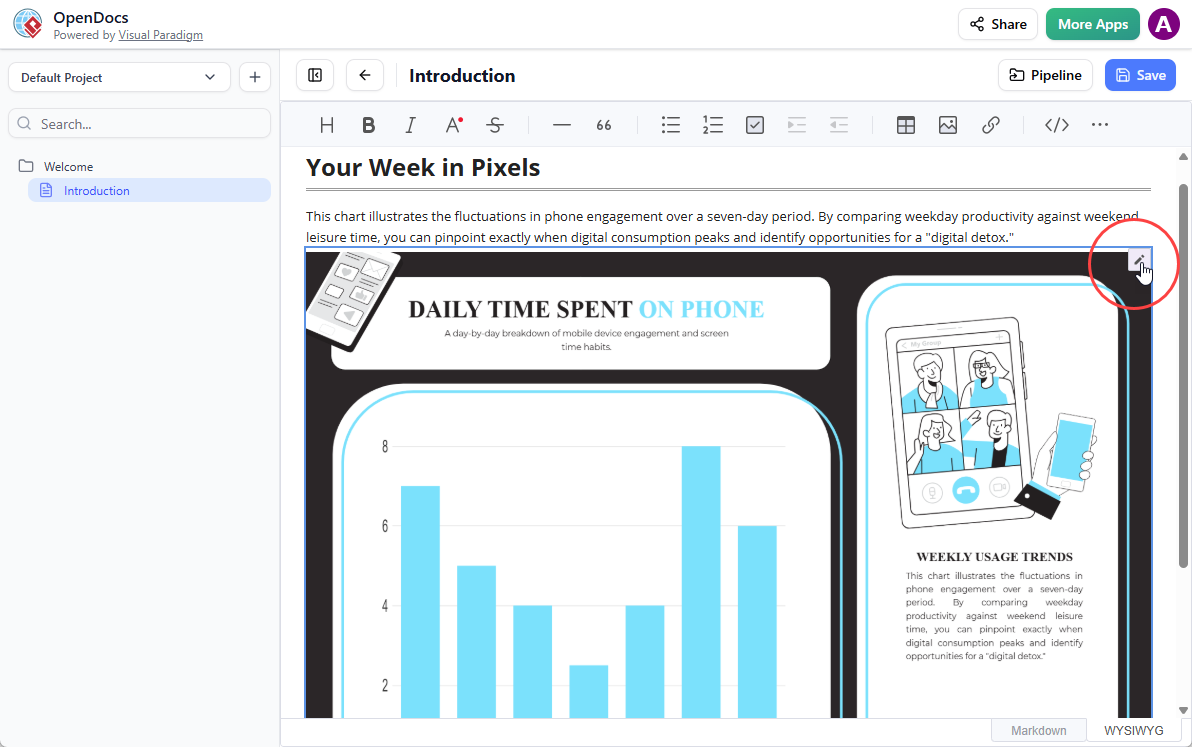
A screenshot of Visual Paradigm OpenDocs that shows how to open the Edit dialog box from a diagram image.

2. 编辑并重新发送

在 Visual Paradigm Online 中修改您的图表。完成后,再次从顶部菜单中选择导出 > 发送到 OpenDocs 流水线从顶部菜单中再次选择。
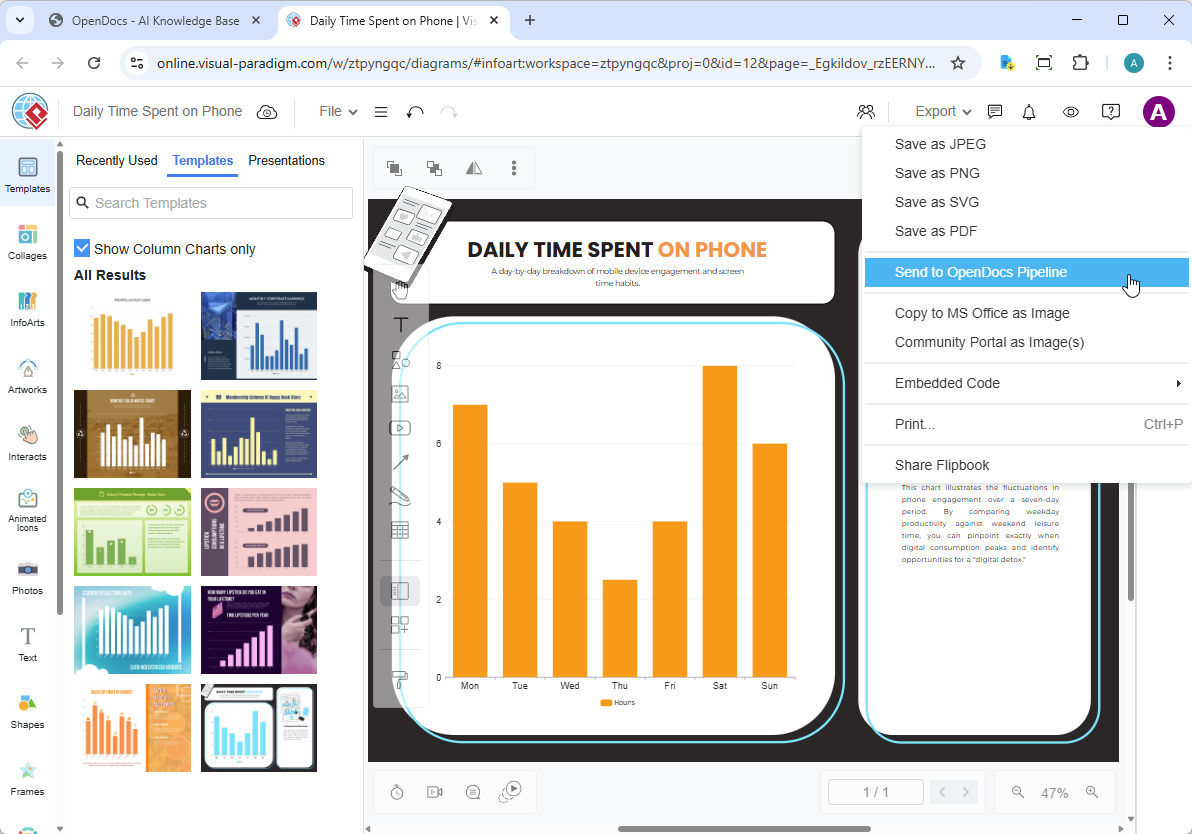
A screenshot of Visual Paradigm Online that shows the user sent a modified column chart to OpenDocs

3. 切换到最新版本

返回 OpenDocs 编辑器,点击右上角的流水线。
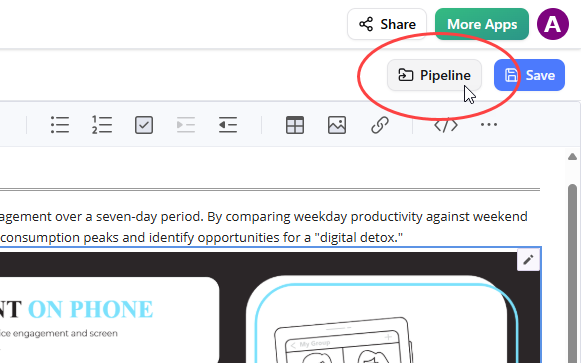
A screenshot of Visual Paradigm OpenDocs that shows how to open the Pipeline pane.

打开文档内选项卡。筛选器“有更新”处于激活状态,面板现在列出已修改的资产。点击刚刚修改的视觉元素。
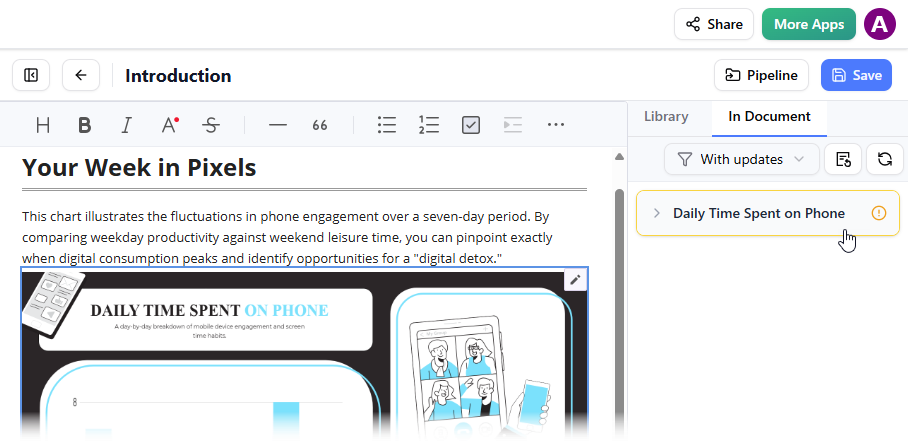
A screenshot of OpenDocs, showing a user replacing a column chart with a newer revision by selecting the newer revision in the Pipelines pane

您可以查看所选视觉元素的可用版本。点击最新版本,即可立即用更新版本替换旧图表。或者您可以直接点击更新到最新版本直接操作。
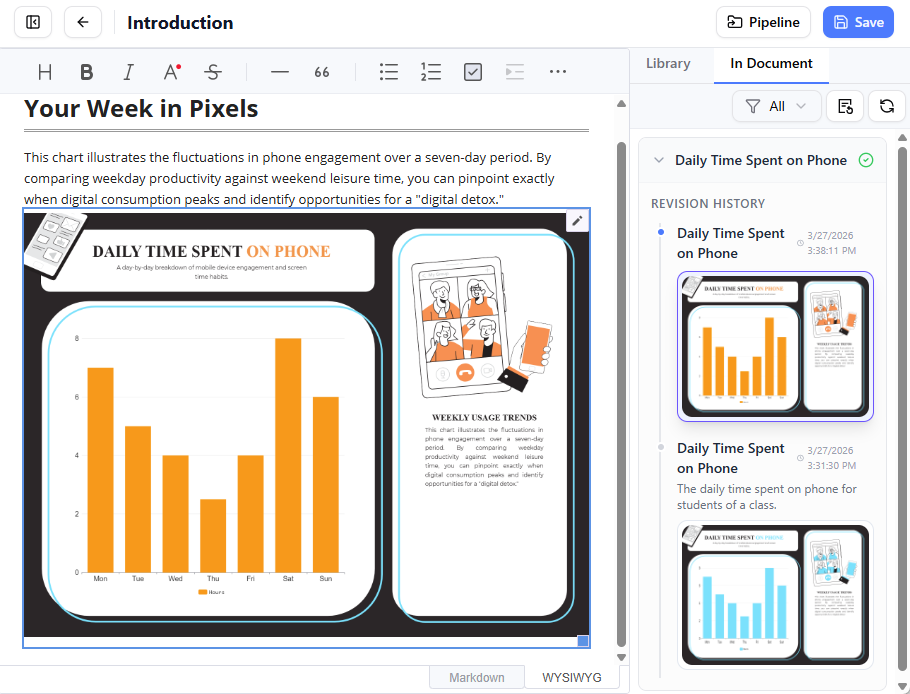
This is a screenshot of the Visual Paradigm OpenDocs, which shows an updated column chart

相关发布

滚动至顶部