


The Future of Intelligent Documentation
We are excited to introduce a brand-new integration that makes creating beautiful, technical documentation faster and easier than ever. By connecting the Visual Paradigm AI Chatbot directly to OpenDocs, you can now generate a professional diagram through a simple conversation and instantly send it to your documentation workspace using the new “Send to OpenDocs Pipeline” feature.
This workflow is designed for software engineers, business analysts, and project leads who need to visualize complex ideas quickly. Whether you are brainstorming a new system architecture or documenting a business process, the AI Chatbot handles the drawing, while the Pipeline handles the delivery.
Note: This feature is available to users with a Visual Paradigm Online (Combo Edition) or Visual Paradigm Professional Edition license.
Ready to try it? Start generating with the AI Chatbot or explore your OpenDocs workspace.
What is Visual Paradigm OpenDocs?
OpenDocs is a specialized knowledge and document management platform built for modern, visual-heavy documentation. Unlike conventional text editors, OpenDocs is built to handle live diagrams. It allows you to embed, view, and update visual models directly within your document pages, ensuring that your technical specifications and knowledge bases stay clear and professional.
The Power of the Pipeline
The Pipeline is the “connective tissue” of the Visual Paradigm ecosystem. It serves as a secure, centralized repository for all your creative assets, which we call artifacts. When you generate a diagram in the AI Chatbot and send it to the Pipeline, that artifact becomes instantly available as an input for OpenDocs. This eliminates the need for downloading files, taking screenshots, or dealing with messy manual uploads.
How it Works: A Step-by-Step Guide
Follow these steps to experience a seamless, web-based workflow between diagram generation and documentation:
1. Generate Your Diagram
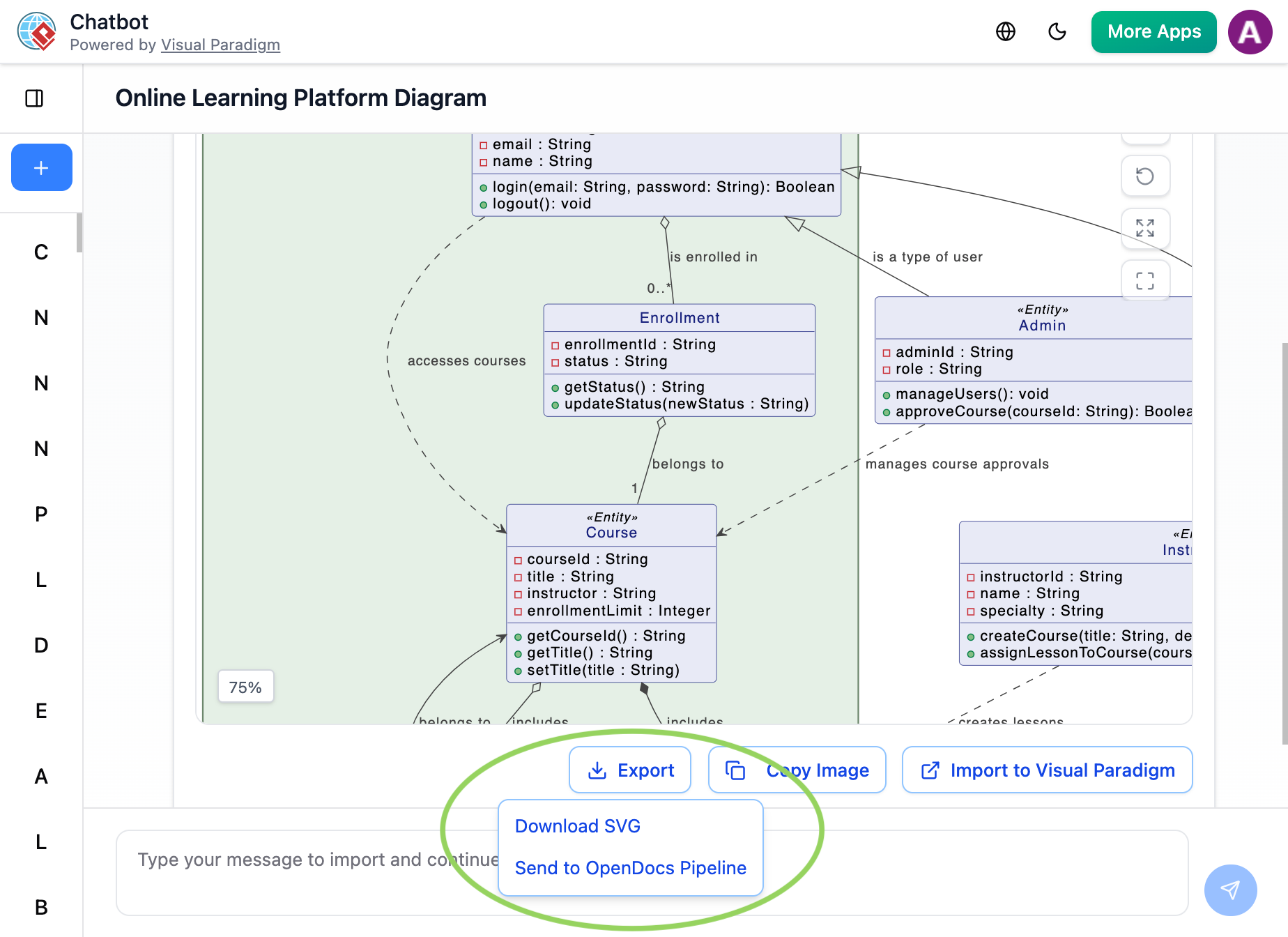
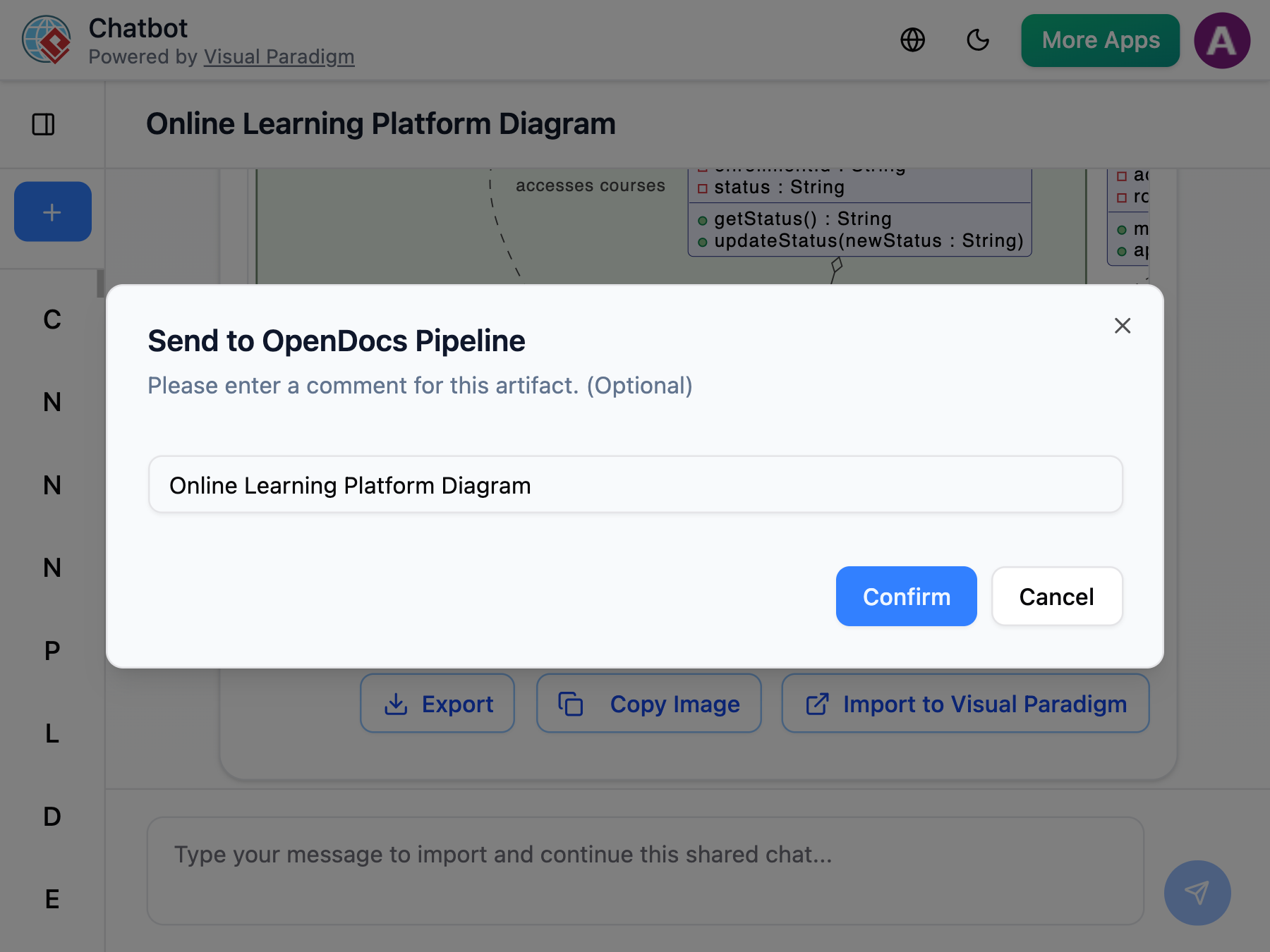
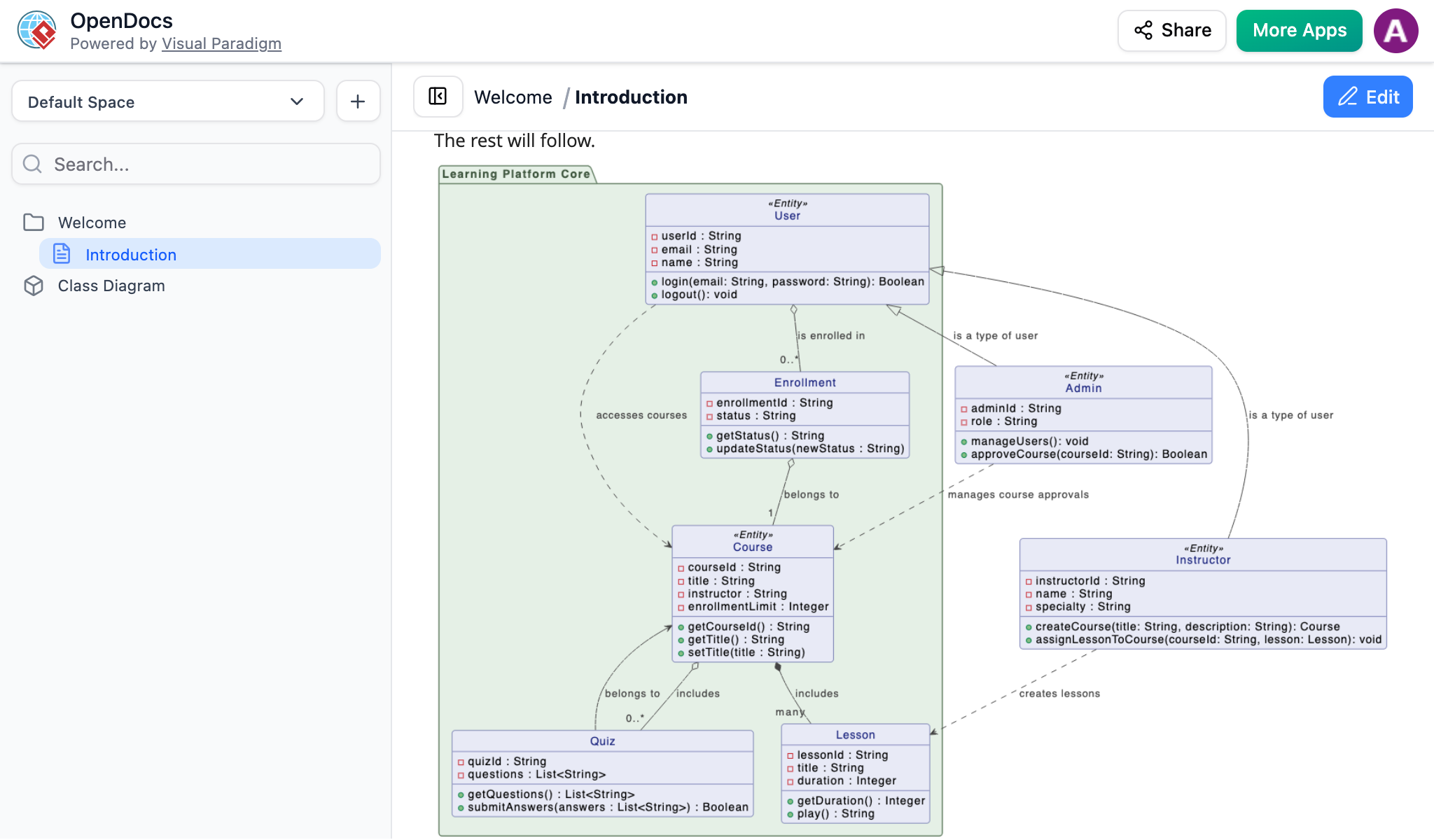
Create or refine your diagram (UML, flowchart, architecture, BPMN, etc.) in the AI Chatbot. Once the AI has produced the visual you need, click Export and select Send to OpenDocs Pipeline.
2. Insert into OpenDocs
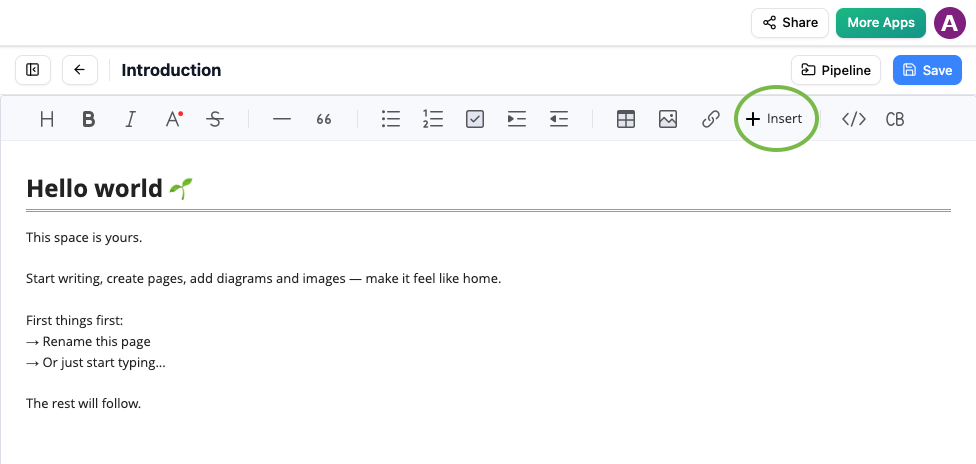
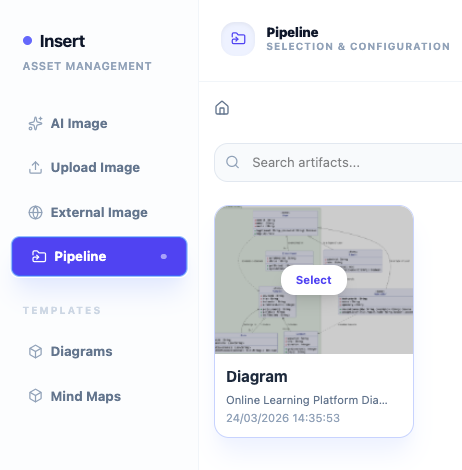
Go to your desired document page in OpenDocs and enter the editor. Click Insert on the toolbar and select Pipeline. Your AI-generated diagram will be waiting for you in the asset list.
3. Finalize Your Document
Select the diagram to insert it instantly at your cursor position. The result is a crisp, professional visual perfectly integrated into your knowledge base.
Why You’ll Love This AI Workflow
- Unmatched Efficiency: Go from an abstract idea to a perfectly placed diagram in seconds.
- Crisp Visuals: Maintain high-resolution clarity without the blurriness of manual screenshots.
- Web-Based Simplicity: No installation required—everything works directly in your browser.
- Living Documentation: Use the Pipeline to manage and update your AI-generated artifacts effortlessly.
Related Releases
Related posts:
 Seamless Diagram Lifecycle Management: Enhance and Edit AI-Generated Diagrams in Visual Paradigm OpenDocs via VPasCode
 Major Upgrade to AI UML Component Diagram Generation in Visual Paradigm AI Chatbot
 Exciting Update: Yourdon & Coad DFD Now Available with AI Generation in OpenDocs
 New in OpenDocs: AI-Powered PERT Chart Support – Generate Project Timelines Effortlessly