


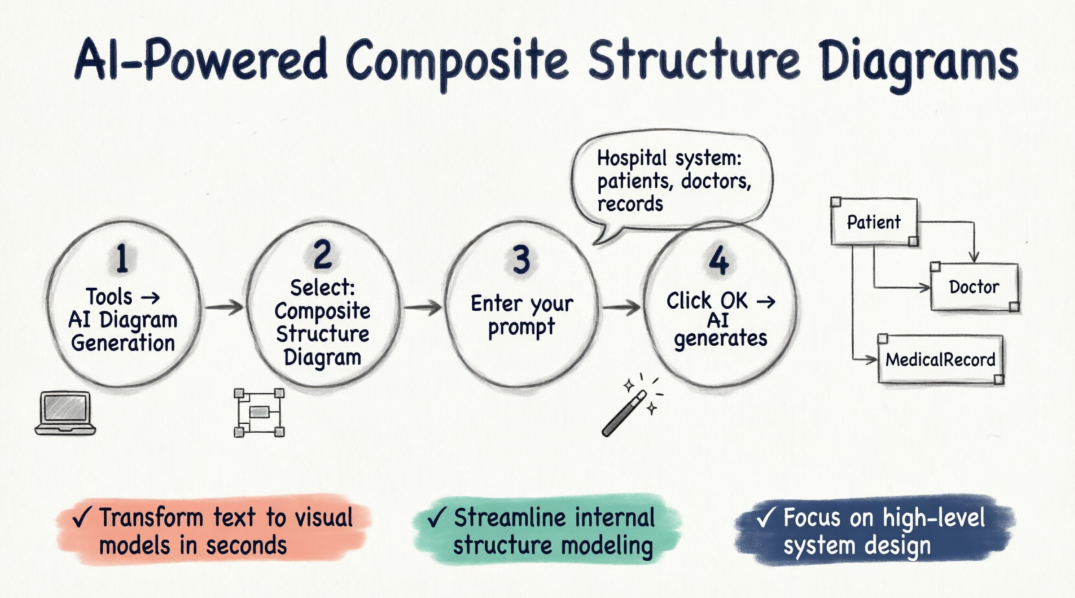
How to Use the AI Composite Structure Diagram Generator
Creating your next diagram is a seamless process within the desktop environment. Follow these four simple steps to get started:
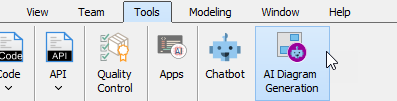
- Navigate to the top menu and select Tools > AI Diagram Generation. This will open the AI Diagram Generation dialog box.
- In the diagram type selection, choose Composite Structure Diagram.
- Enter your specific topic or requirements. For example: “Generate a Composite Structure Diagram for a hospital management system illustrating relationships between patients, doctors, and medical records.”
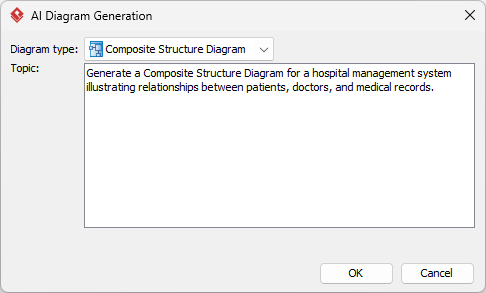
- Click OK.
Once the AI processes your request, it will generate the resulting diagram directly on your canvas. From there, you can continue modeling, revise the components, or fine-tune the layout using our comprehensive suite of UML tools.
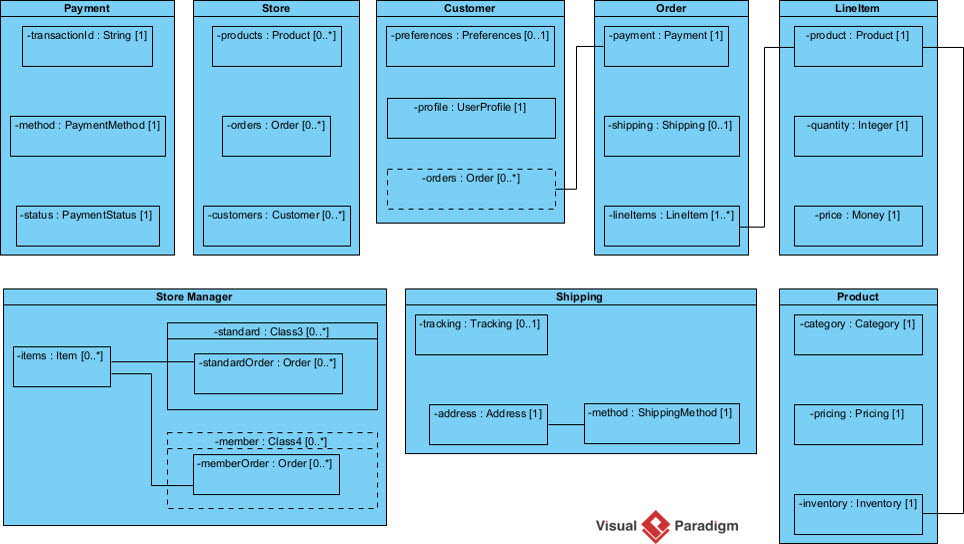
This update reinforces our commitment to being the most versatile AI diagram generator on the market. By integrating AI into the UML workflow, we help teams reduce manual effort and focus on high-level system design. You can explore more about how this works on our AI diagram generation page.
Ready to accelerate your modeling workflow?
Experience the most advanced AI UML generator available today.
We look forward to seeing the complex systems you build with our new AI-driven capabilities. Stay tuned for more updates as we continue to expand our AI toolkit.
Related posts:
 New Release: Generate UML Component Diagrams with AI in Visual Paradigm
 Accelerate Your Modeling with the New AI Profile Diagram Generator
 Generating Better Architecture: Higher Precision in AI ArchiMate Diagram Generation
 Introducing the All-New AI BPMN Generator: From Conversational Ideation to Professional Process Modeling