The key to managing any large-scale project is the ability to break it down into smaller, manageable parts. To support your project planning and resource allocation, Visual Paradigm is proud to introduce the Breakdown Structure editor to OpenDocs. Whether you need a Work Breakdown Structure (WBS), a Product Breakdown Structure (PBS), or an Organizational Breakdown Structure (OBS), this tool provides the visual clarity needed for precise execution.
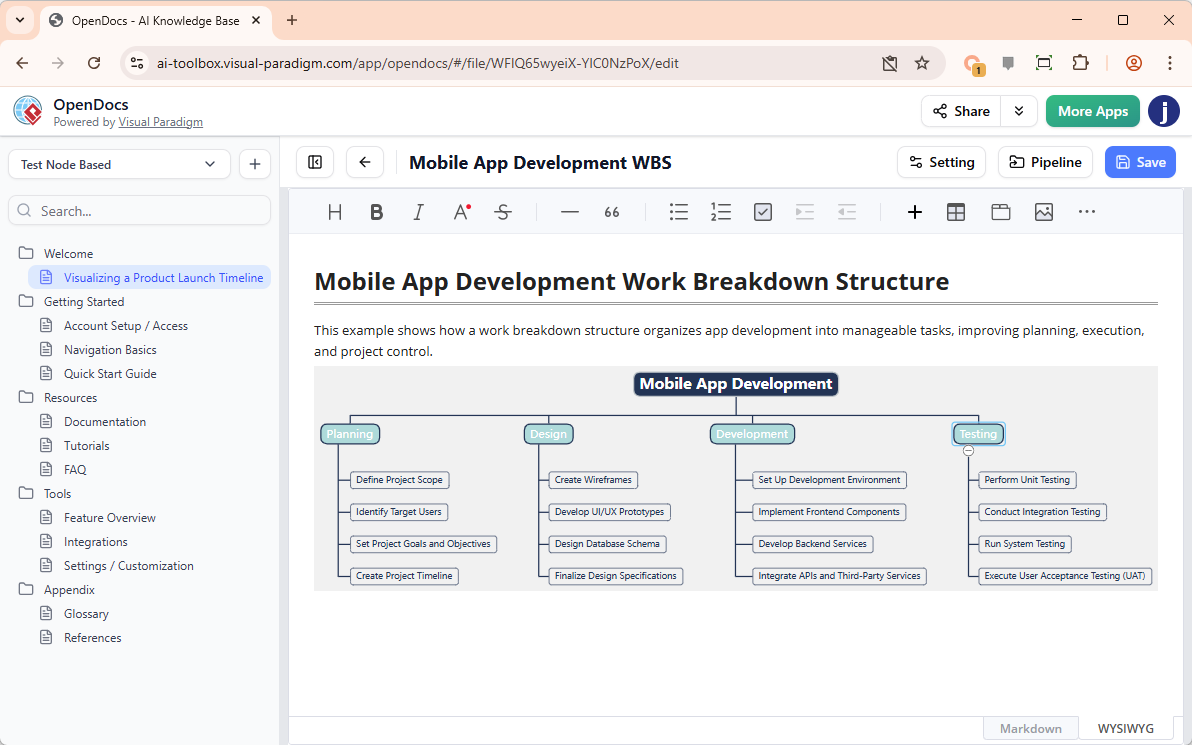
With our new AI breakdown structure tool, you can move from a high-level goal to a detailed hierarchical map in just a few clicks.
The Essential Role of Breakdown Structures
A breakdown structure tool is indispensable for project managers and system architects. By creating a visual decomposition of a project, you can:
- Define the total scope of work and prevent “scope creep.”
- Allocate resources and responsibilities more accurately.
- Establish a clear baseline for progress tracking and cost estimation.
- Improve communication by providing a structured view of project components.
Precision Planning with AI-Powered Generation
Because breakdown structures come in many forms, our AI breakdown structure tool is designed to be highly adaptive. To get the best results from the “Create with AI” feature, we recommend specifying the *kind* of breakdown you want to create.
For instance, entering “A Work Breakdown Structure (WBS) for building a mobile e-commerce app” or “A Product Breakdown Structure (PBS) for a high-performance drone” tells the AI exactly how to categorize and nest the components. This level of specificity ensures the generated hierarchy is technically sound and ready for professional use immediately.
How to Create a Breakdown Structure in OpenDocs
Building your hierarchy is a seamless process within the OpenDocs environment:
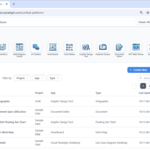
- Access the Tool: Inside your OpenDocs document, click the + (Plus) icon on the top bar.
- Select Breakdown Structures: Choose Breakdown Structures from the left-hand menu and select the Breakdown Structure icon on the right.
- Optimize with AI: Click Create with AI at the top right. Specify the type of structure you need (WBS, PBS, etc.) and provide a brief context. Click Generate.
- Refine the Hierarchy: Use the intuitive editor to add sub-levels, reorder components, or adjust styles to fit your project’s needs.
- Save and Embed: Click Save. Your breakdown structure will be perfectly embedded into your page.
Who is this for?
This AI-driven enhancement is available for users of:
- Visual Paradigm Desktop Professional Edition
- Visual Paradigm Online Combo Edition
Simplify Your Project Decomposition Today
Stop wrestling with manual boxes and connectors. Let our AI breakdown structure tool handle the organization so you can focus on the execution. Experience the power of structured thinking integrated directly into your professional documentation.