


In our recent updates, we’ve covered how to select specific pages, choose between static and live modes, and embed content. But once you have shared several different versions of your project, how do you keep track of them? Today, we are exploring Browse Share History in Visual Paradigm OpenDocs.
Think of the Share History as your command center. As a professional knowledge management platform, we believe that staying organized is just as important as the information itself.
Why is Share History Important?
When you use a knowledge management tool for large projects, you might generate multiple share links for different stakeholders. Share History allows you to:
- Audit Your Access: See exactly which pages were shared and when.
- Track Versions: Distinguish between different Static Snapshots you’ve sent out over the months.
- Clean Up: Identify old or outdated links that are no longer needed.
How to Browse Your History
Accessing your history is straightforward and integrated directly into your workflow:
- Open the Share Dialog: Click the Share button in the top right corner.
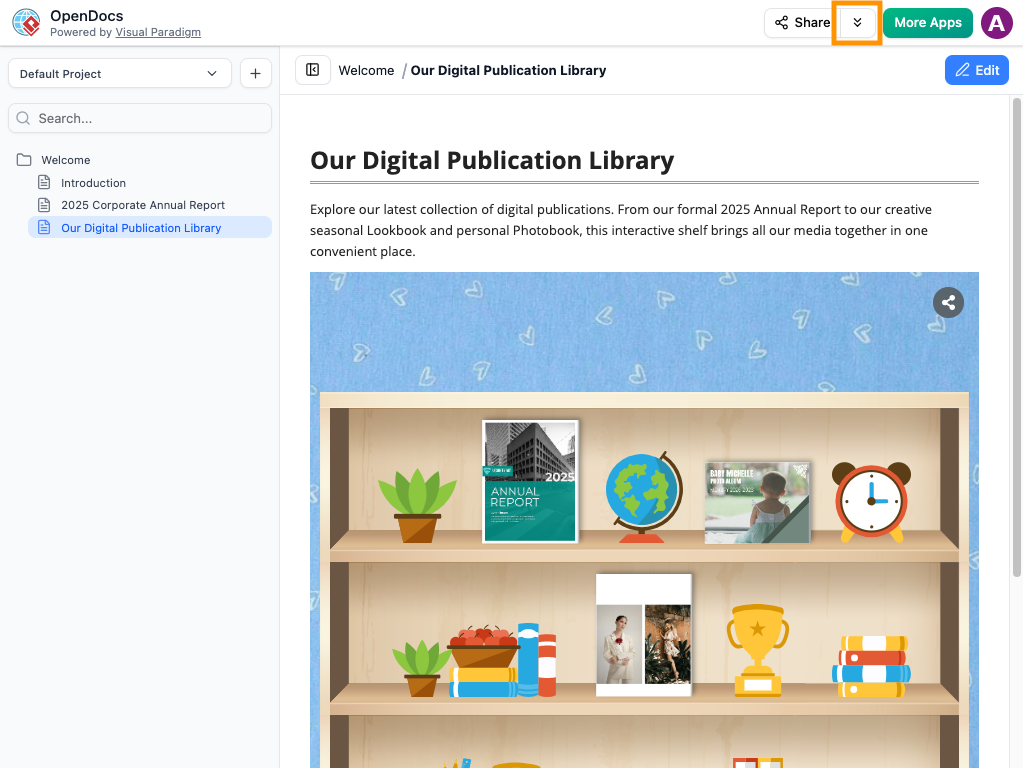
- View History: Look for the Browse Share History option (typically located within the sharing interface).
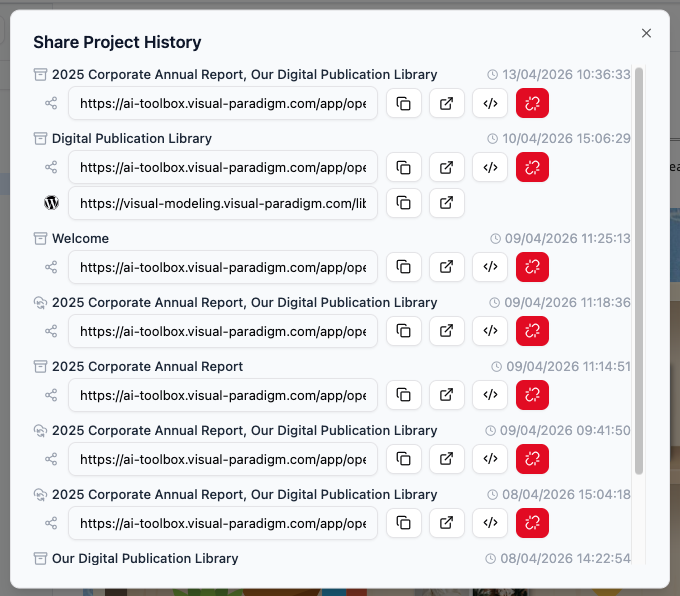
- Review Details: Here, you will see a list of all active and past shares, including their descriptions, the date they were created, and whether they are “Live” or “Static.” Additionally, you can access the WordPress page where that specific document was exported and published.
- Manage Links: From this view, you can quickly copy a URL again if a stakeholder loses their link, or grab the embed code for an existing share.
💡 Tip: If you use WordPress, you don’t need to copy code manually!
Learn more about how to export and publish directly as a WordPress page
Best Practices for Organized Sharing
To get the most out of your knowledge management platform, we recommend these habits:
- Use Clear Descriptions: When you share, use the description field (e.g., “Internal HR Policy – July Update”). This makes your Share History much easier to read later.
- Periodic Reviews: Check your history once a month to ensure you aren’t sharing pages that have become obsolete.