
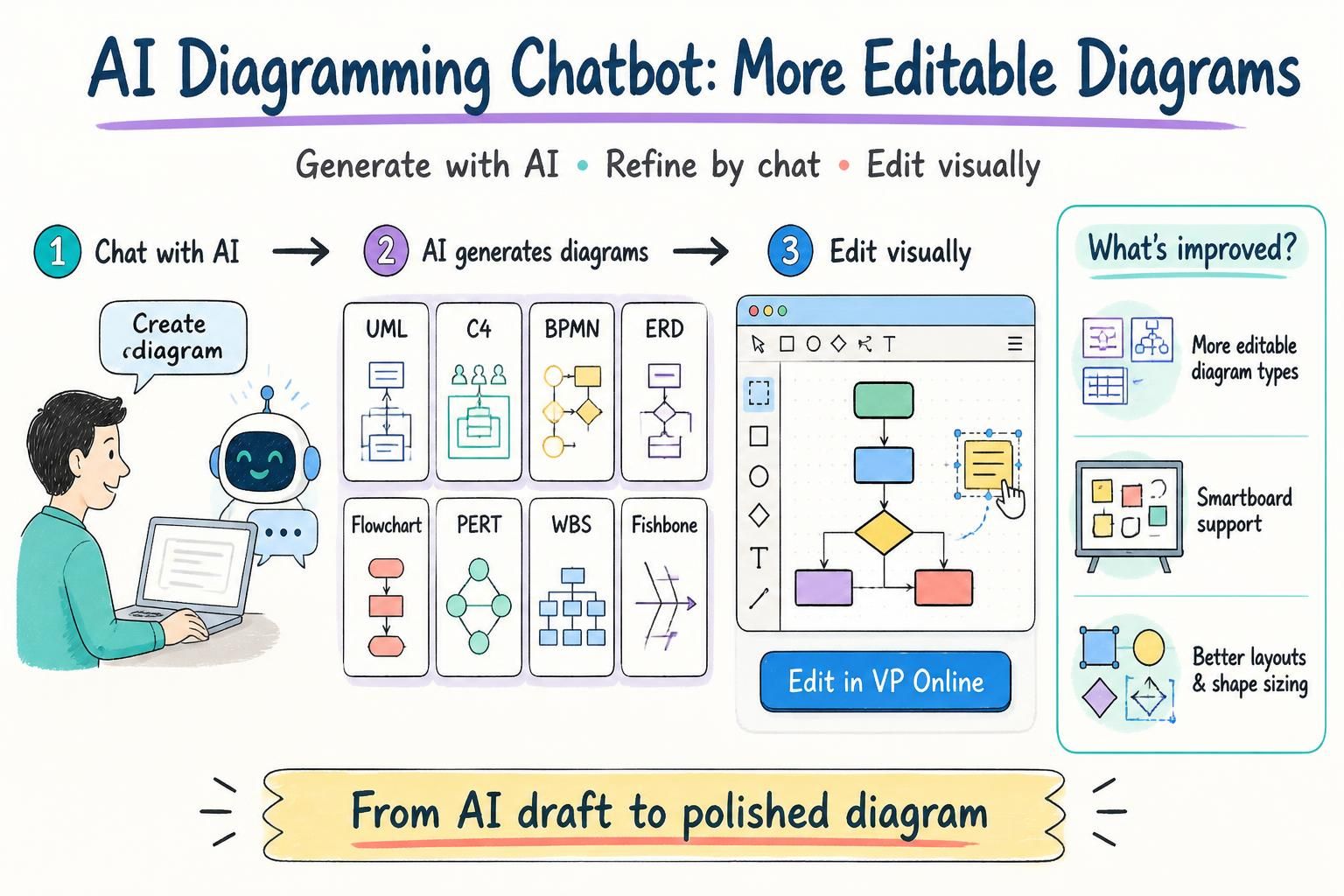
Visual Paradigm has enhanced its AI Diagramming Chatbot with broader diagram editing support, Visual Paradigm Smartboard integration, and improved diagram quality.
Editing AI-generated diagrams in Visual Paradigm Online was already supported. This update expands that existing workflow so users can edit more types of generated diagrams and continue refining them in a professional, drag-and-drop visual editor.
The result is a smoother journey from natural-language idea to editable and presentation-ready diagram. You can describe what you want, let AI generate the initial diagram, refine it through conversation, and then make detailed visual changes in Visual Paradigm Online or Visual Paradigm Smartboard.
Try the AI Diagramming Chatbot and start creating editable diagrams from natural-language descriptions.
What Has Been Enhanced?
This update focuses on three areas:
- More diagram types can be edited in Visual Paradigm Online.
- Selected structure-oriented diagrams can be edited in Visual Paradigm Smartboard.
- Generated diagrams now have better layouts and more reasonable shape sizing.
These improvements make the AI Diagramming Chatbot more useful beyond the initial generation stage. Instead of treating an AI-generated diagram as a final image, you can continue working on it as an editable visual model.
More Diagram Types Can Be Edited in VP Online
The editing workflow now covers a wider range of diagram types used in software development, system architecture, business analysis, data modeling, process design, organizational planning, and project management.
As of 10/5/2026, the supported diagram types include:
- Class Diagram
- Sequence Diagram
- Communication Diagram
- Use Case Diagram
- Activity Diagram
- Component Diagram
- Deployment Diagram
- State Diagram
- Package Diagram
- ArchiMate Diagram
- C4 Context Diagram
- C4 Container Diagram
- C4 Component Diagram
- C4 Landscape Diagram
- C4 Dynamic Diagram
- Data Flow Diagram (DFD)
- PERT Chart
- Organization Chart
- Entity Relationship Diagram (ERD)
- Chen ERD
- Flowchart
- BPMN Diagram
This expanded support allows users to generate and edit diagrams for many common scenarios, including UML modeling, software architecture, enterprise architecture, business process modeling, database design, project planning, and organizational analysis.
Smartboard Editing for Structure Charts
In addition to extending support for Visual Paradigm Online, the AI Diagramming Chatbot now supports editing selected structure-oriented diagrams in Visual Paradigm Smartboard.
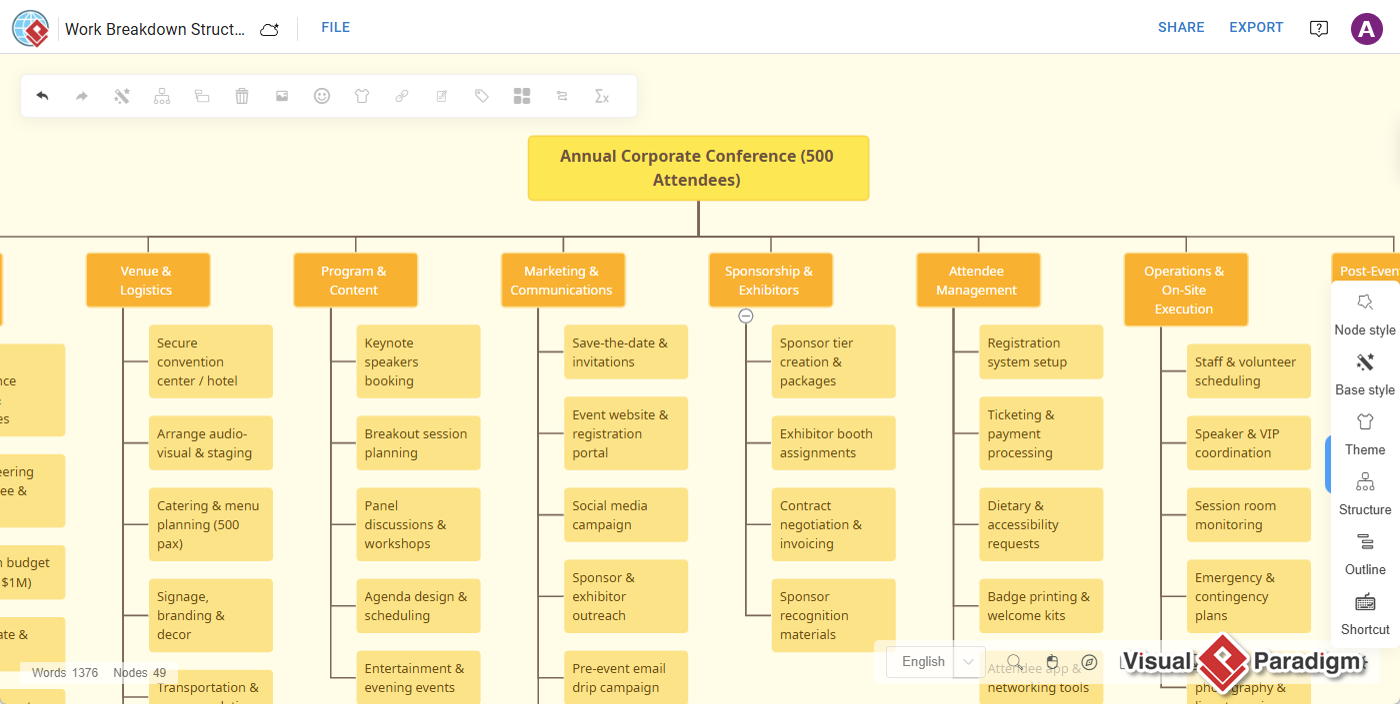
Smartboard is designed for organizing information and editing structure charts efficiently. The following diagram types can be edited in Smartboard:
- Work Breakdown Structure
- Markmap
- Fishbone Diagram
This is particularly useful when you need to turn an AI-generated project hierarchy, information map, or cause-and-effect analysis into a clearer and more detailed visual document.
Better Layouts and More Reasonable Shape Sizes
The enhancement also improves the quality of the diagrams generated by the AI Diagramming Chatbot.
Generated diagrams now benefit from better layout handling and more reasonable shape sizing. In the past, some shapes could appear unnecessarily large, making a diagram look less compact than desired. With the improved generation quality, diagrams are easier to review, understand, and refine.
A better initial layout also means less manual cleanup. You can spend more time reviewing the content and less time correcting basic spacing, sizing, and arrangement issues.
Why the Enhancement Matters
Start Faster
Creating a diagram manually often means starting with a blank canvas and deciding which shapes, relationships, and layout to use. An AI diagram generator gives you a useful first draft in seconds based on a natural-language description.
This allows you to focus on reviewing and improving the idea instead of spending time building the initial structure from scratch.
Combine AI Generation with Visual Control
AI is effective at turning a written description into a diagram, but every project has its own terminology, requirements, design standards, and communication goals.
The expanded editing workflow gives you the best of both approaches. Use AI to create and refine the diagram quickly, then use VP Online or Smartboard to make precise visual changes.
Produce Diagrams That Fit Your Project
AI-generated diagrams are useful starting points, but they often need to be adjusted before they are shared with a team or included in formal documentation.
After opening a diagram in the visual editor, you can:
- Move shapes and improve the overall arrangement.
- Adjust connectors and relationships.
- Add missing entities, components, activities, or steps.
- Remove unnecessary details.
- Rename labels and descriptions.
- Resize elements.
- Apply your team’s visual conventions.
- Reorganize a complex diagram for better readability.
- Prepare the diagram for documentation, workshops, or presentations.
Move Smoothly from Idea to Deliverable
The enhancement helps connect AI-powered ideation with practical diagramming work. Instead of generating a diagram and recreating it manually in another editor, you can open a supported result directly in a Visual Paradigm editing environment.
This is useful for software architects, business analysts, developers, project managers, product teams, educators, consultants, and anyone who needs to communicate complex ideas visually.
How to Edit an AI-Generated Diagram
- Open the AI Diagramming Chatbot.
- Describe the diagram you want to create using natural language.
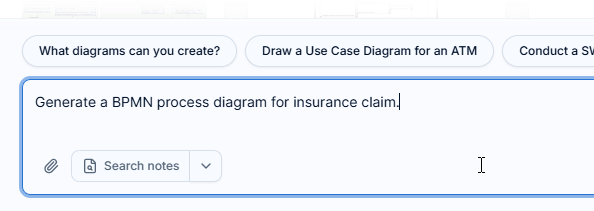
- Review the generated diagram in the diagram viewer.
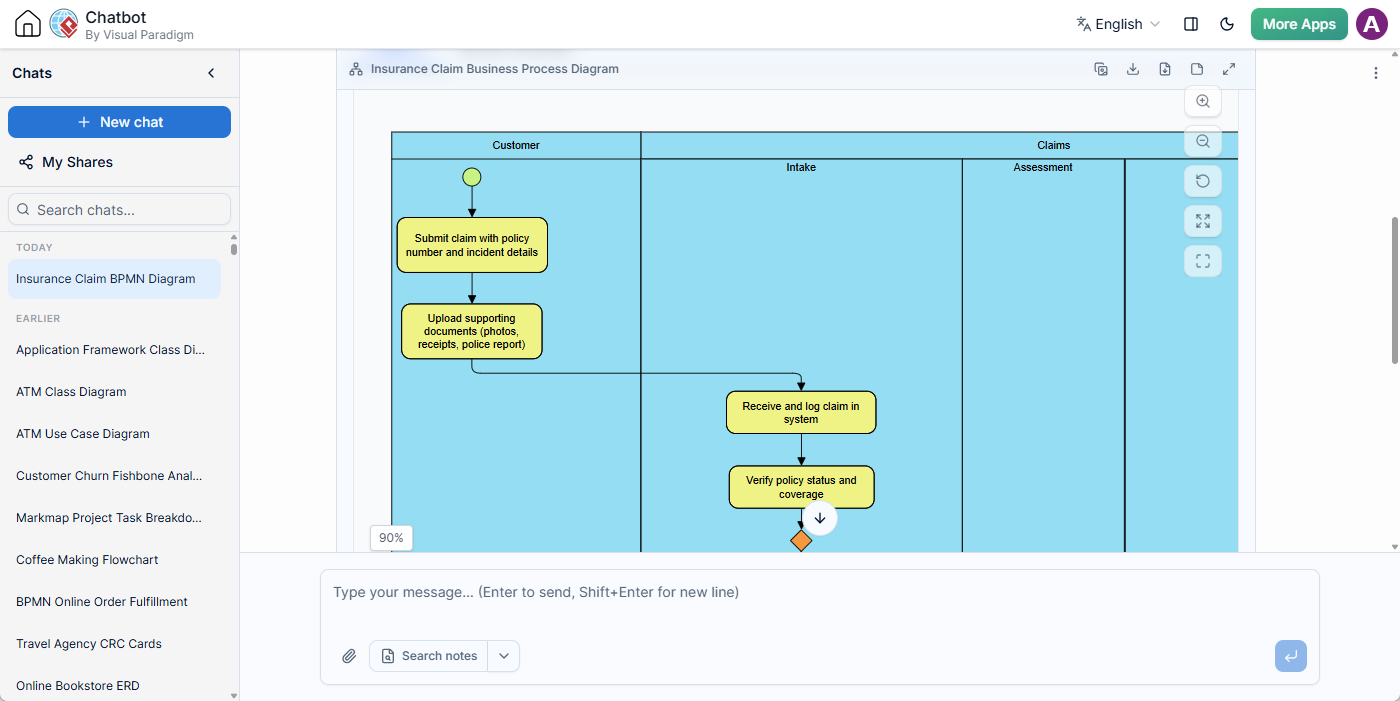
- In the diagram viewer, look at the bottom-right corner for the Edit in VP Online button.
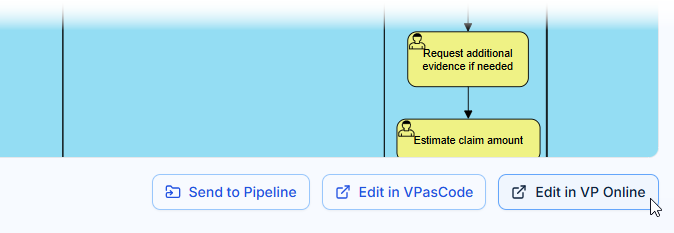
- Click the button to open the diagram in Visual Paradigm Online or Visual Paradigm Smartboard, depending on the diagram type.
- Use the drag-and-drop editor to continue modifying the diagram.
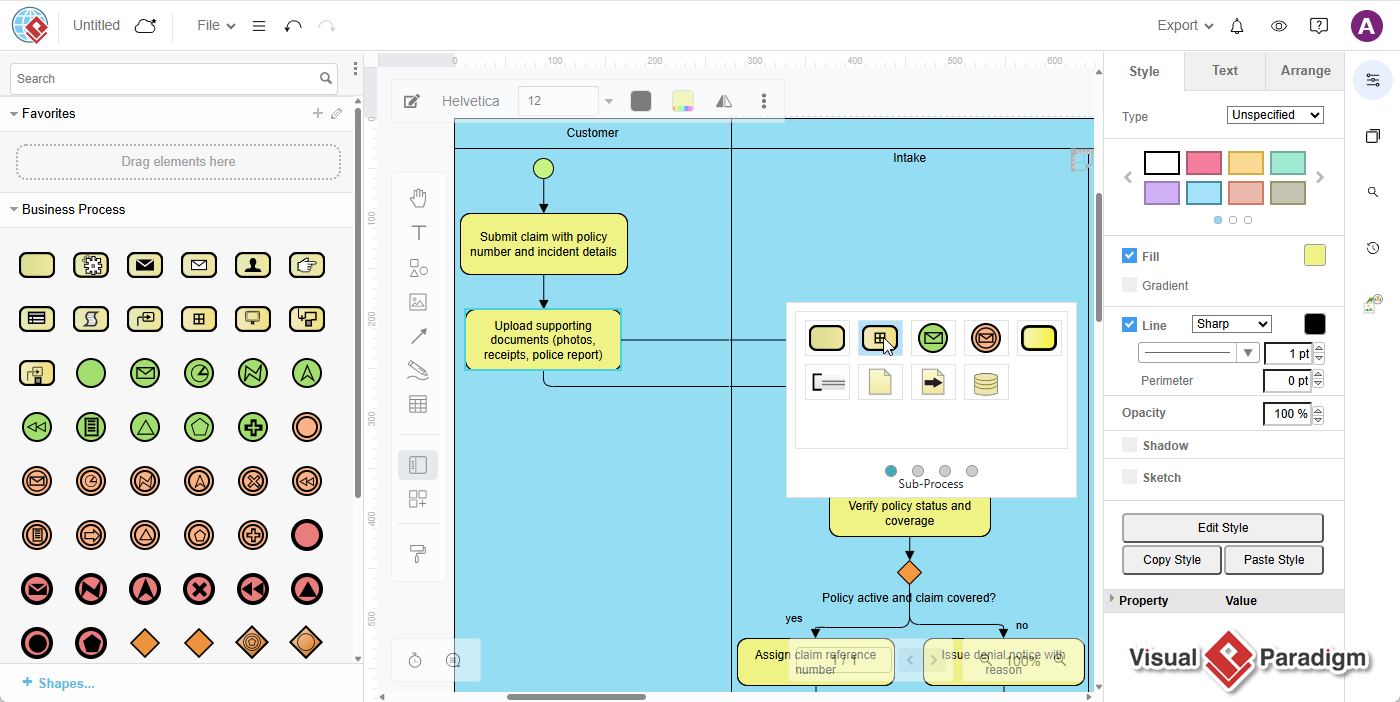
The Edit in VP Online button is available for supported diagram types. If the generated diagram is not included in the supported list, the editing option may not be available.
Examples of the Enhanced Workflow
Create and Refine a UML Class Diagram
Describe an online bookstore system and ask the AI Diagramming Chatbot to generate a class diagram. After reviewing the result, open it in VP Online to add project-specific classes, rename attributes, adjust relationships, and improve the layout.
Develop a Software Architecture Diagram
Ask the chatbot to generate a C4 Context, Container, or Component Diagram for a cloud application. You can then edit the diagram in VP Online to add services, clarify dependencies, and organize the architecture for a design review.
Improve a Business Process Flowchart
Describe an invoice approval process and generate a flowchart or BPMN diagram. Open the result in VP Online to add decision points, clarify responsibilities, and prepare the process for discussion with stakeholders.
Plan a Project with a Work Breakdown Structure
Provide a project description and ask the chatbot to create a Work Breakdown Structure. Open it in Smartboard to adjust the hierarchy, add tasks, and organize the project scope as planning progresses.
Analyze a Problem with a Fishbone Diagram
Describe a business or technical problem and ask the chatbot to generate a Fishbone Diagram. Edit it in Smartboard to add causes identified by your team and reorganize the analysis for a workshop or improvement initiative.
AI Diagram Generator for UML, Architecture, BPMN, ERD, and More
The Visual Paradigm AI Diagramming Chatbot is more than an AI UML diagram generator. It supports a wide range of diagramming and modeling scenarios.
- UML diagrams: Class, Sequence, Use Case, Activity, Component, Deployment, State, Communication, and Package Diagrams.
- Software architecture diagrams: C4 Context, Container, Component, Landscape, and Dynamic Diagrams.
- Enterprise architecture diagrams: ArchiMate Diagrams.
- Business process diagrams: BPMN Diagrams and Flowcharts.
- Data modeling diagrams: ERDs, Chen ERDs, and Data Flow Diagrams.
- Project planning diagrams: PERT Charts and Work Breakdown Structures.
- Organizational diagrams: Organization Charts.
- Problem-solving diagrams: Fishbone Diagrams.
- Information-structure diagrams: Markmap diagrams.
Because the chatbot supports multiple diagram notations and use cases, you can apply the same conversational workflow across different stages of a project—from requirements analysis and architecture design to process improvement and project planning.
Designed for Iterative Diagramming
Diagrams often change as requirements become clearer, new information is discovered, or stakeholders provide feedback. The AI Diagramming Chatbot supports this iterative way of working.
You can ask the chatbot to refine a generated diagram with instructions such as:
- “Add a password recovery flow.”
- “Include an external payment service.”
- “Add the relationship between the customer and order entities.”
- “Group the services by bounded context.”
- “Add a review step before approval.”
- “Expand the project planning branch with testing activities.”
Once the conversational refinement is complete, you can open the diagram in the appropriate editor for detailed visual changes. This creates a natural progression from rough idea to structured model and finally to a polished diagram.
From AI Draft to Finished Diagram
The AI Diagramming Chatbot enhancement makes it easier to move from a written idea to a useful visual deliverable.
You can generate a first draft with AI, refine its content through conversation, and edit the result visually in Visual Paradigm Online or Smartboard. With support for more diagram types, better layouts, and more reasonable shape sizing, the workflow becomes faster and more practical for real project work.
Whether you are creating a UML diagram, software architecture diagram, BPMN process, ERD, flowchart, organization chart, PERT chart, Work Breakdown Structure, Markmap, or Fishbone Diagram, you can now continue refining more AI-generated diagrams in a professional visual editor.
Open the AI Diagramming Chatbot and start turning your descriptions into editable diagrams.
Learn more about the Visual Paradigm AI Diagramming Chatbot and explore how it can support diagram generation, refinement, and documentation.
Frequently Asked Questions
Can I edit every diagram generated by the AI Diagramming Chatbot?
No. Editing is available for supported diagram types. For supported diagrams, the Edit in VP Online button appears in the bottom-right corner of the diagram viewer.
Where can I find the editing option?
After generating a diagram, look at the bottom-right corner of the diagram viewer. If the diagram type is supported, click Edit in VP Online.
Which editor opens after I click Edit in VP Online?
The editor depends on the diagram type. Supported modeling and business diagrams open in Visual Paradigm Online. Work Breakdown Structures, Markmap diagrams, and Fishbone Diagrams open in Visual Paradigm Smartboard.
Do I need diagramming experience to use the AI Diagramming Chatbot?
No. You can describe your intended diagram in natural language. The chatbot creates the initial diagram, and you can refine it through conversation before making further changes in the visual editor.
Can I continue editing a diagram after AI generation?
Yes. You can refine the diagram through conversational prompts and, for supported diagram types, open it in Visual Paradigm Online or Smartboard for manual drag-and-drop editing.
Will more diagram types be supported in the future?
The current update supports the diagram types listed in this article. Additional diagram types may be supported in future updates.