


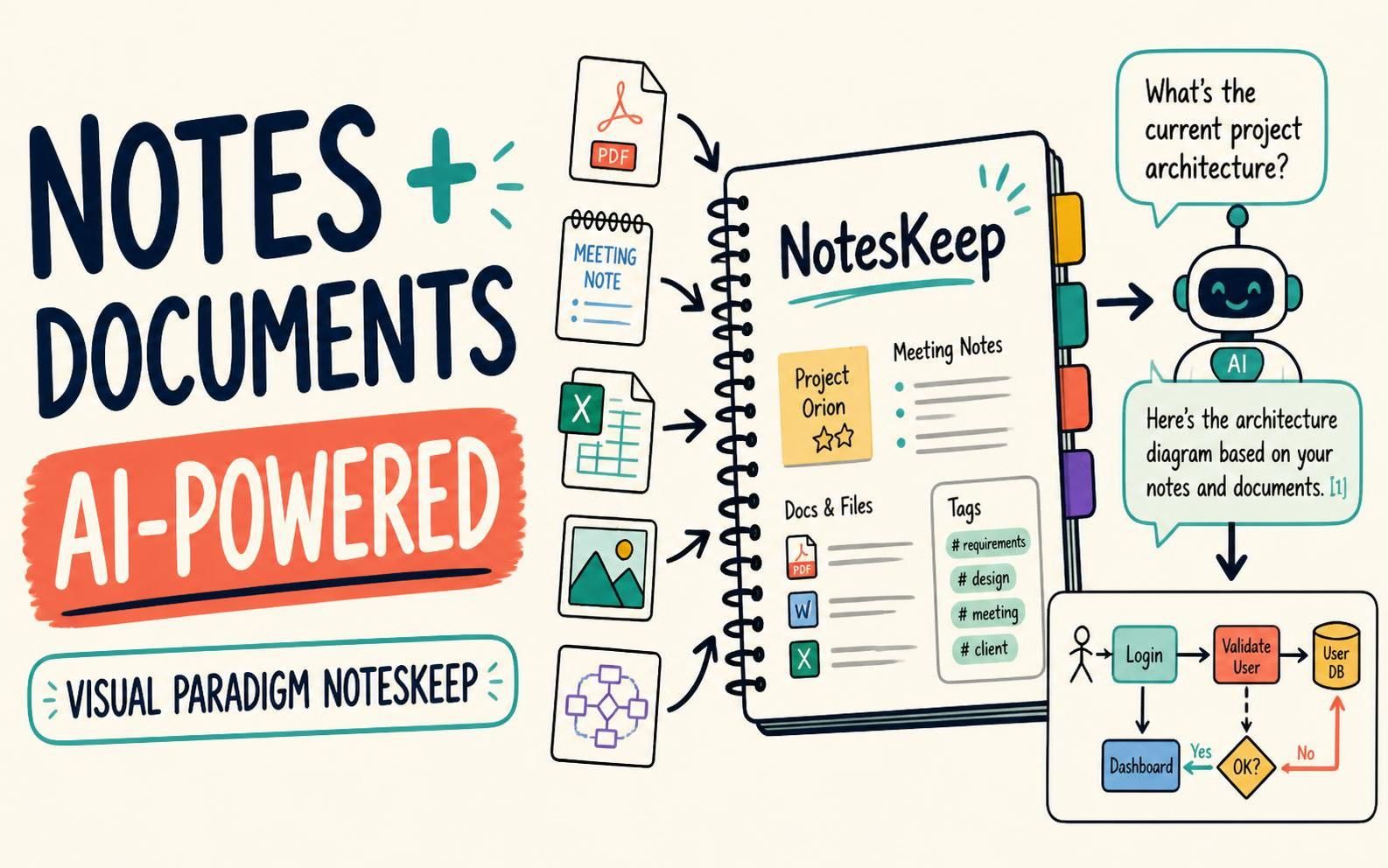
Project knowledge rarely lives in one place. Meeting notes sit beside Word documents, spreadsheets, presentations, PDFs, diagrams, and images. Finding the right information—and knowing whether it is still current—can take more time than using it.
Visual Paradigm NotesKeep brings these materials together in a project-based workspace. First introduced as an AI note-taking tool for creating notes and asking questions about them, NotesKeep has now been enhanced with document management. Teams can import and organize documents alongside their notes, then use the Visual Paradigm AI Diagramming Chatbot to ask questions about selected project knowledge and turn written information into visual models.
The result is a shared, searchable knowledge base that helps teams move from capturing information to putting it to work.
What’s New in NotesKeep?
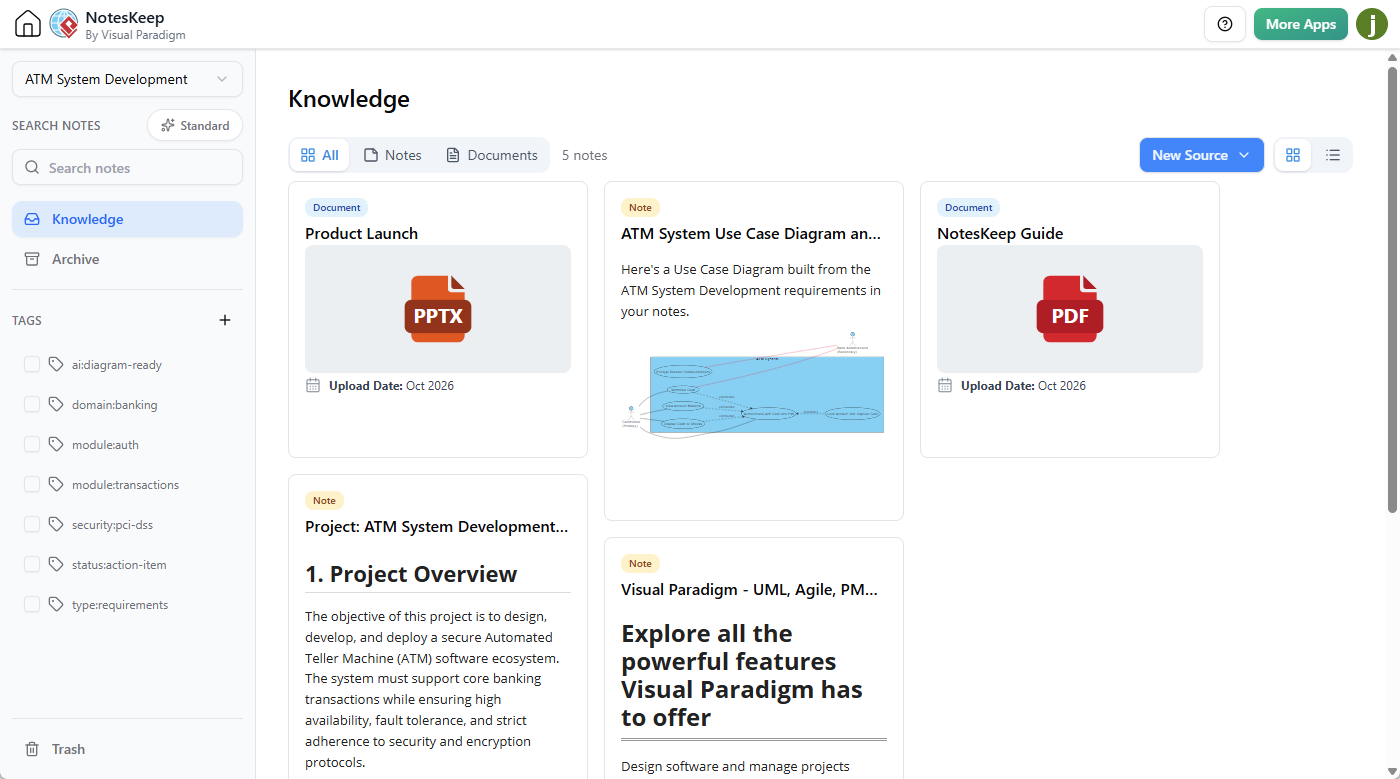
NotesKeep now combines note-taking, document management, and AI-powered knowledge discovery in one place. You can create rich-text notes, import files, organize content by project and tags, and use AI to explore selected materials.
The document management enhancement supports a wide range of common formats, including Word, PDF, Excel, PowerPoint, OpenDocument, Markdown, text, images, eBooks, and structured data files. Imported content is converted into editable notes, making it easier to manage documents together with information written directly in NotesKeep.
NotesKeep also supports web content ingestion through a URL, and notes can include Visual Paradigm diagrams and other visual assets. For supported images and documents, OCR and visual analysis can help make information in scans, diagrams, and whiteboard photos available to AI-assisted workflows.
Why This Matters to Your Team
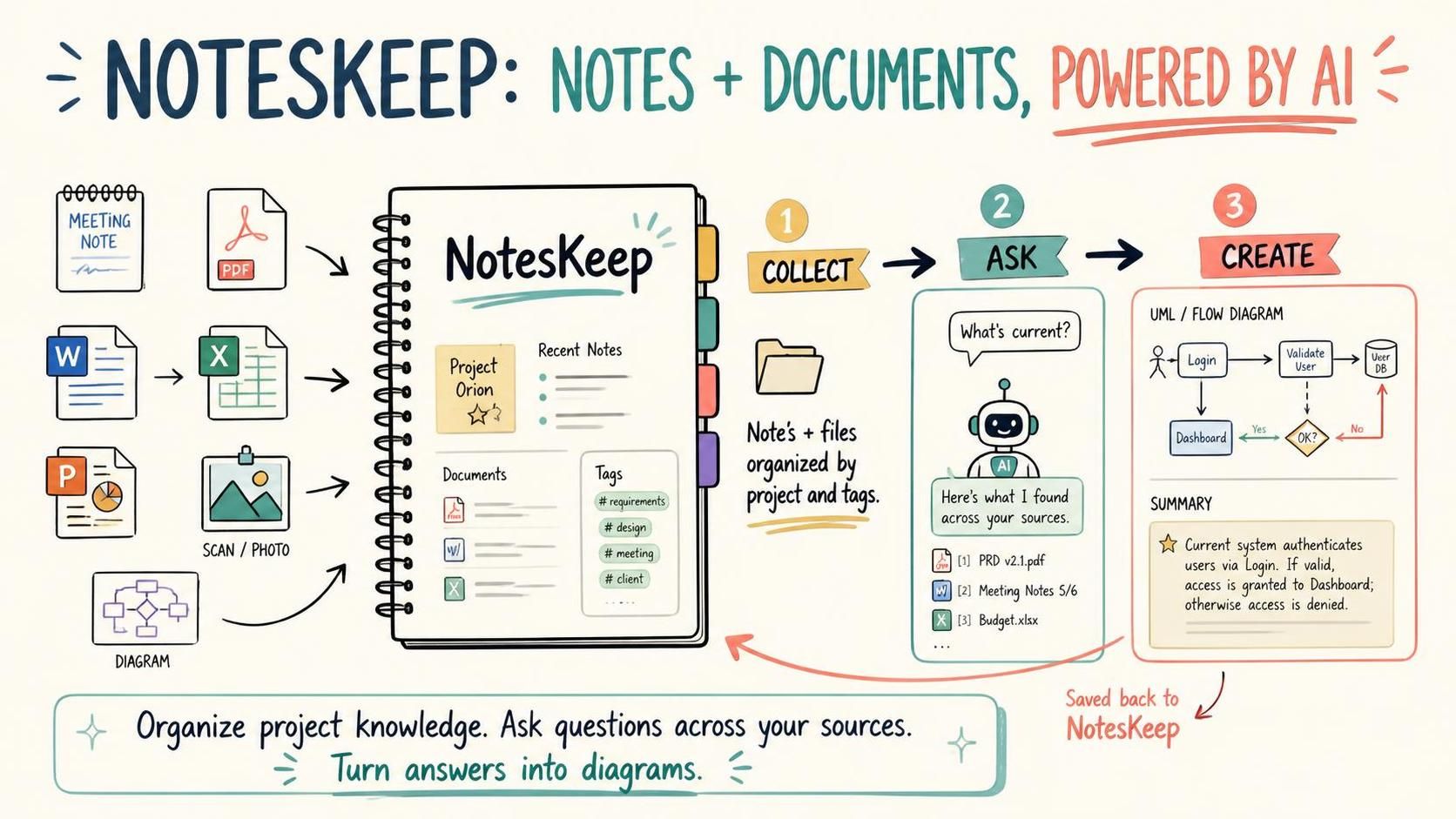
Adding document management is about more than giving you another place to store files. It helps connect the information your team already has with the notes and decisions it creates every day.
- Spend less time hunting for information. Keep notes and imported documents together in project workspaces, with tags and search to help locate relevant material.
- Ask questions across project knowledge. Use the Visual Paradigm AI Chatbot with “Search in NotesKeep” enabled to ask questions based on selected projects or knowledge assets.
- Understand how decisions change. Bring chronological notes and documents into the same knowledge base so the AI can help analyze updates, earlier decisions, and potential conflicts in context.
- Work with visual as well as written information. Use supported OCR and visual understanding workflows to ask questions about content in scanned documents, diagrams, and images.
- Turn requirements into visual models. Ask the chatbot to draft diagrams such as UML, ERD, BPMN, flowcharts, and mind maps from project information.
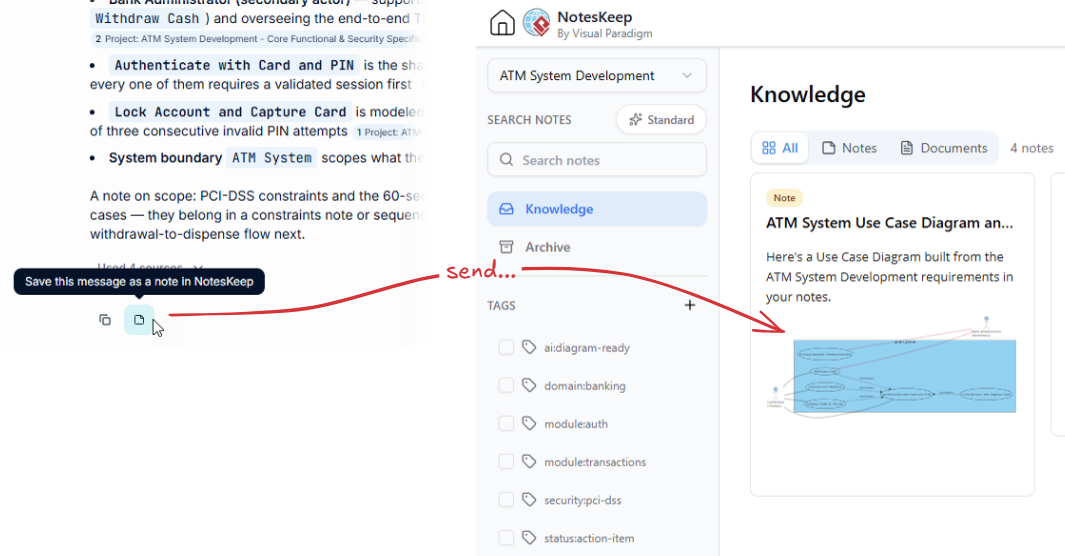
- Keep useful outputs with the source knowledge. Send chatbot responses, summaries, or generated diagrams back to NotesKeep as structured notes.
For project teams, this creates a more practical way to build a living source of truth: one that can hold the material, help people find it, and support the next step in their work.
How to Use the New Document Management Features
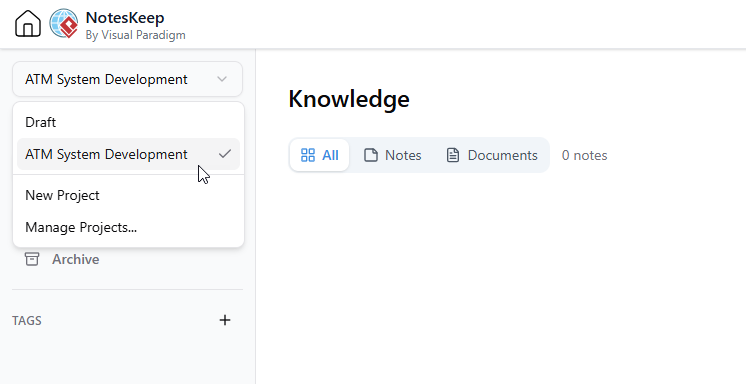
- Open NotesKeep and choose a project.
Start in the project where you want to organize the information. Project-based organization helps keep knowledge scoped to the work it belongs to.
- Add your documents or create notes.
Import supported files, add content from a URL, or write a new note in the rich-text editor. Imported documents are converted into editable notes for management alongside your existing content. To create a note, click on the button New Source at the top right corner and select Write Note from the drop-down menu: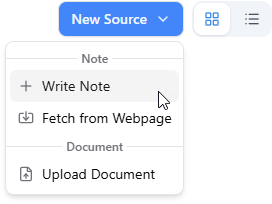
After that, write your note in the rich editor. Click Save when you are done.
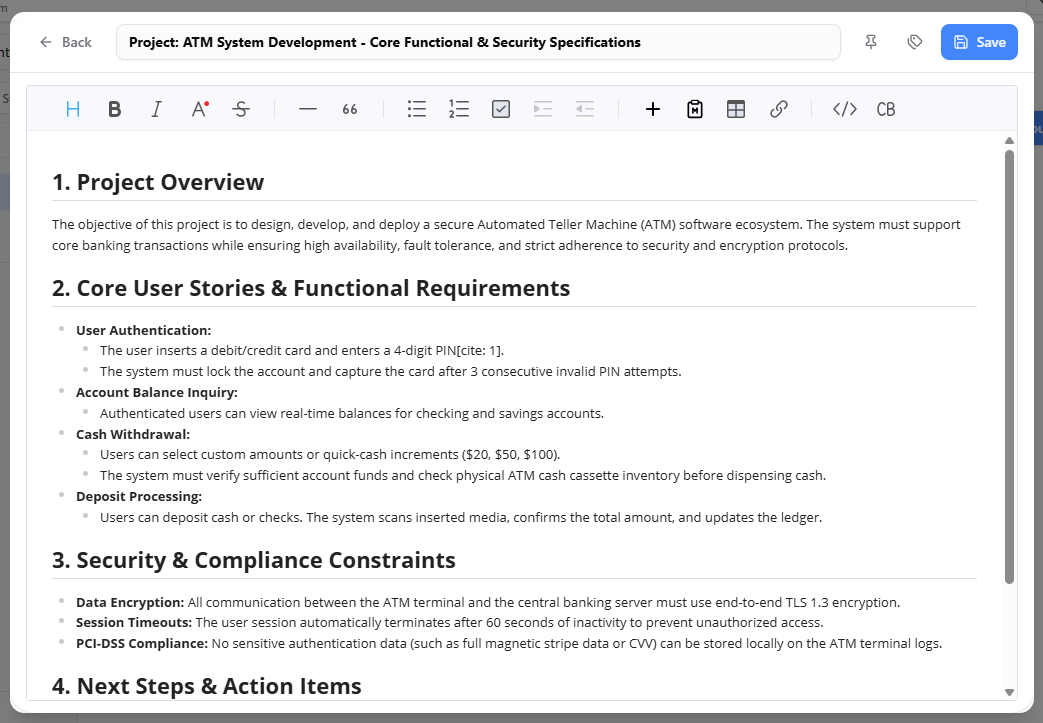
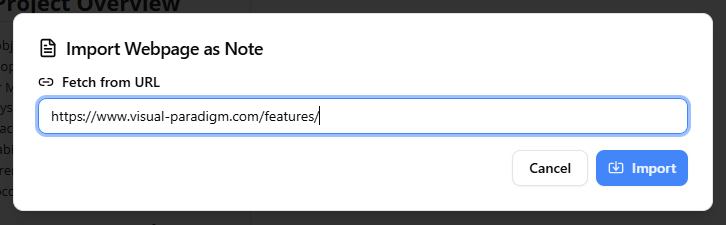
Or you can fetch the note content from a web page URL – Paste any live website URL to automatically extract, clean, and convert web content into fully editable notes. To do this, click on New Source, and then select Fetch from Web Page.
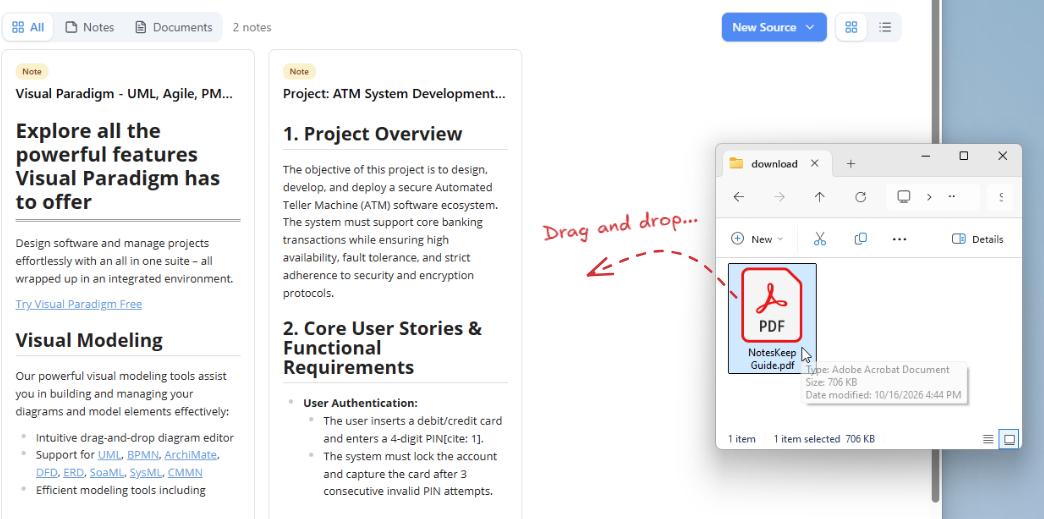
As a Documentation Management System, you can also convert your document into knowledge – Simply drag your file into Visual Paradigm NotesKeep. Multi-format files including Word documents (.docx), PDFs, spreadsheets (.xlsx), presentations (.pptx), markdown files (.md), images (.png, .jpg) are supported.
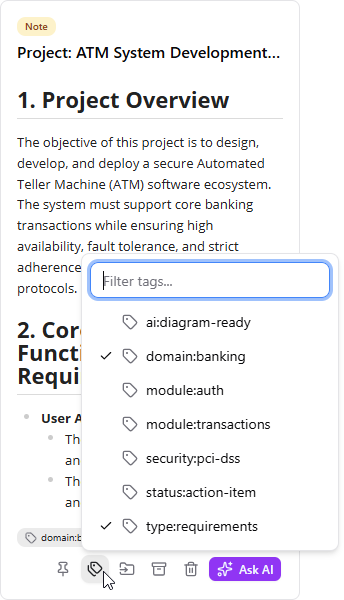
- Organize the project knowledge.
Apply tags to make related items easier to find. Use the available views and search to browse notes and documents, and pin important items for quick access.
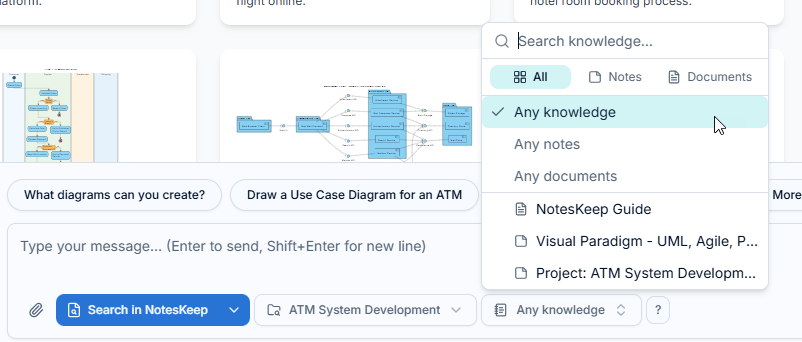
- Open a Visual Paradigm Chatbot conversation.
Enable Search in NotesKeep, then select the project and, where available, the specific notes or documents you want the AI to use.
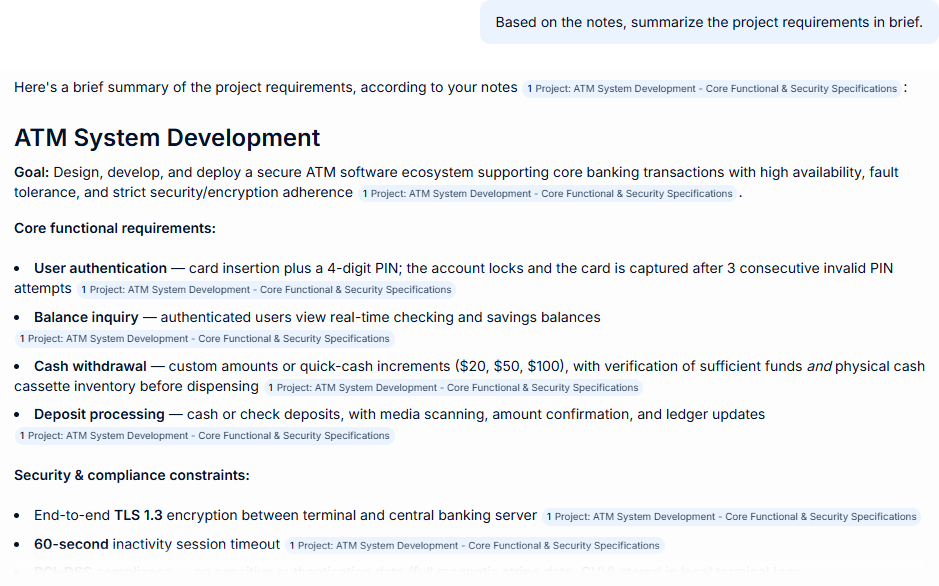
- Ask a focused question or request a diagram.
For example, ask what requirements are currently active, summarize a set of meeting notes, identify differences between stakeholder inputs, or request a UML or BPMN diagram based on a specification.
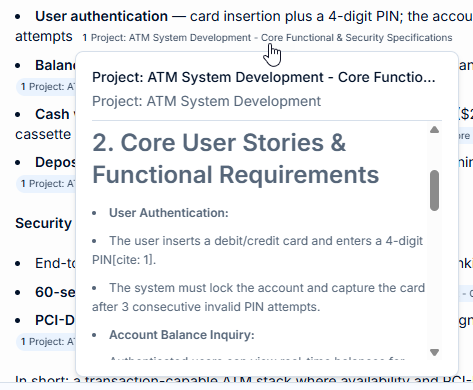
- Review the response and its sources.
Use the inline citations and source references to trace answers back to the supporting NotesKeep content. Check important details against the source material, especially when decisions depend on them.
You can prompt the chatbot to convert unstructured text specifications into technical models such as UML diagrams, Entity Relationship Diagrams (ERDs), BPMN, and flowcharts. 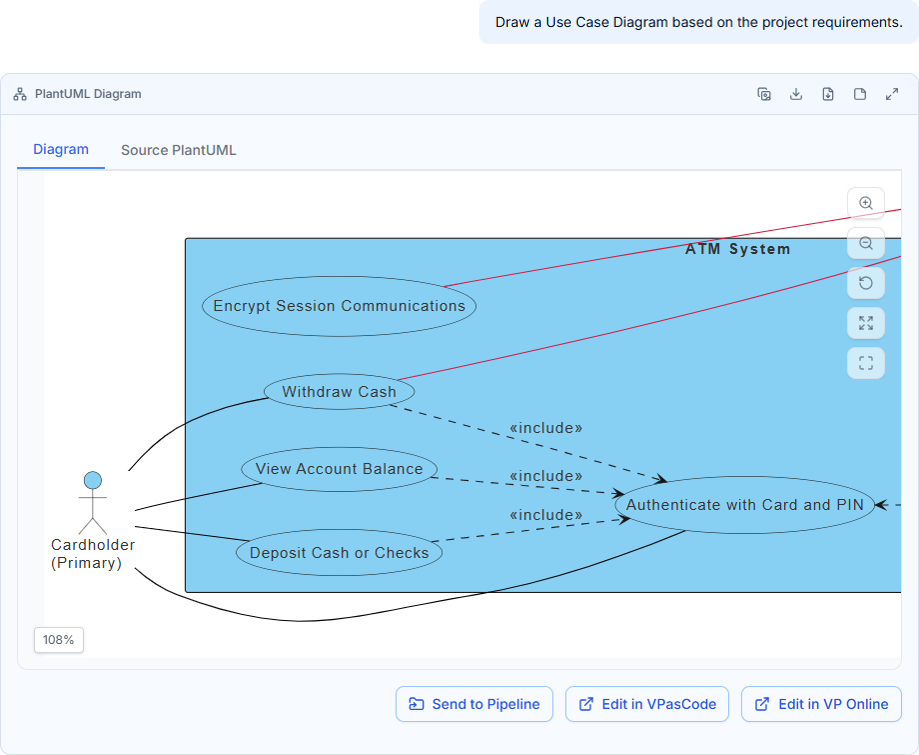
- Save useful results back to NotesKeep.
Use “Send to NotesKeep” to keep a useful answer, summary, or generated diagram with the project knowledge it came from.
From Notes and Documents to Project Intelligence
NotesKeep began as a place to write notes and ask AI questions about them. With document management now added, it can bring a broader range of project information into that workflow. Teams can organize notes and documents together, query selected knowledge, and use the answers as a starting point for analysis and visual documentation.
Whether you are managing meeting records, product requirements, research, technical specifications, or whiteboard snapshots, NotesKeep helps make that material easier to organize and use throughout a project.
Explore Visual Paradigm NotesKeep and bring your notes, documents, and project knowledge into one AI-powered workspace.
Case Studies
Case Study: How We Found 4 Critical Requirement Conflicts in Minutes with AI Note-Taking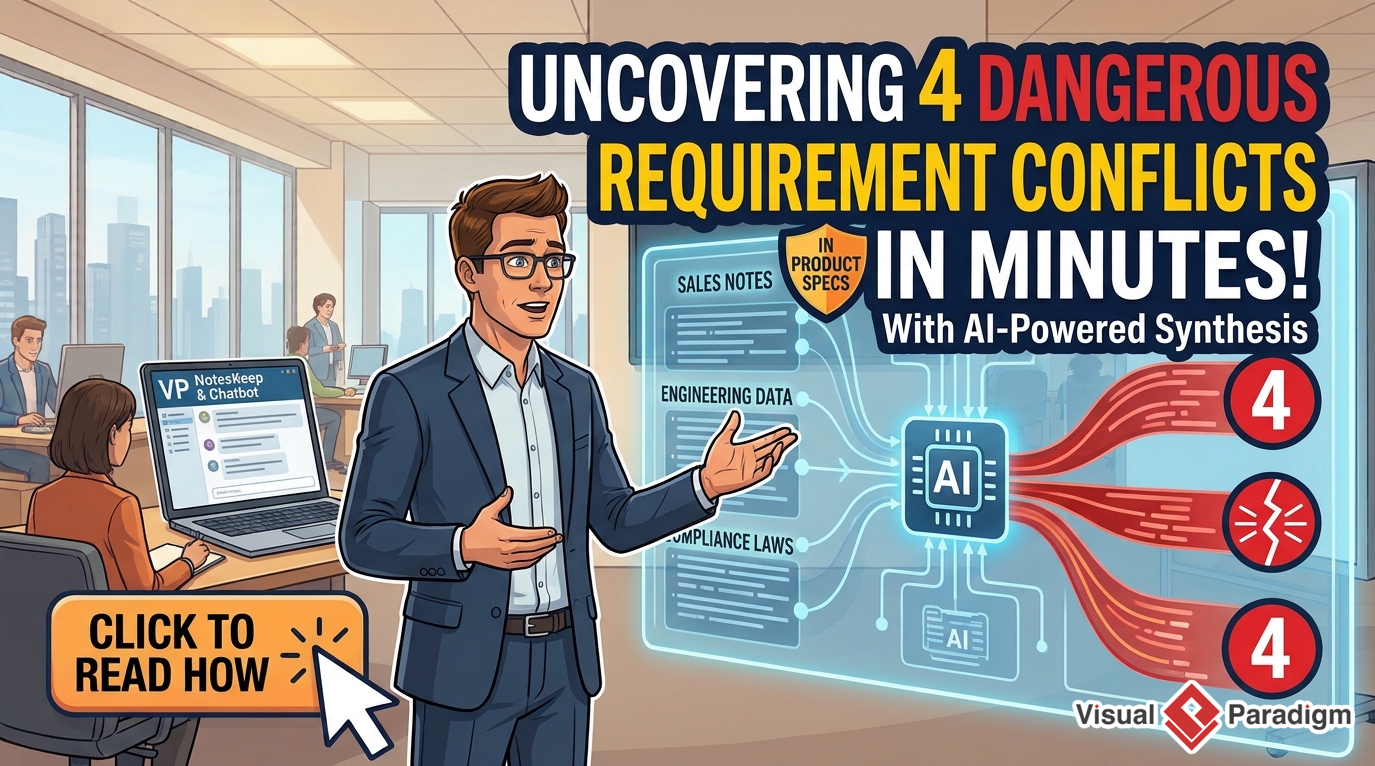
In software development and project management, gathering requirements across multiple departments often leads to conflicting priorities, unrecorded assumptions, and critical scope gaps. Manual cross-examination of long meeting transcripts or raw text notes is time-consuming and prone to human error.
This case study demonstrates how Visual Paradigm NotesKeep combined with the Visual Paradigm AI Chatbot enables project managers and business analysts to centralize multi-format meeting documentation, perform automated stakeholder conflict analysis, and uncover missing scope items before development begins.
Case Study: How AI Turned 5 Days of Evolving Notes into a Prioritized Backlog
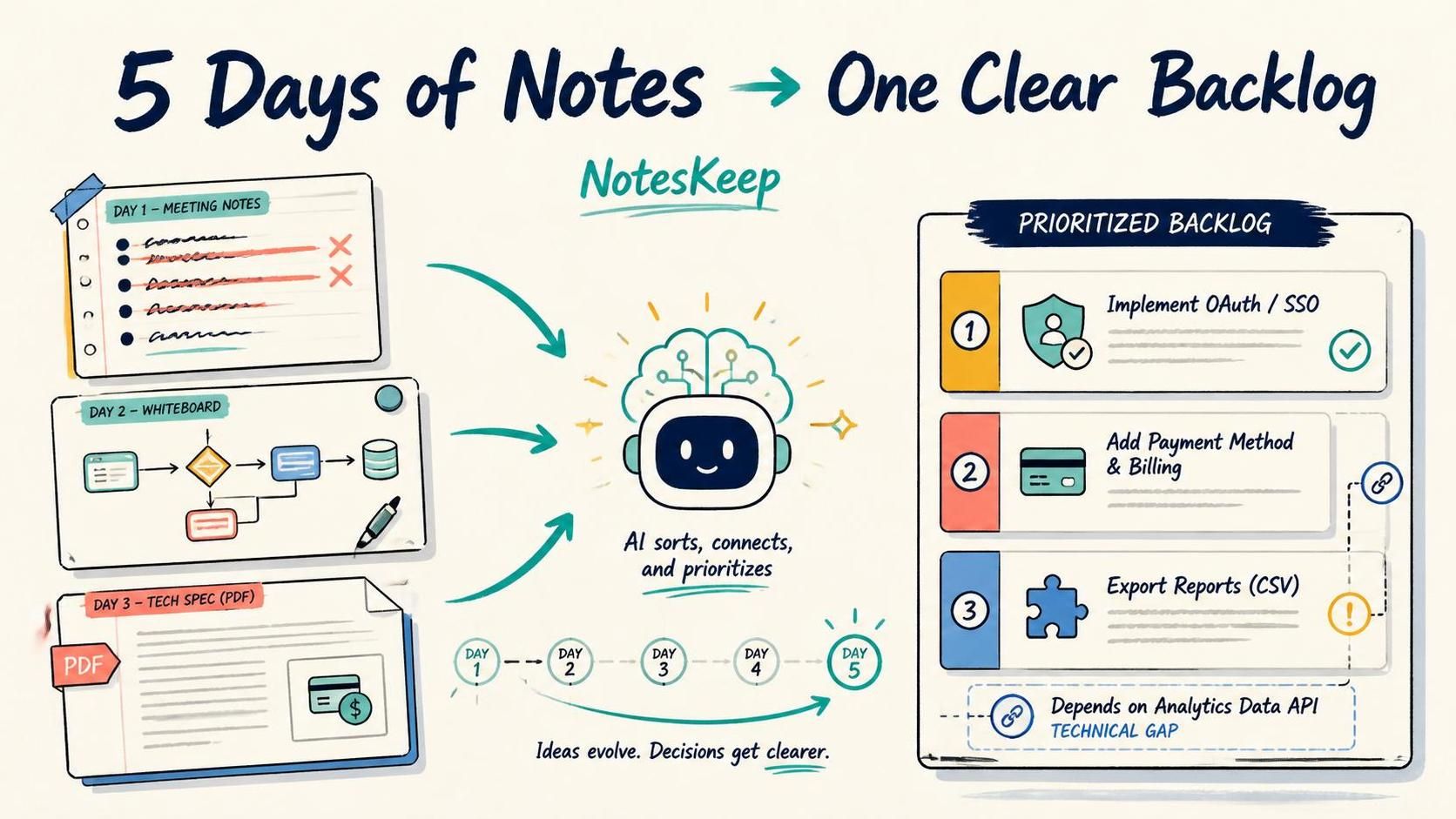
Product discovery is rarely a single, static event. Over days or weeks of stakeholder alignment, requirements evolve rapidly: earlier assumptions are overridden by later business constraints, and ideas are scattered across daily meeting logs, uploaded technical specifications, and hand-drawn whiteboard sketches.
Manually sifting through multi-day meeting histories to identify current ground truth and map technical dependencies takes hours of administrative effort. This case study demonstrates how Visual Paradigm NotesKeep and the Visual Paradigm AI Chatbot automatically perform temporal reconciliation, process multimodal visual data, and generate a prioritized, dependency-aware product backlog.
Related Guides
Getting Started: Note-Taking & Knowledge Capture
Learn how to capture raw ideas, structure rich-text specifications, and fetch web content directly into your workspace.
- How to Write Notes in NotesKeep: A Complete Step-by-Step Guide
Discover how to use the WYSIWYG editor to write, style, and tag rich-text notes that automatically feed directly into the AI Knowledge Intelligence engine. - How to Create a Note from Content of a Web Page
Learn how to use URL Content Fetching to import, extract, and clean live website content, removing clutter and advertisements to create editable notes.
Document Management & Universal File Ingestion
Centralize scattered enterprise files and digitize visual assets across your entire organization.
- How to Keep My Documents in NotesKeep: A Complete Upload Guide
Explore how to upload and store Word documents, PDFs, Excel spreadsheets, PowerPoint decks, JSON schemas, and images into an AI-ready team workspace. - How to Digitize Whiteboard Photos & OCR Specifications
See how NotesKeep utilizes Optical Character Recognition (OCR) and computer vision to extract text labels, structural shapes, and annotations from whiteboard photos and scanned PDFs.
Organization, Workspace Scoping & Categorization
Keep your growing knowledge base structured, navigable, and prioritized for team collaboration.
- How to Tag My Knowledge in NotesKeep: Categorization & Filtering Guide
Master multi-dimensional tagging to classify notes and documents, and utilize dedicated Tag Views for instant metadata navigation. - How to Organize My Knowledge into Projects in NotesKeep
Learn how project-based workspace isolation keeps departmental knowledge segregated and improves AI Chatbot reasoning precision. - How to Re-Order, Pin, and Manage Priority Knowledge
Learn how to pin critical resources to the top of your workspace, customize note sequences with drag-and-drop, and switch between Grid and List views. - How to Archive Knowledge in NotesKeep: Workspace Decluttering Guide
Understand how to safely archive legacy notes and outdated specifications to declutter your active workspace while preserving historical audit records.
AI Knowledge Intelligence & Diagram Synthesis
Unlock Retrieval-Augmented Generation (RAG), conversational queries, inline source citations, and automated visual modeling.
- How to Ask Questions About My Notes & Documents with AI
Discover how to query your knowledge base using the Visual Paradigm Chatbot, complete with scoped RAG search and clickable inline source citations. - How to Generate Technical Diagrams from Notes & Documents with AI
Learn how to convert unstructured written specifications into formal technical diagrams (UML, ERD, BPMN, flowcharts, mind maps) and commit them back to NotesKeep.
Access Requirements
NotesKeep access in VP Online requires Combo Edition or higher. In VP Desktop, it requires Professional Edition or higher with active software maintenance. Access to the Visual Paradigm AI Diagramming Chatbot features described above requires Deluxe Edition in VP Online, or Professional Edition or higher with active software maintenance in VP Desktop.