


When working with global teams, cross-border clients, or multi-lingual documentation, language barriers can slow down collaboration. Translating architectural diagrams manually is tedious—you have to carefully swap out strings inside your code blocks without breaking the actual diagram syntax.
To solve this, we are proud to introduce one of our most powerful features in our new diagram-as-code platform: AI Diagram Translation. With just two clicks, Visual Paradigm VPasCode automatically translates all titles, labels, variables, and comments in your PlantUML, Mermaid, or Graphviz code into your target language, keeping your structural syntax perfectly intact.
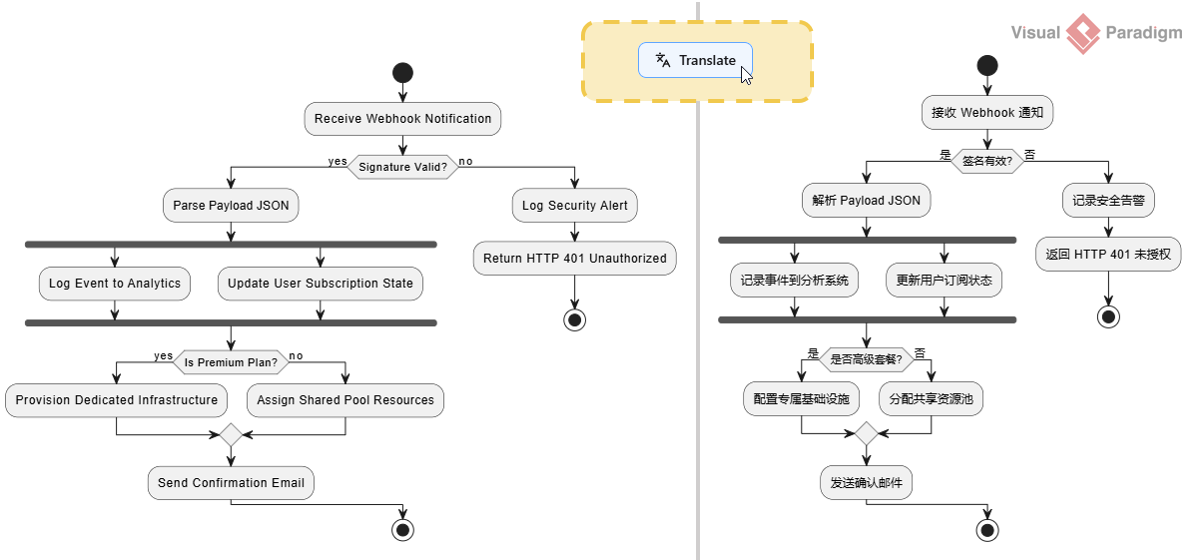
How it Works: Translate in 2 Easy Steps
Our engineering team has built the AI translation tool right into the core interface of VPasCode. It is incredibly simple to use:
Step 1: Click the Translate Button
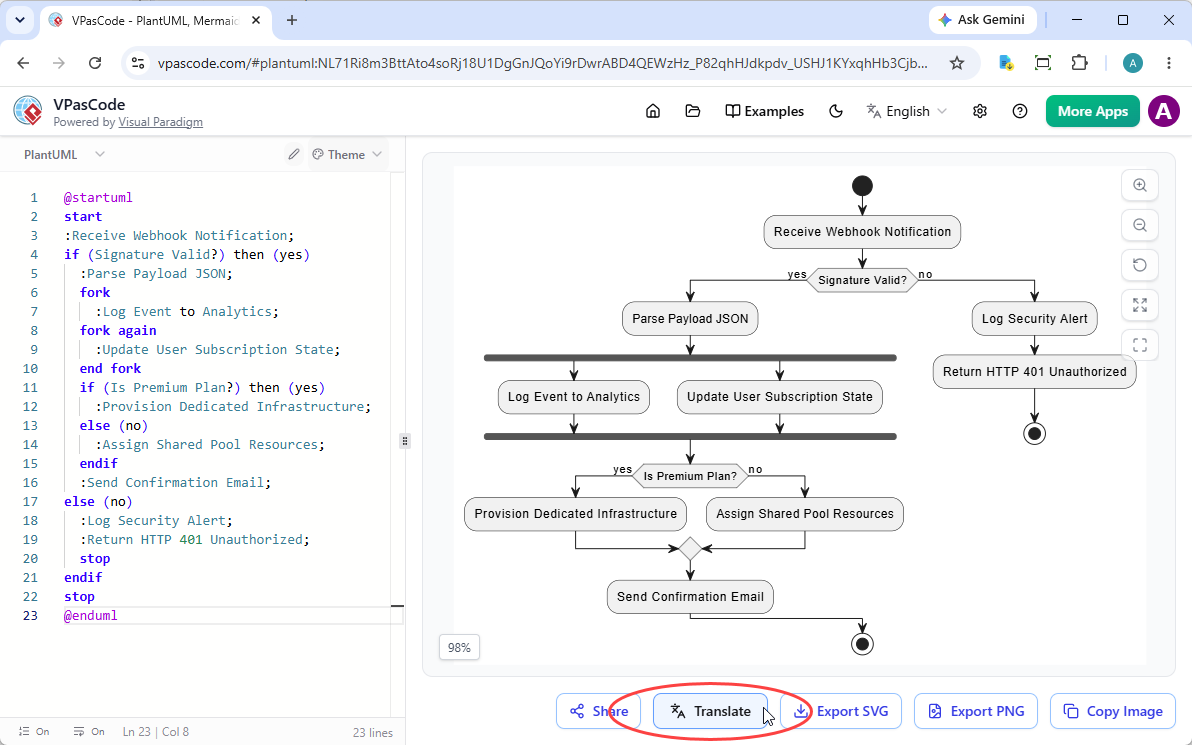
Directly below the diagram viewer on the right side of the VPasCode UI, you will find a row of convenient action buttons. The first one is the Share button. The second one is the Translate button (marked with an intuitive translation icon). Simply click on it to begin processing your active diagram script.
Step 2: Choose Your Target Language
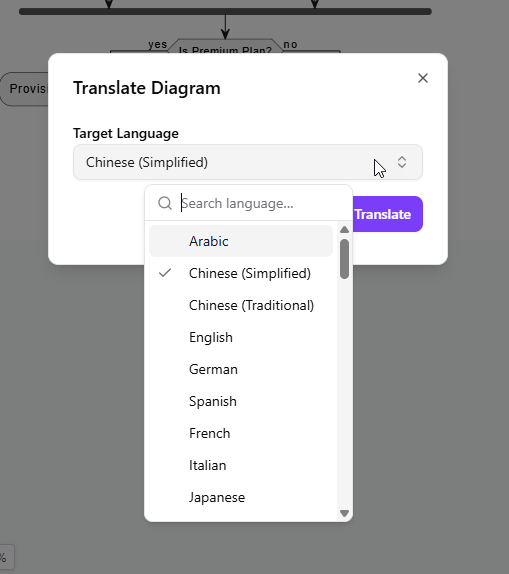
Once you click the button, a modal window will appear prompting you to select your Target Language. Simply choose your desired language from the comprehensive dropdown list (supporting Arabic, Chinese, English, German, Spanish, French, Italian, Japanese, and many more) and click the “Translate” button to confirm.
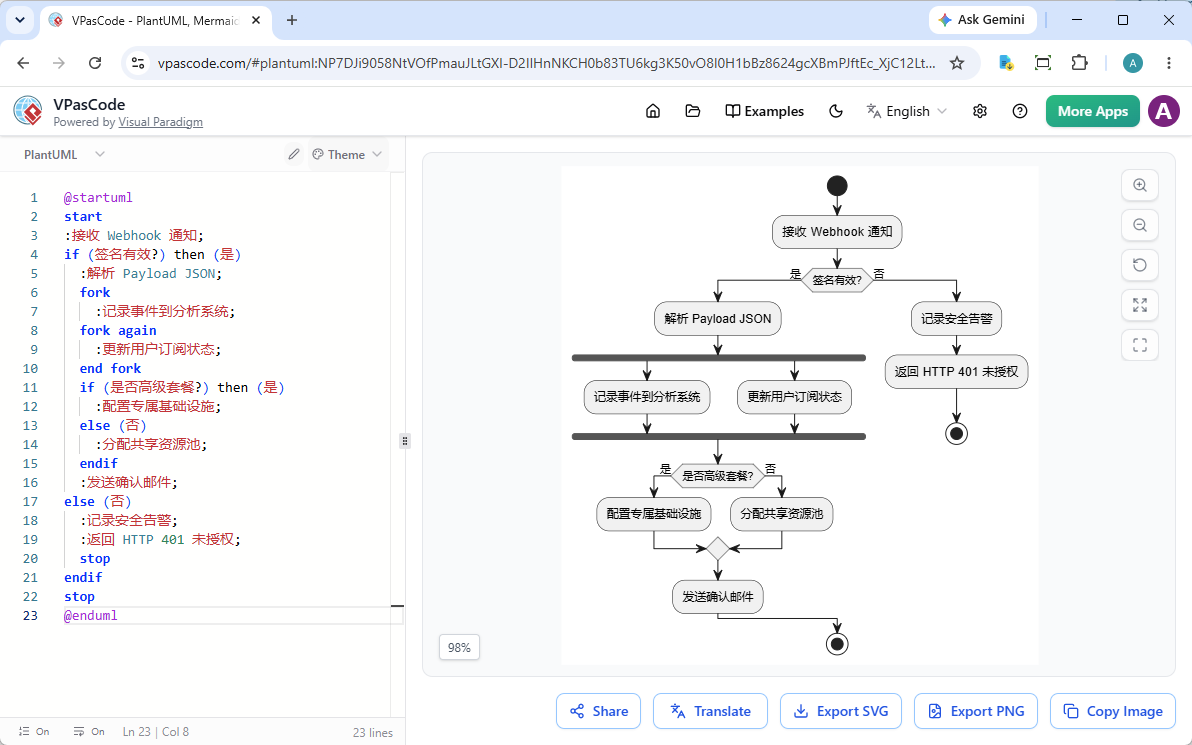
Instantly, the underlying code modifies itself into the target language, and the real-time preview renderer updates your diagram on the fly!
Feature Availability
Please note that AI Diagram Translation is a premium capability designed to supercharge professional workflows. It is available as a paid feature within the following packages:
- Visual Paradigm Online Combo Edition (or higher).
- Visual Paradigm Desktop Professional Edition (or higher) with an active maintenance plan.
Pro-Tip for Desktop Users: If you are a Visual Paradigm Professional Edition (or higher) user with active maintenance, you are automatically granted full access to the web apps of VP Online Combo Edition. This means you can log right into VPasCode and start using the AI Translation feature today at no extra cost!
Streamline Your Global Collaborations Today
Why spend hours manually rewriting code elements when AI can handle it perfectly in seconds? Whether you need to present an application architecture diagram to an international engineering team or localize business process flowcharts, VPasCode has you covered.
Log in to your Visual Paradigm account, load your diagram script into VPasCode, and try out the AI Translation tool now!
You may also try with the example used in this announcement by clicking on the Edit button in the code viewer below.
@startuml
start
:Receive Webhook Notification;
if (Signature Valid?) then (yes)
  :Parse Payload JSON;
  fork
    :Log Event to Analytics;
  fork again
    :Update User Subscription State;
  end fork
  if (Is Premium Plan?) then (yes)
    :Provision Dedicated Infrastructure;
  else (no)
    :Assign Shared Pool Resources;
  endif
  :Send Confirmation Email;
else (no)
  :Log Security Alert;
  :Return HTTP 401 Unauthorized;
  stop
endif
stop
@enduml