


At Visual Paradigm, we’re continuously innovating to make your documentation and modeling workflows faster, more intelligent, and more collaborative. We’re excited to announce a major enhancement to OpenDocs — our powerful AI-powered knowledge management tool — with full support for Entity Relationship Diagrams (ERDs).
Whether you’re a software engineer, database architect, business analyst, or project manager, this update empowers you to create professional data models effortlessly. Now, you can draw ERDs manually using our intuitive editor or leverage cutting-edge AI ERD generation to instantly produce accurate diagrams from simple text descriptions of your data requirements.
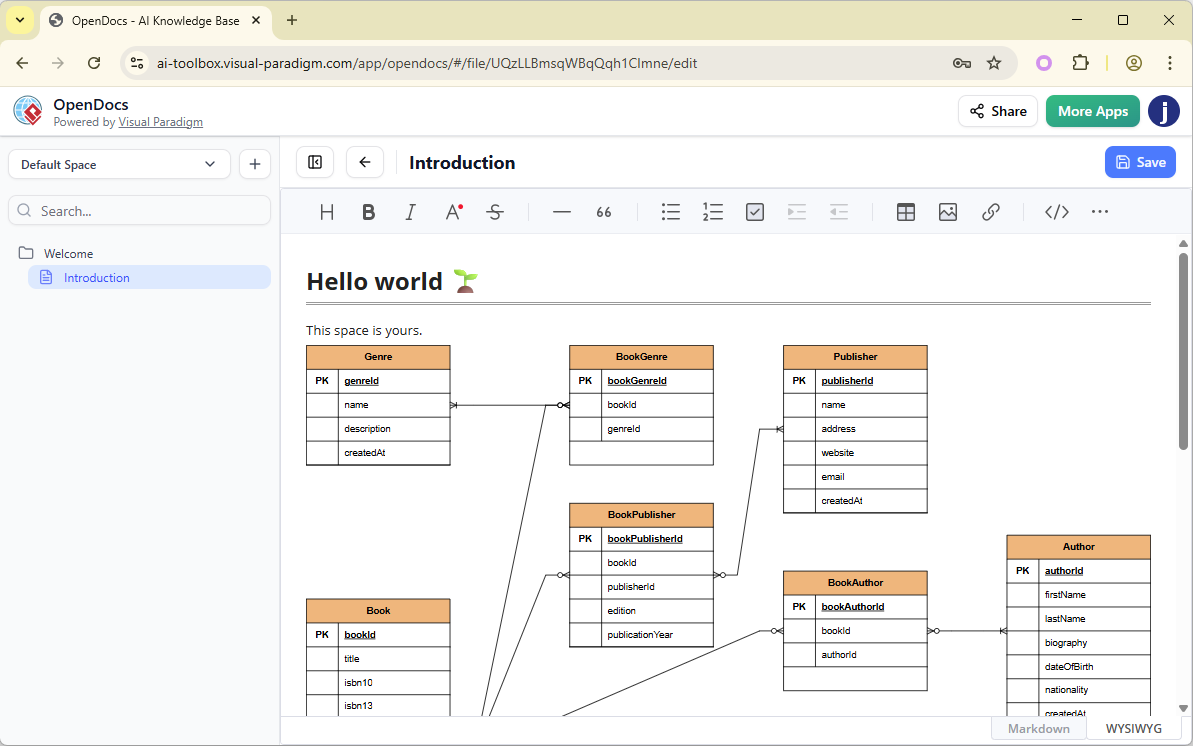
Why Entity Relationship Diagrams in OpenDocs?
OpenDocs has always been your go-to platform for combining rich text, collaborative spaces, and visual storytelling. With the addition of Entity Relationship Diagram support, it becomes an even more complete AI ERD tool integrated directly into your documentation workflow.
Key capabilities include:
- Embed a Diagram Component — Seamlessly insert live, editable ERDs into any document page for enhanced clarity and context.
- Create a Component Page — Dedicate entire pages to standalone ERDs, perfect for focused data modeling or sharing as part of your knowledge base.
- Manual Drawing — Use our full-featured diagram editor with drag-and-drop shapes, connectors, cardinality notations, and attributes for precise control.
- AI-Powered ERD Generation — Simply describe your system (e.g., “Design a library database with books, members, loans, and reservations”), and our AI instantly generates a complete, professional Entity Relationship Diagram — saving hours of manual work.
This makes OpenDocs one of the most versatile AI ERD tools available, bridging the gap between natural language ideas and structured database design while keeping everything centralized in your collaborative Spaces.
Boost Productivity with AI ERD Generation
Traditional ERD creation can be time-consuming and error-prone. Our AI ERD generation changes that by interpreting your problem description and automatically suggesting entities, attributes, relationships, and keys — ready for immediate refinement.
Combined with OpenDocs’ other strengths — such as AI image generation, seamless collaboration, and one-click Space publishing — you get an unparalleled AI-powered knowledge management tool for projects involving data modeling, system architecture, and team documentation.
Who Benefits Most from This Update?
- Database Designers & Developers — Quickly prototype schemas with AI ERD generation and embed them in technical docs.
- Software Architects & Analysts — Visualize data structures alongside requirements and use case models.
- Project Teams — Maintain consistent, up-to-date data documentation in a shared, accessible hub.
How to create an ER Diagram with AI?
- Click on the Insert button in the top bar of your document editor.

- The Insert dialog box is opened. Select Diagrams tab on the left, and then Entity Relationship Diagram on the right.
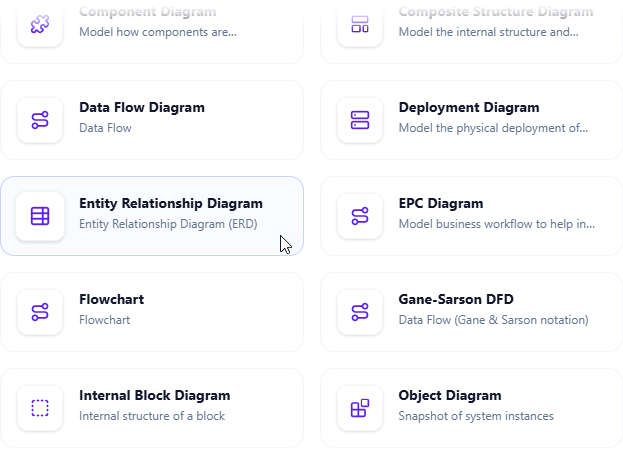
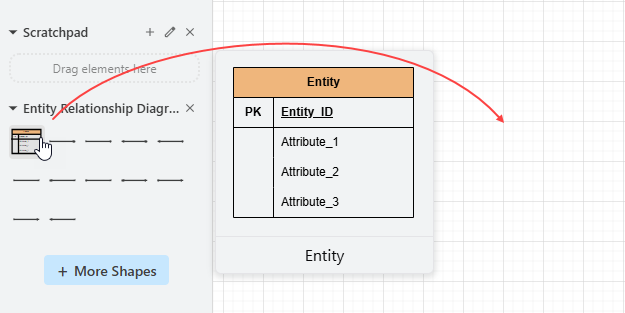
- This opens the diagram editor. You can draw the ER diagram using the symbols on the palette (Just drag and drop a symbol onto the diagram canvas).
To generate a diagram with AI, click on Create with AI at the top right.

- Describe your problem in the input box. Click Generate.
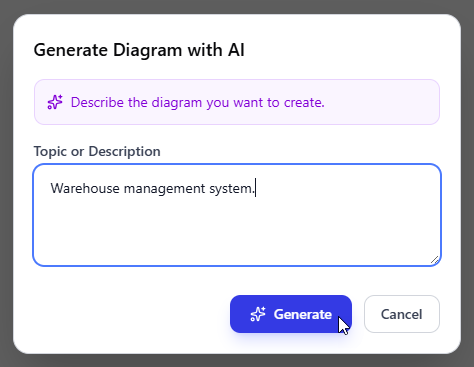
- AI will analyze your problem and generate an entity relationship diagram accordingly. Below is an example generated.
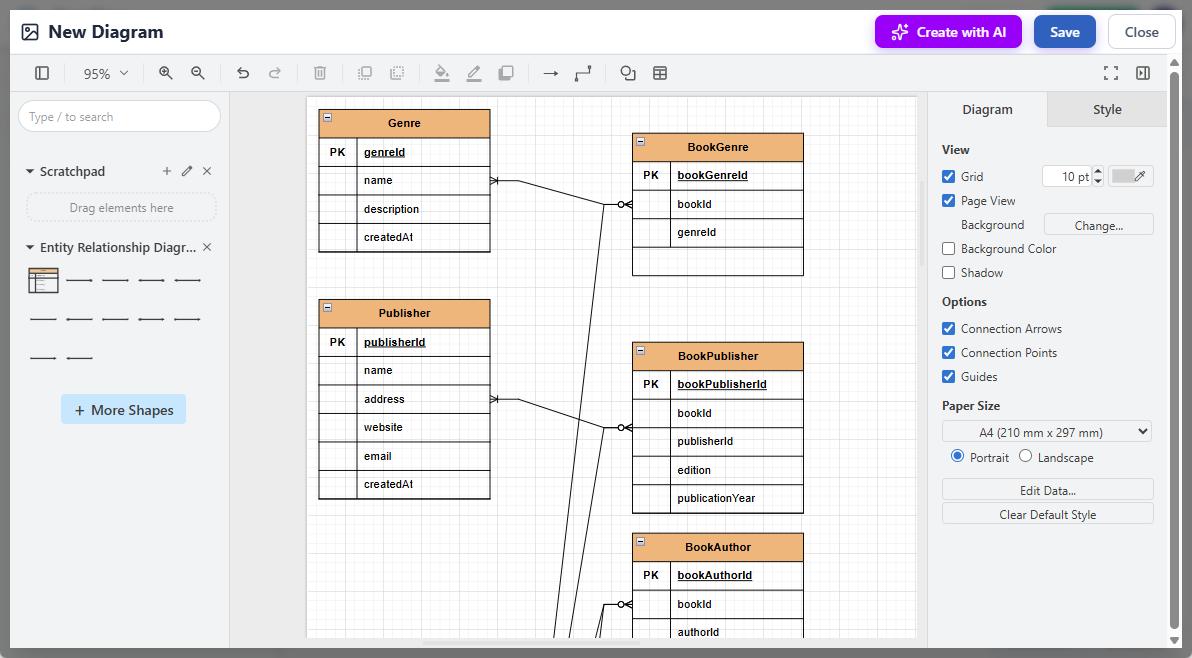
- You may touch up the ERD by adjusting the layout, adding new shapes, etc.
- Click Save at the top right.
- Click Close to return to the document editor. The diagram is embedded into your document.
Ready to Get Started?
Explore the full power of Entity Relationship Diagram support and AI ERD generation in OpenDocs today. Visit our feature page for detailed guides, examples, and tips: OpenDocs – AI-Powered Knowledge Management Tool.
Try it now — jump straight into creating and embedding your first AI-generated ERD:
Launch OpenDocs and Start Creating AI ERDs Now
This feature is available to users with a Visual Paradigm Online (Combo Edition) or Visual Paradigm (Professional Edition) license. Update your workspace and experience the future of integrated diagramming and documentation.
Stay tuned for more exciting updates as we continue expanding OpenDocs — your ultimate AI-powered knowledge management tool — with even more diagram types and intelligent capabilities.