


Tired of spending hours creating strategic analysis infographics from scratch? We’re excited to introduce a powerful new free feature designed to transform your complex ideas into stunning, presentation-ready visuals in seconds. With our new free AI 6 aspect infographic tool, you can now automatically generate detailed strategic analyses like PESTLE, Six Thinking Hats, and dozens of other frameworks, complete with multiple professional layouts.
This tool eliminates the tedious process of manual research and design, empowering you to focus on what truly matters: deriving actionable insights and communicating your strategy with clarity and impact.

Addressing the Challenge of Manual Strategic Analysis
Creating a comprehensive strategic analysis has always been a two-part challenge. First, it requires in-depth research and brainstorming to populate frameworks like the 6P Marketing Mix or a Six Forces Model. Second, presenting these findings effectively demands significant design skills to avoid a cluttered, uninspiring document.
This manual process is not only time-consuming but can also lead to inconsistent and visually dull outputs, failing to capture the attention of key stakeholders. We knew there had to be a better way.
Introducing the Free 6-Aspects Infographic Designer: Your Strategic Partner
Our new free AI-powered designer was built to solve this exact problem. It acts as your expert research and design assistant, instantly structuring your topic into a chosen framework and presenting it in a polished, visually appealing infographic.
With this powerful new tool, you can:
- Save Valuable Time: Generate a complete, detailed analysis on any topic in a matter of seconds, not hours.
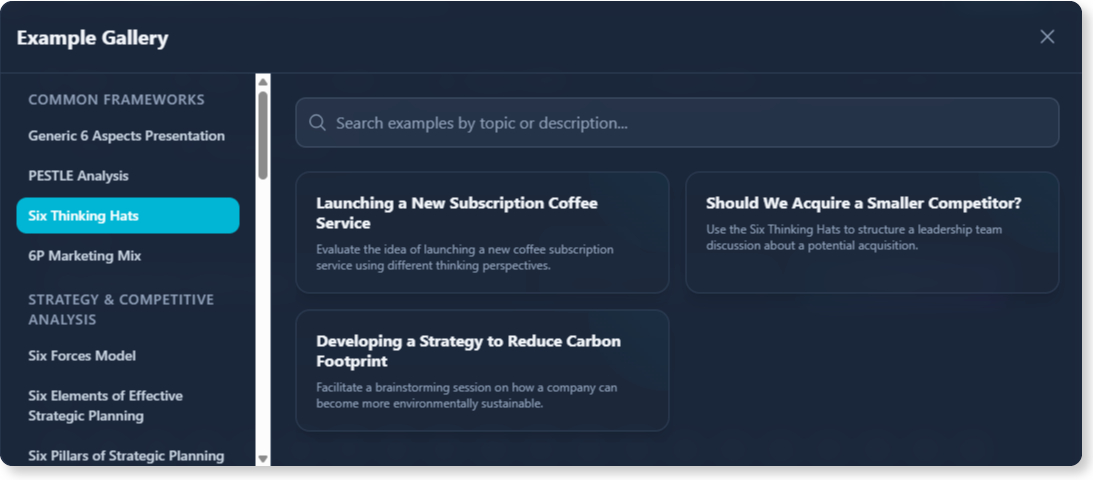
- Access a Wealth of Frameworks: Go beyond PESTLE with dozens of built-in models for strategy, marketing, operations, and leadership.
- Ensure Clarity and Consistency: The AI provides concise, well-structured points for each aspect, ensuring your analysis is easy to understand.
- Elevate Your Presentations: Choose from over 50 distinct, professionally designed layouts to find the perfect visual style for your audience.

- Customize with Ease: All generated text is fully editable, allowing you to fine-tune every detail to match your specific insights.
How to Access and Use the New Feature
Getting started with the free AI 6-Aspects Infographic Designer is simple. Depending on how you use Visual Paradigm, follow these steps:
For Visual Paradigm Online Users
- Simply navigate directly to the free 6-Aspects Infographic Designer.
For Visual Paradigm Desktop Users
- Open your Visual Paradigm desktop application.
- Select Tools > Apps from the main menu.
- Find and click on the free 6-Aspects Infographic Designer in the app library.
Once you’re in the app, the process is intuitive:
- Enter Your Topic: Type the subject you want to analyze into the input field.
- Select Your Framework: Choose from the extensive list of analysis types, such as PESTLE, Six Thinking Hats, or a generic 6-aspect breakdown.
- Generate & Refine: Click “Generate Analysis” and watch the AI create your infographic. You can then edit the text and switch between dozens of layouts to find the perfect fit.

Ready to Create Your First Free AI-Powered Infographic?
Stop wrestling with blank slides and tedious design work. The free AI 6-Aspects Infographic Designer is here to help you communicate your strategic vision with unparalleled speed, clarity, and visual flair. Transform your ideas into impactful presentations for free today.
Learn more: Read our detailed guide on the 6-Aspects Infographic Designer.