


Need to map out custom tags, categories, or specialized component rules for your projects without dealing with complex syntax?
VPasCode now lets you build UML Profile Diagrams using simple, plain English.
Type What You Need—AI Handles the Rest
Instead of writing code or learning diagram rules, you can create and tweak your UML Profile Diagrams using natural conversation:
- Describe Your Diagram: Type what you want to create in everyday words.
Prompt: "Generate a UML Profile Diagram defining custom stereotypes for healthcare data privacy compliance."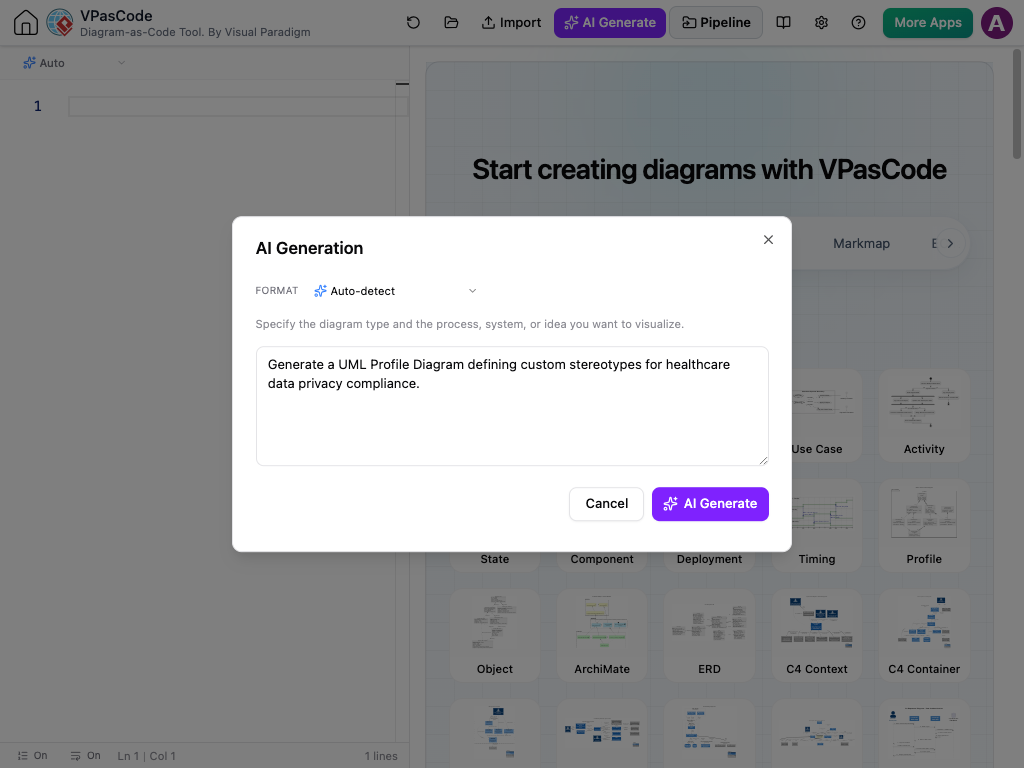
- Instant Visuals: VPasCode interprets your description and builds the complete profile structure for you automatically.
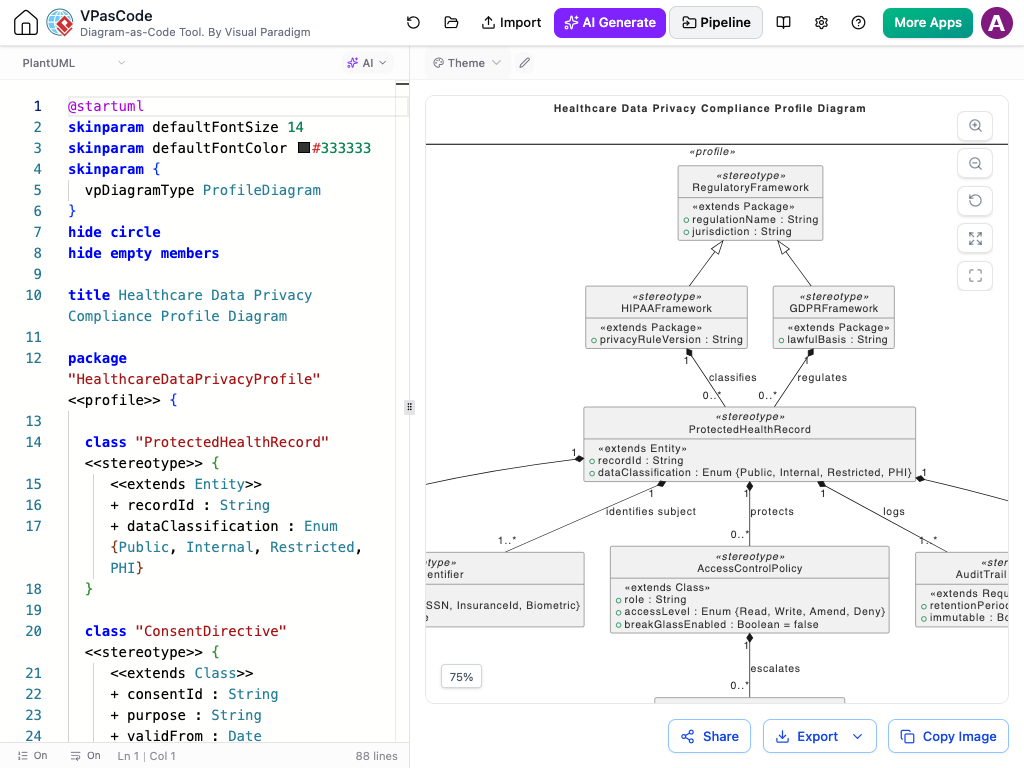
- Easy Conversational Tweaks: Change or update your diagram by chatting with the AI:
- “Add an encryptionType tagged value to the PrivacyData stereotype.”
- “Extend the profile to include a specialized AuditLog component.”
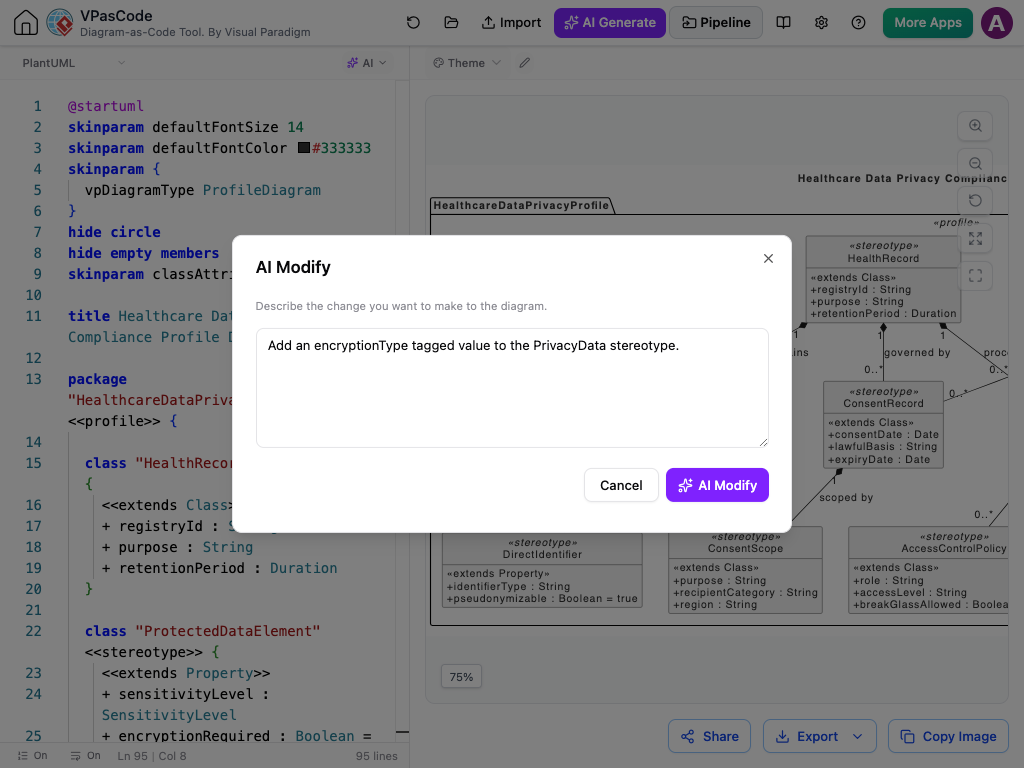
Example:
@startuml
skinparam defaultFontSize 14
skinparam defaultFontColor #333333
hide circle
hide empty members
skinparam classAttributeIconSize 0

title Healthcare Data Privacy Compliance Profile Diagram

package "HealthcareDataPrivacyProfile" <> {

  class "HealthRecord" <> {
    + registryId : String
    + purpose : String
    + retentionPeriod : Duration
  }

  class "ProtectedDataElement" <> {
    + sensitivityLevel : SensitivityLevel
    + encryptionRequired : Boolean = true
    + maskInLogs : Boolean = true
  }

  class "DirectIdentifier" <> {
    + identifierType : String
    + pseudonymizable : Boolean = true
  }

  class "ConsentRecord" <> {
    + consentDate : Date
    + lawfulBasis : String
    + expiryDate : Date
  }

  class "ConsentScope" <> {
    + purpose : String
    + recipientCategory : String
    + region : String
  }

  class "DataSubject" <> {
    + subjectId : String
    + jurisdiction : String
    + accessRight : Boolean = true
  }

  class "ProcessingActivity" <> {
    + activityId : String
    + riskLevel : RiskLevel
    + lawfulBasis : String
  }

  class "AccessControlPolicy" <> {
    + role : String
    + accessLevel : String
    + breakGlassAllowed : Boolean = false
  }

  class "DataBreachIncident" <> {
    + detectedAt : DateTime
    + affectedRecords : Integer
    + notificationDeadline : Duration = 72h
  }

  class "AuditLogEntry" <> {
    + timestamp : DateTime
    + actor : String
    + action : String
  }

  HealthRecord "1" *-- "0..*" ProtectedDataElement : contains
  ProtectedDataElement <|-- DirectIdentifier
  HealthRecord "1" *-- "0..*" ConsentRecord : governed by
  ConsentRecord "1" *-- "0..*" ConsentScope : scoped by
  DataSubject "1" *-- "0..*" ConsentRecord : grants
  HealthRecord "1" *-- "0..*" ProcessingActivity : processed in
  ProcessingActivity "1" *-- "0..*" AccessControlPolicy : enforced by
  ProcessingActivity "1" *-- "0..*" DataBreachIncident : may trigger
  ProcessingActivity "1" *-- "0..*" AuditLogEntry : traced by
  DataSubject "1" *-- "0..*" AuditLogEntry : concerned by
}
@enduml Bringing Diagram-as-Code to UML Profiles
Standard text-to-diagram engines don't easily support UML Profile Diagrams out of the box.
To make this possible, Visual Paradigm created custom PlantUML-based structures, allowing you to store, share, and version-control your UML profiles as clean, lightweight text files—without ever having to write code yourself.
No Syntax Needed—Just Plain English
The real benefit of VPasCode is skipping the manual effort completely. You don't need to memorize formatting rules, draw shapes by hand, or edit code lines. You simply explain what you need, and the AI handles the layout, connections, and formatting behind the scenes.
Connect Custom Profiles to Your Documentation Pipeline
Once your custom UML Profile is defined in VPasCode, it integrates cleanly across the Visual Paradigm ecosystem:
- OpenDocs: Embed live profile definitions into system specifications, compliance records, and modeling guidelines.
- NotesKeep: Store domain prompts, AI design rationales, and stereotype explanations for team architecture reviews.
- Asset Export: Download crisp SVG or PNG diagrams for architectural guidelines and onboarding materials.
👉 Learn more about the AI UML Profile Diagram Generator
Try AI UML Profile Diagrams in VPasCode
Open VPasCode today, type your idea in plain English, and let AI build your UML Profile Diagram instantly.