


We are excited to announce a major enhancement to the Visual Paradigm AI Diagramming Chatbot: full support for the instant generation of CRC Card Diagrams. As object-oriented analysis and software design evolve, having a rapid, conversational way to map out classes, responsibilities, and collaborators is critical. With this update, software architects, system analysts, and agile teams can go from a simple natural language prompt to a fully structured, PlantUML-based CRC Card Diagram in seconds.
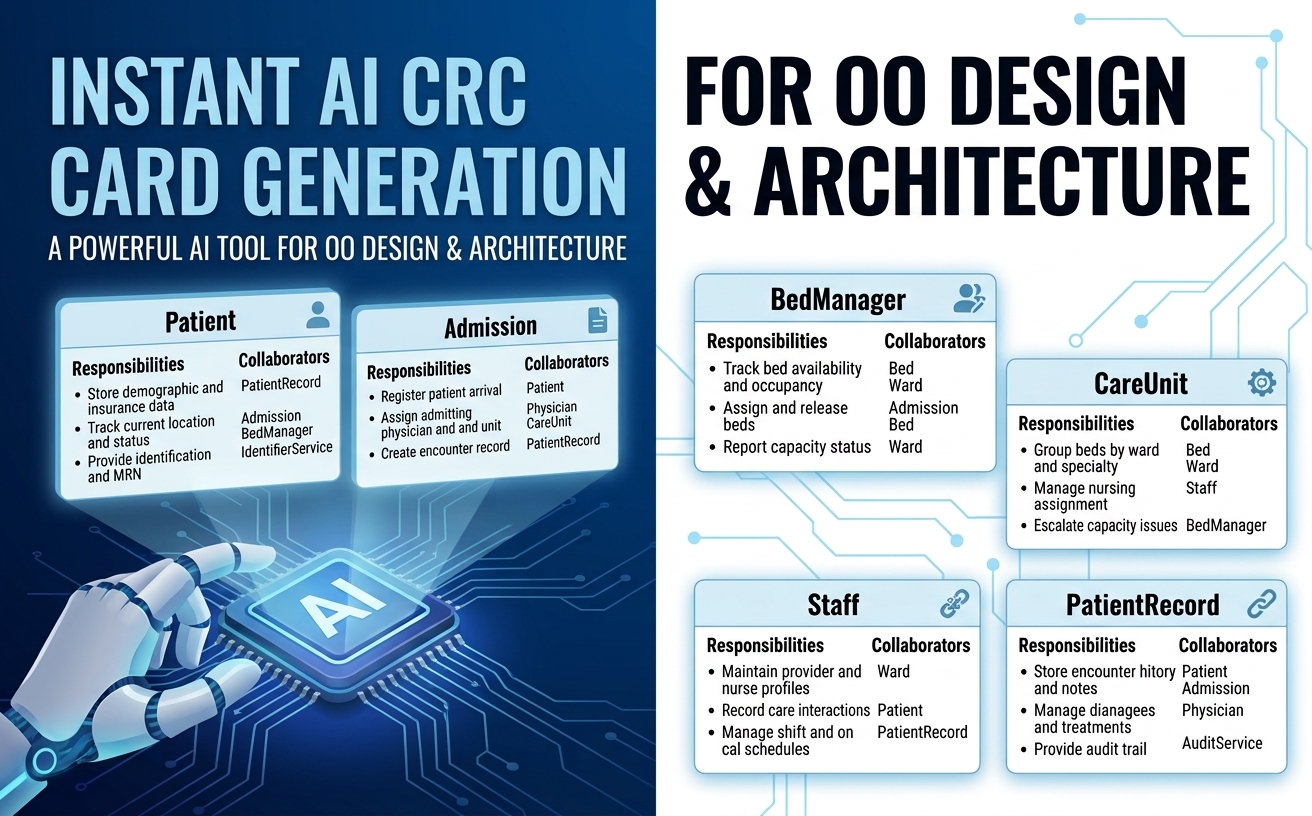
Whether you are designing a brand-new module or documenting a legacy architecture, our AI CRC Card Diagram tool simplifies object-oriented design and eliminates the setup friction usually associated with modeling software systems.
What Is a CRC Card Diagram and Why Does It Matter?
CRC stands for Class-Responsibility-Collaborator. Introduced as a lightweight object-oriented brainstorming tool, CRC cards help developers focus on the core obligations of a system component rather than getting bogged down in low-level code implementation details:
- Class: Represents a key collection of similar objects or domain entities within your system.
- Responsibilities: High-level duties, behaviors, or knowledge that the class maintains.
- Collaborators: Other classes that this class must interact with to perform its obligations.
Traditional CRC sessions involved physical index cards on a whiteboard—a great exercise for human collaboration, but difficult to record, maintain, or integrate into modern software engineering workflows. By introducing an AI CRC Card Diagram generator, Visual Paradigm combines the rapid brainstorming nature of classic CRC cards with the precision of AI-driven model creation.
How the AI CRC Card Diagram Tool Works
Using the AI Diagramming Chatbot is as straightforward as describing what you need in plain English. For instance, if you submit the prompt:
“Generate a CRC Card Diagram for a hospital patient tracking system.”
The chatbot processes the request using domain-trained models and outputs structured PlantUML code alongside an interactive image view. It also generates detailed explanations to help you evaluate class allocations and responsibilities right away.
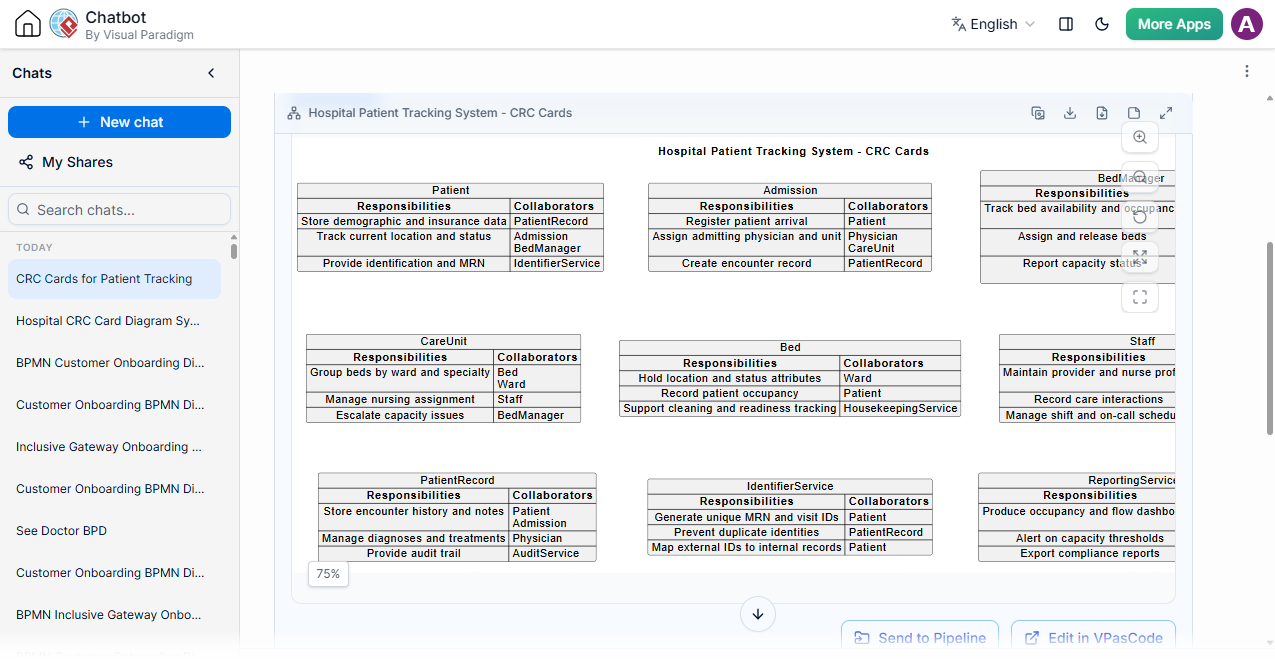
Note on PlantUML Syntax: While standard PlantUML does not natively support CRC Card Diagrams out of the box, Visual Paradigm has developed a specialized PlantUML-based syntax extension to render them as structured models. This custom convention allows users to generate, edit, and visualize CRC cards seamlessly as code within our AI Diagramming Chatbot and VPasCode ecosystem.
Example Chatbot Output
Here is an example of what the chatbot generates for a patient tracking system:
@startuml
skinparam {
vpDiagramType CRCCardDiagram
}
title Hospital Patient Tracking System - CRC Cards
map "Patient" as Patient {
<b>Responsibilities</b> => <b>Collaborators</b>
Store demographic and insurance data => PatientRecord
Track current location and status => Admission\nBedManager
Provide identification and MRN => IdentifierService
}
map "Admission" as Admission {
<b>Responsibilities</b> => <b>Collaborators</b>
Register patient arrival => Patient
Assign admitting physician and unit => Physician\nCareUnit
Create encounter record => PatientRecord
}
map "BedManager" as BedManager {
<b>Responsibilities</b> => <b>Collaborators</b>
Track bed availability and occupancy => Bed\nWard
Assign and release beds => Admission\nBed
Report capacity status => Ward\nReportingService
}
map "CareUnit" as CareUnit {
<b>Responsibilities</b> => <b>Collaborators</b>
Group beds by ward and specialty => Bed\nWard
Manage nursing assignment => Staff
Escalate capacity issues => BedManager
}
map "Bed" as Bed {
<b>Responsibilities</b> => <b>Collaborators</b>
Hold location and status attributes => Ward
Record patient occupancy => Patient
Support cleaning and readiness tracking => HousekeepingService
}
map "Staff" as Staff {
<b>Responsibilities</b> => <b>Collaborators</b>
Maintain provider and nurse profiles => Role\nDepartment
Record care interactions => PatientRecord
Manage shift and on-call schedules => ShiftService
}
map "PatientRecord" as PatientRecord {
<b>Responsibilities</b> => <b>Collaborators</b>
Store encounter history and notes => Patient\nAdmission
Manage diagnoses and treatments => Physician
Provide audit trail => AuditService
}
map "IdentifierService" as IdentifierService {
<b>Responsibilities</b> => <b>Collaborators</b>
Generate unique MRN and visit IDs => Patient
Prevent duplicate identities => PatientRecord
Map external IDs to internal records => Patient
}
map "ReportingService" as ReportingService {
<b>Responsibilities</b> => <b>Collaborators</b>
Produce occupancy and flow dashboards => BedManager\nAdmission
Alert on capacity thresholds => CareUnit
Export compliance reports => AuditService
}
Patient -[hidden]right-> Admission
Admission -[hidden]right-> BedManager
Patient -[hidden]down-> CareUnit
Admission -[hidden]down-> Bed
BedManager -[hidden]down-> Staff
CareUnit -[hidden]right-> Bed
Bed -[hidden]right-> Staff
CareUnit -[hidden]down-> PatientRecord
Bed -[hidden]down-> IdentifierService
Staff -[hidden]down-> ReportingService
PatientRecord -[hidden]right-> IdentifierService
IdentifierService -[hidden]right-> ReportingService
@enduml
Explore the interactive CRC Card Diagram live chat session here.
Key Benefits of Generating CRC Cards with AI
- Reduced Coupling & Single Responsibility: By inspecting the responsibilities and collaborators side-by-side, software engineering teams can quickly identify overloaded classes before writing code.
- Conversational Refinement: If a generated class carries too many responsibilities, you can ask the chatbot to split the class, extract a service, or reassign duties in natural language.
- Instant Architectural Explanations: Beyond code generation, the chatbot outlines the rationale behind the design, ensuring team members understand the system architecture.
- Text-Based Open Standard: Built on top of PlantUML, your CRC cards remain editable, human-readable, and version-controllable.
Seamless Integration with the Visual Paradigm AI Ecosystem
Generating a diagram is only the first step. The true strength of the AI CRC Card Diagram generator lies in its deep integration across the Visual Paradigm product ecosystem:
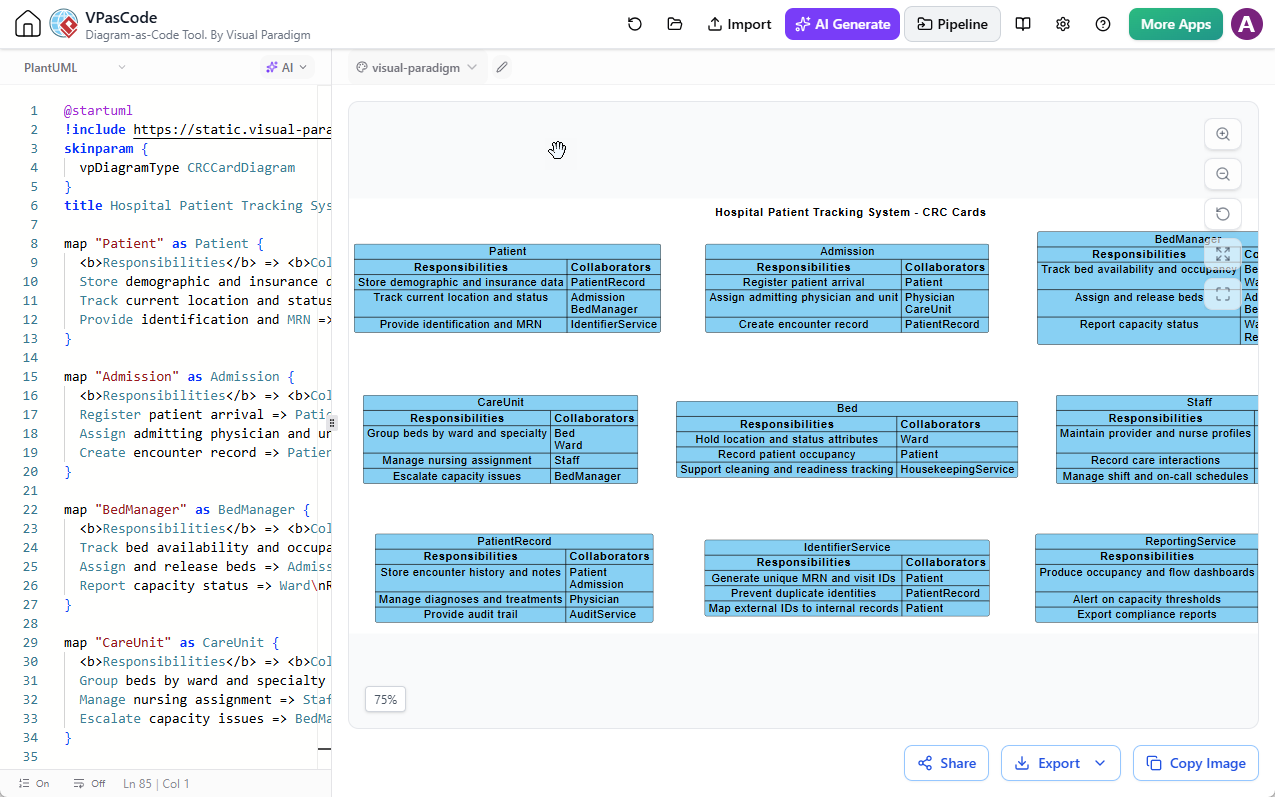
- VPasCode Fine-Tuning: Edit and tweak generated PlantUML code directly inside Visual Paradigm VPasCode for precise adjustments.
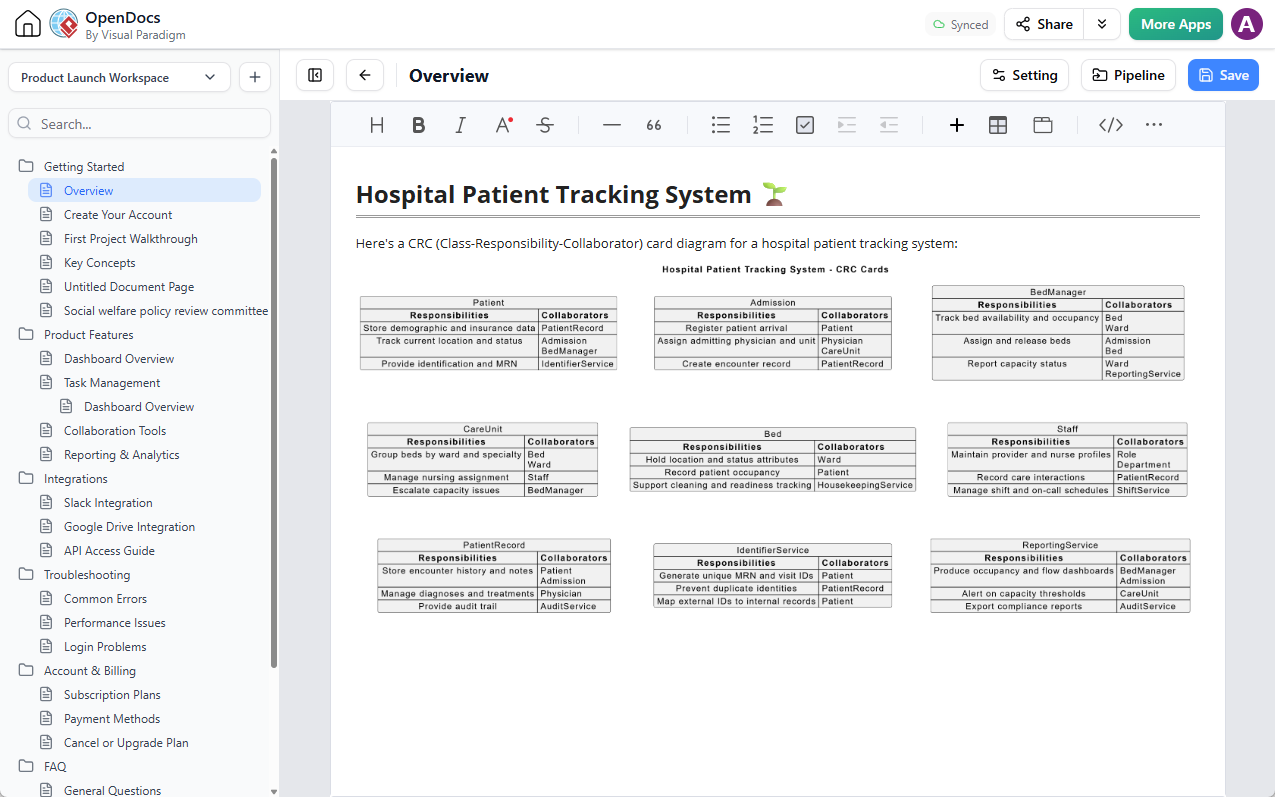
- OpenDocs Integration: Push diagrams into project pipelines and embed them directly into technical documentation using Visual Paradigm OpenDocs.
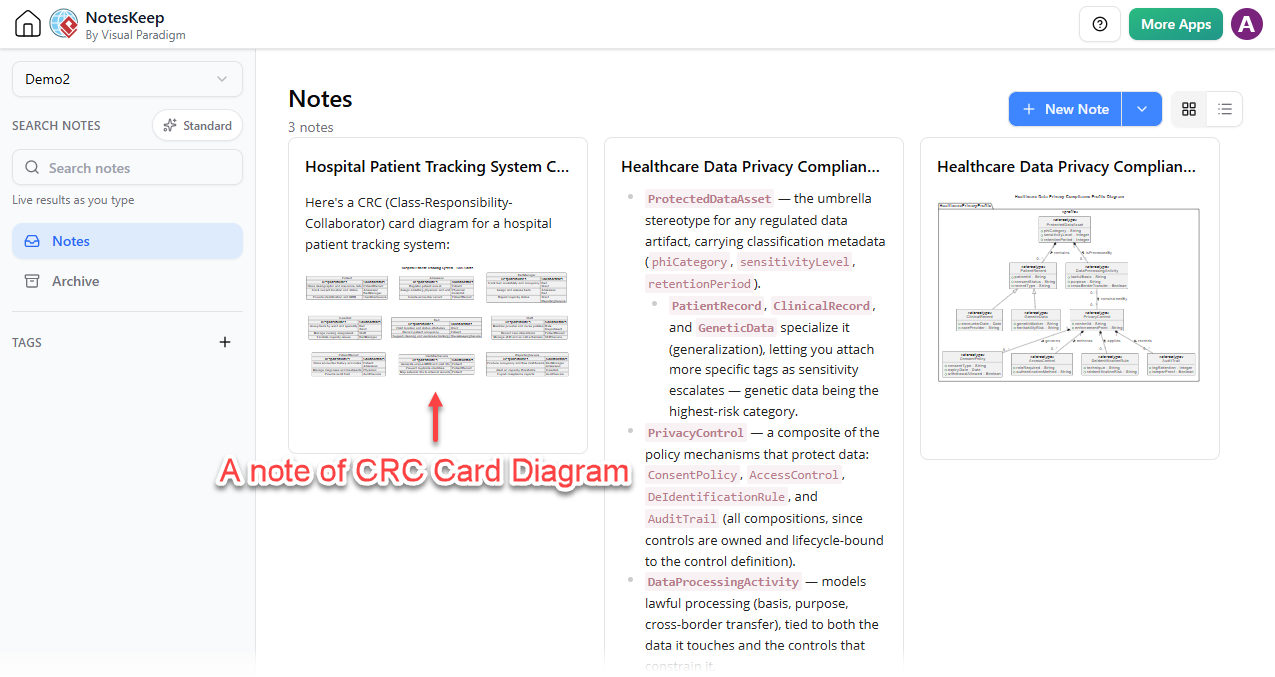
- NotesKeep Knowledge Capture: Save key explanations, code blocks, or specific chat segments into Visual Paradigm NotesKeep to serve as ground truth for future architectural decisions or team Q&A sessions.
- Multi-Format Export: Export your diagrams as high-resolution PNGs or SVG vector graphics for technical presentations, design reviews, or external reports.
Try the AI CRC Card Diagram Generator Today
Accelerate your software architecture and object-oriented modeling with AI assistance. Experience how fast natural language prompts can turn into structured, actionable domain models.
Launch the Visual Paradigm AI Diagramming Chatbot and Create Your CRC Card Diagram Now