
Visual Paradigm has enhanced its AI Diagramming Chatbot with support for generating UML Communication Diagrams in PlantUML from natural-language prompts.
With this enhancement, users can describe a system, workflow, or object collaboration in ordinary language and receive a structured UML Communication Diagram generated with PlantUML. The chatbot also provides a written explanation of the diagram, making it easier to understand the participating objects, their relationships, and the order of messages exchanged.
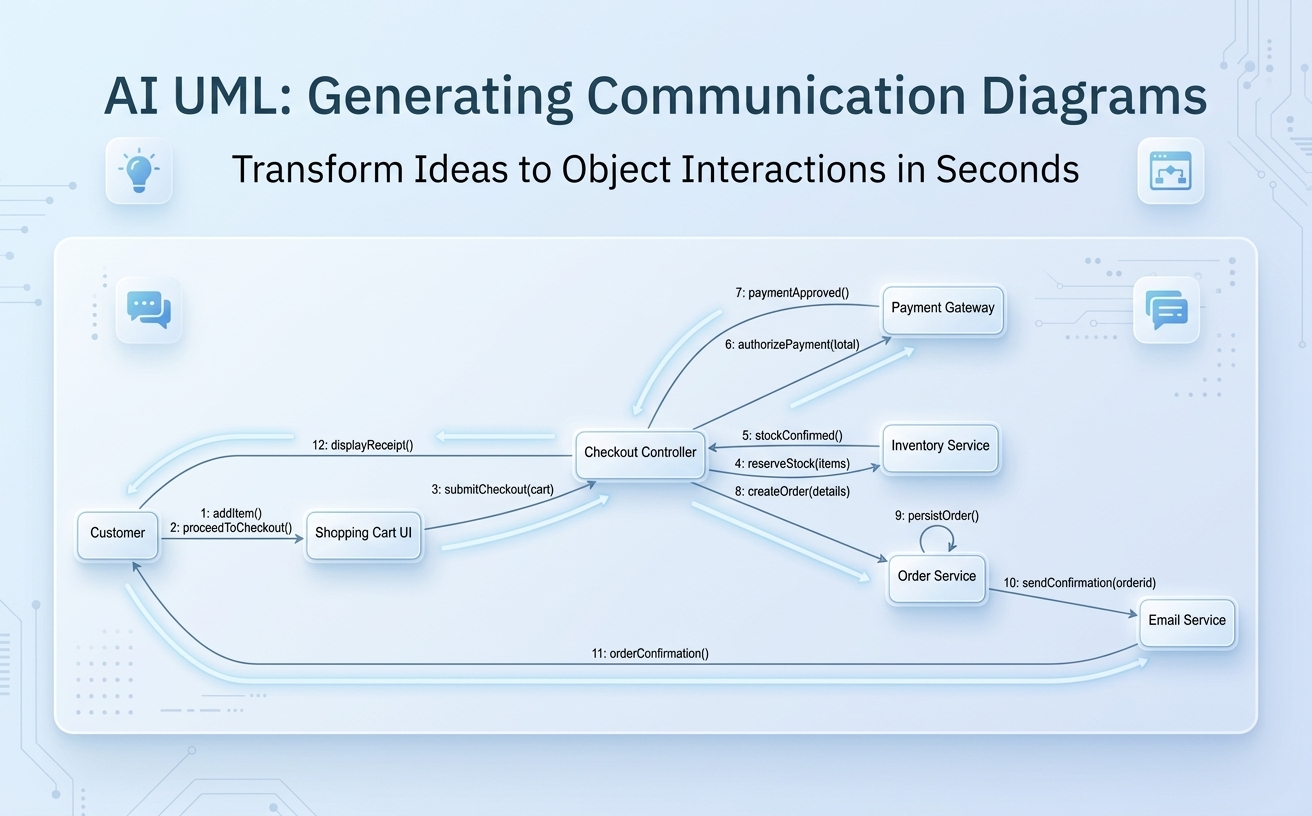
For example, a user can enter:
Generate a UML Communication Diagram for an e-commerce checkout process.
The AI UML tool interprets the request and generates a communication-focused view of the checkout workflow, showing how the customer, user interface, checkout controller, inventory service, payment gateway, order service, and email service collaborate.
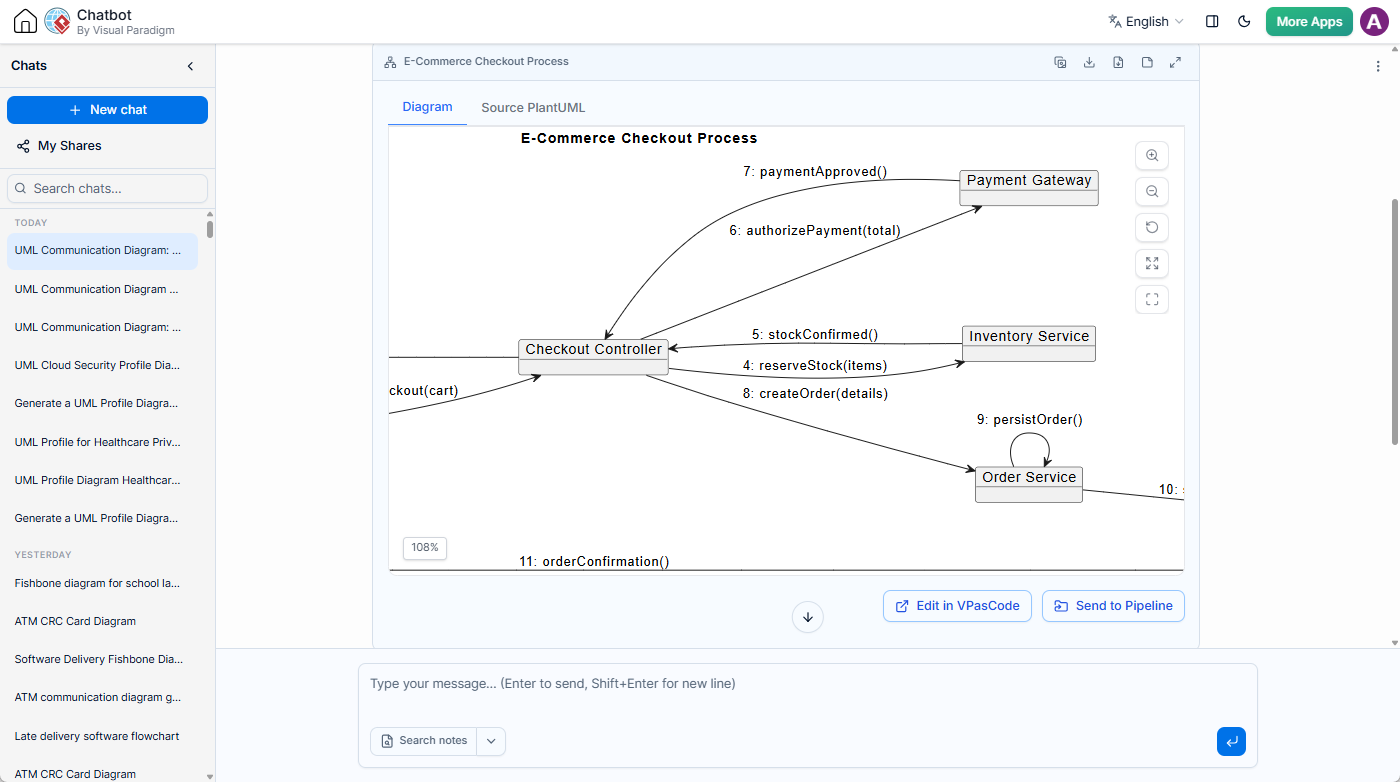
Try the AI UML Communication Diagram generator
What Is a UML Communication Diagram?
A UML Communication Diagram, also known as a UML Collaboration Diagram in earlier UML terminology, illustrates how objects or components interact through links and messages. Rather than emphasizing a vertical timeline, it focuses on the relationships between participating objects and the messages exchanged between them.
Communication Diagrams are particularly useful when the main question is:
- Which objects participate in a process?
- Which objects communicate with each other?
- What messages are sent between those objects?
- In what order do those messages occur?
- Which object is responsible for coordinating each part of the interaction?
For example, in an e-commerce checkout process, the customer interacts with the shopping cart interface. The interface sends checkout information to a checkout controller, which communicates with inventory, payment, order, and email services. A UML Communication Diagram makes these collaborations visible in one compact model.
The numbered messages provide the interaction order. A sequence such as 1: addItem(), 2: proceedToCheckout(), and 3: submitCheckout(cart) shows how the process progresses while preserving the spatial, object-collaboration view that distinguishes a Communication Diagram from a UML Sequence Diagram.
Generate a UML Communication Diagram with AI
Creating a UML Communication Diagram traditionally requires users to identify the relevant objects, arrange them on the modeling canvas, draw communication links, define messages, and number those messages correctly. This is valuable modeling work, but it can also take time when users are still exploring a system or trying to communicate an early design idea.
The Visual Paradigm AI Diagramming Chatbot provides a faster starting point. Users can describe the scenario in natural language and let the AI UML tool transform the description into a diagram structure.
A typical prompt might be:
Generate a UML Communication Diagram for an e-commerce checkout process.The generated output can include:
- A PlantUML-based UML Communication Diagram.
- Objects representing users, interfaces, controllers, services, or other collaborators.
- Links showing which objects communicate with one another.
- Numbered messages that indicate the interaction order.
- A title and diagram configuration suitable for rendering.
- A natural-language explanation of the diagram and its workflow.
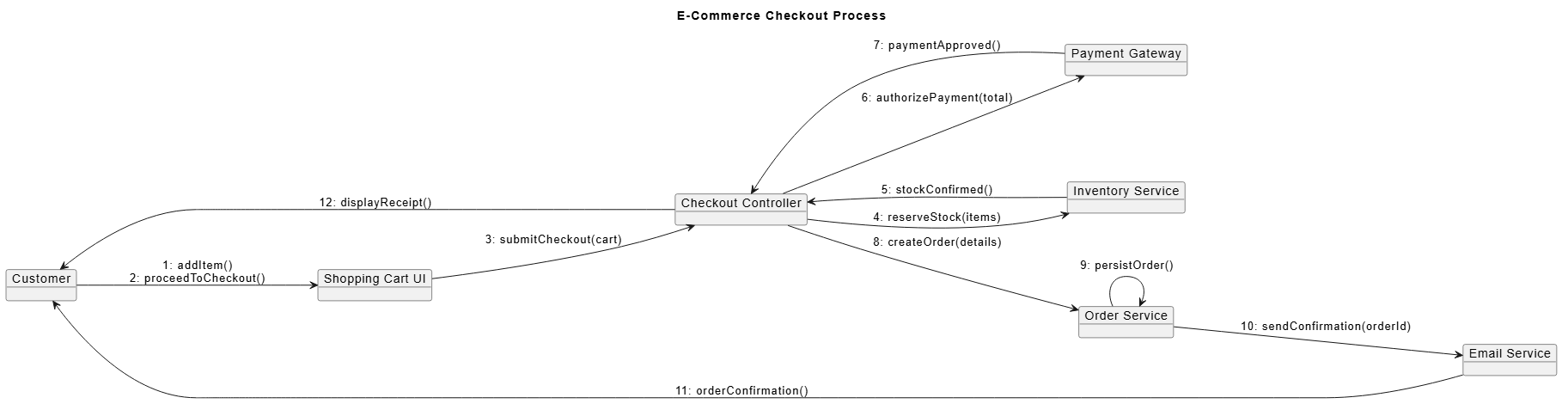
The result is not limited to a visual artifact. The chatbot also explains what the diagram means, how the flow works, and why each participant is included. This helps users review the generated model and use it as a basis for further discussion, refinement, or documentation.
View a Complete Example
To see an example of an AI-generated PlantUML Communication Diagram for an e-commerce checkout process, open the shared chatbot conversation.
The example demonstrates how the chatbot models a checkout collaboration involving:
- A customer who adds items and proceeds to checkout.
- A shopping cart interface that submits checkout details.
- A checkout controller that orchestrates the process.
- An inventory service that reserves stock.
- A payment gateway that authorizes payment.
- An order service that creates and persists the order.
- An email service that sends the order confirmation.
It also illustrates how numbered messages can be used to represent the interaction sequence while keeping the diagram centered on object collaboration.
Why This Enhancement Matters
UML Communication Diagrams are helpful for understanding responsibilities and dependencies in software systems. However, they are sometimes overlooked because manually identifying all participants and arranging their interactions can feel slower than writing a brief textual description.
AI-assisted generation lowers that initial barrier. Instead of beginning with a blank modeling canvas, users can start with a scenario expressed in their own words. The AI UML Communication Diagram generator then produces a structured draft that can be reviewed and refined.
This matters for several reasons:
Turn Ideas into Models Faster
During requirements analysis, architecture discussions, and design workshops, teams often need to visualize a process before all details have been finalized. Natural-language diagram generation allows users to move quickly from an idea to a concrete UML model.
For example, a product owner might describe how a customer completes checkout, while a software architect might describe how services collaborate to process a payment. The AI UML tool can convert either description into a diagram that gives the team something tangible to review.
Make Object Responsibilities Easier to Discuss
A Communication Diagram encourages teams to consider which object should handle a responsibility and which objects depend on one another. This can reveal unclear ownership, overly central controllers, unnecessary dependencies, or missing services.
Because the chatbot also generates a diagram explanation, users can review not only the visual structure but also the reasoning expressed in the accompanying description.
Support Early Architecture and Design Exploration
At the beginning of a project, teams may compare multiple design alternatives. One version of a diagram might place payment orchestration in a checkout controller, while another might introduce a dedicated payment service or order workflow component.
Using an AI UML diagram generator, users can quickly create alternative drafts by changing the prompt or asking the chatbot to revise the existing diagram. This makes it easier to explore options before investing time in detailed modeling.
Improve Communication Between Technical and Non-Technical Stakeholders
Written requirements do not always make system interactions easy to understand. A visual diagram can provide a shared reference for developers, analysts, architects, project managers, and business stakeholders.
The chatbot’s explanation further improves accessibility by describing the diagram in plain language. Users can ask the AI to explain the entire diagram, clarify a particular object, or describe how a specific interaction works.
Reduce Repetitive Diagramming Work
Manually drawing objects, links, and messages is often repetitive, especially when creating an initial draft. AI-assisted generation can handle much of this repetitive setup so users can focus on validating the model, improving the design, and adding domain-specific detail.
From Natural Language to PlantUML
The new feature generates UML Communication Diagrams using PlantUML-based diagram code. This provides users with a text-based representation of the diagram that can be inspected, edited, shared, and incorporated into other workflows.
Note on PlantUML Syntax: While standard PlantUML does not natively support UML Communication Diagrams, Visual Paradigm has created a custom PlantUML-based syntax to render them seamlessly. This proprietary extension allows users to generate, edit, and visualize communication models as code within our AI Diagramming Chatbot and VPasCode ecosystem.
Using an open, text-based format offers several advantages:
- The diagram structure is readable as text.
- Users can edit participants, links, labels, and message numbers directly.
- Diagram code can be versioned and maintained alongside project assets.
- The output can be transferred to compatible tools and workflows.
- Teams can refine the generated result without recreating the diagram from scratch.
The AI UML tool provides the initial model, while users remain in control of the final content. The generated Communication Diagram should be treated as an editable design artifact that can evolve as requirements and architecture become clearer.
Ask AI to Explain the Diagram
Diagram generation is only one part of the experience. Users can also ask the AI Diagramming Chatbot to explain the generated UML Communication Diagram.
This is useful when:
- A user is learning UML modeling concepts.
- A team wants a written summary of a system interaction.
- A reviewer wants to understand the responsibilities of each object.
- A project needs supporting technical documentation.
- A stakeholder needs a non-technical explanation of the workflow.
- A designer wants to identify missing or questionable interactions.
For example, the chatbot can explain that the customer communicates with the shopping cart, the cart submits checkout information to the controller, and the controller coordinates stock reservation, payment authorization, order creation, and confirmation delivery.
Users can continue the conversation to ask follow-up questions, such as:
- “Why does the checkout controller communicate with the inventory service?”
- “Add a payment failure path to this Communication Diagram.”
- “Show what happens when an item is out of stock.”
- “Which object is responsible for persisting the order?”
- “Generate a matching UML Sequence Diagram.”
- “Simplify this diagram for a business stakeholder presentation.”
Refine the Diagram Through Conversation
System design rarely becomes complete in a single step. As users inspect the first version, they may discover missing participants, incomplete messages, or alternative flows that should be represented.
The AI Diagramming Chatbot supports an iterative approach. Users can ask the AI to modify or expand a generated diagram instead of starting over. For example, a user can request additional participants, rename an object, add a validation step, include an error path, or clarify the responsibilities of a service.
Possible refinement prompts include:
Add an address validation service before payment authorization.Show the failure path when inventory reservation is unsuccessful.Rename Checkout Controller to Checkout Orchestrator.Add a fraud detection service between payment submission and payment authorization.Explain which messages are synchronous and which could be asynchronous.
This conversational workflow is useful for requirements analysis, software architecture, API design, service-oriented modeling, and technical workshops.
Export the Diagram as an Image
After generating and reviewing a UML Communication Diagram, users can export it as an image for use in presentations, reports, design reviews, project documentation, and team discussions.
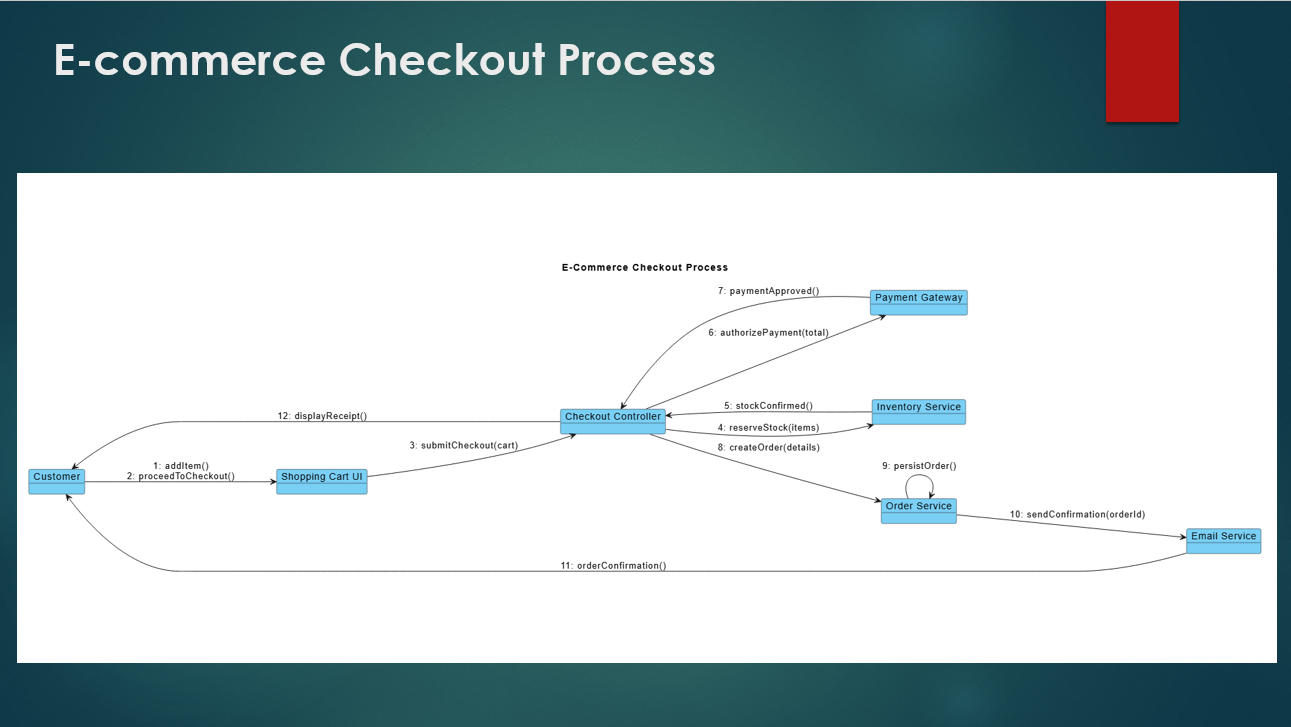
Image export makes it easy to share a diagram with people who do not need to access the chatbot session or inspect the PlantUML source. The generated diagram can become part of a project proposal, architecture document, requirements package, training material, or meeting presentation.
The AI Diagramming Chatbot also supports flexible handling of generated content, allowing users to work with diagrams and chatbot responses according to their documentation needs.
Connect AI Diagramming with the Visual Paradigm Ecosystem
The UML Communication Diagram generator is part of the broader Visual Paradigm AI Ecosystem. Users can move from natural-language generation to code-level refinement, documentation, and knowledge management without treating the generated diagram as an isolated result.
Touch Up Diagram Code in VPasCode
Users can send the generated diagram code to Visual Paradigm VPasCode for further editing and fine-tuning.
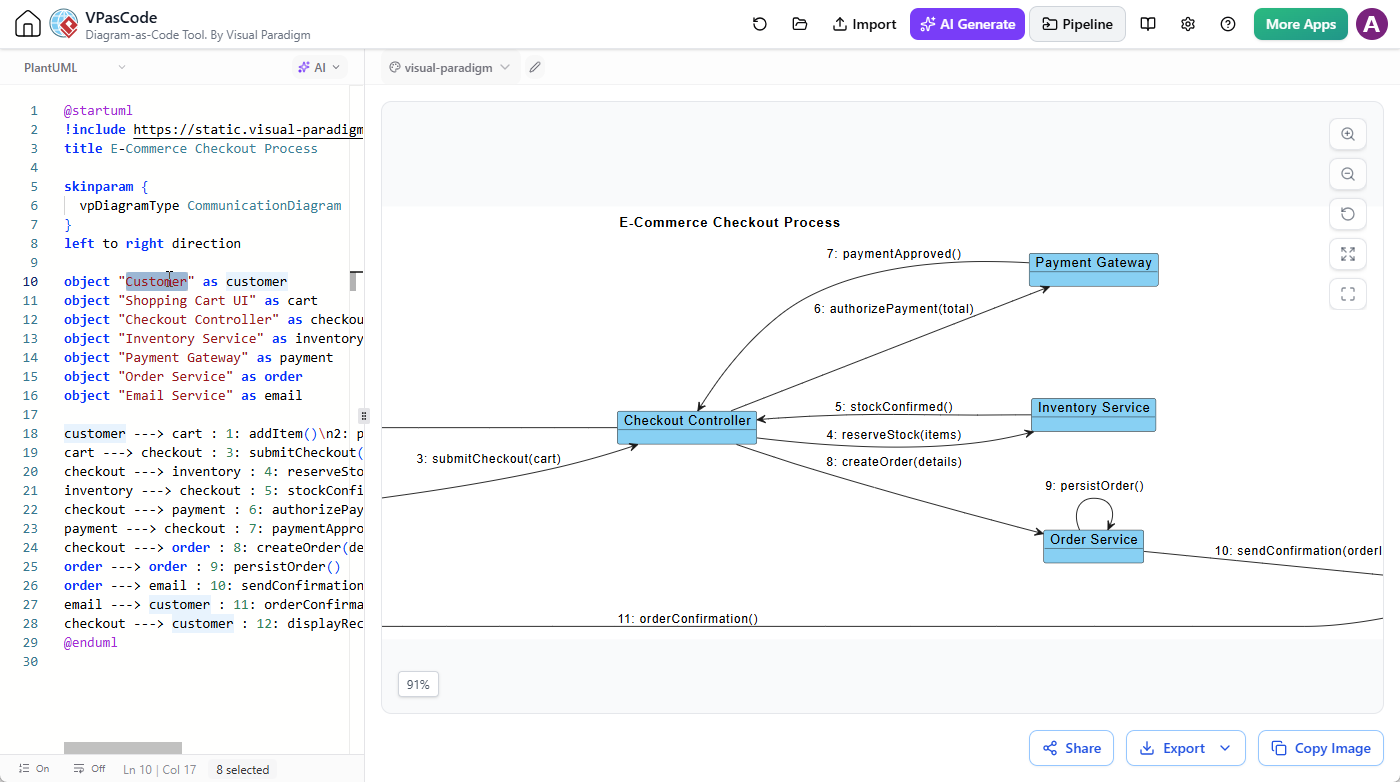
This is useful when users want precise control over the PlantUML source, including:
- Renaming objects and messages.
- Adding or removing communication links.
- Adjusting message numbering.
- Reorganizing the layout.
- Applying diagram-specific presentation improvements.
- Maintaining the diagram code as part of a development workflow.
Send Diagrams to OpenDocs
Generated diagrams can be sent to the Visual Paradigm Pipeline and inserted into documentation pages created with Visual Paradigm OpenDocs.
This supports a practical workflow in which teams can:
- Describe a system or process in the AI Diagramming Chatbot.
- Generate a UML Communication Diagram.
- Ask the AI to explain or refine the diagram.
- Send the diagram to the Pipeline.
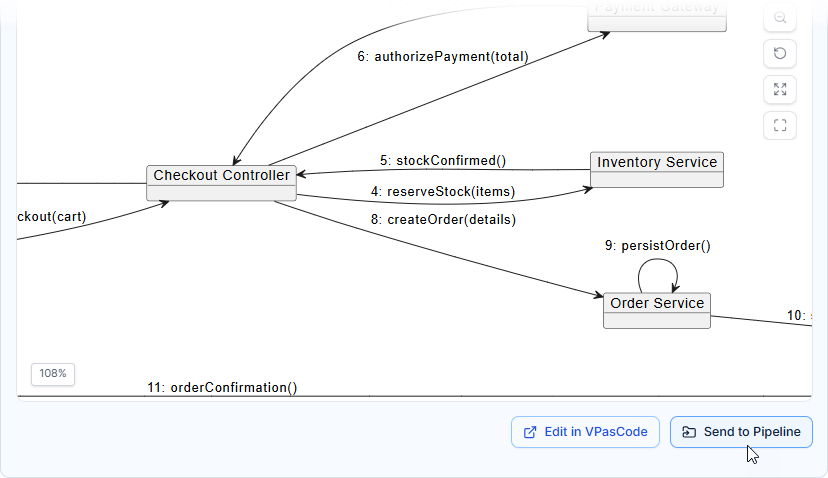
- Insert the diagram into an OpenDocs page.
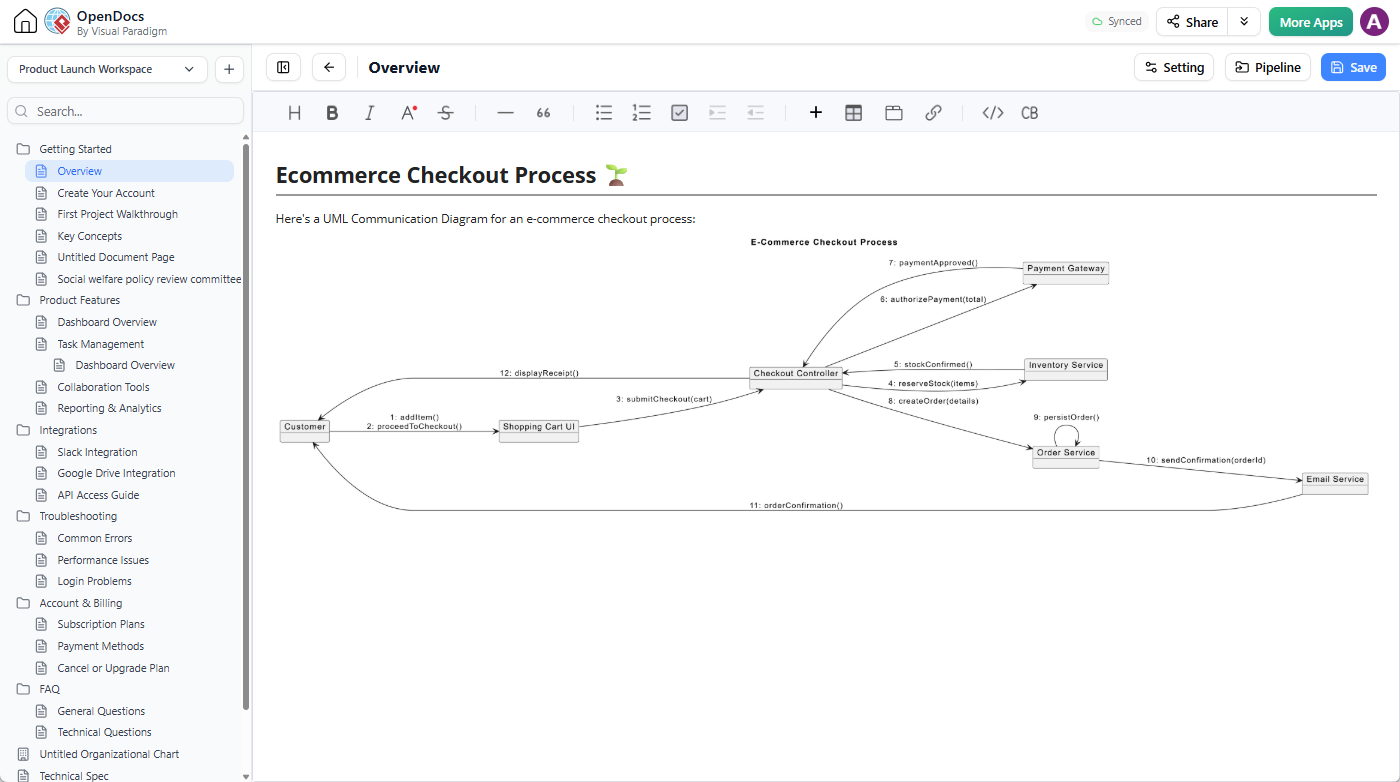
- Build a larger requirements, architecture, or technical document around it.
As a result, the diagram can become part of a maintained project knowledge base rather than remaining in a temporary conversation.
Save Conversations and Selected Content in NotesKeep
Users can also send the generated diagram, the chatbot’s complete reply, or selected phrases and paragraphs to Visual Paradigm NotesKeep.
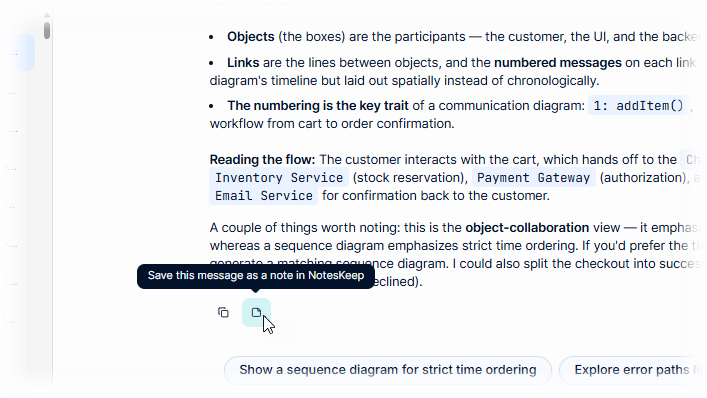
This makes it easier to preserve useful project knowledge, including:
- Architecture decisions.
- Explanations of system behavior.
- Design alternatives.
- Requirements discussions.
- Follow-up questions and answers.
- Diagram interpretations for future reference.
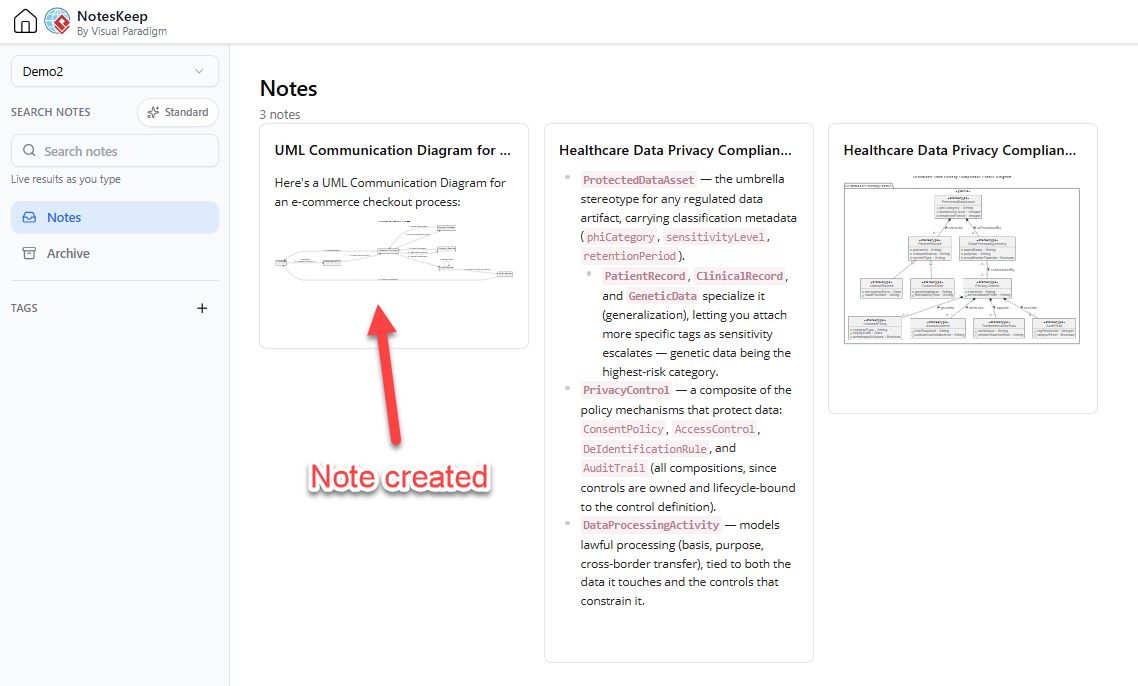
Teams can use this workflow to build a continuous knowledge repository from their AI-assisted modeling conversations.
Use Cases for an AI UML Communication Diagram Generator
The new capability can support a wide range of software engineering, business analysis, and education scenarios.
Software Architecture
Architects can describe how applications, services, controllers, databases, and external systems collaborate. The generated UML Communication Diagram provides an early view of service responsibilities and dependencies.
Requirements Analysis
Business analysts can model how users and systems interact during a business scenario. A Communication Diagram can help connect textual requirements with the objects responsible for carrying them out.
API and Service Design
Development teams can use the AI UML tool to map interactions between API clients, gateways, application services, authentication providers, payment systems, and data stores.
System Integration Planning
When multiple systems need to work together, a UML Communication Diagram can clarify the integration participants and the messages exchanged between them.
Design Reviews
Teams can generate an initial diagram before a review meeting, then use the chatbot to explore alternatives and document review decisions.
Technical Training
Instructors and learners can create diagrams from familiar scenarios, such as online shopping, hotel booking, banking, transportation, or library management. The AI-generated explanation helps learners connect UML concepts to real-world workflows.
Documentation
Technical writers and developers can generate a diagram and its explanation as a starting point for system documentation. The result can then be refined and transferred into a structured documentation workflow.
Example Prompts for UML Communication Diagram Generation
Users do not need to write complex modeling instructions to begin. A concise description of the scenario is often enough for the AI UML Communication Diagram generator to produce a useful first draft.
Here are several example prompts:
Generate a UML Communication Diagram for a hotel reservation process.Create a UML Communication Diagram showing how a customer places an online food delivery order.Generate a UML Communication Diagram for user login with multi-factor authentication.Create a UML Communication Diagram for an ATM cash withdrawal process.Generate a UML Communication Diagram showing how a mobile app communicates with an API gateway, authentication service, product service, and database.Create a UML Communication Diagram for submitting and approving an insurance claim.Generate a UML Communication Diagram for a ride-booking application, including the passenger, driver, mobile app, matching service, payment service, and notification service.
Users can make the output more specific by naming expected participants, business rules, alternative paths, or architectural constraints.
For example:
Generate a UML Communication Diagram for an e-commerce checkout process. Include the customer, shopping cart UI, checkout controller, inventory service, payment gateway, order service, and email service. Number the messages in execution order and include a payment failure path.
Communication Diagram vs. Sequence Diagram
Both UML Communication Diagrams and UML Sequence Diagrams represent interactions, but they emphasize different aspects of the same behavior.
- A Communication Diagram emphasizes the objects, links, responsibilities, and message relationships.
- A Sequence Diagram emphasizes the chronological order of interactions along a time axis.
A Communication Diagram is often a good choice when users want to understand the collaboration structure of a process. A Sequence Diagram may be more appropriate when they need to analyze detailed timing, activation periods, nested calls, or the exact vertical sequence of events.
With the AI Diagramming Chatbot, users can start with one view and ask the AI to generate a complementary diagram. For example, after creating a Communication Diagram, a user can request a matching Sequence Diagram for the same checkout process.
Part of a Broader AI Diagramming Platform
UML Communication Diagram generation extends an already broad set of diagramming capabilities in the Visual Paradigm AI Diagramming Chatbot.
Depending on the scenario, users can generate and work with diagrams such as:
- UML Class Diagrams.
- UML Sequence Diagrams.
- UML Use Case Diagrams.
- UML Activity Diagrams.
- UML Component and Deployment Diagrams.
- UML State and Object Diagrams.
- SysML diagrams.
- ArchiMate and C4 diagrams.
- BPMN diagrams and flowcharts.
- Entity Relationship Diagrams.
- Data Flow Diagrams.
- Mind maps and organization charts.
- Business analysis and strategy diagrams.
This makes the chatbot useful across different stages of analysis and design. A team might use an AI UML tool to model a system’s use cases, generate a Communication Diagram to explore object collaboration, create a Sequence Diagram to examine timing, and produce a Component Diagram to describe the implementation structure.
Start with a Scenario, Then Improve the Model
The most effective way to use the AI UML Communication Diagram generator is to treat the first output as a collaborative starting point. Begin with the scenario and the main participants, then review the generated structure.
Ask questions such as:
- Are all important participants represented?
- Does each object have a clear responsibility?
- Are the messages named clearly?
- Is the message numbering logical?
- Are any links unnecessary or missing?
- Should success and failure paths be shown separately?
- Would a Sequence Diagram or another UML diagram provide a better view of a specific concern?
Users can then continue the conversation, refine the diagram, export it as an image, edit its PlantUML source, or incorporate it into formal project documentation.
Try the New AI UML Communication Diagram Generator
The addition of UML Communication Diagram generation gives users a faster way to visualize object collaboration, service interaction, and message flow. By combining natural-language prompts, PlantUML-based output, AI-generated explanations, conversational refinement, image export, and Visual Paradigm ecosystem integrations, the feature helps turn early ideas into useful, editable modeling assets.
Whether you are exploring a new architecture, documenting an existing workflow, preparing a design review, or teaching UML concepts, the AI Diagramming Chatbot can help you create and understand Communication Diagrams with less repetitive work.
Open the AI Diagramming Chatbot and generate your first UML Communication Diagram.
For more information about the platform and its diagram-generation capabilities, visit the Visual Paradigm AI Diagramming Chatbot homepage.