


What is VPasCode?
If you are new to Visual Paradigm VPasCode, it is a lightweight, unified diagram-as-code platform built specifically for developers, database engineers, software architects, and technical teams. Instead of struggling with manual drag-and-drop tools, VPasCode lets you generate clear, beautiful visual diagrams directly from code.
Key highlights of the platform include:
- Automatic Format Detection: Paste raw script (Mermaid, PlantUML, D2, SQL, and now DBML), and the editor auto-detects and renders it instantly.
- Real-Time Live Preview: Visuals update instantly as you type or adjust your schema.
- AI-Powered Error Fixing & Translation: Instant syntax repair with side-by-side code diffs, plus effortless multi-language translation.
- Seamless Documentation Integration: Send your diagrams straight into Visual Paradigm OpenDocs to maintain comprehensive technical repositories.
Visualize Database Schemas with Our Online DBML Tool
DBML is rapidly becoming the industry standard for defining and documenting database structures in readable code. By introducing full DBML support, VPasCode acts as a powerful online DBML tool that bridges the gap between readable code and intuitive entity-relationship visual models.
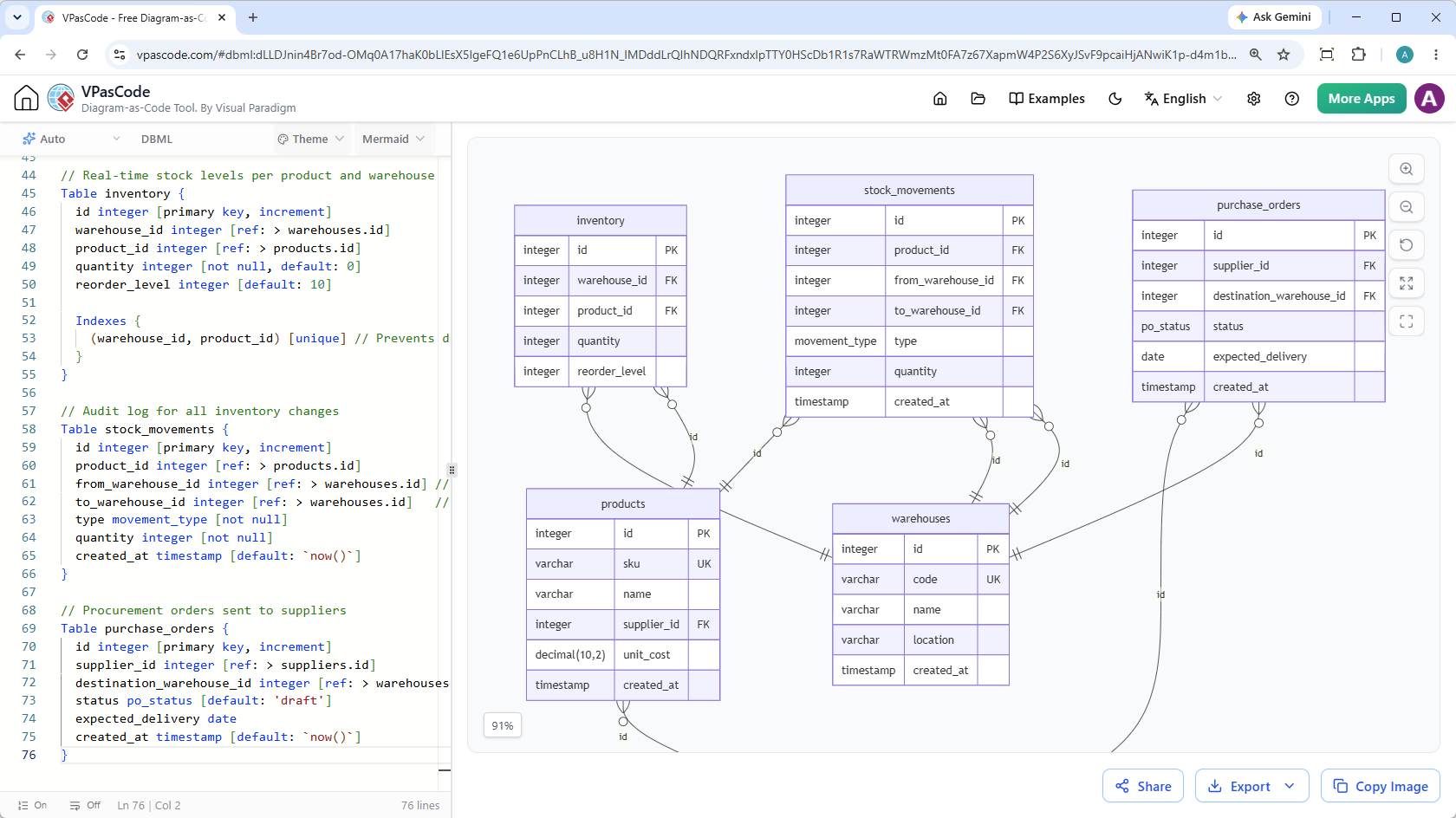
Working with DBML in VPasCode follows the same intuitive side-by-side workflow you are used to:
- Paste or write your DBML: Input your tables, fields, relationships, enums, and indexes into the code pane on the left.
- Instant visual rendering: Watch your database schema generate interactively on the right pane in real time.
- Export and share: Instantly share interactive hyperlinks or download high-res assets for your documentation.
Built-in Functionality for Database Engineers
Our free DBML editor includes key sharing and asset management features out of the box:
- Flexible Exporting: Save your database schemas as high-resolution PNG images or scalable vector graphics (SVG) for documentation and presentations.
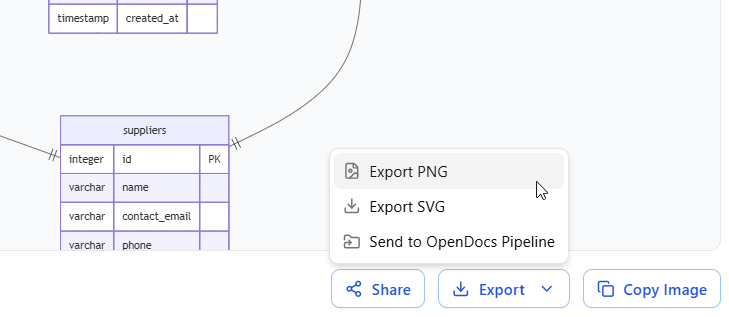
- One-Click Clipboard Support: Copy rendered diagram images directly to your clipboard for quick pasting into Slack, Teams, or email threads.
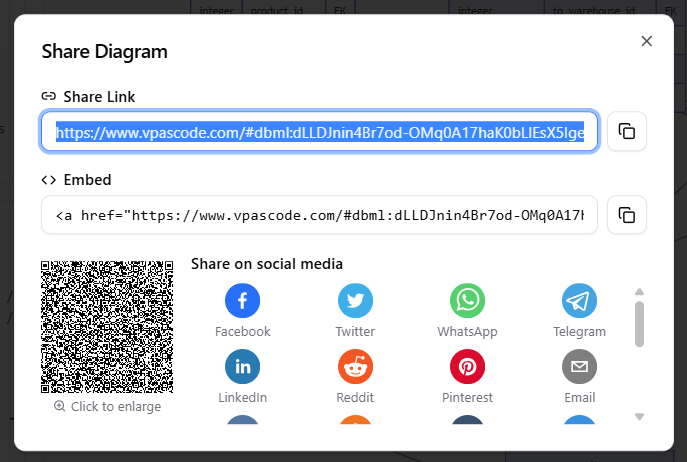
- Frictionless Hyperlink Sharing: Share full live diagrams with collaborators via secure, generated web links—no login or account setup required.
See it in Action: Warehouse Management System Example
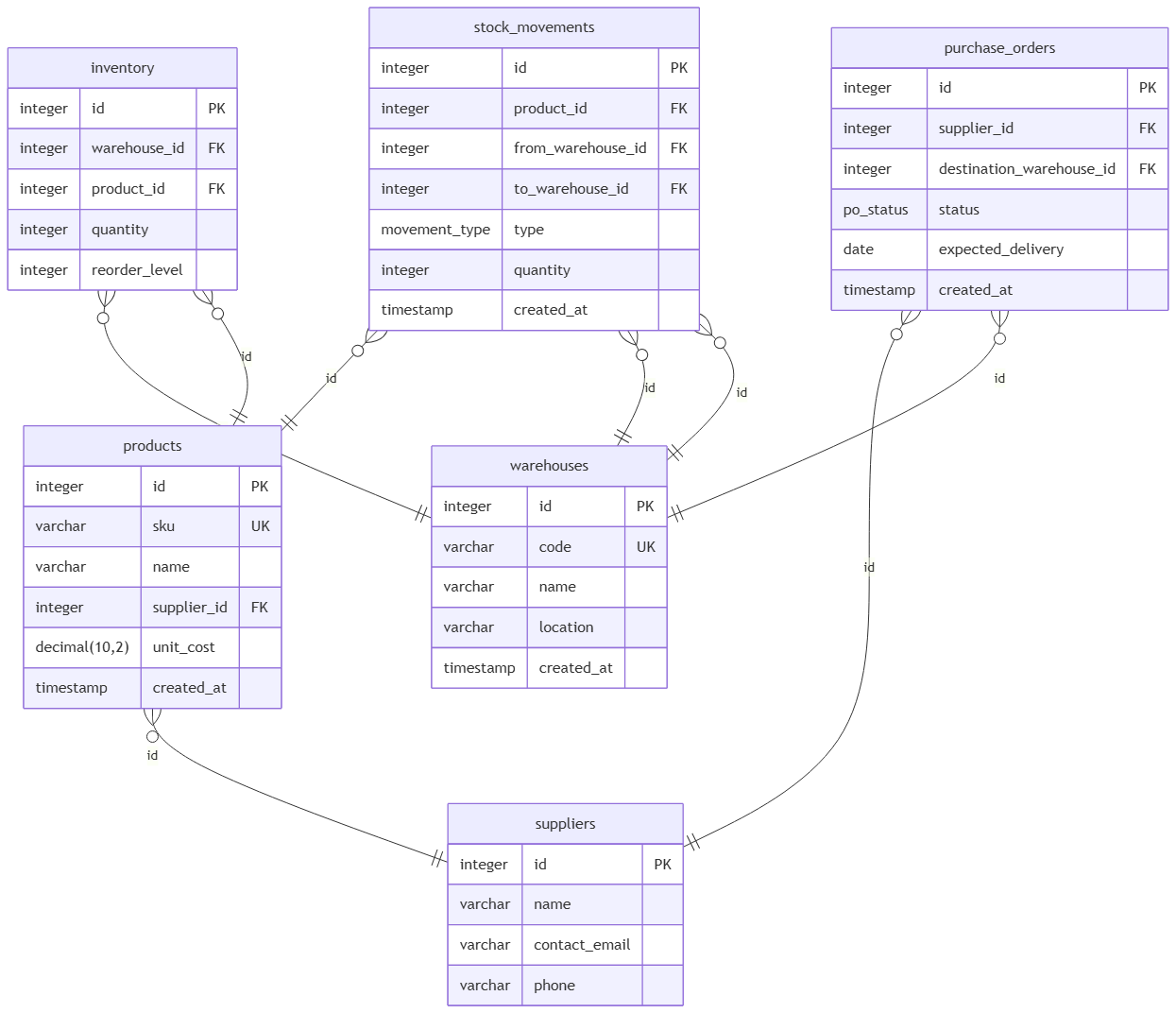
To demonstrate how easy it is to render database models in this free DBML editor, let’s look at a practical enterprise example: a multi-warehouse inventory management system handling suppliers, stock movements, and purchase orders.
Paste the following DBML snippet directly into the editor:
// Enum for types of stock adjustments and transfers
Enum movement_type {
  inbound      // Stock received from supplier
  outbound     // Stock shipped to customer
  transfer     // Moved between internal warehouses
  adjustment   // Manual correction for loss/damage
}

// Enum for purchase order lifecycle
Enum po_status {
  draft
  ordered
  received
  cancelled
}

// Physical storage facilities
Table warehouses {
  id integer [primary key, increment]
  code varchar [unique, not null] // e.g., 'WH-EAST-01'
  name varchar [not null]
  location varchar
  created_at timestamp [default: `now()`]
}

// Vendor information
Table suppliers {
  id integer [primary key, increment]
  name varchar [not null]
  contact_email varchar
  phone varchar
}

// Catalog items managed in warehouses
Table products {
  id integer [primary key, increment]
  sku varchar [unique, not null]
  name varchar [not null]
  supplier_id integer [ref: > suppliers.id]
  unit_cost decimal(10,2) [not null]
  created_at timestamp [default: `now()`]
}

// Real-time stock levels per product and warehouse
Table inventory {
  id integer [primary key, increment]
  warehouse_id integer [ref: > warehouses.id]
  product_id integer [ref: > products.id]
  quantity integer [not null, default: 0]
  reorder_level integer [default: 10]

  Indexes {
    (warehouse_id, product_id) [unique] // Prevents duplicate entries for same product in a warehouse
  }
}

// Audit log for all inventory changes
Table stock_movements {
  id integer [primary key, increment]
  product_id integer [ref: > products.id]
  from_warehouse_id integer [ref: > warehouses.id] // Nullable for inbound
  to_warehouse_id integer [ref: > warehouses.id]   // Nullable for outbound
  type movement_type [not null]
  quantity integer [not null]
  created_at timestamp [default: `now()`]
}

// Procurement orders sent to suppliers
Table purchase_orders {
  id integer [primary key, increment]
  supplier_id integer [ref: > suppliers.id]
  destination_warehouse_id integer [ref: > warehouses.id]
  status po_status [default: 'draft']
  expected_delivery date
  created_at timestamp [default: `now()`]
}
As soon as this code is entered, the online DBML tool maps out primary keys, foreign key references, unique constraints, and enum relationships into a clean, easy-to-read diagram visual.
Start Designing DBML Diagrams Today
Whether you need a quick database preview, high-quality documentation assets, or a collaborative online workspace, VPasCode is designed to streamline your development workflow.
Experience the most intuitive free DBML editor available today. No downloads, configuration, or logins are required to get started.
Related posts:
 Break Language Barriers Natively with VPasCode’s New AI Diagram Translation
 Visualize Python Code as UML Class Diagrams Instantly with VPasCode
 Visualize JSON5 Effortlessly: Introducing Free JSON5 Support in VPasCode
 Export PDF Now Supported in VPasCode: Enhance Your Technical Documentation Workflow