


At Visual Paradigm, our goal is to continuously refine your agile workflow, turning complex planning into a unified, friction-free experience. We recently introduced a powerful pipeline that bridges the gap between brainstorming and documentation, enabling users to seamlessly push diagrams from our Visual Paradigm AI Diagramming Chatbot straight into Visual Paradigm OpenDocs. This integration allowed teams to instantly transition from an AI-generated visual to comprehensive, collaborative documentation.
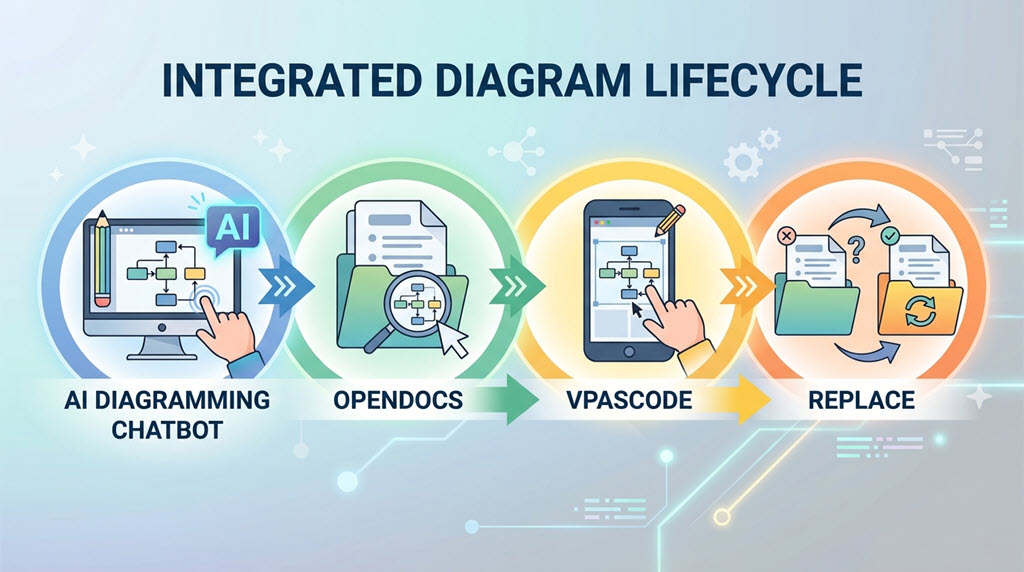
Today, we are thrilled to announce a major enhancement to this pipeline. Documentation is rarely static; systems evolve, database schemas scale, and user journeys change. To support this natural workflow, we have integrated our brand-new Diagram-as-Code platform, Visual Paradigm VPasCode, into the ecosystem. You can now not only generate and document your diagrams but also re-edit them on the fly using text-to-diagram code, and update your documentation instantly. This closes the loop on diagram lifecycle management, giving you absolute control over your visual assets without leaving your web-based workspace.
Understanding the Ecosystem: Chatbot, OpenDocs, and VPasCode
To help you maximize the value of this new workflow, let us briefly look at the key pillars powering this unified experience:
1. Visual Paradigm AI Diagramming Chatbot
The Visual Paradigm AI Diagramming Chatbot is an intelligent, natural-language interface designed to turn your text descriptions into rich architectural visuals. Instead of manually dragging and dropping shapes, you simply state your instruction. The AI Chatbot understands your intent and instantly renders the appropriate structure. The platform supports a massive array of standard notations, including UML (Unified Modeling Language), ERD (Entity Relationship Diagrams), BPMN (Business Process Model and Notation), SysML, C4 Architecture Models, ArchiMate, interactive Charts, Mind Maps, and more.
2. Visual Paradigm OpenDocs
Visual Paradigm OpenDocs is a sophisticated, web-based knowledge management platform tailored explicitly for modern development and business teams. While it operates with the simplicity and ease of a traditional document editor, OpenDocs is deeply integrated into the Visual Paradigm ecosystem. It serves as your team’s central repository, allowing you to build software requirement specifications (SRS), project wikis, and system manuals while dynamically embedding live diagrams generated across our tool suite.
3. Visual Paradigm VPasCode
Launched as our ultimate unified text-to-diagram platform, VPasCode is an advanced online code editor designed for developers and architects who prefer the speed and version-control benefits of Diagram-as-Code (DaC). It provides native, real-time rendering engine support for popular declarative formats, including PlantUML, Mermaid, Markmap, Graphviz, and ECharts. It turns structural text code into precise visual diagrams instantly. (For details, please read: https://updates.visual-paradigm.com/releases/introducing-vpascode-the-ultimate-unified-text-to-diagram-platform/)
The Enhanced Workflow: Generate, Document, Edit, and Repeat
Previously, sending an AI-generated diagram to your documentation was a great way to kickstart your project updates. However, as requirements shifted, updating that visual meant restarting the conversation or generating a new asset from scratch.
With this new enhancement, we have introduced an iterative lifecycle. Here is how the new, frictionless workflow operates:
- Generate: Describe your system architecture or business process to the Visual Paradigm AI Chatbot to instantly generate your initial diagram.
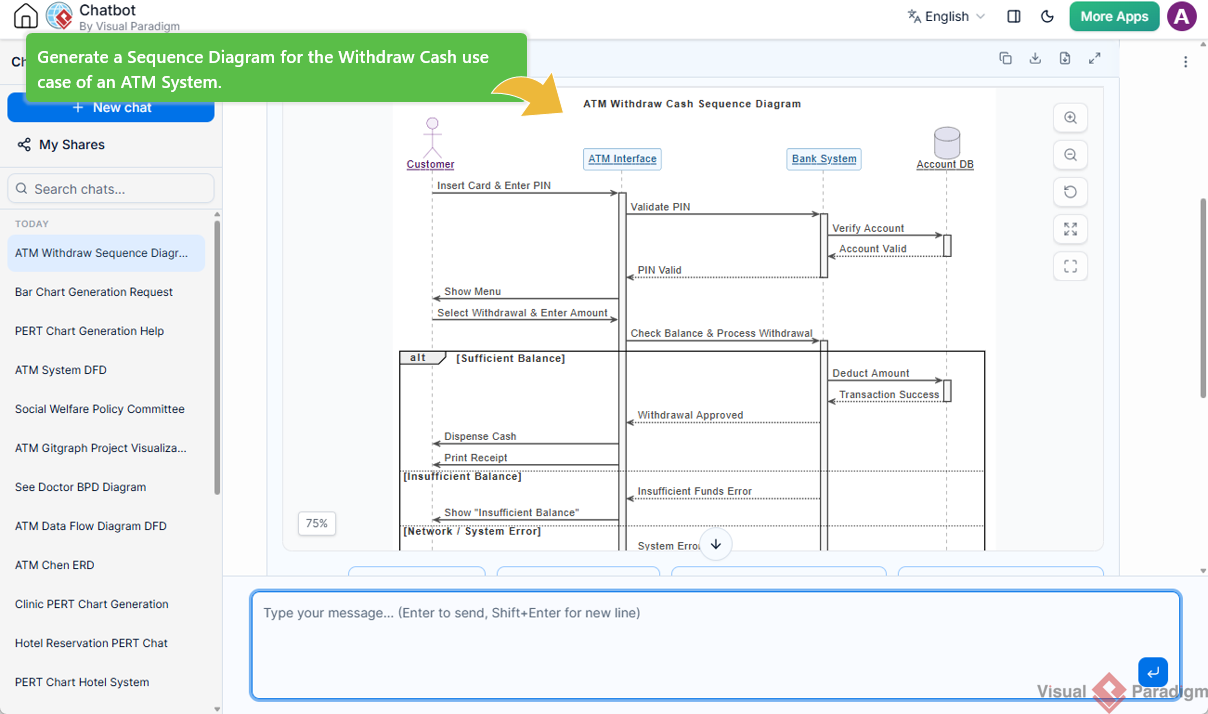
- Document: Send the newly created diagram directly to Visual Paradigm OpenDocs via the integrated pipeline.
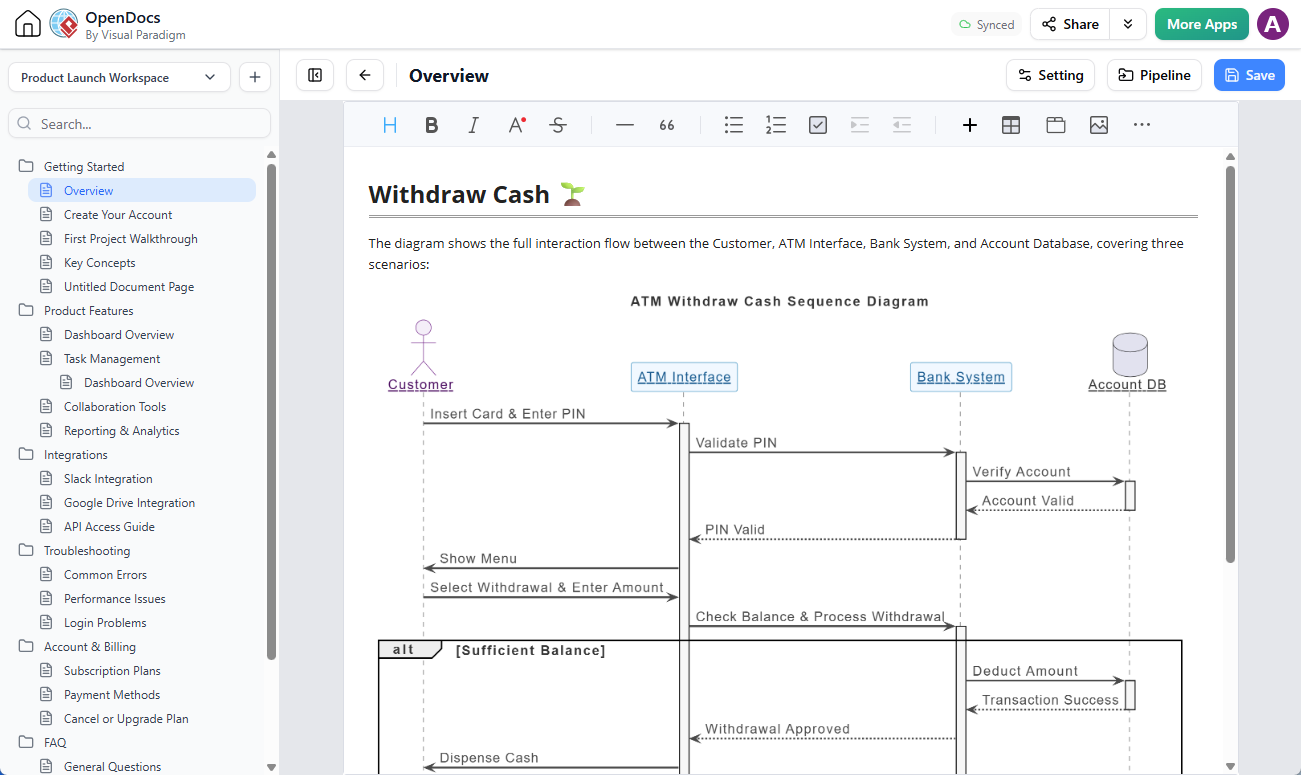
- Utilize: Organize, describe, and share the diagram within your OpenDocs page(s) to build comprehensive project manuals or team wikis.
- Edit via VPasCode (New Enhancement): Need to adjust a relationship or add a new component? Simply hover over the diagram within OpenDocs and click the tiny pencil icon at the top right of the image.
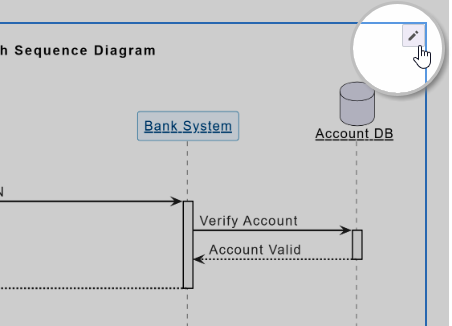
OpenDocs will securely pass the underlying diagram code into the VPasCode editor. Make your modifications quickly using text-based scripts (such as PlantUML or Mermaid).
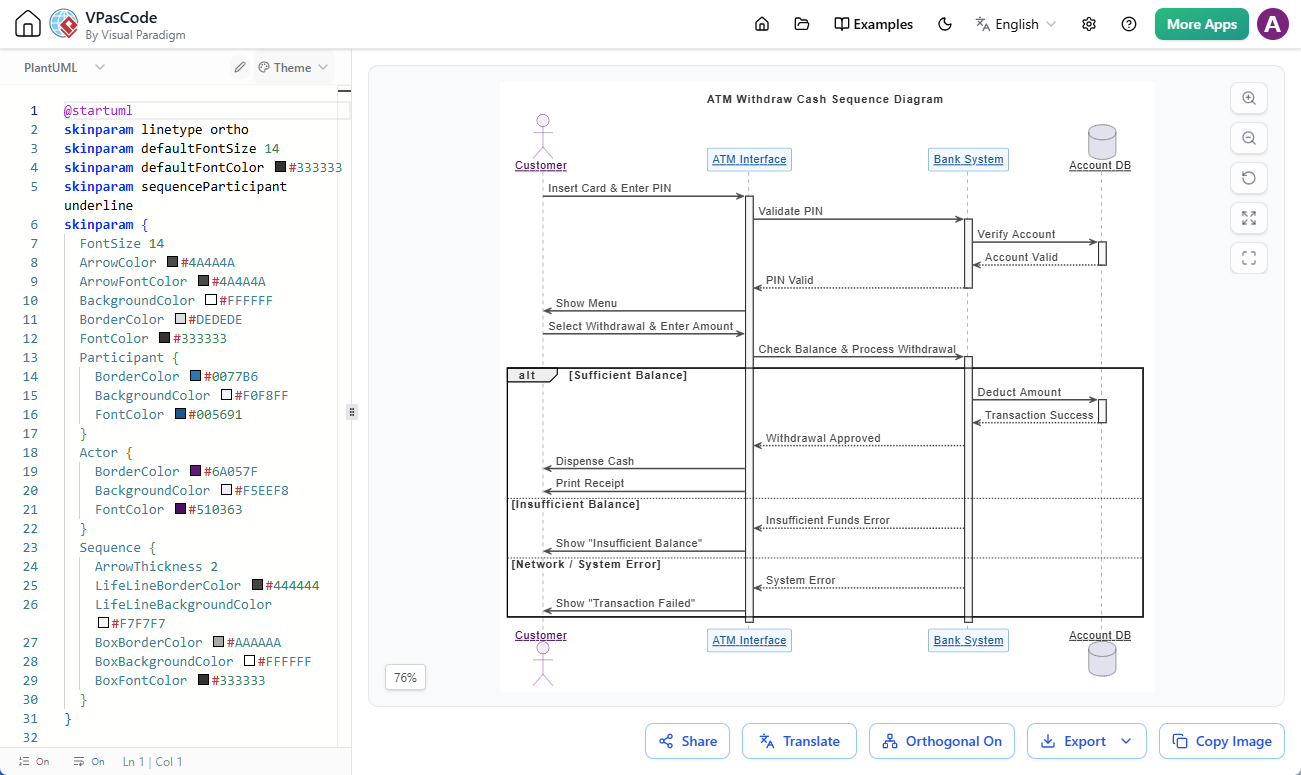
Once finalized, push the updated diagram back into the OpenDocs pipeline with a single click.
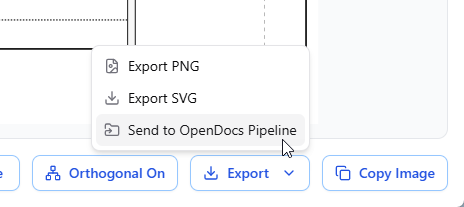
(For more details, please read: https://updates.visual-paradigm.com/releases/seamlessly-connect-diagramming-to-documentation-vpascode-integrates-with-opendocs/ ) - Replace and Sync: In OpenDocs, quickly replace the original image asset with the newly updated variant directly from the pipeline, ensuring your documentation always reflects the absolute truth of your system state.
Practical Use Cases for Teams
This multi-product harmony unlocks incredible flexibility across various team roles:
- Database Engineers: Generate a complex ERD using the AI Chatbot, document your specific database creation plan or indexing strategy within OpenDocs, and later use VPasCode text modifications to add new tables or foreign keys as your application grows.
- Business Analysts: Design functional corporate workflows or flowcharts using natural language, detail the operational policies inside OpenDocs, and tweak process steps instantaneously using simple code modifications if compliance rules adjust.
- Software Architects: Spin up complex UML sequence diagrams to map out component interactions for a dedicated use case. Document API payloads within OpenDocs, and dynamically add new lifelines or system boundaries inside VPasCode as the microservice architecture scales.
Experience the Future of Dynamic Agile Documentation
Documentation should never be a bottleneck, nor should it lag behind your actual design files. By establishing a direct, circular pipeline between the speed of generative AI, the precise flexibility of Diagram-as-Code, and the centralized organization of knowledge management, Visual Paradigm empowers your team to stay agile, collaborative, and precise.
Ready to experience the evolution of agile modeling firsthand? Get started by launching the application today.
Launch the Visual Paradigm AI Chatbot App
Quick Resource Links
- Explore the Feature Concept: Visual Paradigm AI Diagramming Chatbot Home Page
- Access Your Documents: Visual Paradigm OpenDocs Workspace
- Go Code-First: VPasCode Diagram-as-Code Platform