


We are thrilled to announce a major update to OpenDocs, your go-to AI-powered knowledge management tool. As part of our commitment to making technical documentation seamless and intuitive, we have officially added support for Composite Structure Diagrams.
Whether you are documenting internal class structures or complex hardware configurations, our new AI Composite Structure Diagram tool allows you to bridge the gap between abstract architecture and visual clarity. This addition is designed specifically for software architects and system engineers who need to illustrate the internal structure of a structured classifier, including its parts, ports, and connectors.
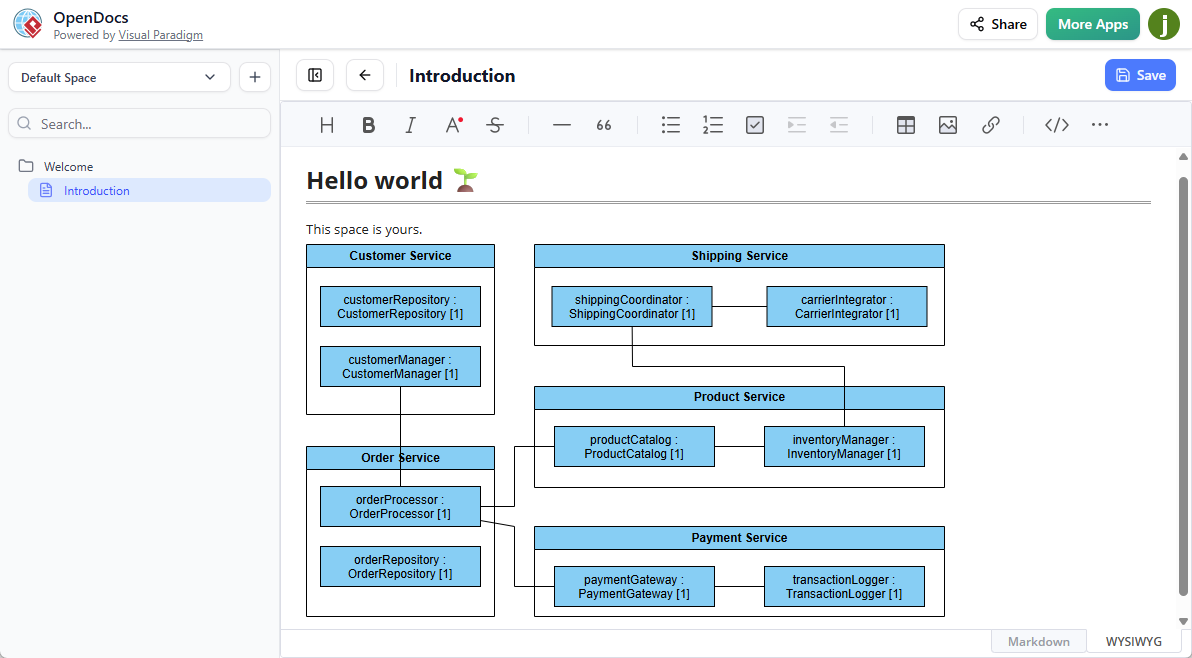
Revolutionize Your Workflow with an AI Composite Structure Diagram Generator
Gone are the days of manually dragging and dropping every connector. With OpenDocs, you can leverage our state-of-the-art AI diagram generator to build professional-grade UML diagrams in seconds. By simply providing a text description of your system architecture, the AI Composite Structure Diagram generator will interpret your requirements and draft a comprehensive diagram for you.
New Feature Highlights:
- AI-Powered Creation: Describe your system structure and let the AI do the heavy lifting.
- Embed Anywhere: Insert your Composite Structure Diagrams directly into your documents.
- Component Pages: Dedicate an entire page to a complex diagram for better focus and organization.
- Seamless Collaboration: Share your updated Spaces with stakeholders via a single, secure link.
How to create a UML Composite Structure Diagram with AI?
Ready to try the most efficient AI diagram generator on the market? You can start using the AI Composite Structure Diagram tool today within your existing OpenDocs Spaces.
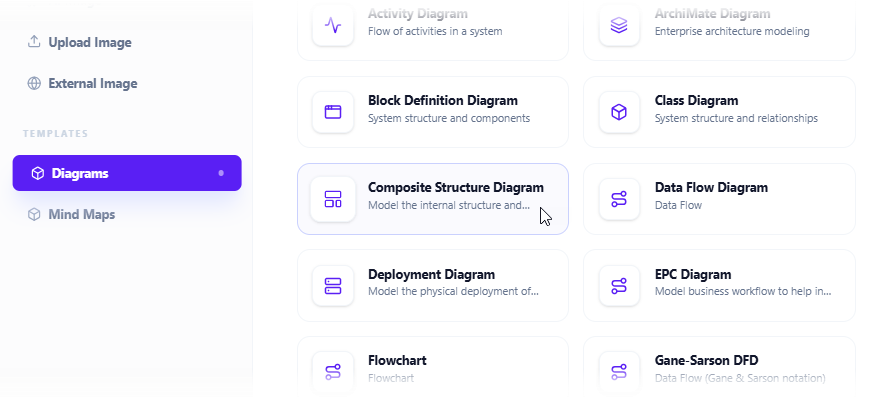
- Click on the Insert button in the top bar of your document editor.

- The Insert dialog box is opened. Select Diagrams tab on the left, and then Composite Structure Diagram on the right.
- This opens the diagram editor. You can draw the composite structure diagram using the symbols on the palette (Just drag and drop a symbol onto the diagram canvas).
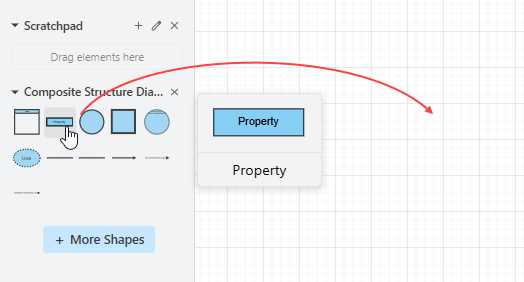
To generate a diagram with AI, click on Create with AI at the top right.

- Describe your problem in the input box. Click Generate.

- AI will analyze your problem and generate a composite structure diagram accordingly. Below is an example generated.
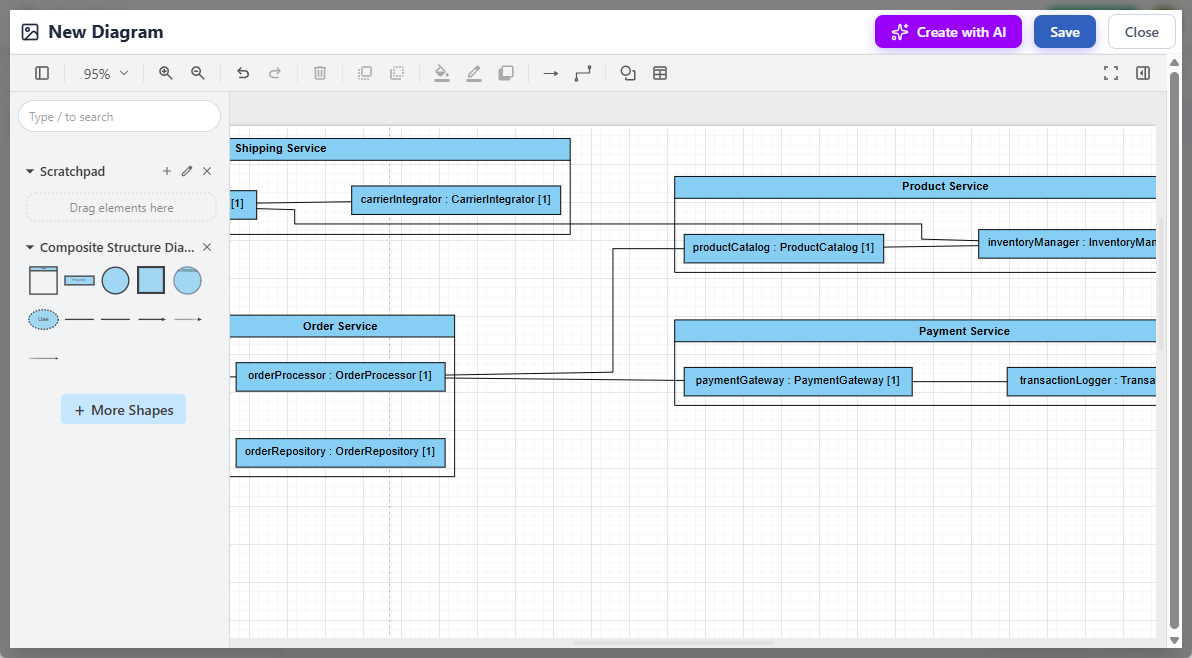
- Touch up the composite structure diagram by adjusting the layout, adding new shapes, etc.
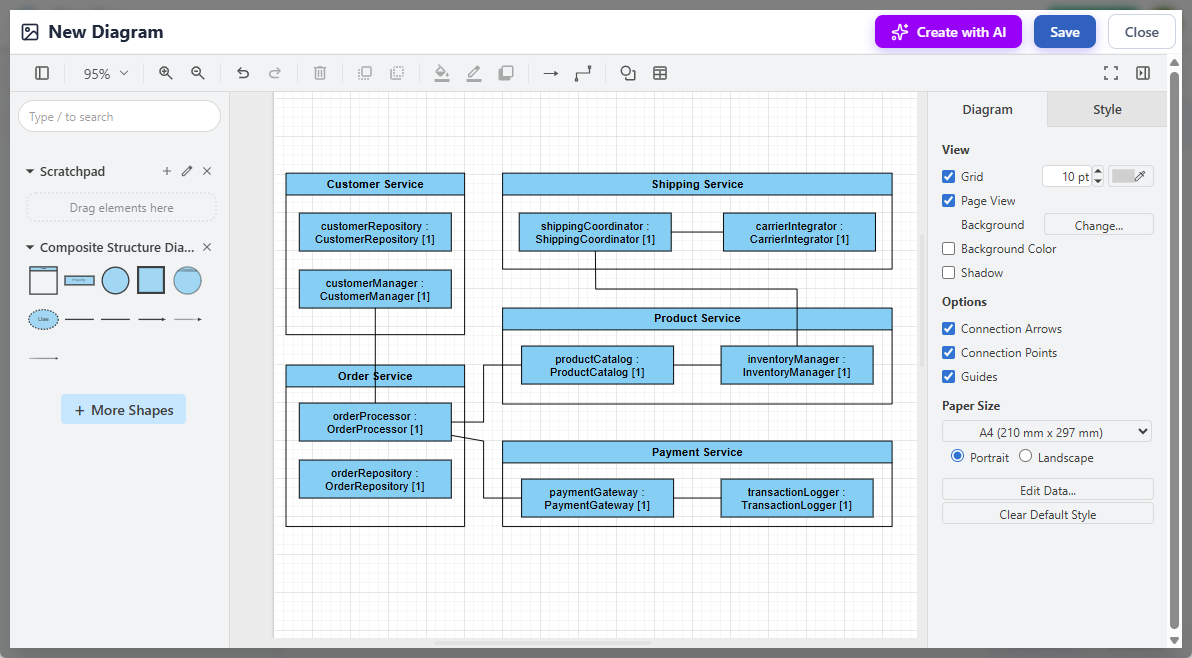
- Click Save at the top right.
- Click Close to return to the document editor. The composite structure diagram is embedded into your document.
To learn more about the full capabilities of our AI-powered knowledge management tool, visit the official OpenDocs home page. Stay tuned for more updates as we continue to expand our library of supported diagram types!