


Streamline Your Problem-Solving Workflow
The Fishbone Diagram is a staple for quality control and system analysis. By integrating this fishbone diagram tool into OpenDocs, you no longer need to jump between different applications to explain the “why” behind your data.
- Dual-Mode Integration: You can embed a fishbone diagram generator component directly into a page to supplement your text, or create a standalone Component Page for a full-screen dedicated analysis view.
- Centralized Analysis: Keep your Ishikawa diagrams in the same “Space” as your AI-generated technical docs, ensuring that your root cause analysis is always in context and easy for stakeholders to find.
- Professional Precision: Use our full-featured editor to map out the problem causes with professional-grade shapes and connectors.
The Power of an AI-Powered Knowledge Management Tool
OpenDocs is designed to be more than just a document editor; it is a smart ecosystem. Even as you manually craft your fishbone diagrams, you can leverage the surrounding AI-powered knowledge management tool features to generate supporting images, draft executive summaries of your findings, and organize your “Spaces” with intelligent hierarchy.
The Fishbone Diagram is part of our latest rollout of 8 essential chart types—including Mind Maps and Timelines—designed to make OpenDocs the most versatile documentation hub for analysts, engineers, and project managers.
Ready to visualize your next breakthrough?
Start building your next root cause analysis today with our professional fishbone diagram tool.
How to Create a Fishbone Diagram?
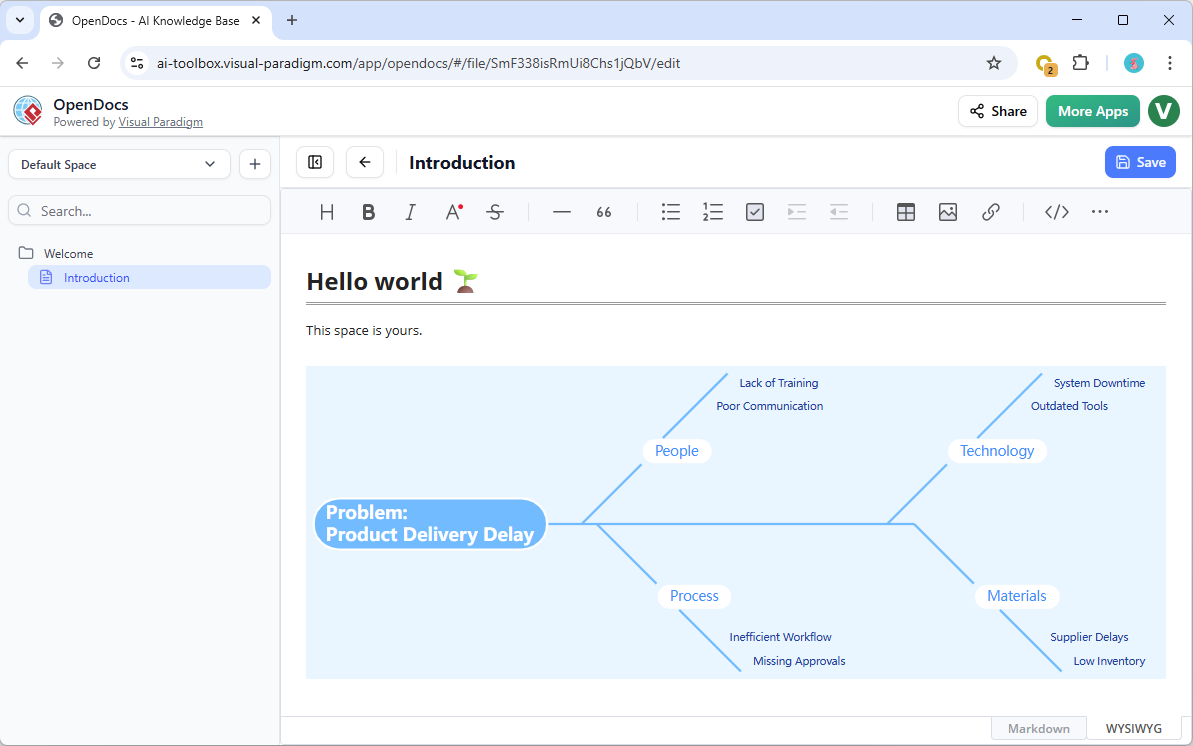
As part of a document page
- Open your page in OpenDocs.
- Click on the Edit button at the top right.
- In the page editor, click at where you want to insert a fishbone diagram.
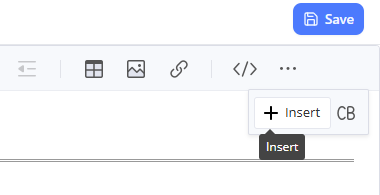
- Click on the Insert button at the button bar.
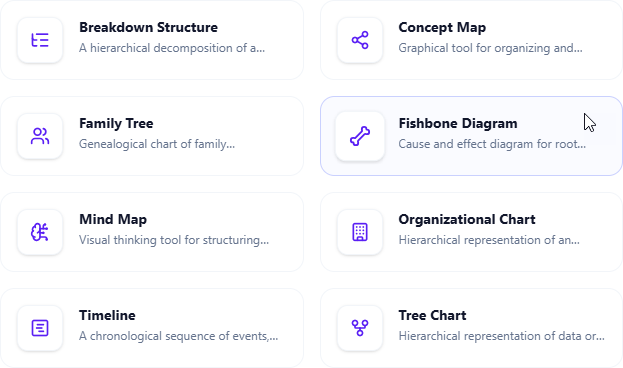
- Select Mind Maps > Fishbone Diagram.
- Start editing your fishbone diagram.
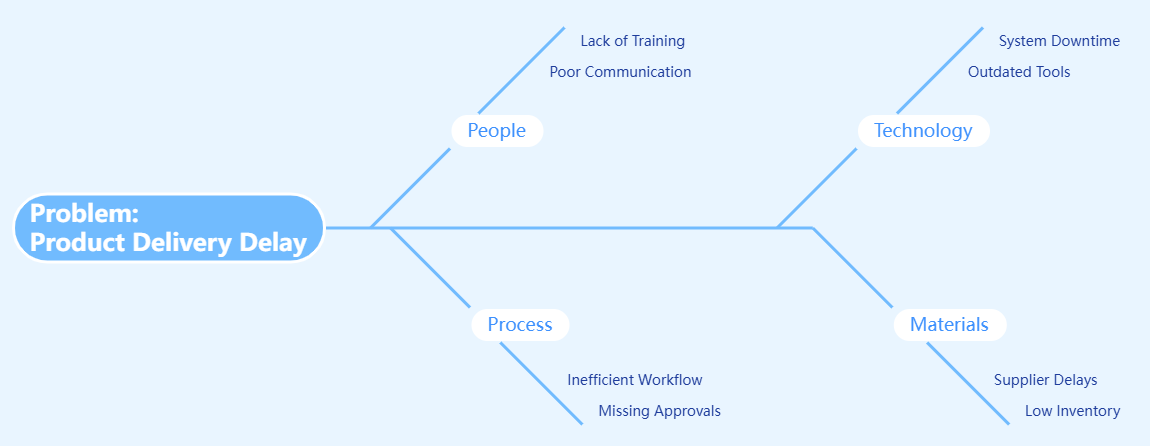
- When finished, click Save at the top right.
- Click Close to return to the document page editor.
As an independent component
- On the top of the table of contents pane, click on + and then select New Component Page.
- Select Mind Maps > Fishbone Diagram.
- Start editing your fishbone diagram.
- When finished, click Save at the top right.
OpenDocs is available for users with a Visual Paradigm Online (Combo Edition) or Visual Paradigm (Professional Edition) license. Elevate your documentation with professional analysis tools today.
Visit the OpenDocs Home Page to explore how our AI-powered knowledge management tool can transform your team’s productivity.
Related posts:
 New in OpenDocs: AI-Powered Yourdon DeMarco DFD Now Available
 New in OpenDocs: AI-Powered Component Diagram Support – Generate UML Component Diagrams Effortlessly
 New Feature: Organize and Embed Digital Bookshelves in OpenDocs
 Real-Time Collaboration Reimagined: Introducing Enhanced Team Sync in Visual Paradigm OpenDocs