


We are excited to launch the new Sequence Diagram Refinement app, a powerful free AI sequence diagram refinement tool that transforms simple user interactions into detailed, step-by-step sequences. This intelligent sequence diagram tool helps you design more accurate and comprehensive UML sequence diagrams by automatically decomposing high-level descriptions into their constituent parts.

The Hidden Complexity in System Interactions
When designing a system, an interaction like “user logs in” seems simple. But beneath that simple description lies a complex sequence of messages between various system components. Manually detailing every message, participant, and the order of operations for a sequence diagram is tedious, and it’s easy to miss critical, implicit steps, leading to incomplete or inaccurate designs.
Introducing the Sequence Diagram Refinement Tool: Decompose and Detail with AI
We built this tool to bridge the gap between a high-level idea and a detailed, implementation-ready sequence of events. Our AI acts as an expert system analyst, taking your interaction description and intelligently “decomposing” it into a precise sequence of messages and participants. This refined view provides a perfect blueprint for creating accurate UML Sequence Diagrams.
- AI-Powered Interaction Decomposition: Simply describe a user interaction, and our AI will break it down into a detailed, step-by-step sequence of messages between the user and various system components, revealing the underlying logic.
- Uncover Implicit Steps: The AI intelligently infers necessary intermediate steps—like database lookups, authentication checks, or API calls—that are often forgotten in manual analysis, ensuring your sequence is complete.
- Create Accurate Sequence Diagrams: Use the AI-generated, decomposed sequence as a perfect blueprint for creating a detailed and accurate UML Sequence Diagram, ensuring your design is robust and ready for development.
- Accelerate Your Design Process: Dramatically reduce the time it takes to think through and document complex interactions, allowing you to move faster from concept to a detailed design.
- A Powerful free sequence diagram refiner for Clarity: Perfect for developers, system analysts, and students who want to create professional-grade sequence diagrams with confidence and precision.
How to Refine Your Interaction Sequence
Uncovering the details of any interaction is now a simple process. Here’s how to access the tool:
- For Visual Paradigm Online users: Simply navigate to the app directly at https://ai-toolbox.visual-paradigm.com/app/sequence-diagram-refinement/.
- For Visual Paradigm Desktop users: Open your desktop application, go to the Tools > App menu, and select the Sequence Diagram Refinement tool.
Once you’re in the app, follow this simple workflow:
- Describe the Interaction: Start by writing a simple sentence that describes the interaction you want to model (e.g., “Customer checks out their shopping cart” or “User resets their password”).
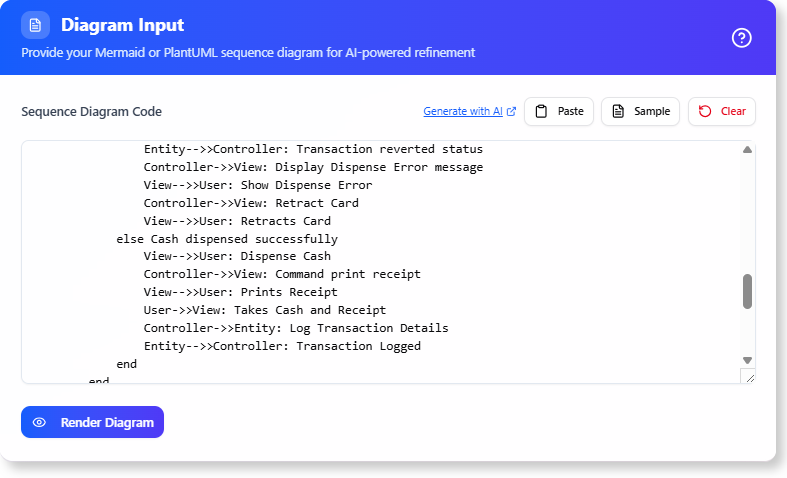
- Click “Refine”: Press the refine button to let the AI analyze your description and decompose it into a full, detailed sequence of events.
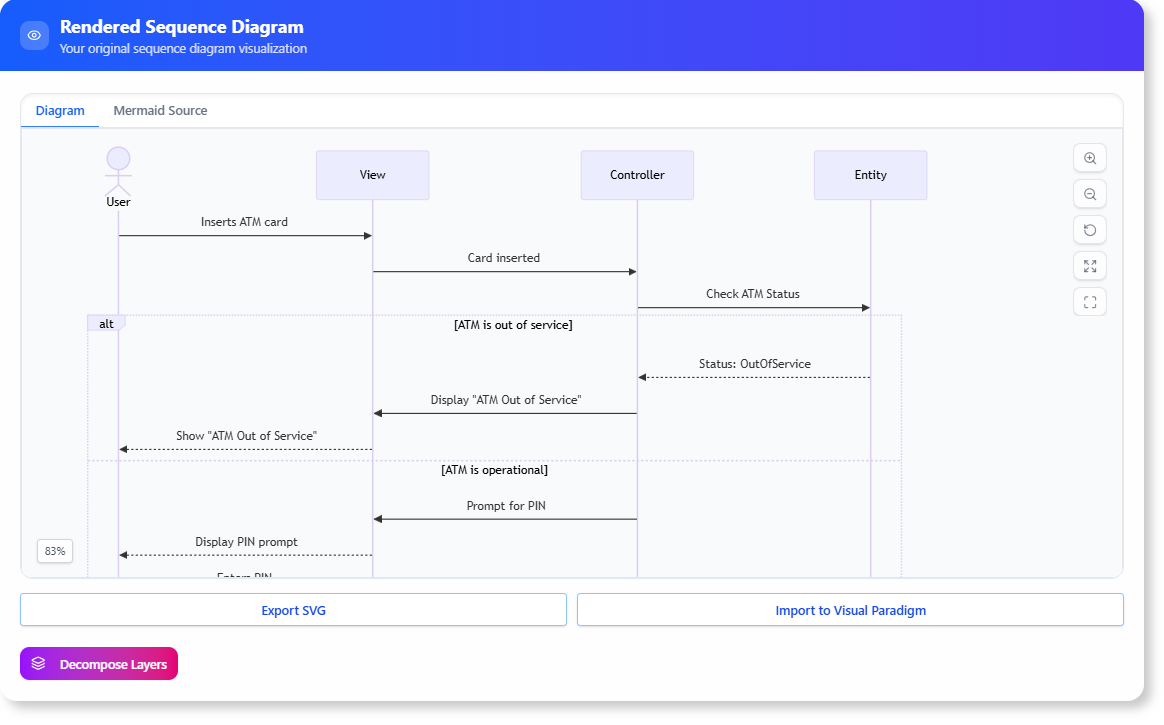
- Review the Decomposed Sequence: The tool will present a detailed breakdown of the interaction, including the different objects or components involved and the messages
exchanged.
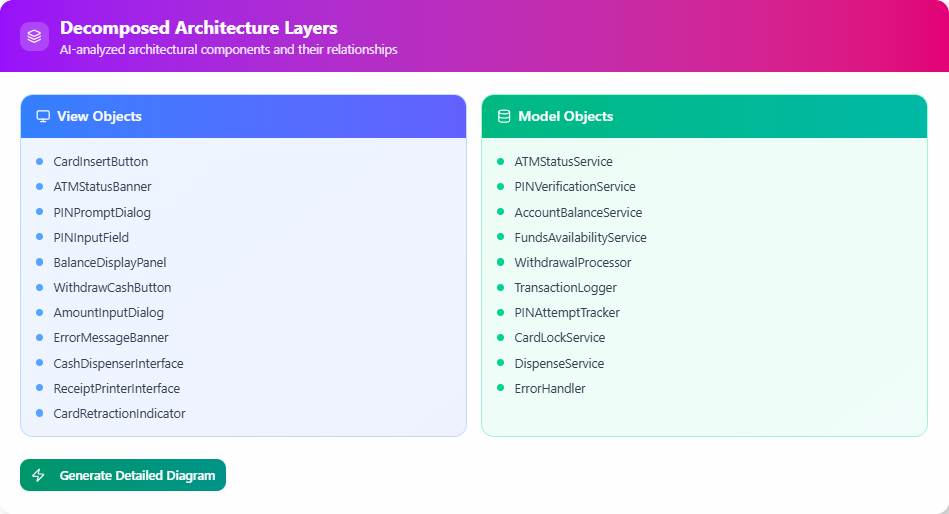
- Build Your Diagram: Use this AI-generated, decomposed sequence as a precise guide to create your UML Sequence Diagram in our editor, confident that all the key steps have been considered.
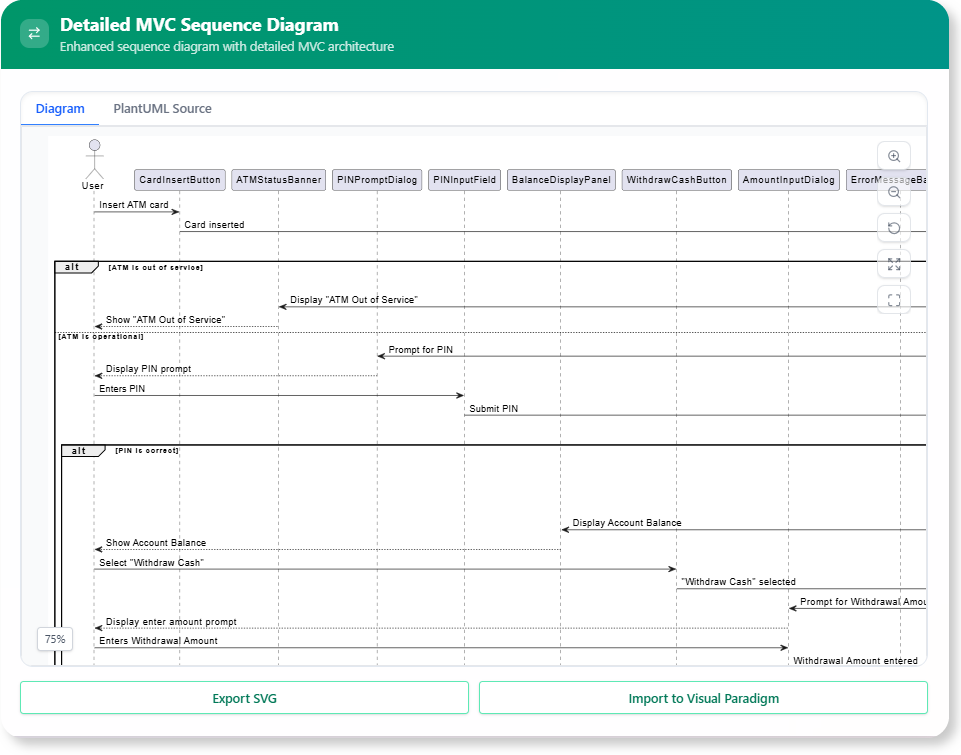
Ready to Design Flawless System Interactions?
The details make the difference between a good design and a great one. The AI Sequence Diagram Refinement Tool helps you uncover those details effortlessly, ensuring your system designs are complete, accurate, and ready for implementation. Design with greater clarity and speed today.
Learn More:
Discover more about the Sequence Diagram Refinement Tool and how it can improve your system design workflow.