


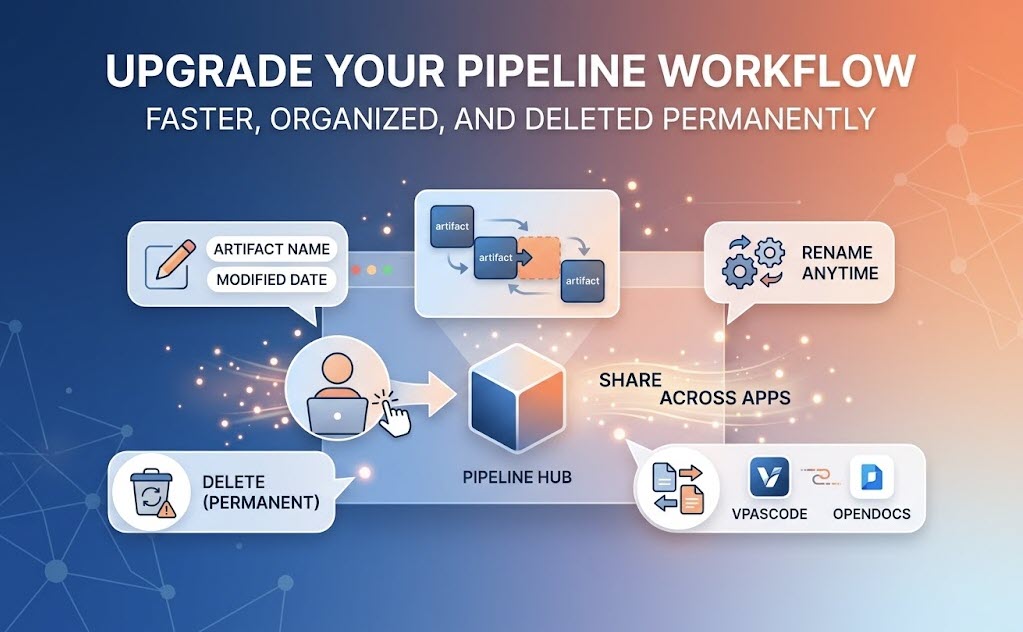
We are excited to share a series of user-focused UI and workflow updates to the Pipeline across the Visual Paradigm ecosystem, including Visual Paradigm VPasCode and Visual Paradigm OpenDocs.
As a central storage hub for your project artifacts, Pipeline enables seamless cross-application collaboration—allowing you to share, store, and access critical components from one Visual Paradigm application directly inside another. To make managing these shared assets even more intuitive, we have introduced four key enhancements to the Pipeline UI.
1. Clearer Artifact Identification with Custom Names
Previously, sending an artifact to the Pipeline required entering a description that was primarily visible only within specific panes. We have fully revamped this experience:
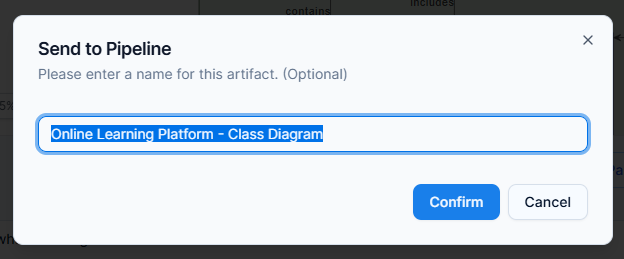
* Pre-filled & Editable Names: When sending an artifact to the Pipeline, the system now automatically suggests an appropriate name based on the artifact type, which you can easily modify before saving.
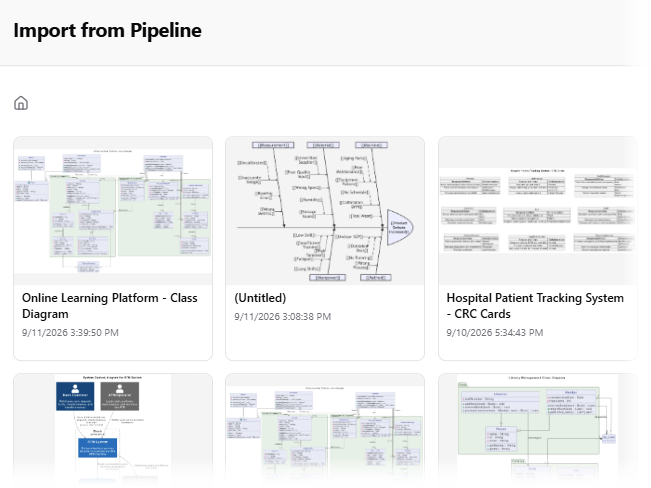
* Unified Display: The name you assign now serves as the primary label for your artifact directly within the Pipeline UI across all connected apps, making identification fast and accurate.
2. Compact Thumbnail View for Instant Context
We have updated the design of the Pipeline thumbnails to be more compact. This layout adjustment optimizes screen real estate, allowing you to instantly view both the full artifact name and its last modified date and time without unnecessary scrolling or extra clicks.
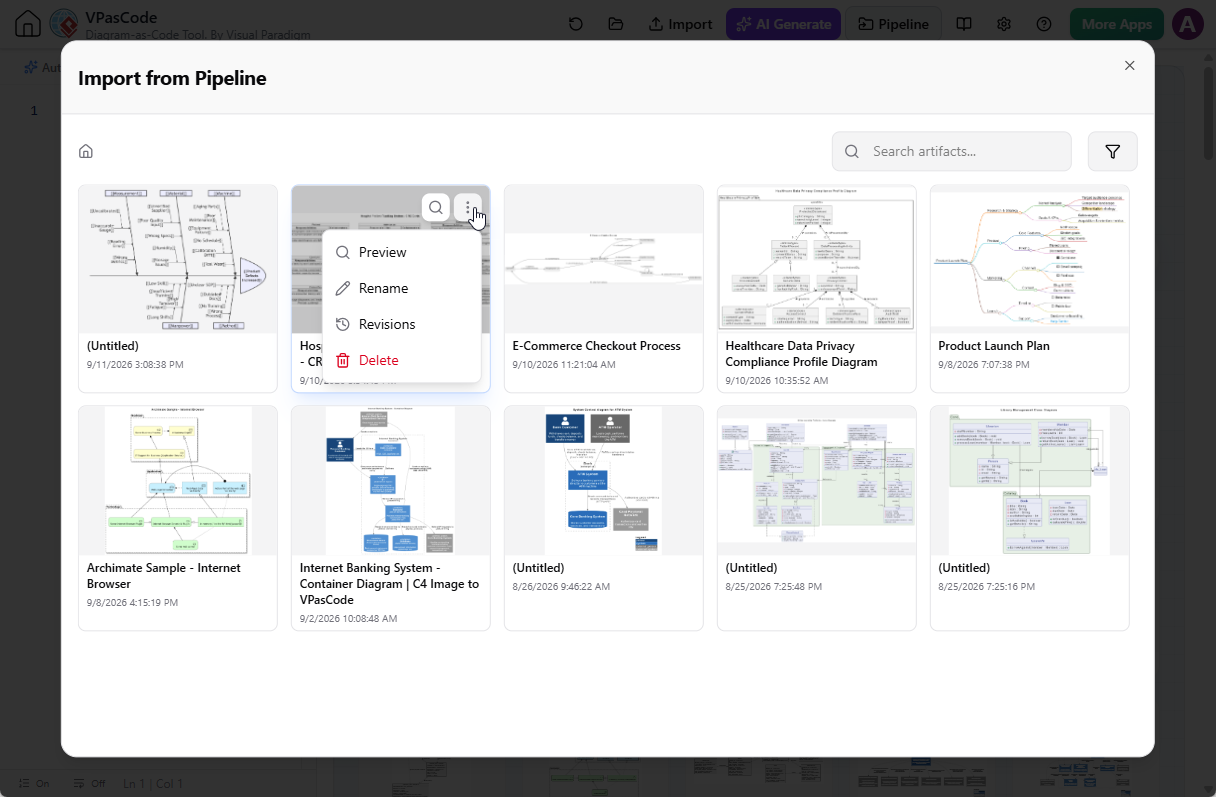
3. Direct Artifact Renaming
To support evolving project needs, you can now rename existing artifacts directly within the Pipeline UI. Update asset names at any time to maintain clear naming conventions and keep your team aligned.
4. Artifact Deletion
You can now remove outdated or unused artifacts directly from the Pipeline hub to keep your workspace organized and clutter-free.
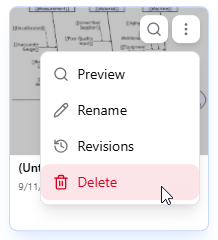
Note: Pipeline artifact deletion is permanent and cannot be restored. Please ensure you no longer need an item before confirming deletion.
Streamline Your Visual Paradigm Workflow Today
These minor enhancements are designed to give you greater control and clarity when working with assets across VPasCode, OpenDocs, and the rest of the Visual Paradigm suite. Log in today to experience the updated Pipeline UI.