


Visual Paradigm is thrilled to announce a major upgrade to our suite of intelligent productivity tools: the introduction of the brand-new Stepwise Flowchart feature in the Visual Paradigm AI Diagramming Chatbot. Designed to transform how teams conceptualize, document, and present complex workflows, this innovative diagram type breaks down intricate processes into structured phases and clusters, offering stakeholders a crystal-clear bird’s-eye view from start to finish.
Whether you are mapping out an enterprise-grade customer service workflow, engineering a technical troubleshooting hierarchy, or building standard operating procedures, our advanced AI flowchart generator simplifies the entire lifecycle of process visualization.
What Is a Stepwise Flowchart?
Traditional flowcharts can sometimes become cluttered and difficult to parse when dealing with multi-layered operations. To solve this challenge, Visual Paradigm invented the stepwise flowchart—a specialized layout that segments a complete process into logical phases or clusters before filling them in with precise flow elements, decision nodes, and action steps.
By grouping process steps into distinct operational zones, readers can instantly grasp the macro-structure of a workflow without getting lost in the details. This makes the stepwise flowchart an exceptional tool for business analysts, product managers, customer support leaders, and software engineers looking for a reliable process workflow visualization tool.
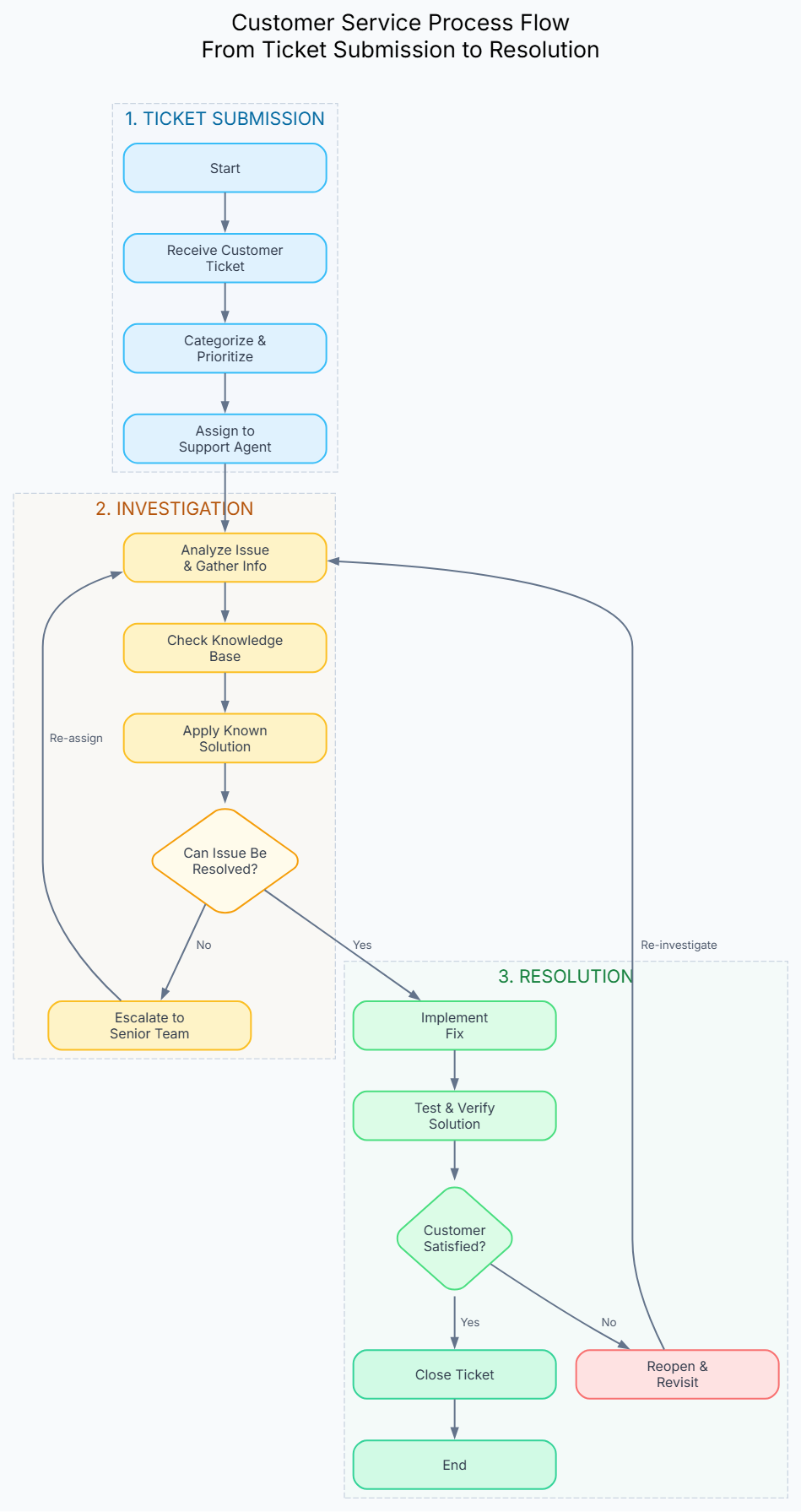
Real-World Example: Customer Service Process Flow
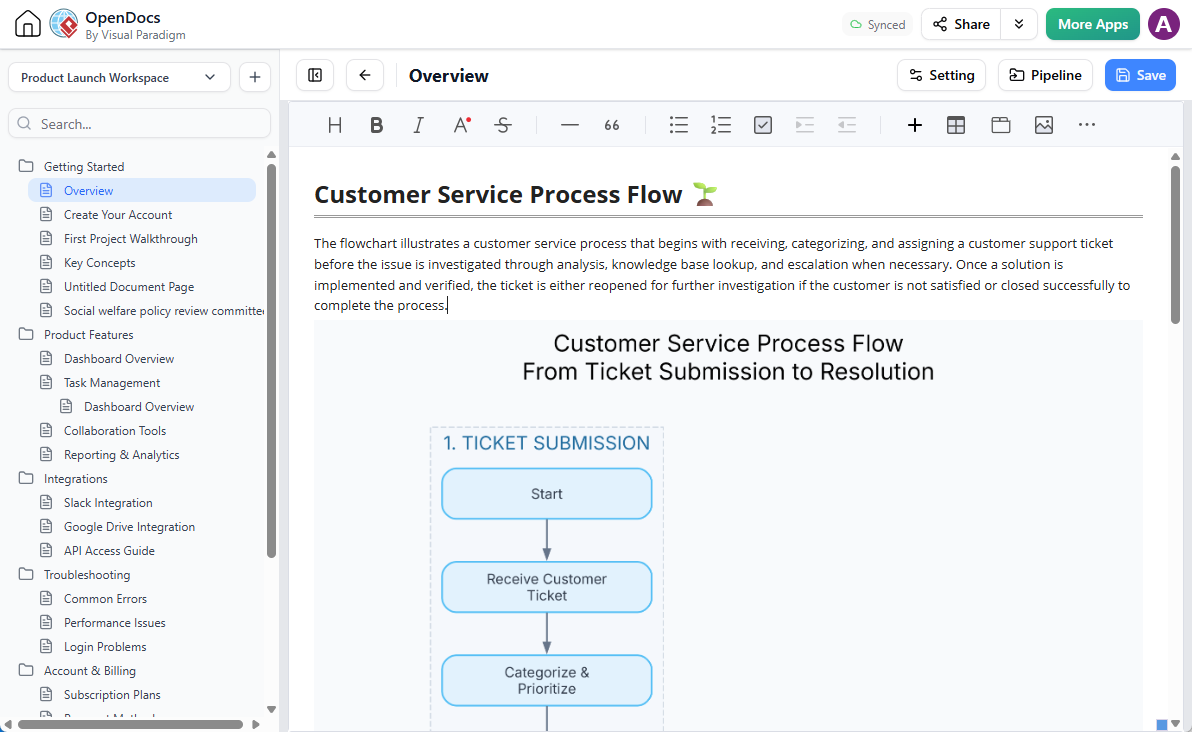
To see how powerful this feature is in practice, let’s look at a real-world scenario generated entirely through a simple conversational prompt in our AI assistant: “Generate a stepwise flowchart for a customer service process.”
The resulting diagram organizes the end-to-end customer support lifecycle into distinct, color-coded operational clusters:
- 1. Ticket Submission: Captures initial customer contact via web, email, or phone, logging the inquiry directly into the CRM system.
- 2. Triage & Assignment: Automatically categorizes priority levels (P1 to P4) and routes the ticket to the appropriate available agent.
- 3. Investigation: Involves contacting the customer for further details, running root-cause diagnoses, and routing unresolved issues through specific escalation paths if initial information is insufficient.
- 4. Resolution: Applies fixes, implements solutions, and verifies success directly with the customer.
- 5. Closure: Triggers automated satisfaction surveys, updates internal knowledge base articles, and officially closes the ticket.
- 6. Escalation Path: Manages advanced Level 2 diagnoses and Level 3 engineering interventions for complex technical hurdles.
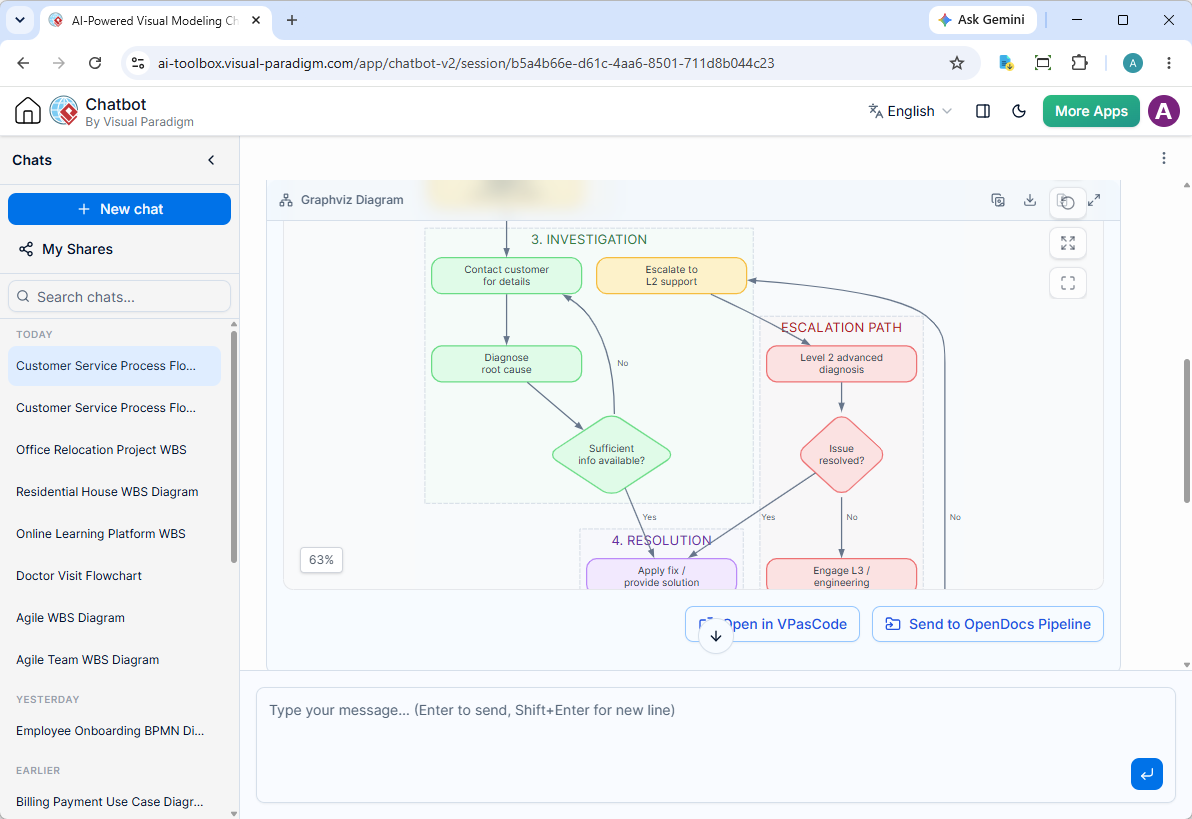
You can review the live interactive chat session where this workflow was created by visiting the Visual Paradigm AI Chatbot Share Session.
Key Enhancements & Ecosystem Integration
Generating your workflow is only the beginning. Visual Paradigm provides a complete ecosystem to help you refine, edit, and publish your diagrams seamlessly across your organization.
1. Iterative Touch-ups Through Conversation
Rarely is a perfect diagram created in a single pass. With the Visual Paradigm AI Diagramming Chatbot, you can easily converse with the assistant to request real-time modifications, adjustments, or additions to your layout.
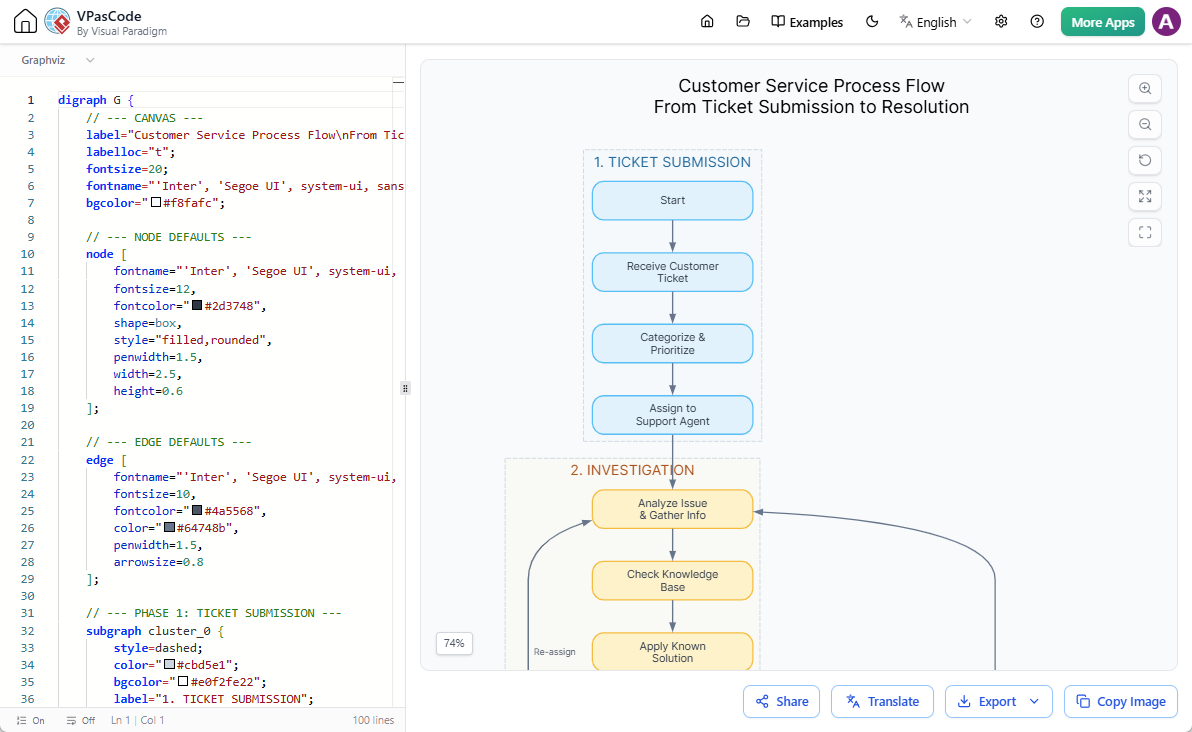
2. Direct Editing in VPasCode
Thanks to our deep integration with Visual Paradigm VPasCode, you are never locked into a static image. Simply click on the Open in VPasCode button located directly below the diagram viewer. This transitions your workflow into our robust diagram-as-code platform, allowing you to fine-tune the text code instantly. Changes render immediately on the live viewer, and you can export professional-grade images with effortless ease.
3. Send Diagrams to Visual Paradigm OpenDocs
Need to incorporate your newly generated flowchart into comprehensive technical documentation? You can send your diagram straight to OpenDocs for advanced knowledge management. Just click on the Send to OpenDocs Pipeline option, open the Pipeline pane inside OpenDocs, and drag your workflow directly onto your documentation page. For more details on this pipeline integration, check out our OpenDocs Integration Announcement.
Important Note: Choosing Between Stepwise and Conventional Flowcharts
Our intelligent AI diagramming tool supports multiple visualization formats to suit your specific presentation needs. While the default AI assistant handles conventional flowcharts (Mermaid-based) brilliantly, generating a phased, structured layout requires a specific instruction. If you want to build a clustered process map, make sure to explicitly specify that you need to generate a stepwise flowchart in your input prompt.
If you prefer traditional, linear workflows, you can learn more by exploring our earlier release: Next-Gen AI Flowchart Generator Announcement.
Get Started with AI-Powered Process Mapping Today
Ready to experience the future of automated documentation and process design? Discover all the powerful capabilities waiting for you at our AI Diagramming Chatbot site.
When you are ready to build your first workflow, jump right into the application and start chatting with our intelligent assistant using the Visual Paradigm AI Chatbot Tool.