


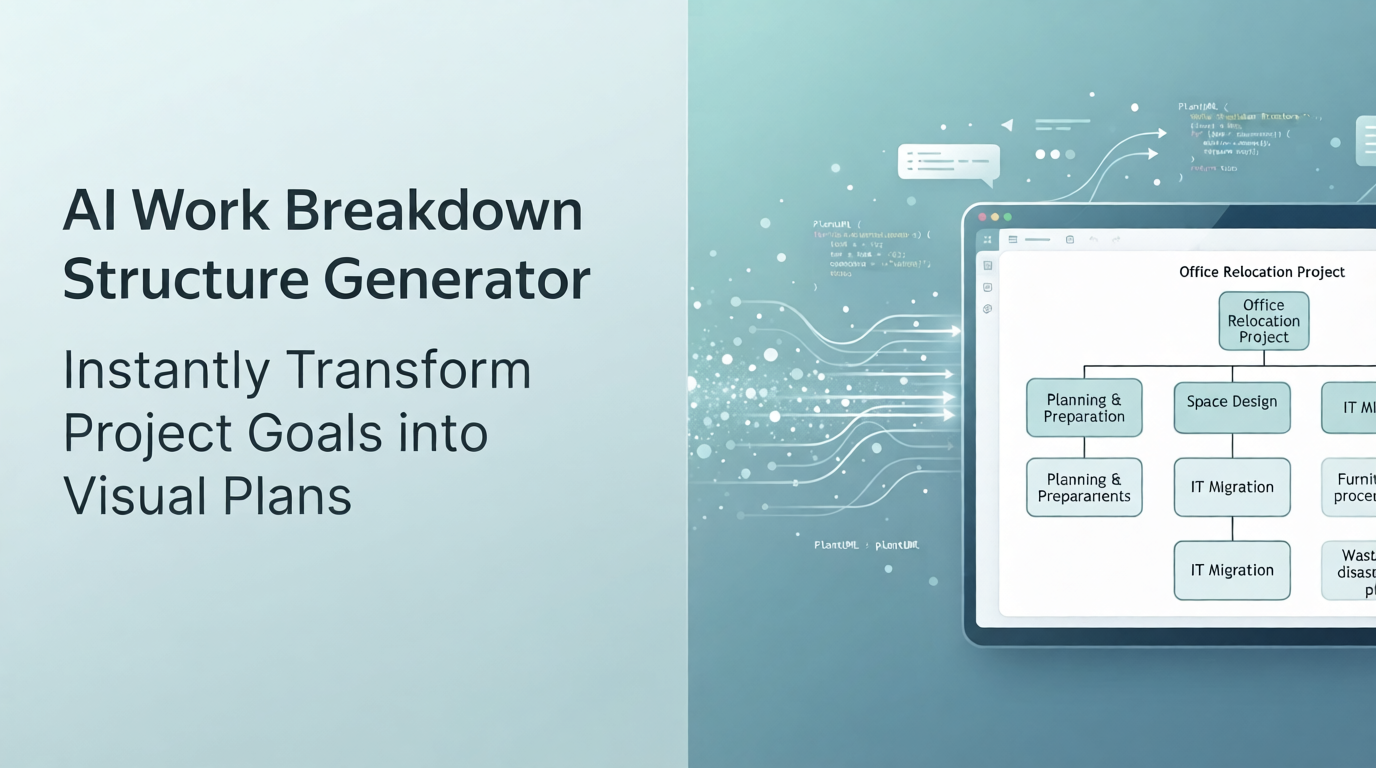
Effective project management starts with a clear, hierarchical blueprint. Whether you are coordinating a complex enterprise project, launching a new product, or executing a corporate office move, breaking down deliverables into manageable components is critical for success. Today, Visual Paradigm is thrilled to announce a powerful new enhancement to our intelligent diagramming ecosystem: the AI Work Breakdown Structure generator.
Integrated directly into our AI Diagramming Chatbot, this new capability allows project managers, team leads, business analysts, and Agile practitioners to generate professional WBS diagrams using simple conversational prompts. Backed by industry-standard syntax like PlantUML, our tool bridges the gap between natural language text and structured, visual project planning.
Ready to try it out right now? Jump straight into the application using our AI Chatbot tool.
Transforming Text Prompts into Comprehensive Project WBS Diagrams
Building a detailed Work Breakdown Structure from scratch can be time-consuming and prone to oversight. With the Visual Paradigm AI Work Breakdown Structure generator, you can instantly outline every phase, task, and subtask needed for your initiative.
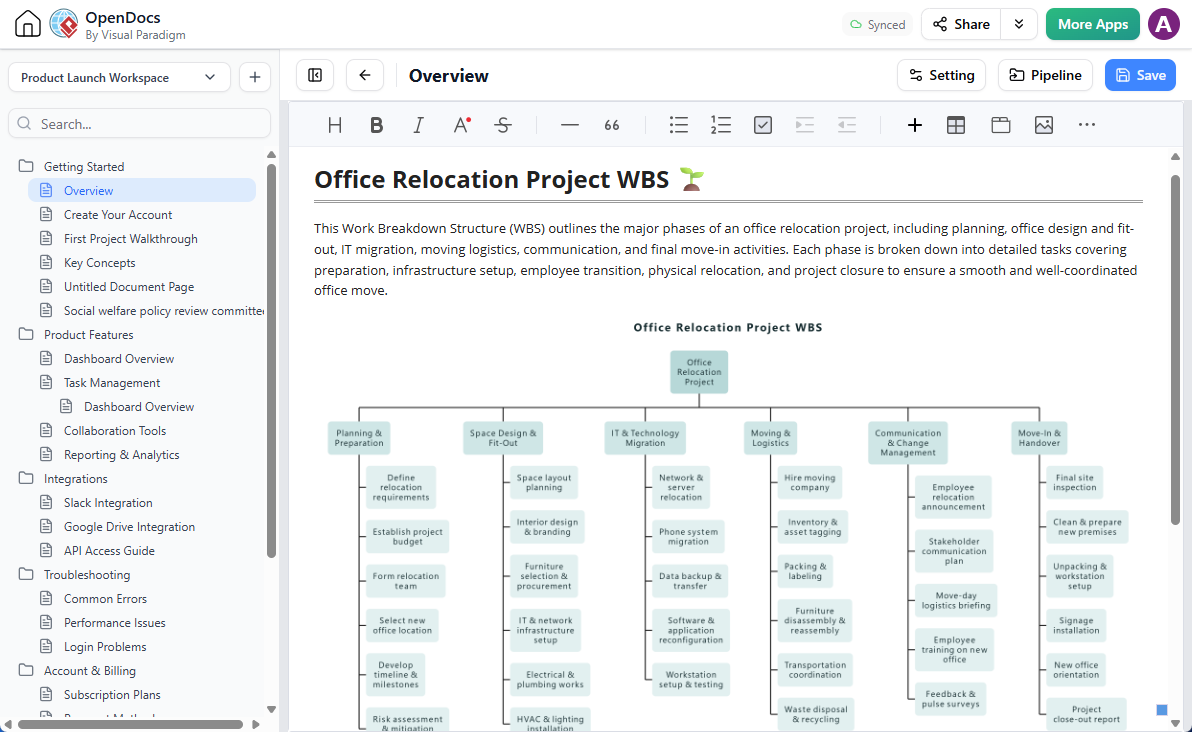
For example, consider a complex undertaking like an enterprise office relocation. By simply entering the prompt, “Generate a Work Breakdown Structure for an office relocation project,” the AI instantly yields a fully structured WBS diagram categorized logically across multiple hierarchical depths:
- Planning & Preparation: Defining requirements, establishing budgets, forming teams, selecting locations, building timelines, and risk assessments.
- Space Design & Fit-Out: Layout planning, interior design, furniture procurement, IT infrastructure setup, and electrical or HVAC works.
- IT & Technology Migration: Network and server relocation, phone system migration, data transfers, software configuration, and workstation testing.
- Moving & Logistics: Hiring moving companies, asset tagging, packing, furniture disassembly, transportation coordination, and recycling.
- Communication & Change Management: Employee announcements, stakeholder communication plans, move-day briefings, and training sessions.
- Move-In & Handover: Final site inspections, premises preparation, unpacking, signage installation, orientation, and project close-out reports.
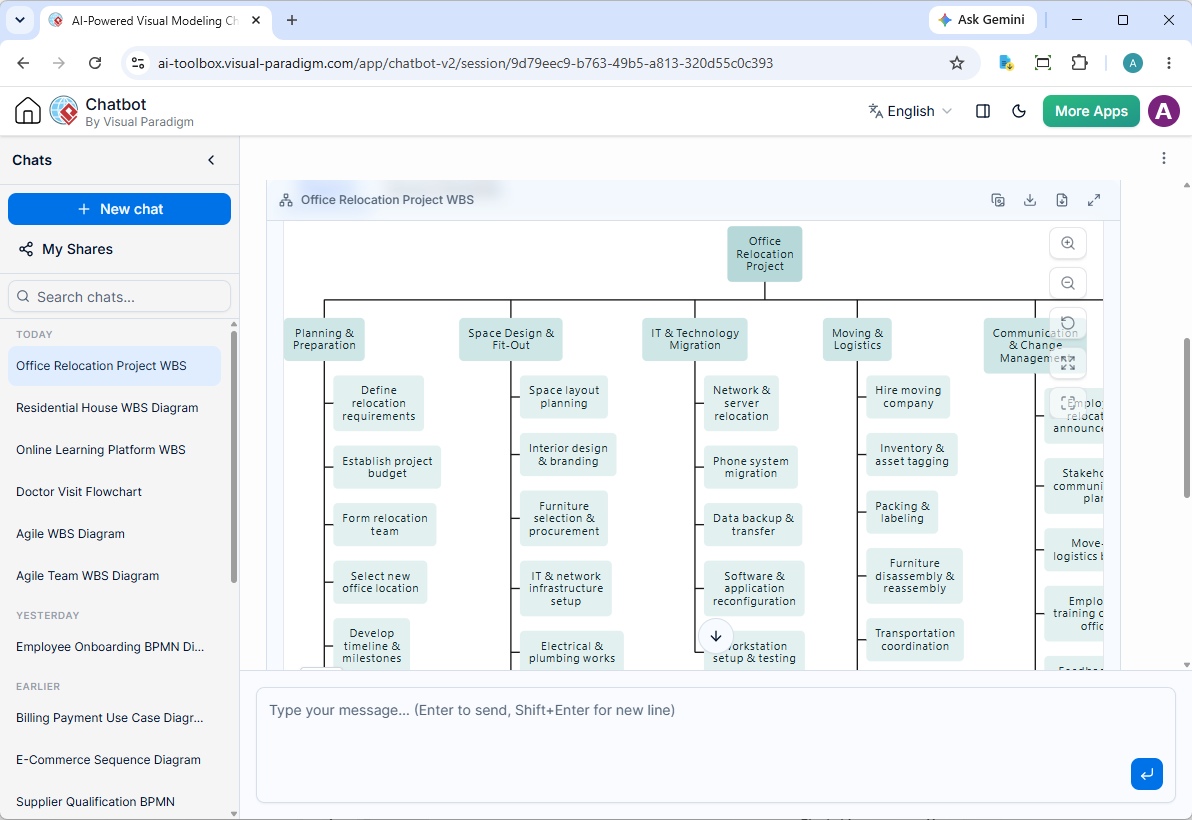
You can review a live implementation of this exact project session by exploring the Office Relocation WBS Shared Chat Session.
Advanced Touch-Up and Iterative Refinement
We know that automated diagramming is most powerful when it adapts to your exact specifications. It is rare for any complex diagram to be perfect in a single generation. That is why our chatbot environment supports iterative refinement.
With our AI Work Breakdown Structure generator, you are always in control. If you want to add specific deliverables, restructure project phases, or adjust the level of detail, simply chat naturally with the AI to request modifications. The chatbot will instantly adapt the underlying structure to match your project governance standards.
Seamless Editing and Exporting with VPasCode Integration
Behind the scenes, our system powers these visualizations using clean, structured code formats like PlantUML. To give you absolute flexibility over your project artifacts, we have integrated the chatbot directly with Visual Paradigm VPasCode (https://www.vpascode.com/).
Once your automated WBS generator produces your diagram, you can:
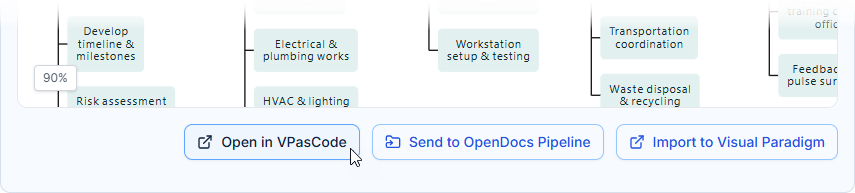
- Click on the Open in VPasCode button located directly beneath the interactive diagram viewer.
- Transition seamlessly into our dedicated diagram-as-code platform.
- Fine-tune your Work Breakdown Structure using direct text-based syntax edits.
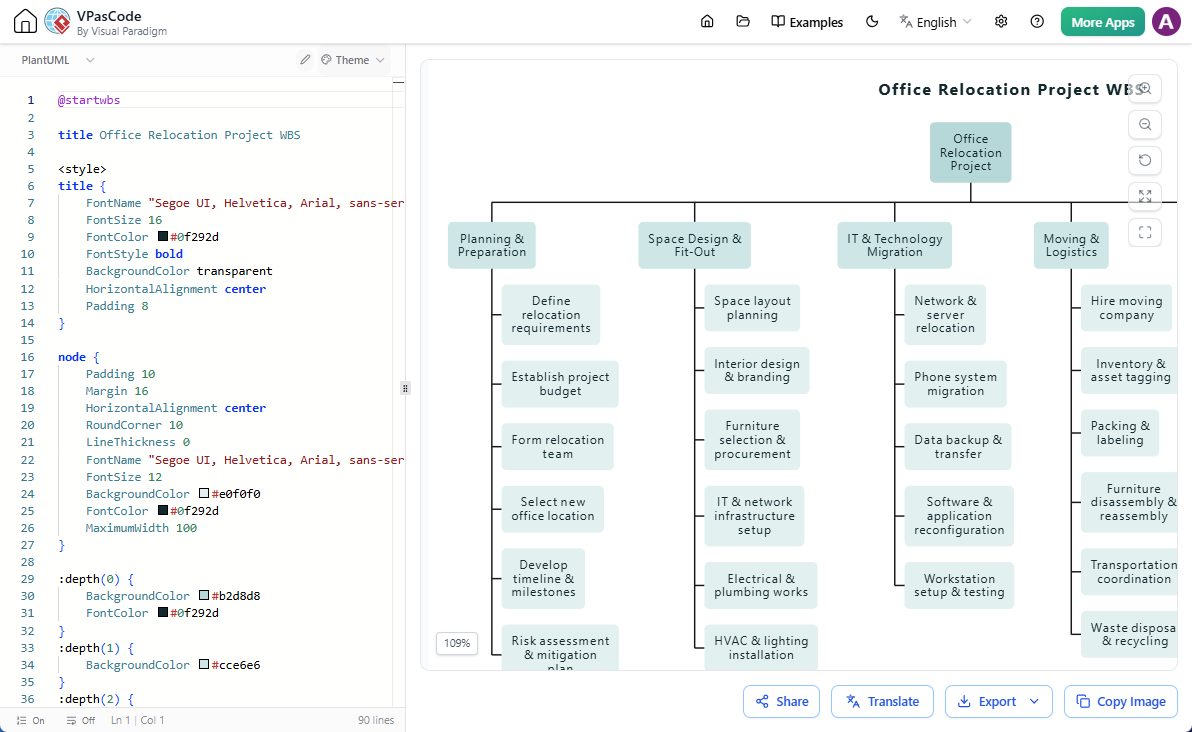
- Watch your modifications update instantly in the live viewer.
- Export your final WBS diagram as high-resolution images for reports, presentations, and stakeholder reviews with total ease.
Learn more about VPasCode: https://www.visual-paradigm.com/features/diagram-as-code-tool/
Try VPasCode online for FREE: https://www.vpascode.com/
Send Diagrams Directly to Visual Paradigm OpenDocs
Documentation and knowledge management shouldn’t live in isolated silos. Once your project plan is finalized, you can take your workflow a step further by connecting your visuals to your broader project knowledge base.
By clicking on the Send to OpenDocs Pipeline option, you can push your newly created Work Breakdown Structure straight into OpenDocs. Simply open the Pipeline pane within OpenDocs and drag your diagram directly onto your project page. To learn more about this capability, check out our related article on the Visual Paradigm OpenDocs Pipeline Release.
Start Generating Your Work Breakdown Structures Today
Embrace the future of automated project management and documentation. Whether you are managing software development sprints, facility expansions, or operational overhauls, the Visual Paradigm AI Work Breakdown Structure generator saves you hours of manual drawing while ensuring professional, standards-compliant results.
Experience the feature firsthand by visiting our AI Chatbot home page, or dive right into project planning by launching the AI Chatbot tool today!