


Turning complex strategic analyses into clear, professional-looking visuals can be a time-consuming challenge. We’re thrilled to introduce a powerful free solution: the 4-Aspects Infographic Designer. This versatile free AI infographic generator is designed to transform your topics into beautiful, presentation-ready diagrams in seconds. Whether you’re building a business case, presenting market research, or aligning your team, this tool automates the entire design process for free.
Addressing the Challenge of Manual Diagramming
Previously, creating strategic frameworks like a SWOT or PEST analysis involved significant manual effort. You had to brainstorm content, then painstakingly design layouts in separate tools, often struggling with formatting, alignment, and visual appeal. This process could take hours and required a keen eye for design to produce a professional result.
That friction meant that valuable insights often remained buried in text-heavy documents, failing to make the impact they deserved.
Introducing the Free 4-Aspects Infographic Designer: From Topic to Polished Visual in One Click
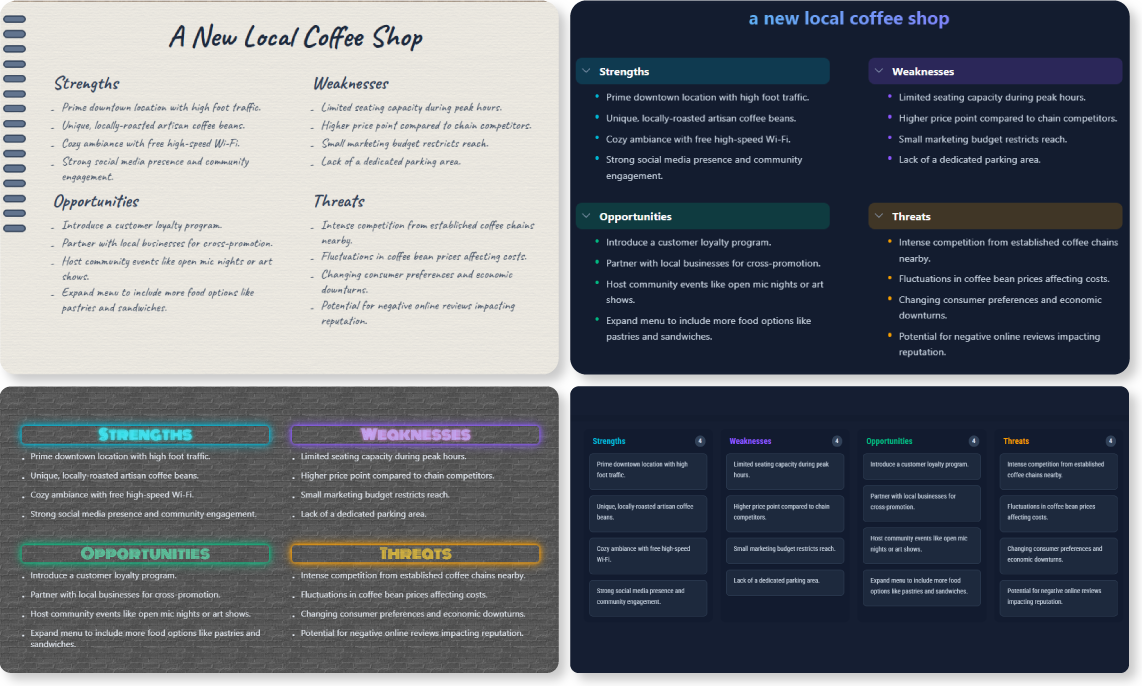
We built the free 4-Aspects Infographic Designer to eliminate the gap between analysis and presentation. This intelligent tool not only generates the core content for dozens of strategic frameworks but also instantly visualizes it in over 50 unique layouts. It’s more than just a free SWOT analysis tool; it’s a comprehensive design partner.
With this new feature, you can:
- Automate Content Generation: Simply provide a topic, and our AI SWOT generator will produce relevant points for all four quadrants.

- Explore Dozens of Frameworks: Go beyond SWOT with built-in support for PEST, BCG Matrix, Ansoff Matrix, and many more strategic models.
- Instantly Visualize Data: Choose from over 50 professionally designed layouts to find the perfect visual style for your audience.
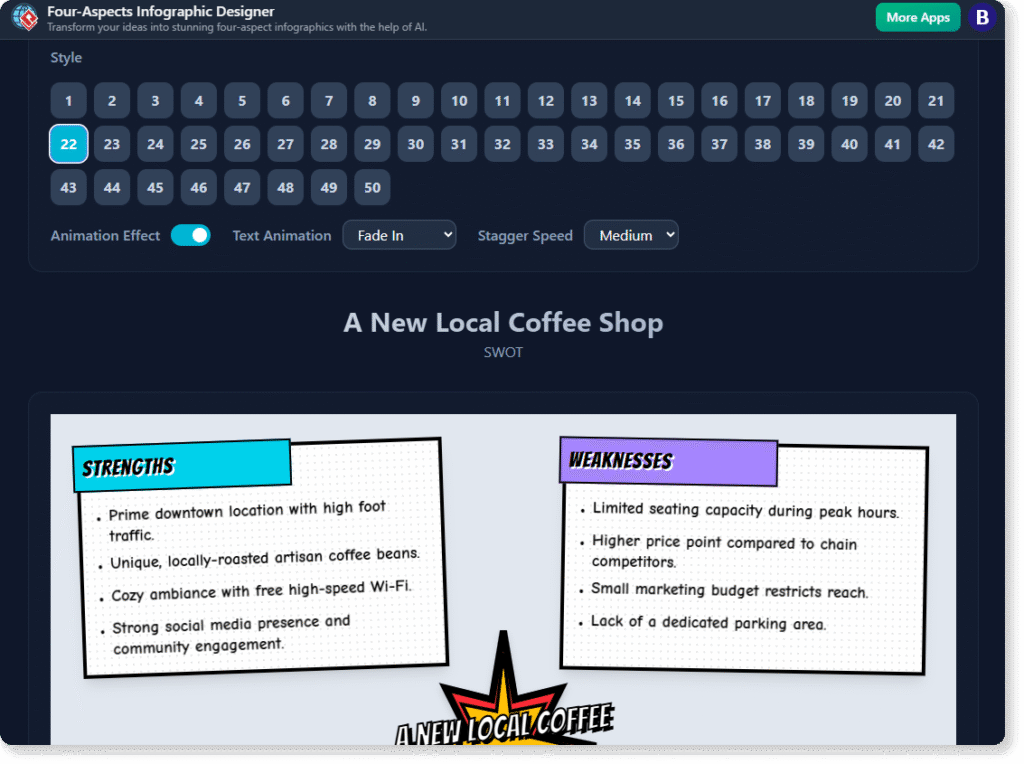
- Customize with Ease: Quickly edit titles and bullet points directly on the infographic to refine your message.
- Export High-Quality Images: Download your finished infographic as a high-resolution PNG, ready for presentations, reports, or sharing online.
How to Access and Use the New Feature
Getting started is simple. Here’s how you can access the new tool:
-
For Visual Paradigm Online users: Simply navigate directly to the free 4-Aspects Infographic Designer.
-
For Visual Paradigm (Desktop) users: Select Tools > Apps from the application menu to open our library of tools, then click on the free 4-Aspects Infographic Designer.
Once you’re in the app, the workflow is just as easy:
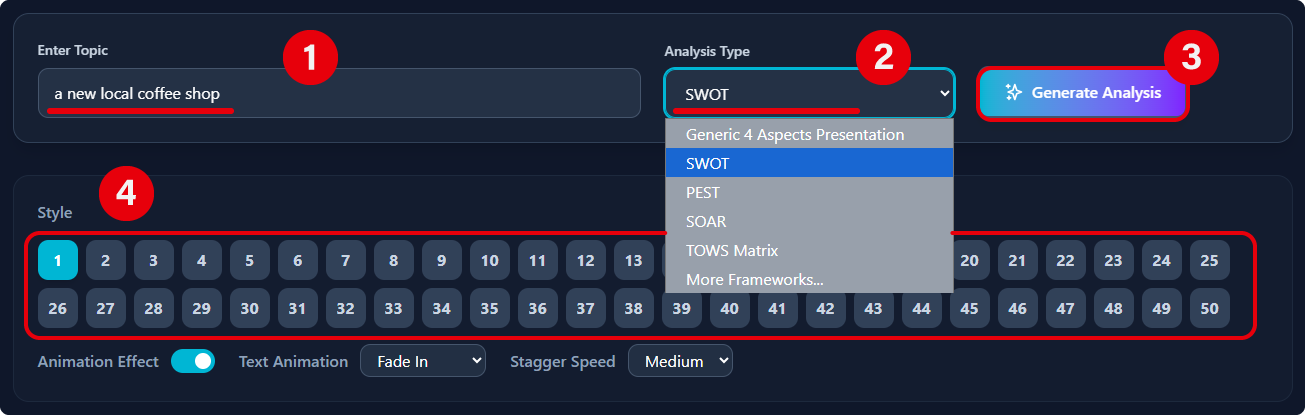
- Enter your topic (e.g., “Tesla Inc. in 2024”).
- Select your desired analysis type from the dropdown menu (e.g., SWOT).
- Click the “Generate Analysis” button.
- Use the layout switcher at the top to explore different visual styles for your generated content.
- Click “Export” to download your finished infographic.
Ready to Create Your First Free AI-Powered Infographic?
Stop spending hours on manual design and start communicating your strategic insights with clarity and impact. The free 4-Aspects Infographic Designer is here to help you work smarter, faster, and more visually. Generate your first professional analysis for free today.
For more detailed information, please visit our official support article to learn more about the 4-Aspects Infographic Designer.