


Reading through plain, monochrome text in AI outputs can get tedious—especially when you are reviewing long scripts, database schemas, or structural definitions.
To make reviewing and editing code effortless, we’ve added Syntax Highlighting to the Visual Paradigm AI Chatbot!
What’s New?
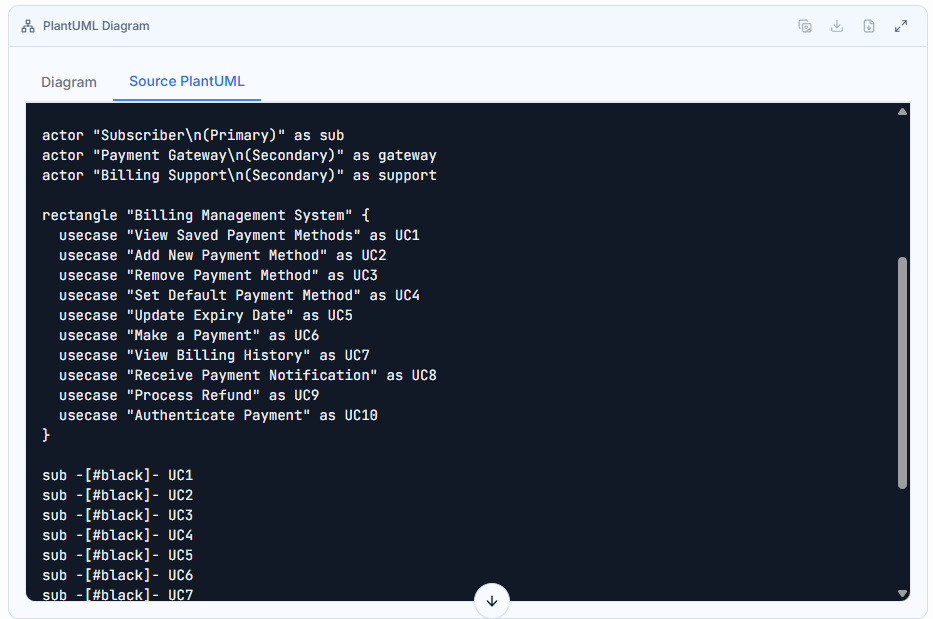
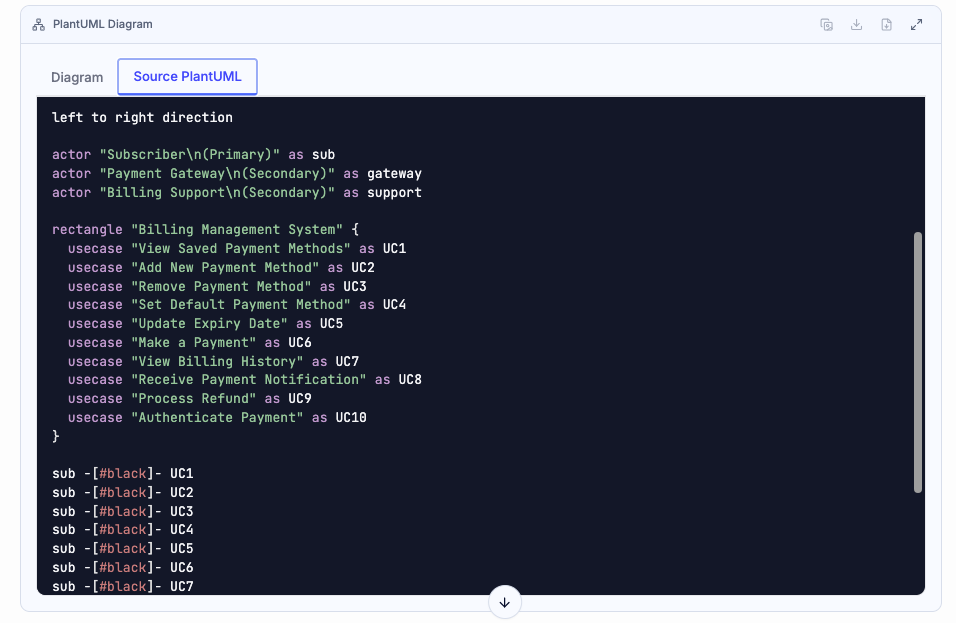
Previously, any code snippet or text-based diagram script generated during a chat session was displayed in plain, unformatted text. With this latest update, all generated code is automatically color-coded according to its language syntax structure.
Whether you are outputting code snippets, defining schemas, or writing text-to-diagram scripts, syntax highlighting instantly distinguishes keywords, functions, strings, and variables.
Before & After Comparison
Before (Plain Text)
After (Syntax Highlighting)
Smooth Integration with Visual Paradigm VPasCode
This enhancement fits right into our Diagram-as-Code workflow:
-
Ask the AI Chatbot to generate a process, workflow, or system model in natural language.
-
Review the highlighted code directly in the chat window to quickly verify keywords and structural logic.
-
Open directly in VPasCode (our unified Diagram-as-Code platform) or copy the snippet into Visual Paradigm Online to fine-tune, render, and export your visual diagrams.
Why You’ll Love It
-
Faster Scanning: Key language elements stand out immediately so you don’t have to scan raw text line-by-line.
-
Easier Spotting of Syntax Errors: Catch misplaced quotes, brackets, or invalid keywords before copying code into your scripts.
-
Better Visual Hierarchy: Clean formatting makes long code outputs far more comfortable to read.
Try It Today
Head over to the Visual Paradigm AI Chatbot, generate a script or diagram definition, and experience the clean, color-coded interface in action!