


Technical documentation is only as good as its clarity. For software engineers, system architects, and project managers, diagrams are the lifeblood of communication. However, embedding complex technical drawings, database schemas, or expansive organization charts onto a web page has historically come with a frustrating compromise: restricted page widths squeeze high-resolution visuals into tiny, unreadable boxes.
Today, we are thrilled to announce a major user experience enhancement to OpenDocs by Visual Paradigm: the Overlay Image Viewer. You can now easily zoom, pan, and inspect every intricate pixel of your widest diagrams without ever leaving your documentation workspace.
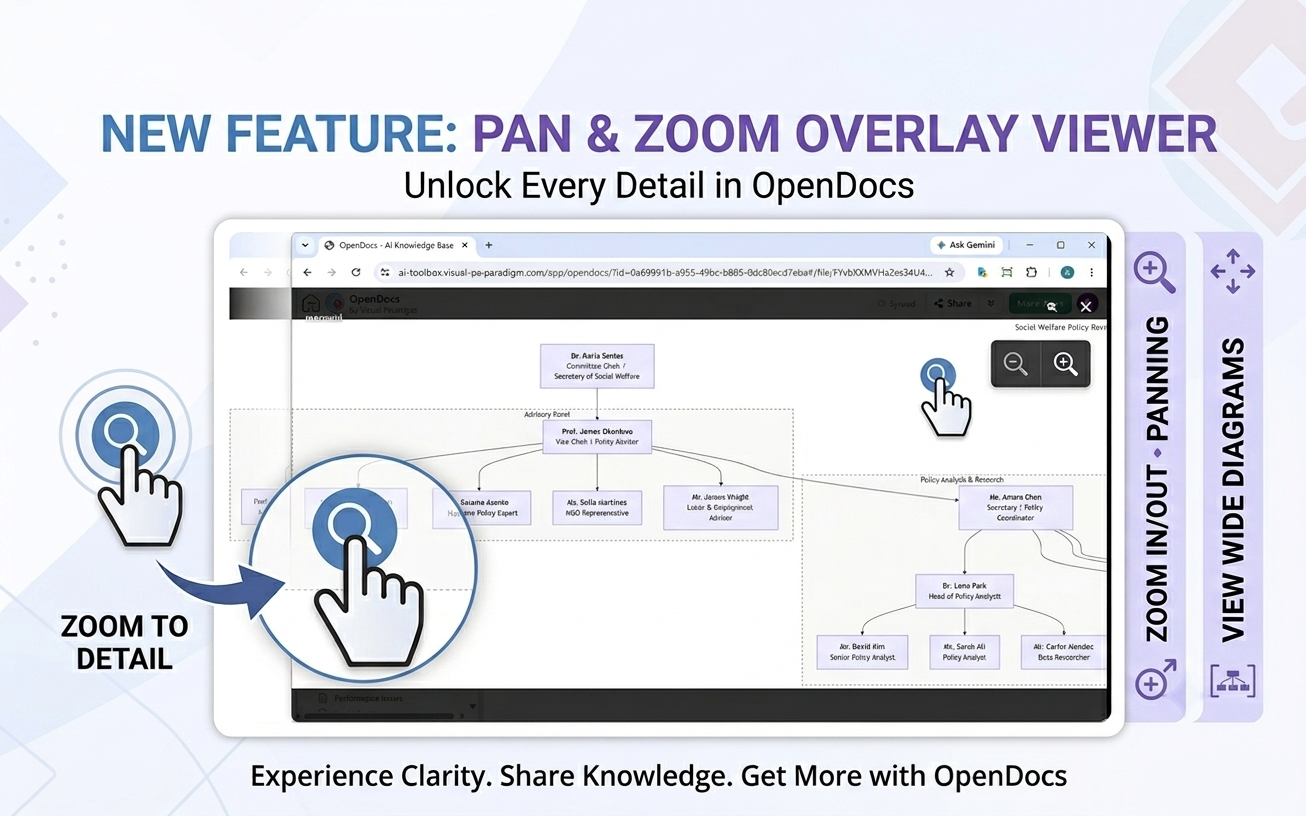
The Challenge: Wide Diagrams vs. Squeezed Page Boundaries
In standard documentation layouts, page widths are deliberately restricted to maintain optimal text readability. But diagrams don’t play by the same rules. An enterprise system architecture, a detailed flow chart, or an organization chart (like the “Social welfare policy review committee” chart shown in the example below) can be extremely wide.
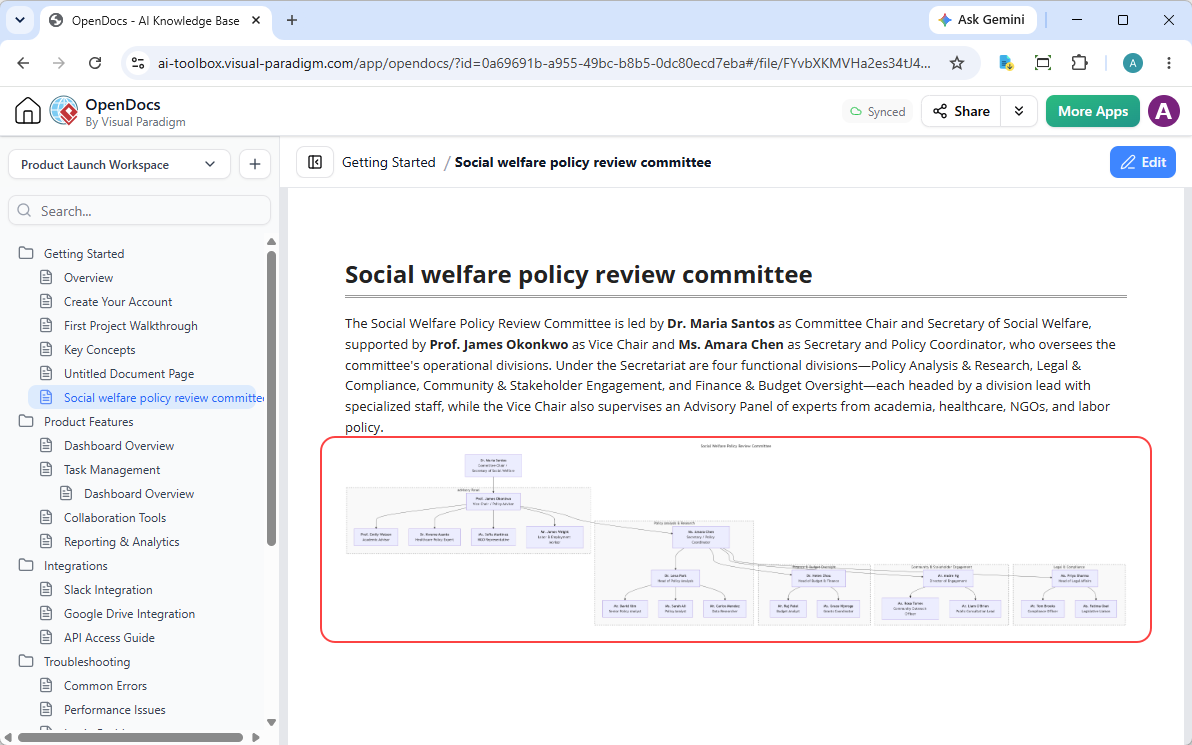
When these large visuals are sent directly into OpenDocs from our AI Chatbot or generated using our professional diagram-as-code platform, Visual Paradigm VPasCode, they are constrained to fit the page container. The result? The text becomes too tiny to read, and critical details are lost. Readers are forced to right-click, save the image, and open it in a separate application just to inspect a single connection. This breaks reading momentum and derails productivity.
The Solution: Interactive Overlay Image Viewer in OpenDocs
To eliminate this friction, we have introduced a seamless, interactive image-viewing overlay directly within OpenDocs. The workflow is incredibly simple and designed with modern UX principles in mind:
- Instant Activation: When reading any document page in OpenDocs, simply hover your mouse over an image.
- The “View” Button: A sleek “View” button will instantly appear in the top-right corner of the image.
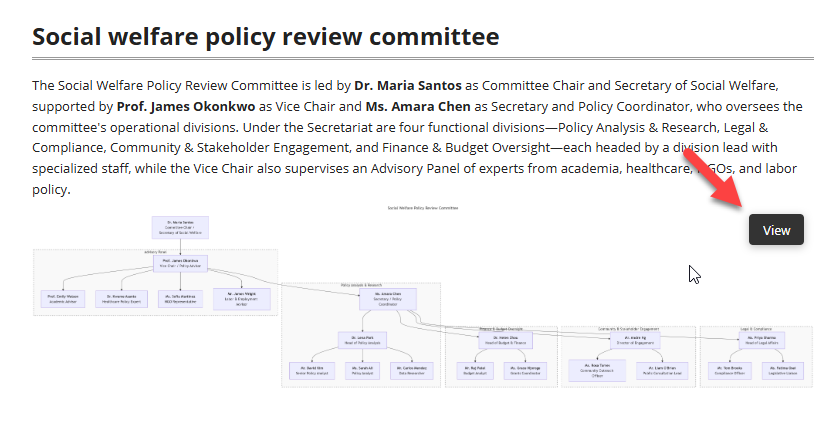
- Immersive Overlay Viewer: Clicking the button opens a clean, distraction-free overlay containing the full-resolution image.
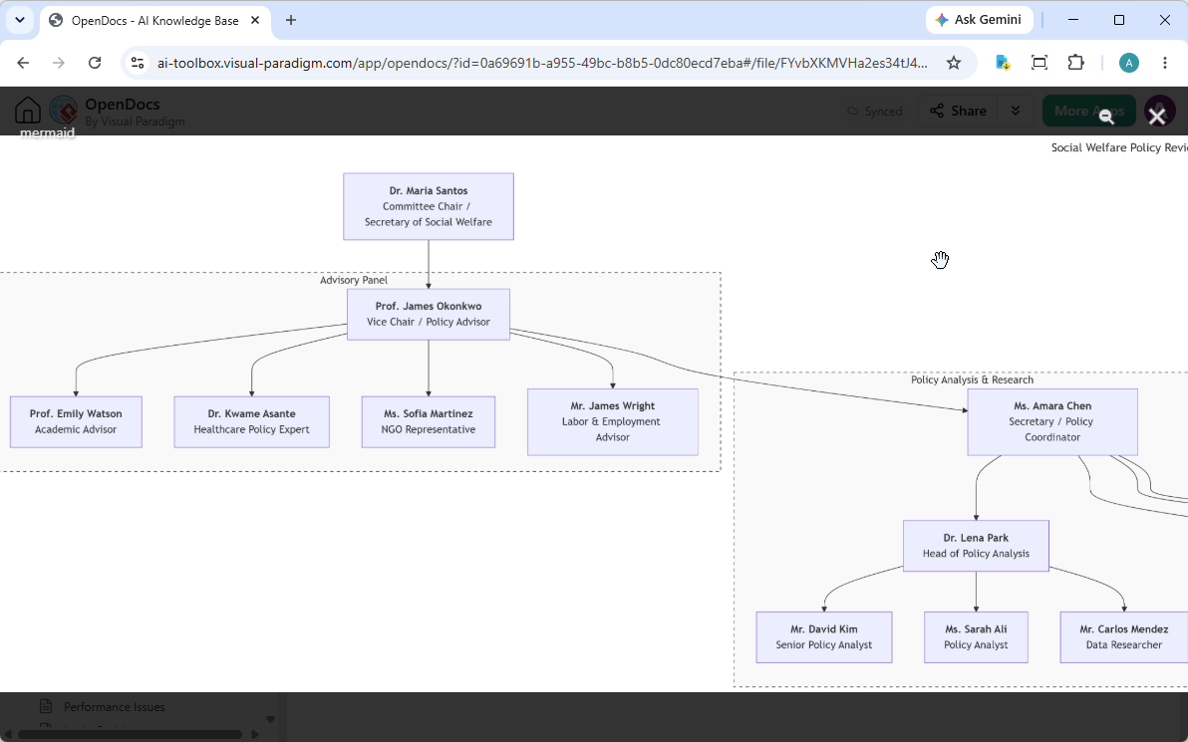
- Precision Control: Inside the viewer, you can perform fluid zoom in, zoom out, and click-and-drag panning operations. This lets you inspect even the most complex technical drawings down to the smallest label.
New to OpenDocs? Meet Your AI-Powered Visual Knowledge Hub
If you are discovering OpenDocs for the first time, it is much more than a typical knowledge base. OpenDocs by Visual Paradigm is an AI-powered, web-based knowledge management platform engineered specifically to act as a “visual knowledge engine.” It bridges the gap between structured documentation and professional diagramming.
Why Teams Love OpenDocs:
- Diagram-Aware Ecosystem: OpenDocs connects seamlessly with the entire Visual Paradigm ecosystem via a secure, cloud-based repository called the Pipeline.
- AI-Powered Automation: Build a complete, professional diagram (UML, flowchart, system architecture) instantly from a natural language prompt, and insert it directly into your documents.
- Native Integration with VPasCode: Love writing Diagrams-as-Code? Write markup inside VPasCode (supporting PlantUML, Mermaid, and Graphviz) and easily push your visual output directly into your OpenDocs workspace.
- A Beautiful Writing Experience: Author your knowledge base using a rich Markdown editor, utilizing structured hierarchies, code blocks, tables, and nested folders.
If you are ready to experience the next generation of visual documentation, you can build your workspace immediately using our web-based playground. Start modeling and documenting for free on the VPasCode Editor.
Frequently Asked Questions
How do I open an image in the new OpenDocs Image Viewer?
To open an image in the detail viewer, navigate to any page in your OpenDocs knowledge base, hover your mouse over the image you want to see, and click the “View” button that appears in the top-right corner. The overlay viewer will open automatically.
Can I zoom in on technical drawings in OpenDocs?
Yes. The new overlay viewer supports interactive zoom-in and zoom-out operations, allowing you to magnify small text and detailed components on wide technical drawings, charts, or diagrams.
What is VPasCode and how does it connect to OpenDocs?
VPasCode is Visual Paradigm’s interactive, browser-based Diagram-as-Code (DaC) editor. It compiles text-based declarations (using PlantUML, Mermaid, or Graphviz) into high-fidelity vector diagrams. Once generated, these diagrams can be securely pushed directly into your OpenDocs knowledge base pages for unified documentation.
Does the OpenDocs image viewer support panning?
Yes. Once you zoom in on a high-resolution image within the overlay viewer, you can click and drag (pan) to easily navigate across different sections of the diagram without losing your place in the documentation.
Streamline Your Team’s Technical Knowledge Base Today
With this latest visual update, OpenDocs removes another critical bottleneck in collaborative technical documentation. No more squinting at illegible system charts or losing focus to external image viewers. Get clean, high-impact visuals, detailed zoom capabilities, and an organized visual library all in one spot.
To learn more about how to bring this level of clarity to your development, design, and business workflows, check out the VPasCode Home, or dive straight in and create your first live diagram directly on the VPasCode Web Editor.