


In today’s fast-paced development environment, bridging the gap between a great idea and a well-defined project is a major challenge. We are excited to announce the launch of the Use Case Driven Development Assistant, a powerful new AI software development tool designed to streamline your entire design process, from initial problem statement to a complete, shareable report.
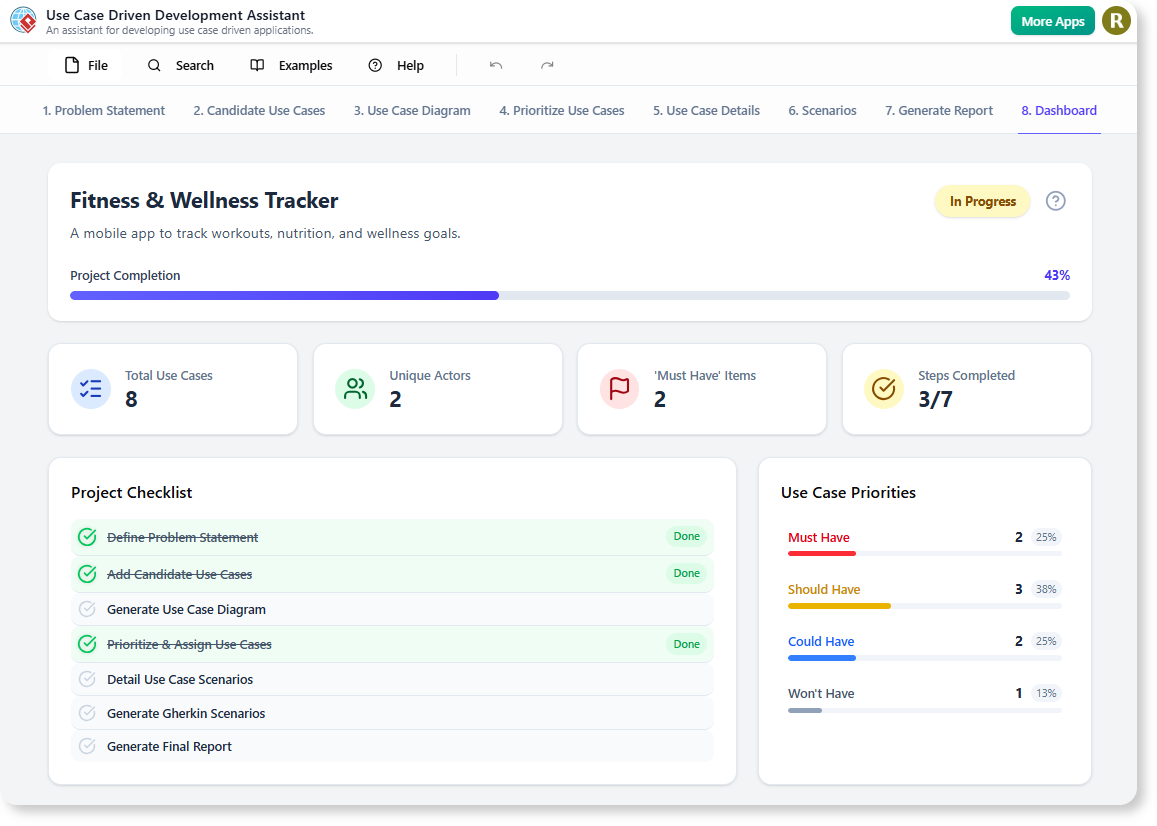
Addressing the Challenge of Manual Software Design
Traditionally, the process of defining actors, writing detailed use cases, creating diagrams, and prioritizing features has been a manual and time-consuming effort. This often leads to inconsistencies, slows down the project lifecycle, and requires significant resources to maintain alignment between stakeholders and developers.
The manual effort involved in drawing UML diagrams, writing Gherkin scenarios for testing, and compiling all this information into a coherent document can take days, if not weeks. We knew there had to be a better way.
Introducing the Use Case Driven Development Assistant: From Idea to Report in Minutes
Our new AI-powered tool was built to solve these exact challenges. By leveraging advanced AI, the Use Case Driven Development Assistant automates the most tedious aspects of software design, allowing your team to focus on innovation and building what truly matters.
This powerful new AI use case tool allows you to:
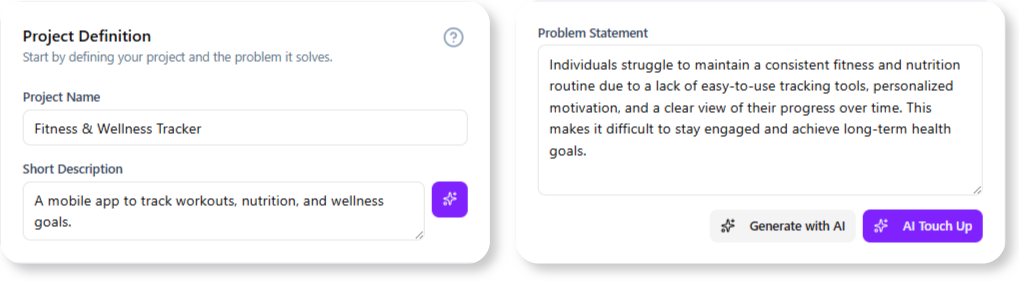
- Generate Ideas Instantly: Provide a simple problem statement and let the AI suggest relevant actors and candidate use cases to kickstart your project.
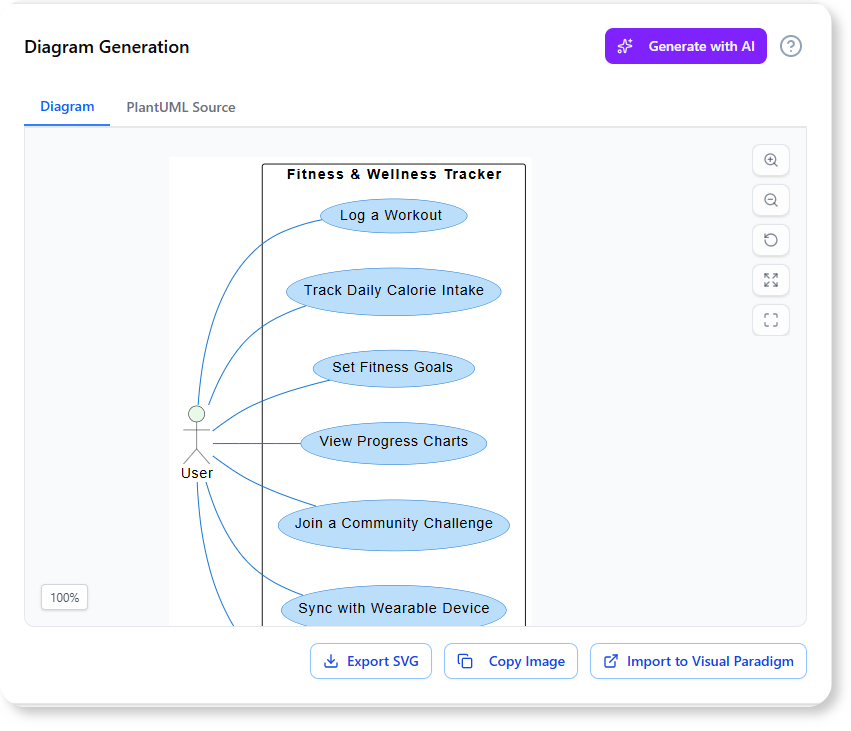
- Automate Diagramming: Effortlessly generate professional UML diagrams, including Use Case, Activity, and Sequence diagrams, directly from your project data with our AI UML tool.
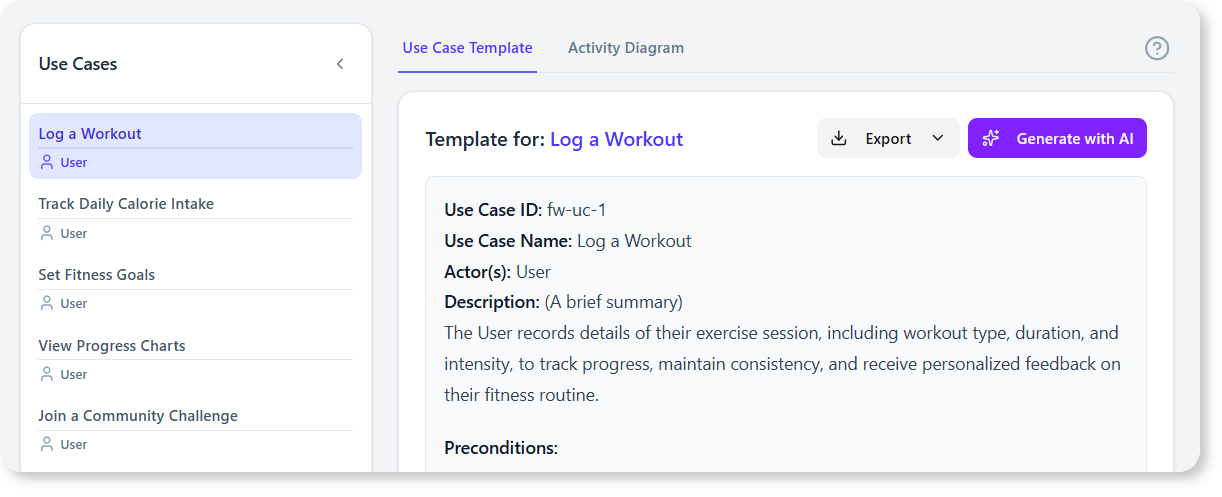
- Streamline Development & Testing: Automatically create detailed use case templates and convert them into testable Gherkin scenarios, ensuring perfect alignment between requirements and QA.
- Create Comprehensive Reports: Consolidate all your work—from problem statements to diagrams and scenarios—into a polished, professional report with a single click.
[Placeholder for a short video or animated GIF showing the workflow from generating use cases to creating a diagram and a final report.]
How to Access and Use the New Feature
Getting started with the Use Case Driven Development Assistant is simple. Depending on your platform, you can access it in the following ways:
- For Visual Paradigm Online users (Combo Edition or higher): Simply navigate to the app’s direct URL to begin.
- For Visual Paradigm (Desktop) users (Professional Edition or higher with active maintenance): Open your desktop application, select Tools > App from the main menu, and choose the “Use Case Driven Development Assistant” from the list.
Once inside the app, the workflow is intuitive:
- Define your project in the “Problem Statement” tab.
- Generate and refine your “Candidate Use Cases” with AI assistance.
- Visualize your system by generating a “Use Case Diagram”.
- Flesh out the details for each use case and generate Activity Diagrams.
- Create testable scenarios and detailed Sequence Diagrams.
- Produce your final document in the “Generate Report” tab.
Ready to Supercharge Your Software Development Lifecycle?
The Use Case Driven Development Assistant is more than just a feature; it’s a complete workflow designed to enhance clarity, boost productivity, and accelerate your project timelines. By automating the documentation and design process, it frees up your team to focus on strategic thinking and delivering exceptional value to your users.
Read our detailed guide to learn more about how this tool can transform your projects.