


This addition expands our growing library of diagram types, joining Flowchart, UML Deployment Diagram, Data Flow Diagram, Yourdon DeMarco DFD, and Yourdon & Coad DFD. All these diagram types now benefit from our advanced AI Data Flow Diagram generator, allowing you to create professional-grade diagrams in seconds from simple text descriptions.
What is Gane-Sarson DFD?
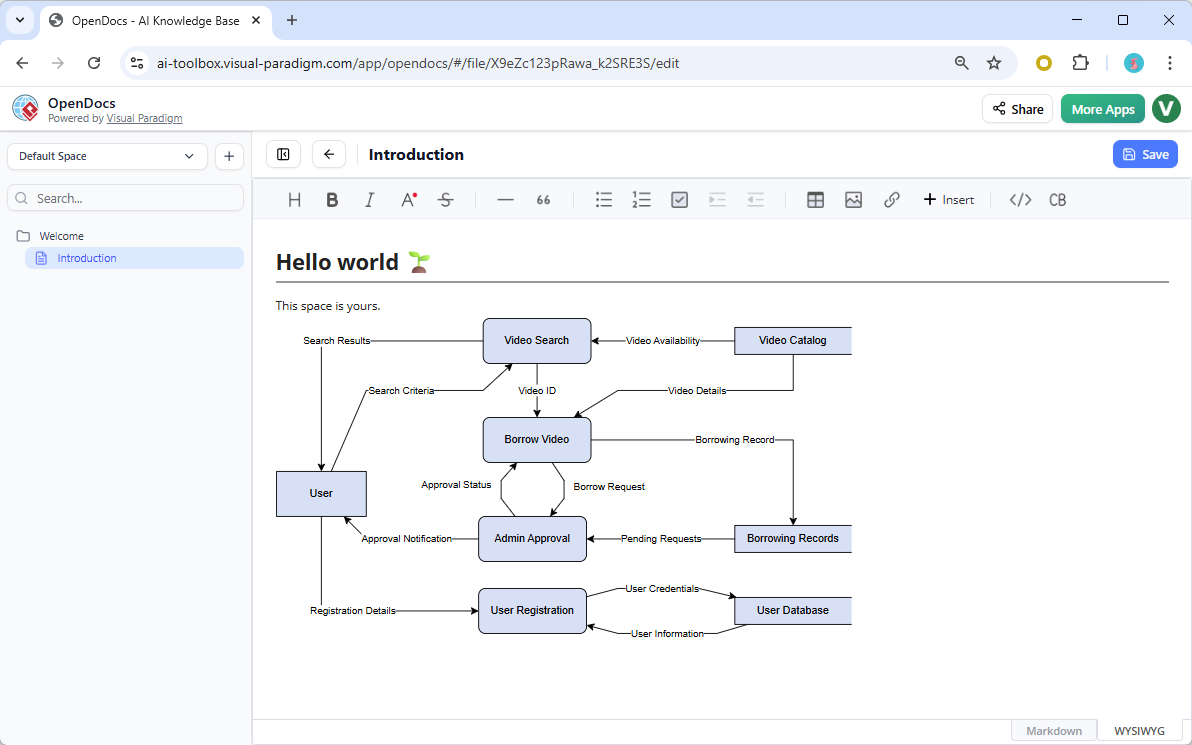
The Gane-Sarson DFD notation, introduced by Chris Gane and Trish Sarson in their seminal work on structured systems analysis, uses distinctive symbols like rounded rectangles for processes, open-ended rectangles for data stores, squares for external entities, and straight arrows for data flows. It’s especially popular in software engineering, business analysis, and system design for clearly illustrating how data moves through processes, stores, and external entities — making complex information systems easier to understand and analyze.
With OpenDocs’ AI DFD generator, you no longer need to start from scratch. Simply describe your system (e.g., “Create a DFD for an video rental system including user registration, video search, borrowing and admin approval”)

and our AI Data Flow Diagram tool will automatically generate a complete, editable diagram — complete with accurate symbols, logical flows, and labeling. Below is a Data Flow Diagram generated with Visual Paradigm OpenDocs’s AI DFD generation tool (With manual touch up for the layout)
Key Ways to Use Gane-Sarson DFD in OpenDocs
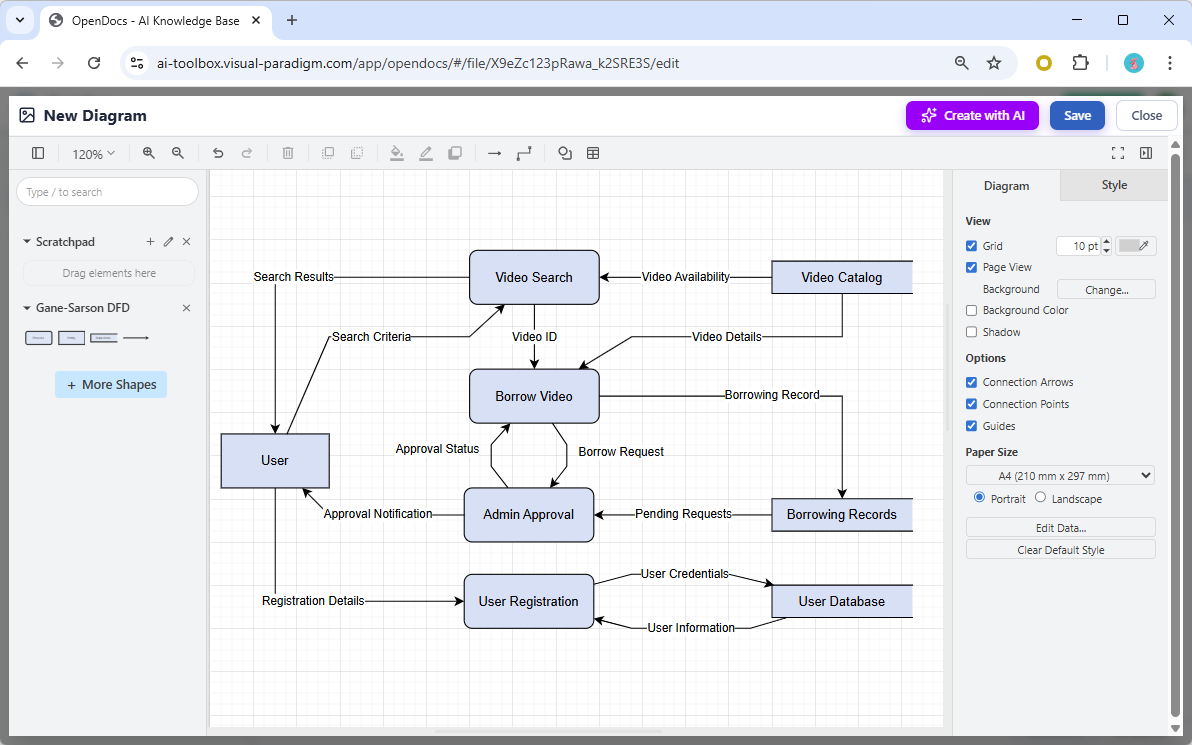
- Embed a Diagram Component: Seamlessly insert your Gane-Sarson DFD directly into any document page for rich, visual documentation that combines text and diagrams effortlessly.
- Create a Dedicated Component Page: Build a standalone diagram page focused solely on your Gane-Sarson DFD, perfect for detailed system analysis or sharing as a focused visual asset.
- AI-Powered Creation: Leverage the AI-powered knowledge management tool to generate, refine, and customize your diagram in moments — boosting productivity for business analysts, software architects, and project teams.
This new support strengthens OpenDocs as a comprehensive platform for creating, managing, and sharing professional documentation. Whether you’re documenting data processes, analyzing system requirements, or collaborating on complex workflows, our AI Data Flow Diagram generator helps you achieve clarity and consistency faster than ever.
Learn More and Get Started
Discover the full power of Gane-Sarson DFD and other AI-enhanced diagram types in OpenDocs. Visit the OpenDocs feature landing page to explore detailed guides, examples, and capabilities.
Ready to try the AI DFD generator yourself? Jump into OpenDocs now and start creating stunning Gane-Sarson Data Flow Diagrams with AI assistance!
Try OpenDocs AI-Powered Diagram Tool Now →
Stay tuned for more updates as we continue expanding diagram support and AI features in our AI-powered knowledge management tool. Have questions or feedback? We’d love to hear from you!