


Revolutionize your cloud infrastructure planning with intelligent, AI-powered diagram generation from Visual Paradigm.
Visual Paradigm is thrilled to unveil our latest innovation in intelligent design tools: the AI Cloud Architecture Studio! In an era where cloud infrastructure is the backbone of every modern business, designing efficient, scalable, and resilient architectures has never been more critical yet challenging. Our new AI Cloud Architecture Studio is engineered to transform how you approach cloud design, making it intuitive, fast, and incredibly powerful.
Whether you’re an experienced cloud architect, a developer delving into infrastructure, or a business professional visualizing your digital future, this studio is designed to empower you. Say goodbye to manual drag-and-drop complexities and hello to AI-driven precision!
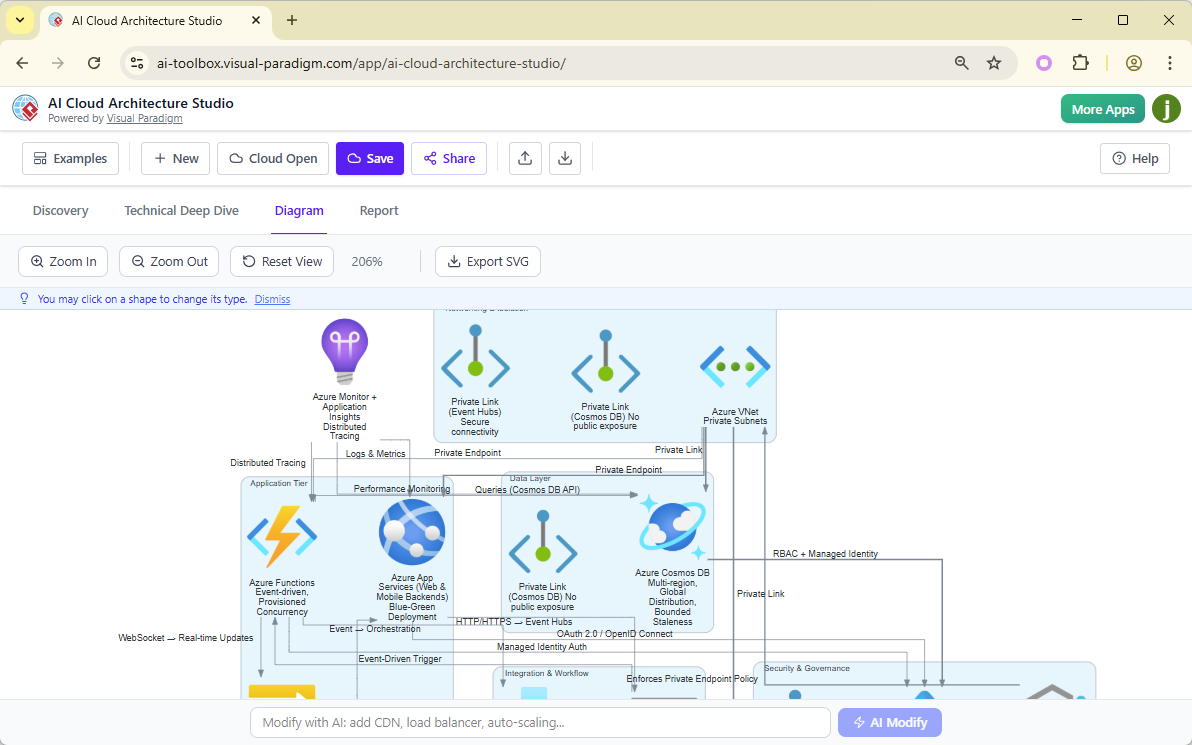
What is the AI Cloud Architecture Studio?
The AI Cloud Architecture Studio is a cutting-edge web application that uses advanced Artificial Intelligence to help you design, visualize, and refine your cloud infrastructure. Simply describe your requirements in natural language, and our AI will generate comprehensive, professional cloud architecture diagrams tailored to your needs. This powerful AI cloud diagram generator is set to become an indispensable tool in your design arsenal.
Key Innovations & Benefits You’ll Love:
- AI-Powered Discovery & Generation: Forget staring at a blank canvas. Describe your cloud needs in plain English, and our intelligent system acts as your personal AI infrastructure designer, analyzing your requirements to instantly craft detailed architecture diagrams.
- Multi-Cloud & Platform Agnostic: Design for virtually any environment! Whether you need an AI AWS diagram generator, an AI Azure diagram generator, or solutions for Google Cloud, Alibaba Cloud, Oracle Cloud, IBM Cloud, Kubernetes, or DigitalOcean, our studio has you covered. Seamlessly switch between platforms and compare strategies.
- Strategic Architectural Guidance: Our unique approach allows you to select architectural strategies like “Low Cost / MVP,” “High Availability,” “Enterprise Grade,” or “Edge Optimized.” This ensures your generated AI cloud architecture design tool inherently aligns with your business priorities from the very first draft.
- Interactive Diagram Editor & AI Modifications: Your diagrams are not static images. Interact with them, zoom in on details, and even request changes using natural language prompts! This AI network diagram tool makes iterative design a breeze.
- Effortless Documentation with SVG Export: Generate crystal-clear, resolution-independent SVG diagrams perfect for presentations, documentation, or further editing. Your professional cloud architecture visualizations have never looked better.
- Project Management & Collaboration: Save, load, and share your cloud projects effortlessly, fostering better team collaboration and design governance.
Why Choose Visual Paradigm’s AI Cloud Architecture Studio?
At Visual Paradigm, we believe in empowering creators and innovators. Our AI Cloud Architecture Studio goes beyond simple diagramming; it provides an intelligent partner in your design process. We streamline complex tasks, reduce errors, and accelerate time-to-market for your cloud initiatives. Experience the next generation of cloud planning, where your vision meets AI precision.
How to Generate a Cloud Architecture Diagram with AI? (An Azure Diagram Example)
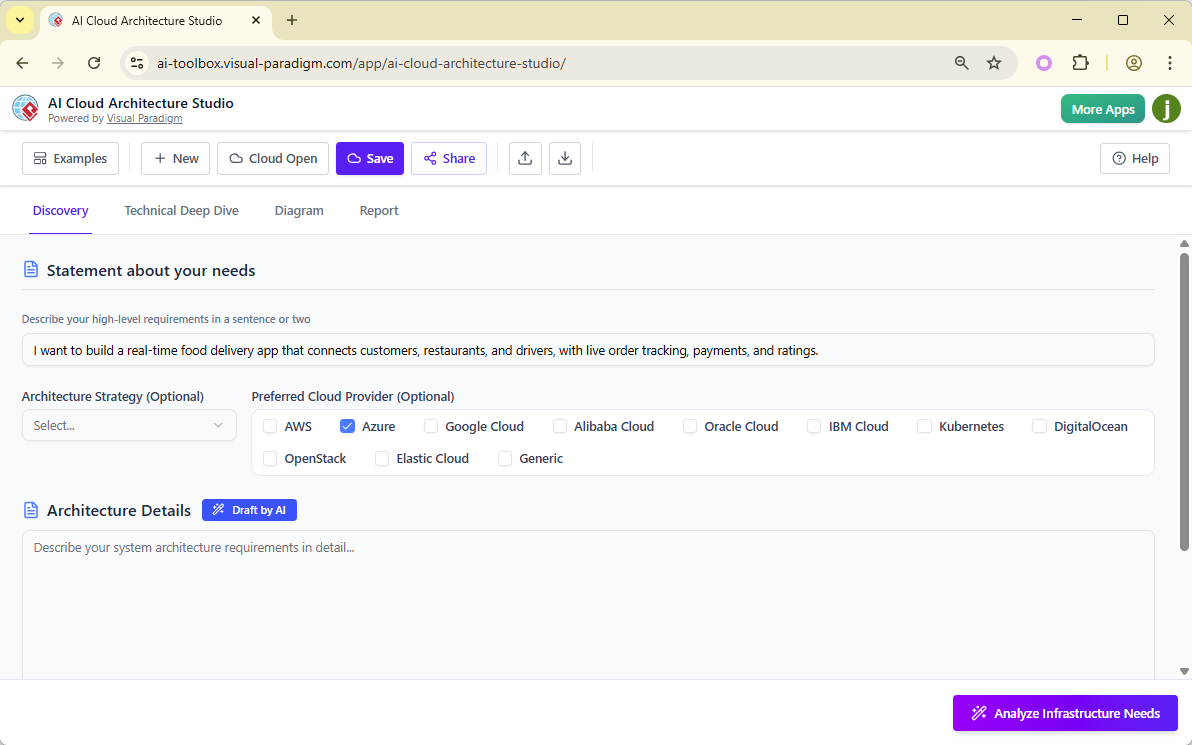
- Describe your solution or need in the Discovery tab. In the example below, I entered “I want to build a real-time food delivery app that connects customers, restaurants, and drivers, with live order tracking, payments, and ratings.” Then, optionally select the Architecture Strategy (Low Cost or MVP / High Availability / Enterprise Grade / Edge Optimized) and the Preferred Cloud Provider. Since I want to generate a diagram for Azure, I selected Azure. You can skip this step or select a provider such as AWS, Azure, Google Cloud, Alibaba Cloud, Oracle Cloud, IBM Cloud, Kubernetes, DigitalOcean, OpenStack, Elastic Cloud, or Generic.
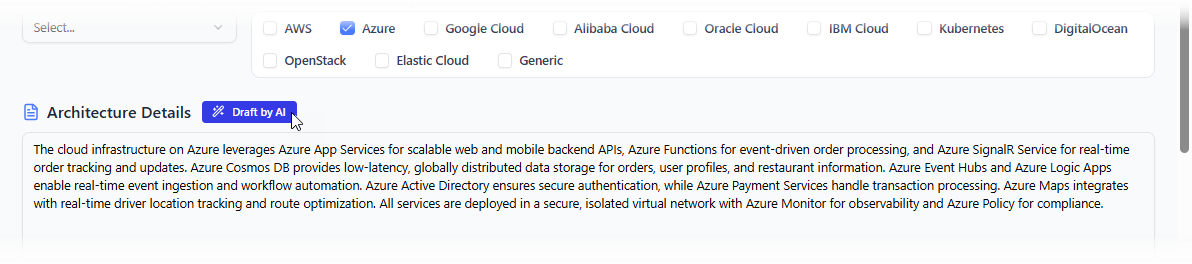
- Describe your architecture in detail. Don’t worry — click Draft by AI, and the AI will generate it for you.
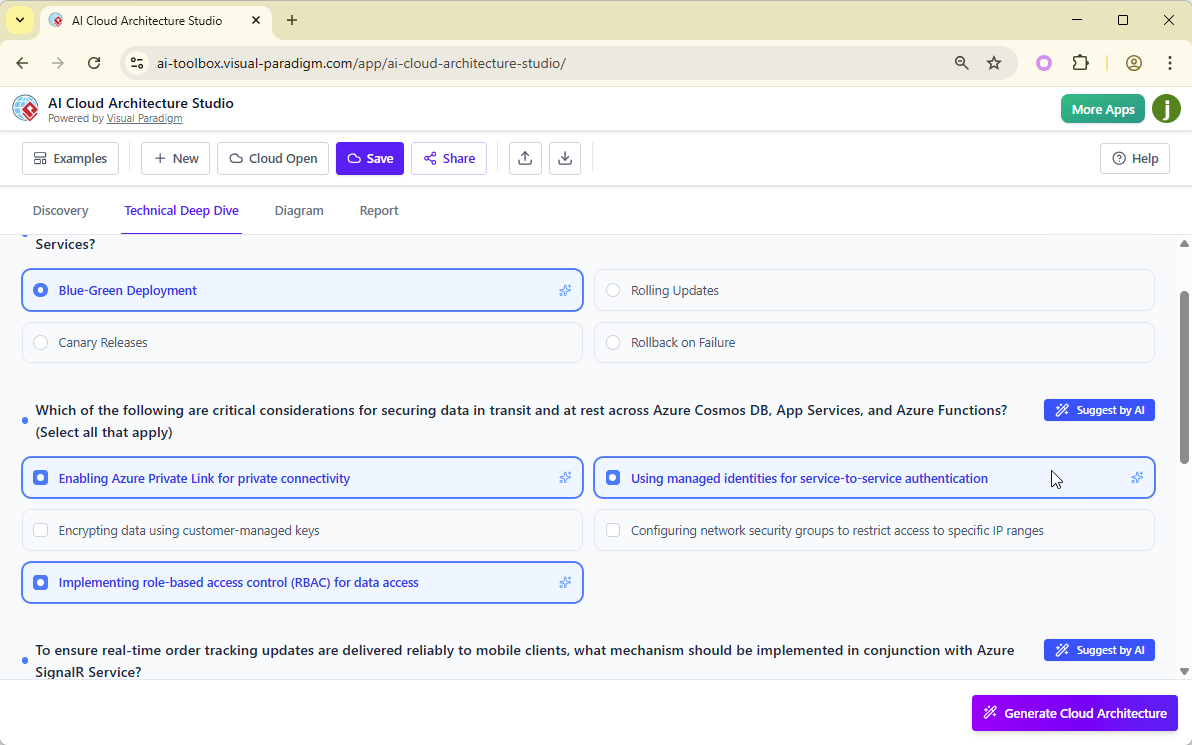
- When finished, click Analyze Infrastructure Needs at the bottom right. The AI will study your input and then ask a few questions to tailor the diagram to your specific needs. The questions are mostly single-choice, multiple-choice, or text-based. Make your selections. If you are uncertain, don’t worry — click Suggest by AI, and the AI will provide recommended answers.
- When finished, click Generate Cloud Architecture at the bottom right. The AI will analyze your inputs and responses to generate a diagram tailored to your needs. This step may take some time, so please be patient. Once completed, you can view the resulting diagram in the Diagram tab.
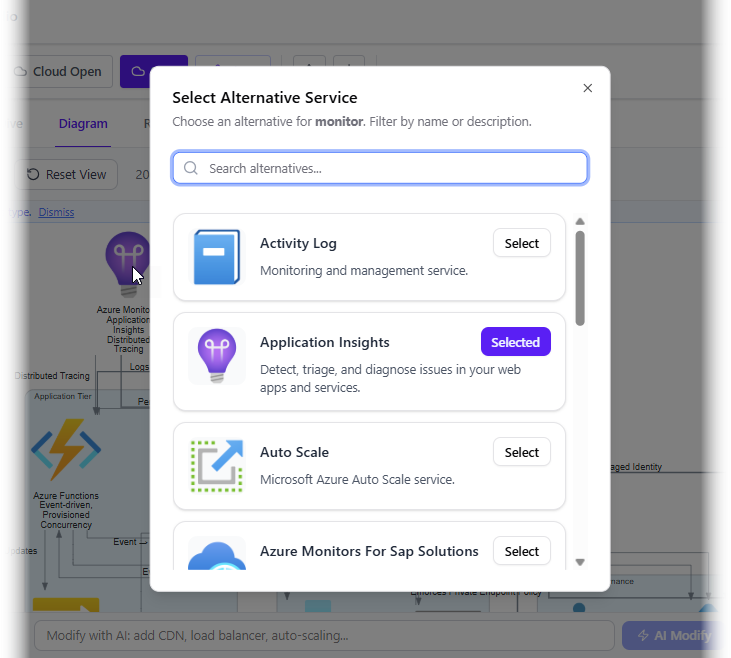
- You may swap a symbol with another. To do this, simply click on the shape you want to change in the diagram. This will pop up a list of alternative symbols. Simply click on the one you want to use.
- You can now share the diagram with others by exporting it as an SVG (click Export SVG) or by clicking the Share button at the top of the app.
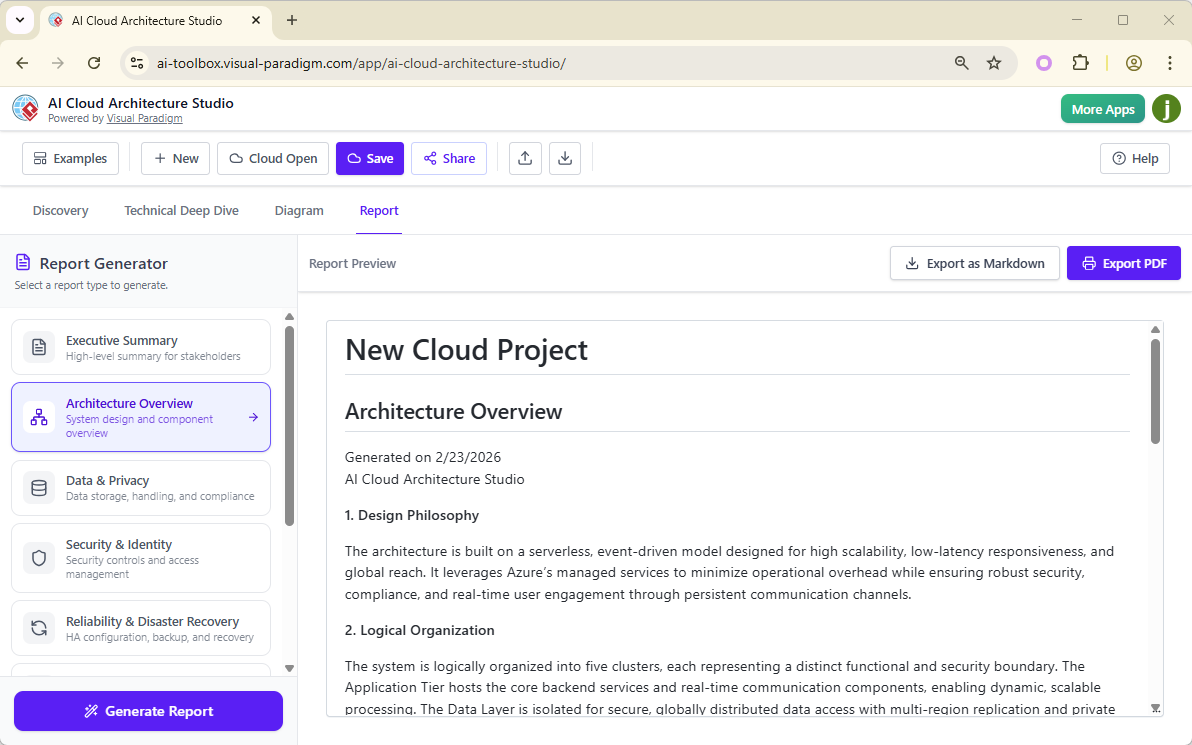
- Finally, you can obtain an AI-analyzed report in the Report tab. Simply open the Report tab, select the desired report type on the left, and click Generate Report. The AI will generate a report based on your inputs. You can export the report as Markdown or PDF.
Ready to Design Your Cloud with AI?
Embark on your journey to smarter cloud architecture. Visit the official landing page to learn more about the AI Cloud Architecture Studio and see it in action:
Discover the AI Cloud Architecture Studio
Or, jump straight in and start creating your first AI-powered cloud diagram now!
Launch the AI Cloud Architecture Studio App!
Visual Paradigm is committed to providing cutting-edge solutions that simplify and enhance your design workflows. Stay tuned for more exciting updates!