


Tired of spending hours structuring complex business analyses? We’re thrilled to introduce the free 8-Aspects Infographic Designer, a powerful new free AI 8 aspect infographic generator that transforms any topic into a professional, multi-faceted visual analysis in seconds. Say goodbye to manual research and design, and hello to instant clarity—at no cost.

Addressing the Challenge of Complex Strategic Analysis
Creating comprehensive strategic frameworks like Kotter’s 8-Step Change Model or the 8 Ps of Marketing has always been a time-intensive process. It requires deep research, careful organization of information, and significant design effort to produce a clear and impactful visual.
This manual workload often leads to stalled projects, inconsistent outputs, and valuable time being spent on formatting rather than strategic thinking. The result? A bottleneck that slows down decision-making and communication.
Introducing the Free 8-Aspects Infographic Designer: From Topic to Insight in Seconds
We built the free 8-Aspects Infographic Designer to eliminate this friction entirely. By leveraging AI, this tool automates the entire process, allowing you to focus on the insights, not the setup.
With this new feature, you can:
- Generate Instantly: Turn a single topic into a complete analysis using dozens of pre-defined business frameworks or a generic 8-aspect structure.
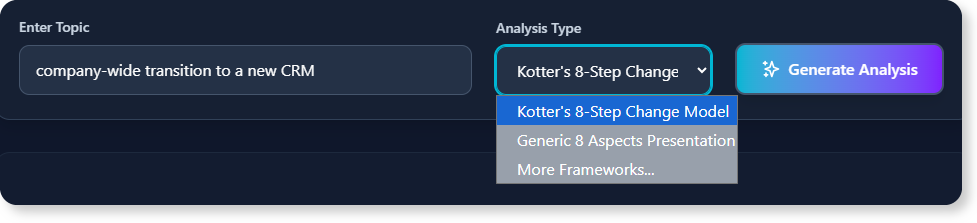
- Visualize Beautifully: Choose from over 50 distinct, professionally designed layouts to present your information with maximum impact.
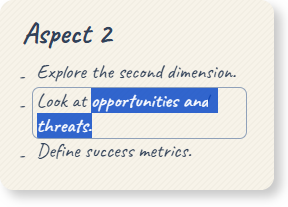
- Customize with Ease: Directly edit titles, bullet points, and data to perfectly tailor the analysis to your specific needs.
- Export and Share: Download your finished infographic as a high-quality PNG or save the project file to continue your work later.
How to Access and Use the New Feature
Getting started with the free 8-Aspects Infographic Designer is simple. Access the tool based on how you use Visual Paradigm:
- For Visual Paradigm Online users: Simply navigate to the free 8-Aspects Infographic Designer in our AI Toolbox.
- For Visual Paradigm Desktop users: From the main menu, select Tools > App. You will find the free 8-Aspects Infographic Designer listed among the available apps.
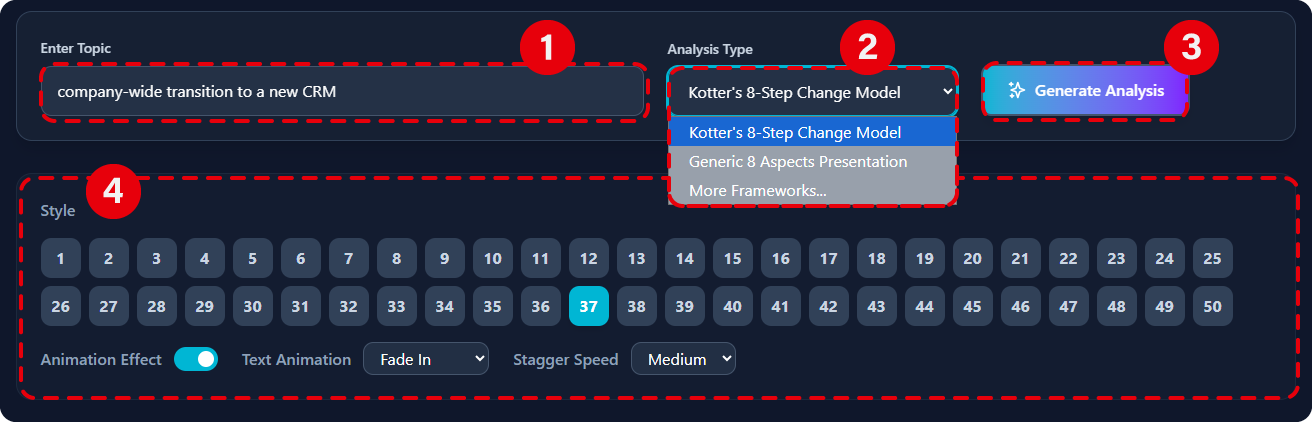
Once you’ve opened the app, the workflow is just a few clicks:
- Enter Your Topic: Input the subject you want to analyze.
- Select Your Framework: Choose from a comprehensive list of strategic, marketing, and operational models.
- Generate: Let the AI create the complete 8-point analysis for you.
- Customize & Export: Choose a layout, make any edits you need, and export your infographic.
Ready to Supercharge Your Strategic Visuals for Free?
The free AI 8-Aspects Infographic Designer is more than just a tool; it’s your new partner in strategic communication. Save countless hours, ensure consistency in your analyses, and create visuals that capture attention and drive understanding without spending a dime.
To learn more about all the supported frameworks and features, check out our guide on the 8-Aspects Infographic Designer.
Ready to try it yourself?