
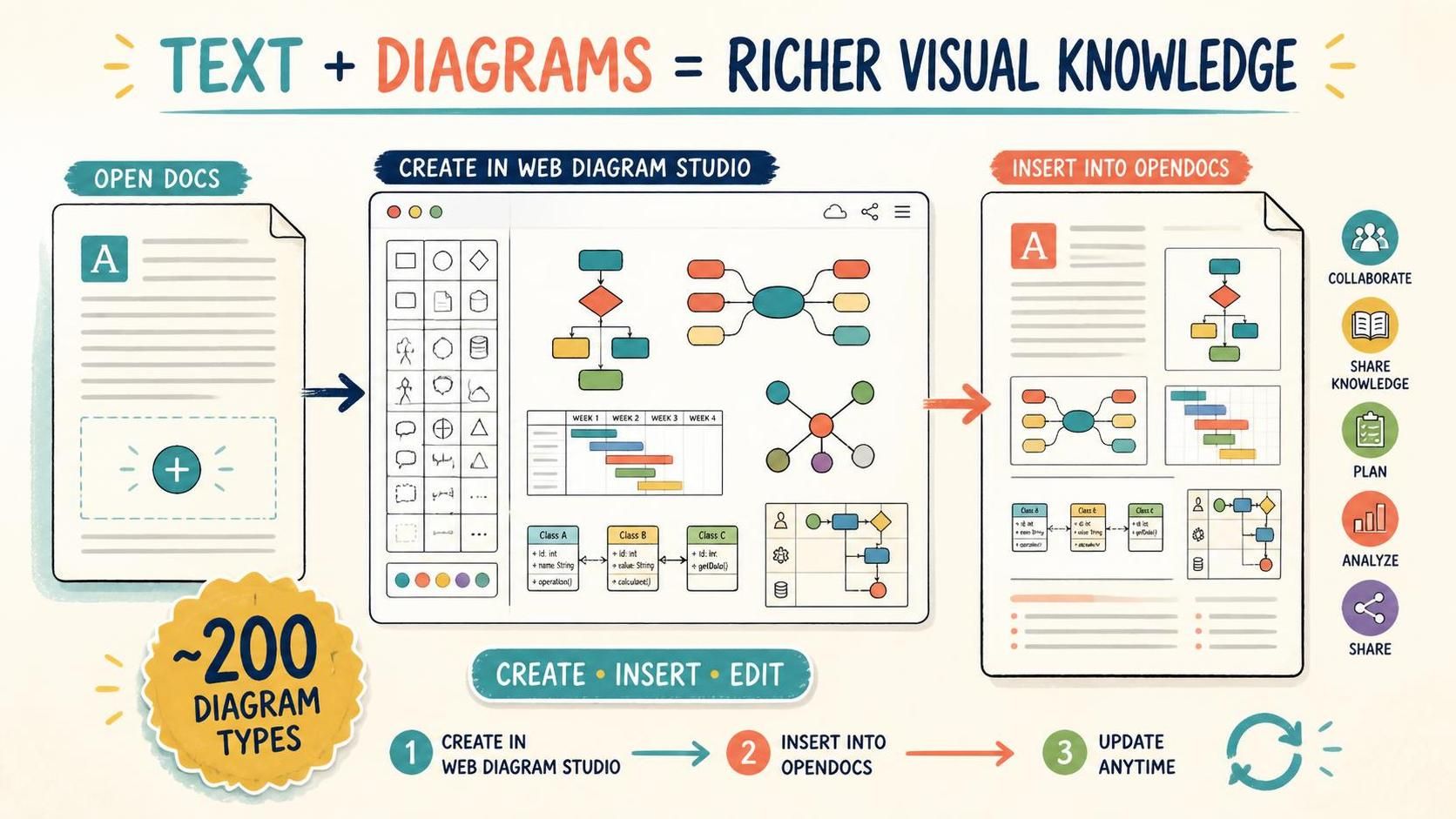
Visual Paradigm OpenDocs has taken a major step toward becoming a more powerful visual knowledge management tool. With its new integration with Web Diagram Studio, users can now create and insert nearly 200 types of professional diagrams directly into their documents.
From UML and ERD diagrams to flowcharts, mind maps, Gantt charts, SWOT analyses, customer journey maps, engineering diagrams, and more, OpenDocs makes it easier to combine written knowledge with meaningful visual content—all within a single document workflow.
Open Visual Paradigm OpenDocs and start creating documents with embedded diagrams.
Why This Enhancement Matters
Many documents need more than text to communicate ideas effectively. A software design document may require a UML diagram or data model. A business proposal may benefit from a process map, customer journey map, or business model canvas. A project plan may be easier to understand when supported by a work breakdown structure, Gantt chart, or PERT chart.
Previously, creating these visuals could involve switching between applications, exporting images, uploading files, and manually placing them into a document. That process can interrupt concentration and make it more difficult to keep diagrams and written content synchronized.
By integrating OpenDocs with Web Diagram Studio, Visual Paradigm brings document authoring and visual modeling closer together. Users can create a diagram at the exact location where it is needed, save it, and have it inserted into the page automatically.
The result is a more connected content creation experience that helps users:
- Explain complex concepts with both text and visuals.
- Keep related information together in a single document.
- Reduce application switching during research, planning, and documentation.
- Create more engaging and easier-to-understand documents.
- Update diagrams without recreating or replacing them manually.
- Improve the consistency and quality of internal knowledge resources.
What Is Visual Paradigm OpenDocs?
Visual Paradigm OpenDocs is a document creation, publishing, and sharing application within the Visual Paradigm product ecosystem. It enables users to create pages, organize content, publish information, and share documents with others.
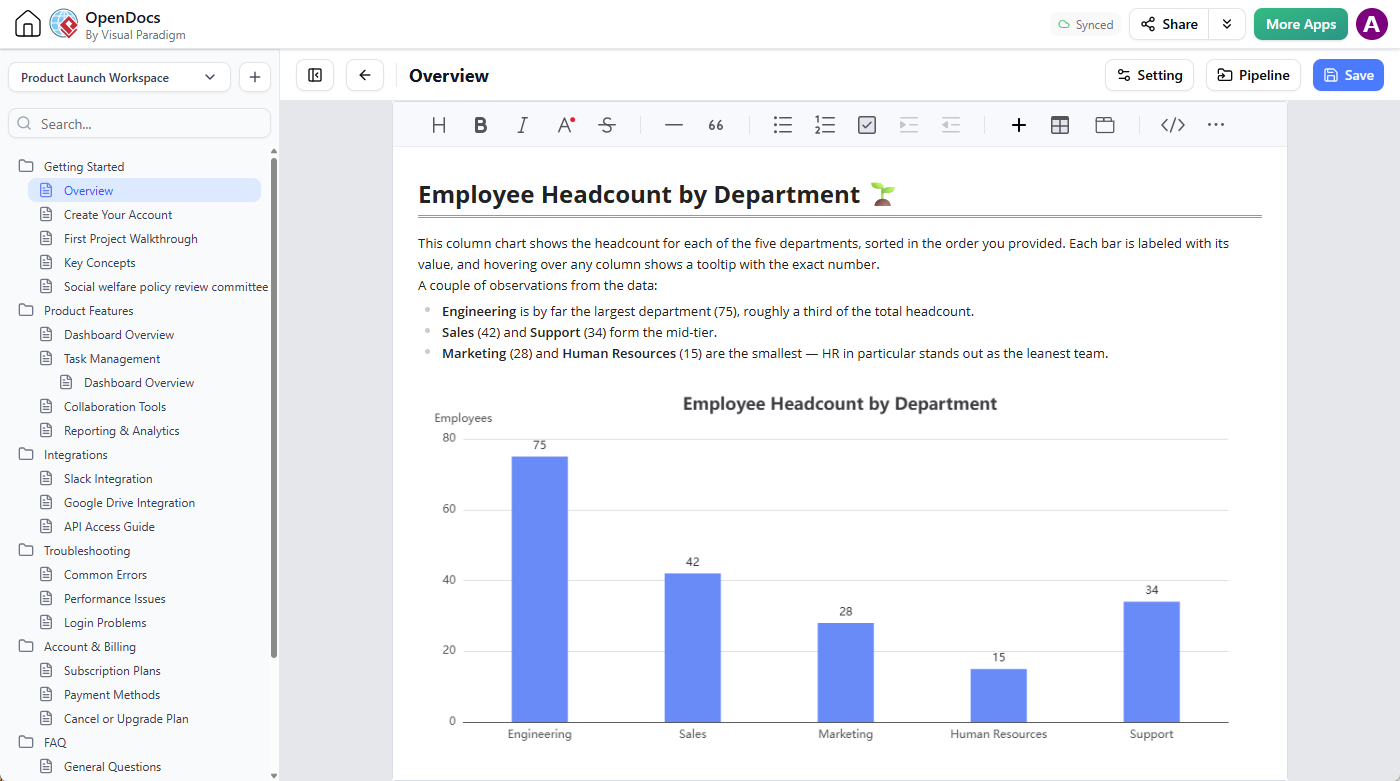
As a knowledge management tool, OpenDocs can be used to capture and communicate many kinds of organizational knowledge, including:
- Product and technical documentation
- Software requirements and system designs
- Business process documentation
- Project planning and project management information
- Training materials and learning resources
- Standard operating procedures
- Meeting notes and decision records
- Business analysis and strategic planning documents
- Team knowledge bases and internal wikis
- Visual reports, proposals, and presentations
With the new diagram insertion capability, users can enrich these documents with professional diagrams created directly inside the same workflow.
What Is Web Diagram Studio?
Web Diagram Studio is an online diagram editor designed for creating a broad range of professional diagrams in a web browser. It supports approximately 200 diagram types across software development, business analysis, brainstorming, project management, strategic analysis, problem solving, quality assurance, flowcharts, engineering, organizational planning, floor plans, and other areas.
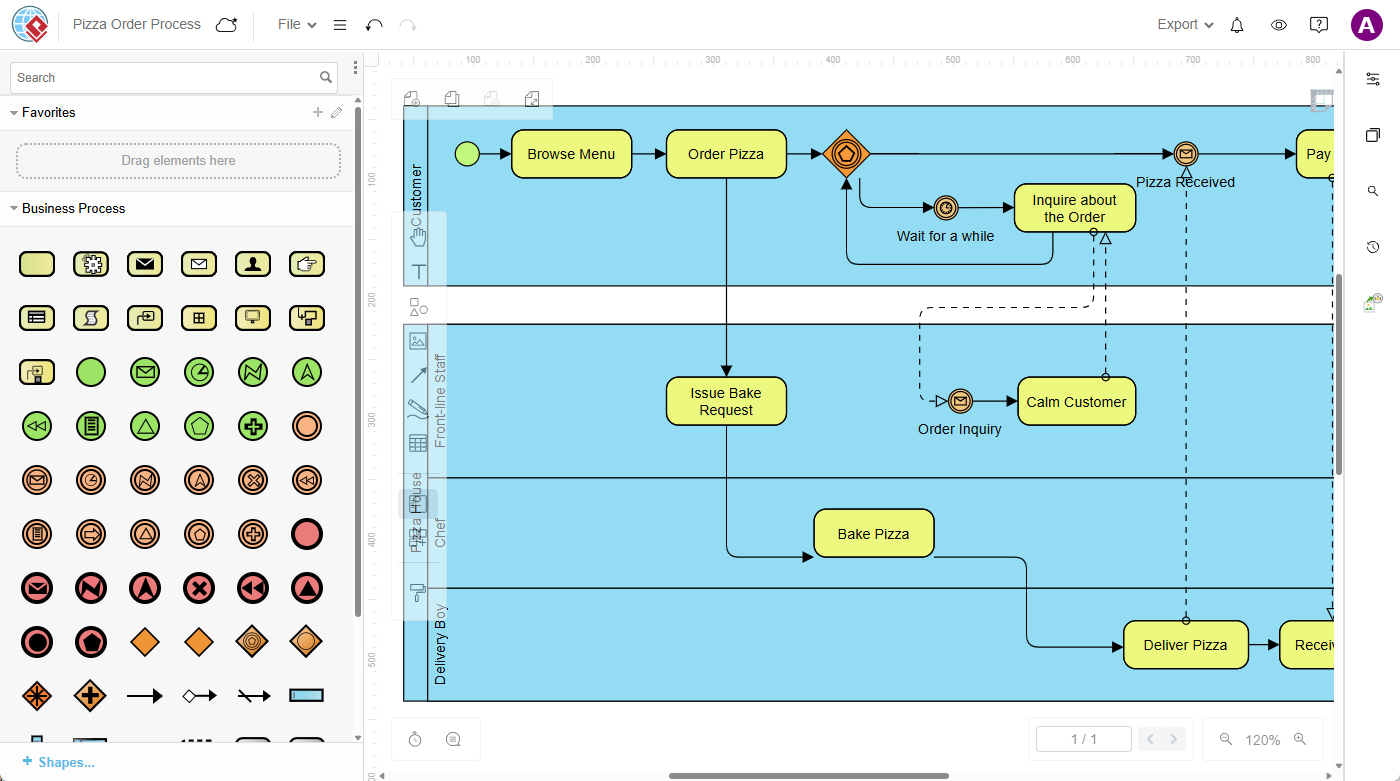
The online diagram editor provides diagram palettes, shapes, connectors, and property controls that help users create visual content without needing to switch to a separate desktop diagramming application.
Examples of diagrams available through Web Diagram Studio include:
- UML diagrams
- Entity relationship diagrams
- Data flow diagrams
- Cloud architecture diagrams
- Wireframes
- Business process diagrams
- ArchiMate diagrams
- Value stream maps
- Customer journey maps
- Business model canvases
- Mind maps
- Work breakdown structures
- Gantt charts
- PERT charts
- SWOT analyses
- PEST analyses
- Porter’s Five Forces diagrams
- Four Corners analyses
- 5 Whys diagrams
- 5W1H diagrams
- Current Reality Trees
- Decision trees
- 5S and 6S diagrams
- Fault trees
- Flowcharts
- Swimlane diagrams
- Electrical and circuit diagrams
- Piping and process flow diagrams
- Organization charts
- Family trees and genograms
- Kinship diagrams
- Floor plans
This range of diagram types makes the integration useful for many roles, including software developers, business analysts, project managers, engineers, consultants, educators, designers, and operations teams.
Create Diagrams Where They Belong
The main benefit of the enhancement is the ability to create a diagram in context. Instead of preparing a visual separately and deciding later where to place it, users can position the cursor in a document and create the diagram at that exact location.
This is especially useful when a diagram supports a specific paragraph, section, procedure, or explanation. For example, a technical document can introduce a system in text and immediately follow the explanation with an architecture diagram. A business process guide can describe a workflow and place a swimlane diagram directly beneath it. A project document can present objectives, followed by a work breakdown structure and a Gantt chart.
Combining text and visuals in this way improves document clarity and helps readers understand information according to the context in which it is presented.
How to Insert a Diagram into an OpenDocs Page
Creating and inserting a diagram is a straightforward process:
- Open Visual Paradigm OpenDocs.
- Create a new page or open an existing page.
- Click Edit at the top right of the page.

- Place the text cursor where you want the diagram to appear.
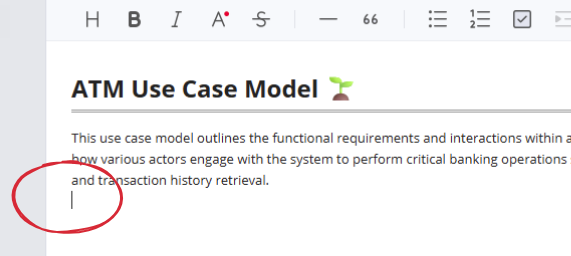
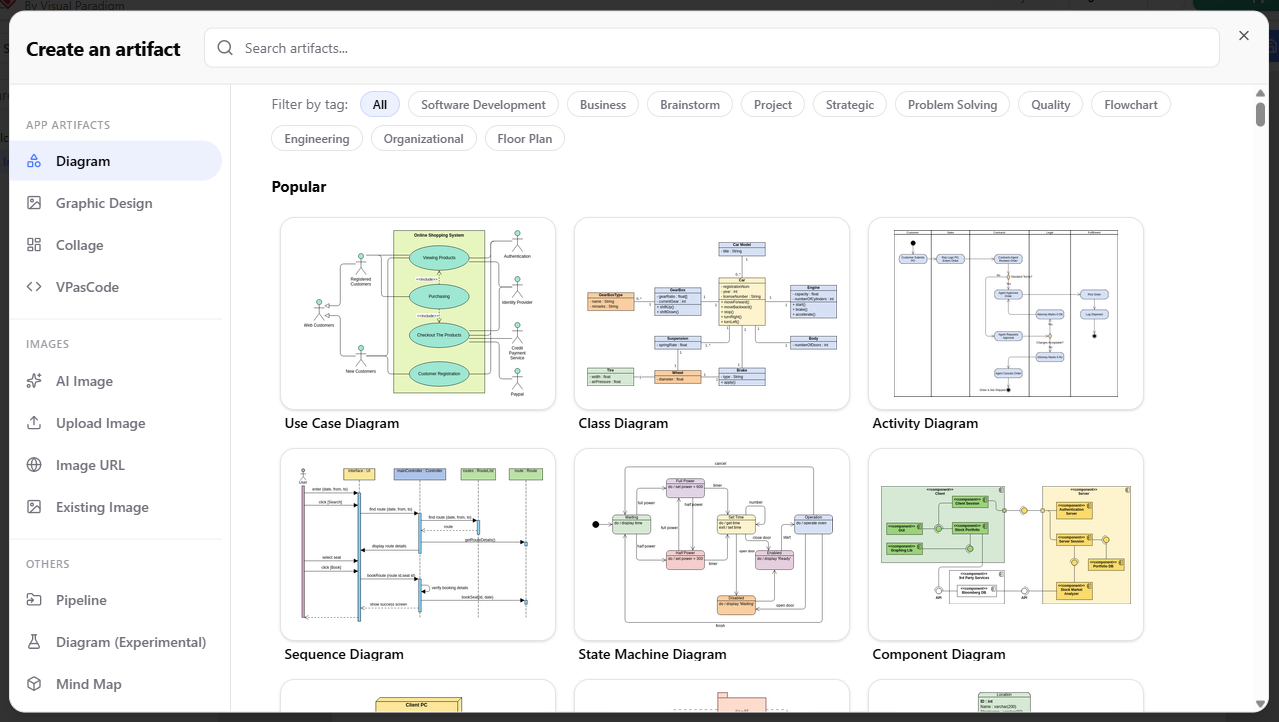
- Click the + button on the toolbar to open the Create an Artifact window.

- Select Diagram from the menu on the left.
- Browse the available diagram types or search for a specific type using the search field.
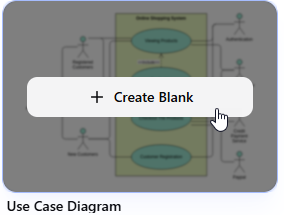
- Move the pointer over the desired diagram type and click Create Blank.
- Use the online diagram editor to create your diagram. Drag symbols from the diagram palette, connect shapes, and edit shape or connector properties using the properties pane.
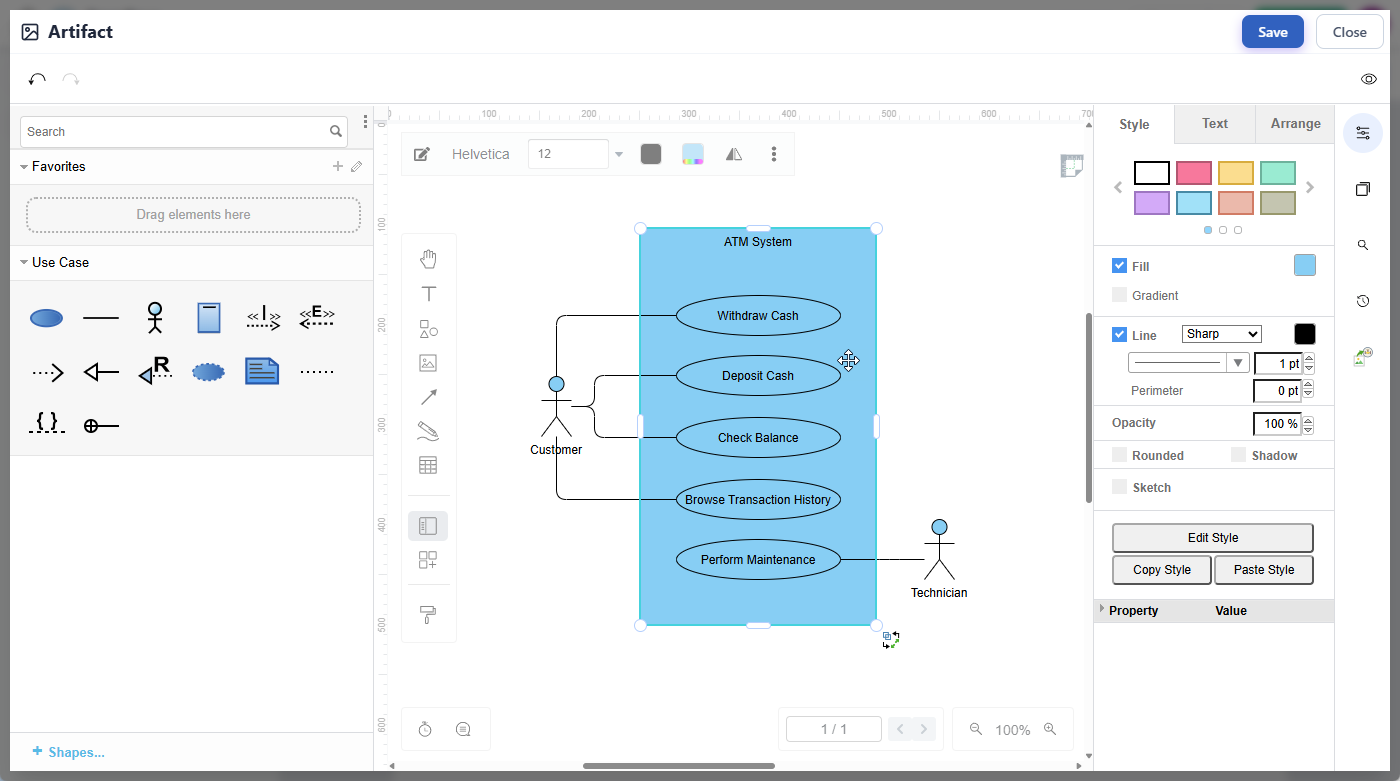
- When you finish editing, click Save at the top right of the diagram editor.

- Click Close to return to your OpenDocs page.
- The diagram will be inserted automatically at the cursor position on the OpenDocs page.
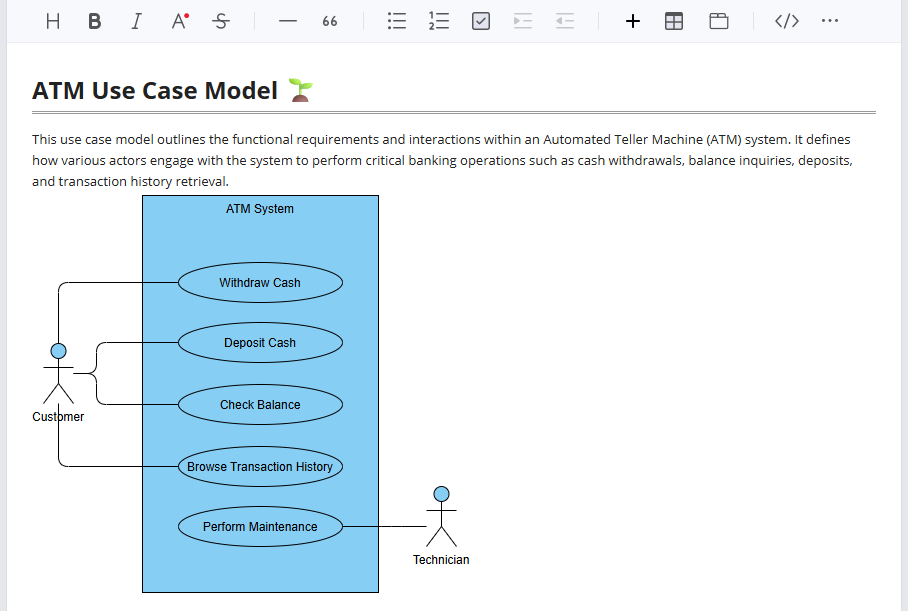
The workflow is designed to keep diagram creation connected to document authoring. There is no need to create a separate image file first or manually upload the finished visual to the page.
Re-Edit Diagrams Whenever They Need to Change
Documents often evolve. Processes are revised, system designs change, projects move into new phases, and business strategies are updated. The diagrams in those documents need to evolve as well.
OpenDocs makes this easy. To edit an inserted diagram, click the pencil icon at the top right of the diagram image. The diagram will open in the diagram editor, where you can revise shapes, connectors, labels, properties, and other content. After clicking Save, the updated diagram is refreshed on the OpenDocs page.
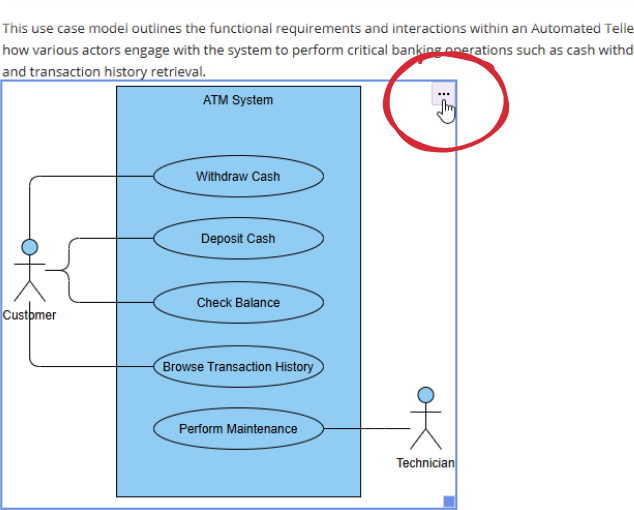
This provides a more maintainable approach to visual documentation. Instead of deleting an old image and inserting a new one, users can reopen the existing diagram and update it in place.
Benefits for Knowledge Management
A knowledge management tool should make it easy for people to capture, organize, understand, maintain, and share knowledge. Visual information is an important part of that process because diagrams can show relationships, sequences, structures, dependencies, and patterns that are difficult to communicate with words alone.
The OpenDocs and Web Diagram Studio integration supports knowledge management in several important ways.
Make complex knowledge easier to understand
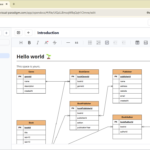
Diagrams provide a visual structure for complicated information. A flowchart can clarify a procedure, an ERD can explain data relationships, and a mind map can organize ideas around a central topic. Adding the appropriate diagram to a document can make information easier to scan and understand.
Connect explanations with visual models
Written explanations and diagrams work together. Text can provide definitions, assumptions, and details, while diagrams can show how the information is connected. When both are placed in the same document, readers do not need to search across multiple files or applications.
Improve documentation consistency
Embedding diagrams into structured documents helps teams create a consistent documentation experience. Technical specifications, business process guides, project plans, and training resources can all use the same document environment while incorporating the visual formats appropriate to each topic.
Support continuous updates
Knowledge changes over time. The ability to re-edit an inserted diagram helps teams keep documentation aligned with current processes, systems, and decisions.
Make shared knowledge more actionable
A document that combines instructions with process diagrams, decision trees, checklists, or organizational visuals can help readers move from understanding information to applying it.
Use Cases for Embedded Online Diagrams
Software development documentation
Development teams can use OpenDocs to create software documentation containing requirements, technical explanations, UML diagrams, class diagrams, sequence diagrams, data models, architecture diagrams, and wireframes. Developers and stakeholders can review related descriptions and diagrams in one document.
Business process management
Business analysts can document workflows with business process diagrams, flowcharts, swimlane diagrams, value stream maps, and customer journey maps. Each diagram can be placed alongside the process description, roles, policies, and supporting information.
Project planning
Project managers can combine project objectives, scope information, milestones, work breakdown structures, Gantt charts, and PERT charts in a unified project document. This can make plans easier for project members and stakeholders to follow.
Strategic analysis
Teams conducting strategic planning can create documents containing SWOT analysis, PEST analysis, Porter’s Five Forces, Four Corners analysis, business model canvases, and supporting commentary. This provides a central place for recording both the analysis and the conclusions drawn from it.
Problem solving and decision making
Problem-solving documents can be enhanced with 5 Whys diagrams, 5W1H diagrams, Current Reality Trees, and decision trees. These visuals can help teams document root-cause analysis, alternatives, assumptions, and decisions.
Engineering and operations
Engineering and operations teams can use diagrams such as electrical diagrams, circuit diagrams, piping diagrams, and process flow diagrams to supplement technical procedures, operating instructions, and system documentation.
Training and onboarding
Training materials are often more effective when they include diagrams, examples, process flows, organizational charts, and other visual aids. With OpenDocs and Web Diagram Studio, trainers can create instructional content that combines explanations with purpose-built visuals.
One Connected Product Ecosystem
Visual Paradigm’s products are designed to work together so users can move more easily between different types of work. OpenDocs provides a place to create, organize, publish, and share content, while Web Diagram Studio provides the online diagram editor needed to create a wide range of visual models.
The new integration connects these capabilities in a practical way. Users can create a document, add written content, insert a diagram, edit the diagram, and publish the result as part of a connected workflow.
This approach helps reduce the friction between different forms of knowledge work. Instead of treating documents and diagrams as unrelated assets, teams can use them together as parts of a complete information resource.
From Text-Only Documents to Rich Visual Knowledge Resources
Effective documentation is not simply a collection of words. Depending on the subject, readers may need to understand a sequence, hierarchy, relationship, decision, structure, or spatial arrangement. Diagrams are often the most direct way to communicate these concepts.
By bringing an online diagram editor into the OpenDocs authoring experience, Visual Paradigm helps users create richer and more useful documents. A single page can now contain explanatory text and the visual models that make that text easier to understand.
This is valuable for anyone creating a knowledge base, internal wiki, technical manual, project workspace, business report, training guide, or collaborative document.
More Visual Content Is Coming
The enhancement also establishes a foundation for creating and inserting other types of visual content into OpenDocs. Through integration with the graphic designer tool, users can create visuals such as infographics, posters, and cards.
For more details, please read this announce:
Turn OpenDocs Pages into Engaging Visual Content with the Graphic Design Tool
Start Creating Documents with Embedded Diagrams
Whether you are documenting software architecture, mapping a business process, planning a project, analyzing a strategy, solving a problem, or building a knowledge base, Visual Paradigm OpenDocs now gives you a direct way to add professional diagrams to your pages.
Use the integrated online diagram editor to create the visual you need, insert it into the relevant position, and return to it whenever the content changes.
Open Visual Paradigm OpenDocs and create your first document with an embedded diagram.
Related posts:
 New in OpenDocs: AI-Powered Data Flow Diagram (DFD) Support
 Exciting Update: AI Flowchart Generator Now Live in OpenDocs – Create Professional Flowcharts from Text Instantly
 Now in OpenDocs: AI-Powered UML Deployment Diagram Support – Generate Professional Deployment Diagrams Instantly
 Introducing Entity Relationship Diagram Support in OpenDocs: Unlock AI ERD Generation for Smarter Database Design