


When you are designing complex systems or brainstorming new ideas, a conversation with Visual Paradigm Chatbot can quickly evolve. As you refine concepts, break down structures, and explore alternative designs, your chat session generates multiple diagrams along the way.
Previously, going back to check an earlier diagram version or re-reading a specific decision meant scrolling through a long conversation thread.
To give you a seamless experience, we are excited to introduce the updated Artifacts Pane!
What is the Artifacts Pane?
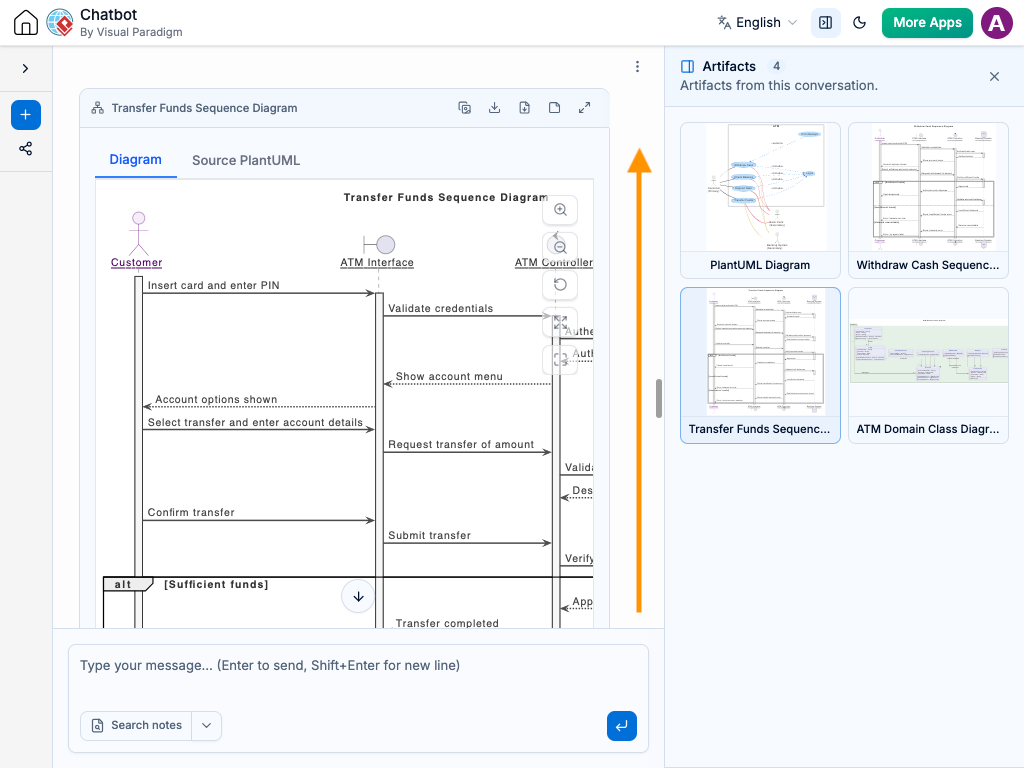
The Artifacts Pane acts as a dynamic visual index for your entire conversation session. It organizes every diagram created during your chat into a neat sidebar, making it effortless to manage and revisit your visual models.
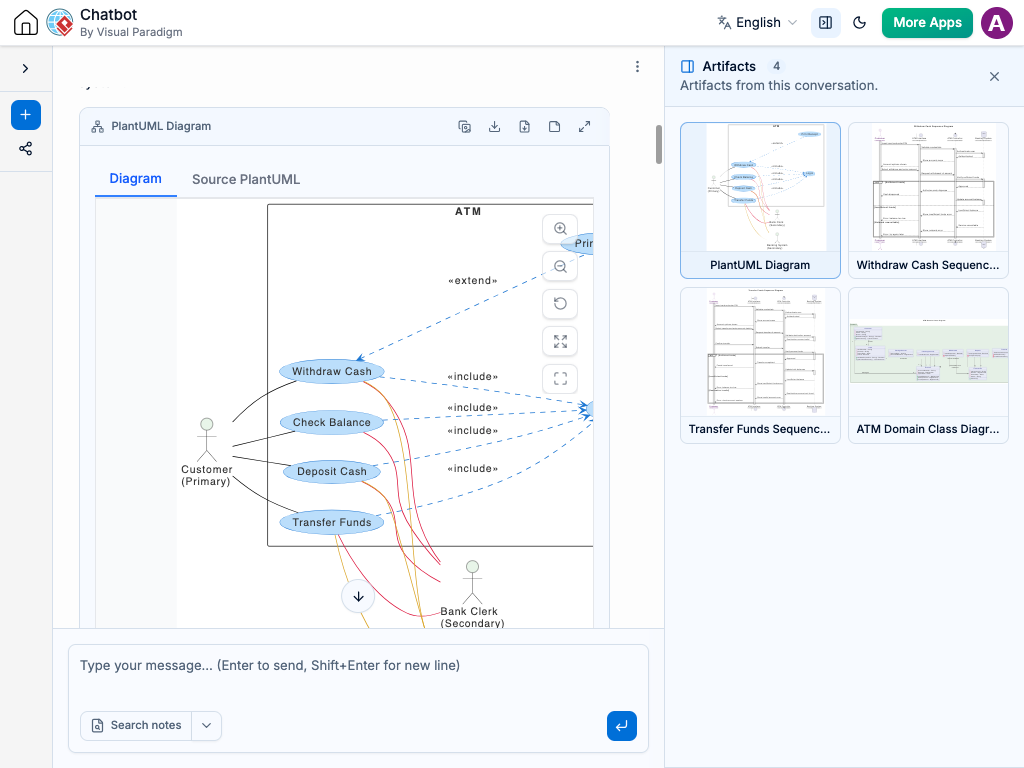
Here is how it improves your workflow:
-
Get a Complete Session Overview
Instantly view a clear list of every diagram created during your session. The Artifacts Pane gives you an at-a-glance summary of your conversation’s progress from start to finish.
-
Jump Directly to Any Diagram and Discussion
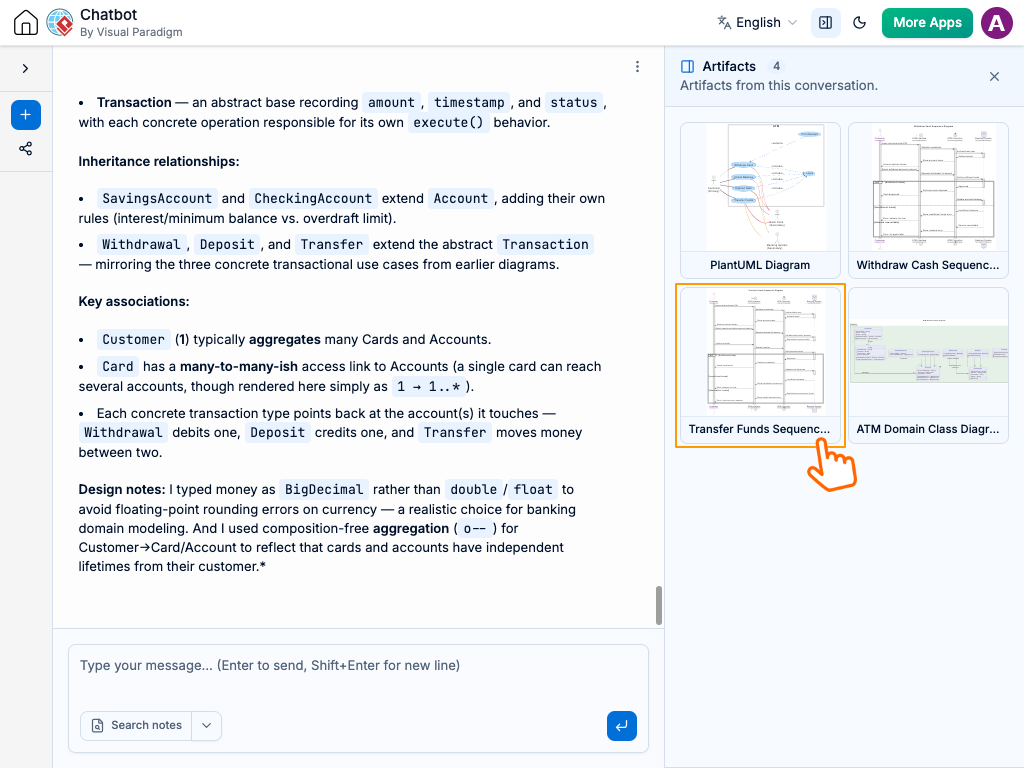
Click on any diagram in the Artifacts Pane to instantly jump to that exact spot in the chat stream. You can review the visual model alongside the original prompts and context surrounding it—without wasting time scrolling up and down.
How to Use It
-
Start Chatting: Use Visual Paradigm Chatbot as you normally do to generate and refine your diagrams.
-
Open the Artifacts Pane: Look at the side panel to see a live list of all generated diagrams from your current session.
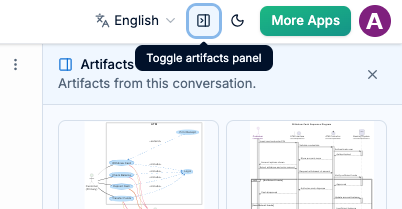
-
Click to Jump: Click any diagram thumbnail or title in the Artifacts Pane to jump directly to that point in your conversation.
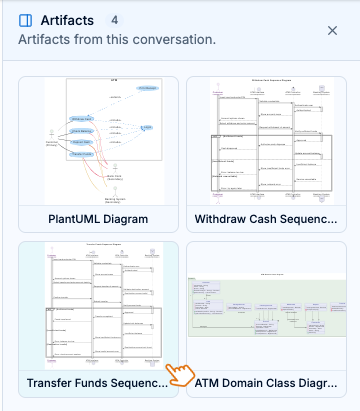
See It in Action: New Artifacts Pane
See how you can instantly view your entire session workflow and jump directly to past diagram iterations with a single click.
Try it yourself
Try It Out Today
The updated Artifacts Pane is now live! Head over to Visual Paradigm Chatbot and try it out on your next design project.
Feel free to tweak any headings or details to match your blog style! Let me know if you would like me to add extra sections, adjust the tone, or write social media blurbs for this update.