


We are thrilled to announce a major milestone in the evolution of VPasCode. Until today, technical teams and developers have enjoyed VPasCode as a free, high-performance online diagram-as-code tool. While we previously provided smart assistance like AI error fixing and inline AI translation, we knew what our community truly desired: the ability to turn raw ideas into rich visual models automatically.
Today, we are taking one massive leap forward. VPasCode now natively supports full AI diagram generation and interactive AI diagram code modification. With these flagship additions, VPasCode matures into a comprehensive, next-generation diagram-as-code editor built to streamline technical documentation, software architecture modeling, and system design.
What Makes VPasCode the Ultimate Online Diagram-as-Code Tool?
If you are new to VPasCode, it is a free, unified web platform designed for software architects, developers, engineers, and technical creators. Instead of dragging and dropping shapes manually, VPasCode allows you to define visualizations using simple, human-readable text scripts.
Key highlights of the core platform include:
- Automatic Format Detection: Paste raw code into the editor, and VPasCode detects whether it is PlantUML, Mermaid, Graphviz, D2, Markmap, or ECharts without requiring manual settings.
- Real-Time Instant Preview: Watch your diagrams update seamlessly as you type or adjust your script.
- Broad Format Support: From UML, C4 models, ERDs, and architecture blueprints to mind maps, Gantt charts, DBML, and data formats (JSON, YAML, SQL).
- Flexible Sharing & Export: Share live link previews, generate QR codes, or export production-ready vector SVG, PNG, and PDF files.
Ready to try it right now? Launch the VPasCode Diagram Editor directly in your browser without any installation required.
What’s New: The Two Revolutionary AI Operations
While auxiliary AI capabilities like syntax error fixing are convenient, real productivity stems from eliminating the initial blank-canvas friction and making rapid iterations effortless. Here is how our two new AI operations transform your workflow.
1. Instant AI Diagram Generation
Creating complex PlantUML, Mermaid, or Graphviz scripts from scratch can take time, especially when learning new domain-specific syntax. With our new AI PlantUML tool and multi-format generation engine, you can generate complete diagram scripts from plain English prompts in seconds.
How it works:
- At the top toolbar of the editor, click the AI Generate button to open the AI Generation dialog box.

- Select Format (Optional): By default, the format is set to Auto-detect.
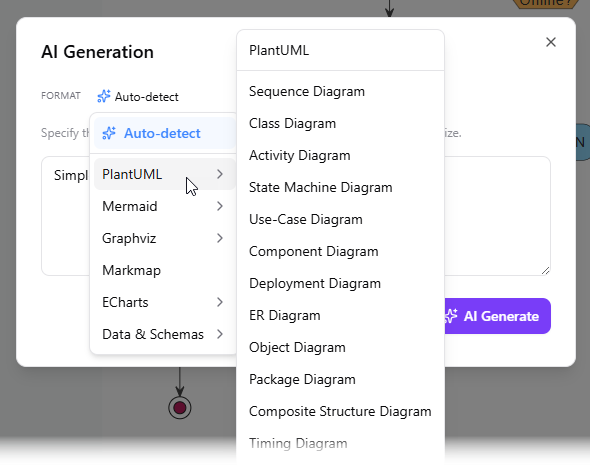
If you already know your desired format, you can select specific options from the dropdown, including:
- PlantUML (Sequence, Use Case, Class, Activity, Component, C4, etc.)
- Mermaid (Flowcharts, Sequence, Mind Maps, ERD, State, Git Graph, etc.)
- Graphviz
- Markmap
- ECharts
- Data & Schema formats
- Describe Your Idea: In the text area, specify the system, process, or concept you want to visualize (e.g., “Generate a class diagram for a library management system.”).
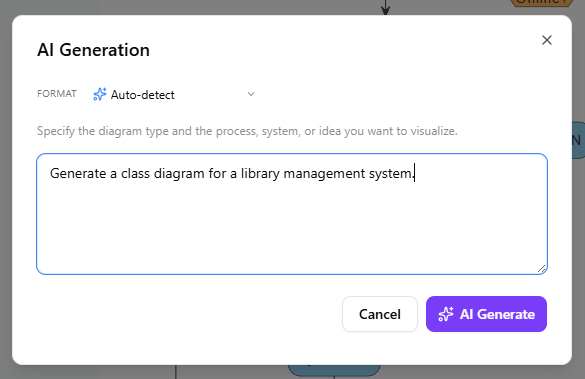
- Click AI Generate. VPasCode will write the exact DSL script and render the live visual model immediately inside the code editor.
2. Interactive AI Diagram Code Modification
Software architecture and workflows are constantly evolving. Editing text scripts line-by-line to insert new branches or refactor relationships can be tedious. VPasCode now lets you instruct AI to modify existing code directly within the editor.
How it works:
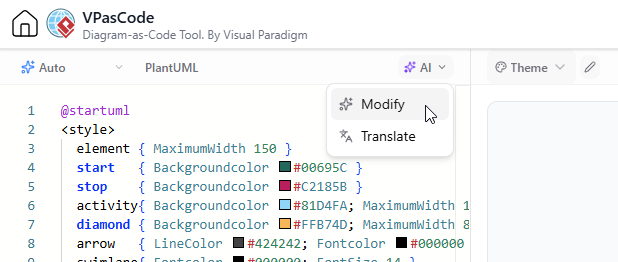
- Above the code editor on the left panel, click the AI button and choose Modify.
- Type your refactoring instruction in natural language. For example:
- “Simplify this sequence diagram by grouping the database operations.”
- “Add an alternate payment failure branch to this flowchart.”
- “Convert this standard class diagram into a C4 container model.”
- Click AI Modify. Your script updates automatically.
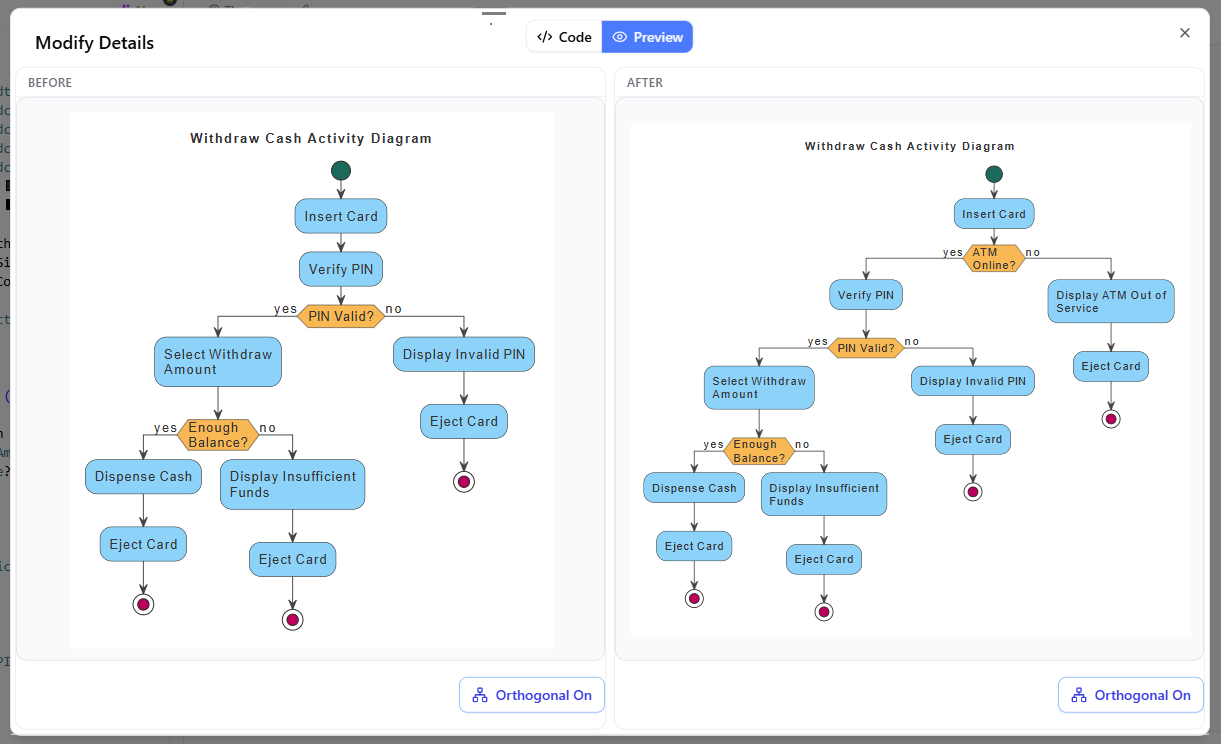
- Optionally, click View Details to launch a side-by-side code diff window. You can inspect exact line-by-line changes alongside a comparative visual preview before finalizing your changes.
Why These Features Are Game-Changers for Technical Teams
Traditional visual modeling tools force engineers to waste hours aligning boxes and arrows manually. On the other hand, traditional text-to-diagram engines require memorizing syntax rules across multiple distinct DSL formats.
By integrating conversational AI generation and modification into a flexible diagram-as-code editor, VPasCode gives you the best of both worlds:
- 10x Documentation Speed: Go from a raw concept discussed in a meeting to a fully formatted architecture diagram in under 30 seconds.
- Zero Syntax Friction: Whether you need an AI PlantUML tool or a quick Mermaid mind map, you don’t need to consult external documentation. Simply tell the AI what you want.
- Total Granular Control: Unlike black-box image generators, VPasCode generates clean, fully editable text code. You retain complete ownership to tweak, version-control, or export your models anywhere.
- Safe & Transparent Iteration: The built-in visual code diff tool ensures you always know what changed, keeping your technical docs precise and maintainable.
Start Creating Diagrams with AI Today
Whether you need to generate complex UML architecture, map out database schemas, or quickly prototype workflow charts, VPasCode is built to make your process faster and smarter.
Explore all capabilities on our VPasCode Feature Overview, or dive right in and start generating diagrams for free at the VPasCode Online Editor today!
Related posts:
 Meet the All-New AI Diagram Chatbot V2: The Next Generation of Intelligent Visual Modeling
 Next-Gen AI Flowchart Generator: Clearer Process Workflows Made Simple
 Enhance Your Workflow: Generate and Visualize Structured JSON with Visual Paradigm AI Chatbot
 Streamline Project Planning with the New AI Work Breakdown Structure Generator by Visual Paradigm