


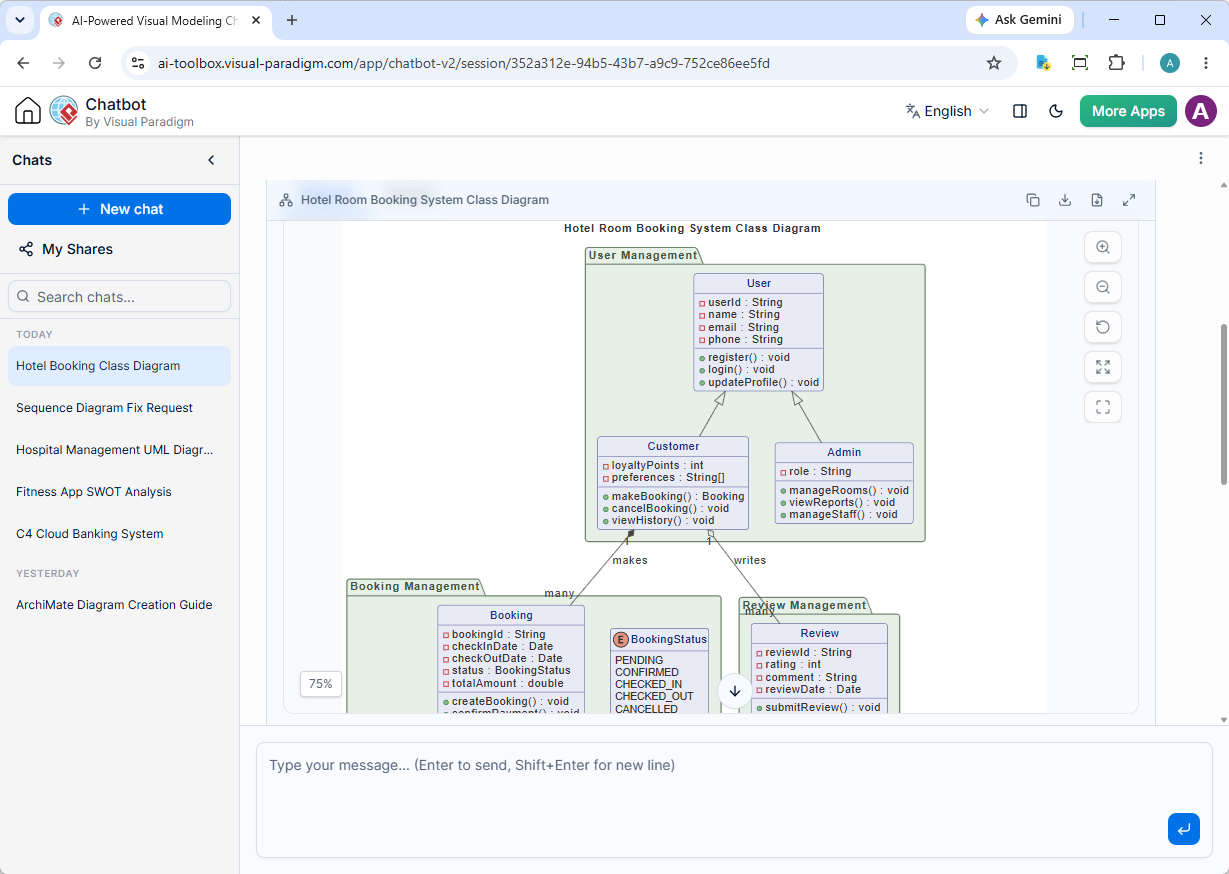
What Makes the New AI Diagram Chatbot a Game-Changer?
Diagramming should be seamless. In the past, generating complex architectures through an AI chatbot could sometimes hit structural roadblocks or syntax errors. Our latest release changes that. By combining an advanced engine with a robust UML tool framework, the new chatbot offers a level of precision that redefines automated diagramming.
Here is a detailed breakdown of the powerful new features you can leverage today:
1. Automatic Validation and Self-Recovery Routine
Say goodbye to broken code and syntax errors. The new version employs a sophisticated validation mechanism alongside a robust self-recovery routine. If the underlying code encounters a rendering hiccup, the chatbot automatically detects and repairs it in real-time, ensuring you always receive a complete, error-free diagram.
2. Upgraded Next-Gen AI Model
We have integrated a significantly more clever, knowledgeable, and skillful AI model. This upgrade delivers:
- Higher Intelligence: Better comprehension of complex technical prompts.
- Longer Context Window: The chatbot remembers your project details deeper into lengthy conversations.
- Enhanced Multilingual Capabilities: Seamless translation and local-language diagram generation.
3. Multi-Diagram and Complex Task Handling
Need more than just a single flowchart? The upgraded architecture can handle complex, multi-layered requests. You can now command the AI to generate multiple related diagrams simultaneously—such as mapping a system’s database structure alongside its operational workflow in a single prompt sequence.
4. New Diagram Types Supported
Our AI diagram generation library is expanding rapidly to cover a broader scope of diagramming needs. In this version, we have officially introduced native support for:
- PERT Chart: For streamlined project management and scheduling.
Sample prompt to generate a PERT Chart: Generate a PERT Chart for a typical construction project
Chat session URL: https://ai-toolbox.visual-paradigm.com/app/chatbot-v2/share/351adfc6-a304-4d52-9e38-24a2b398c054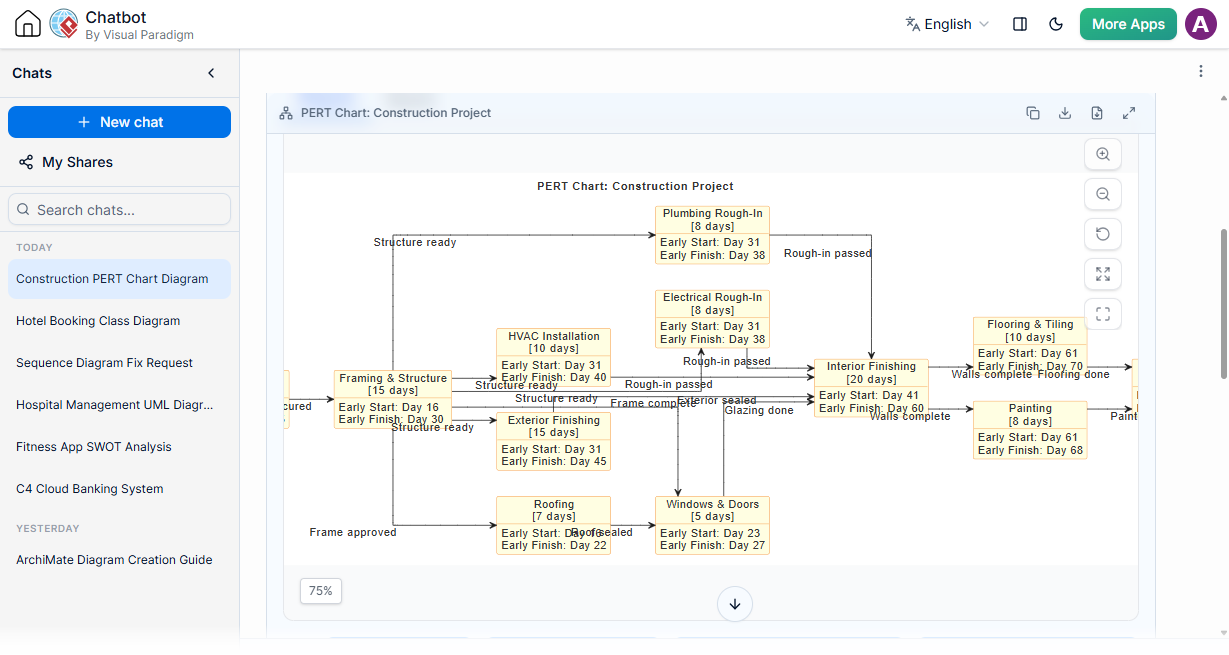
- Solution Selection Matrix: To accelerate strategic engineering decisions.
Sample prompt to generate a Solution Selection Matrix: Generate a Solution Selection Matrix to discover the cause and solution for rural area traffic jam
Chat session URL: https://ai-toolbox.visual-paradigm.com/app/chatbot-v2/share/33bdbb7d-660a-4e99-a569-f74ccaeb1b44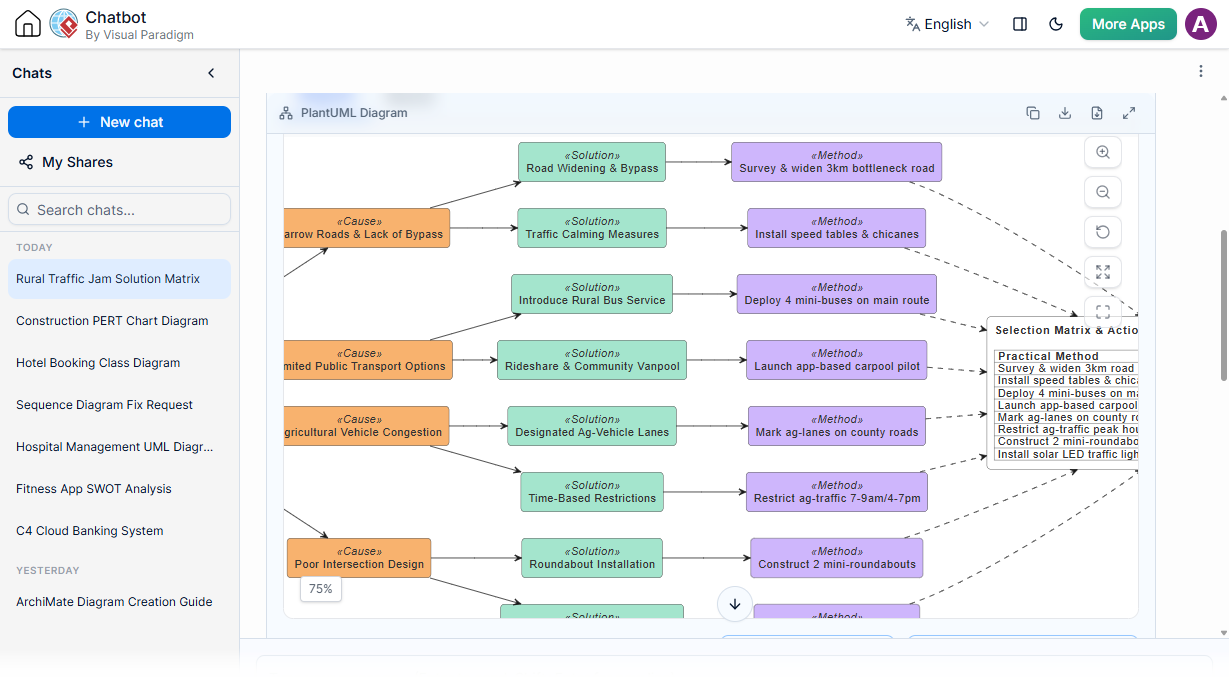
- Chen ERD: Providing traditional entity-relationship modeling options.
Sample prompt to generate a Chen ERD: Generate a Chen ERD for a hotel room booking system
Chat session URL: https://ai-toolbox.visual-paradigm.com/app/chatbot-v2/share/5393a496-52e2-4e58-a924-66937ac8a811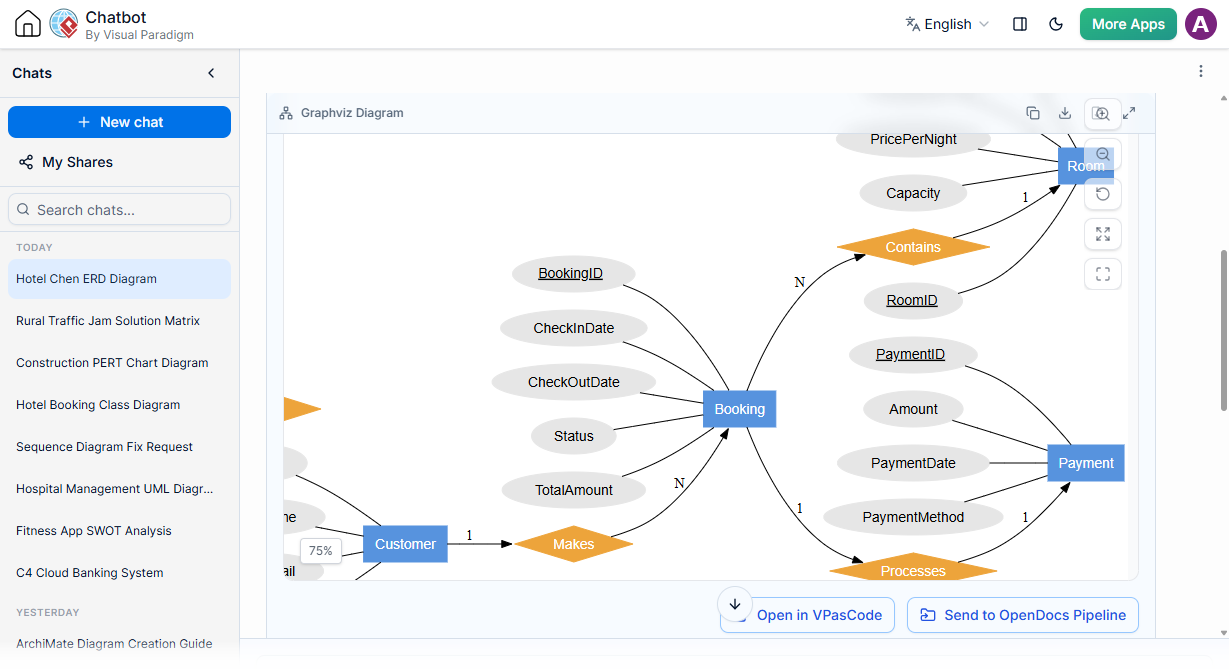
- Flowchart: Crisp, automated process mapping at your fingertips.
Sample prompt to generate a flowchart: Generate a flowchart for the see doctor process
Chat session URL: https://ai-toolbox.visual-paradigm.com/app/chatbot-v2/share/2b3db43c-a709-40cb-ab0c-fb5507acb420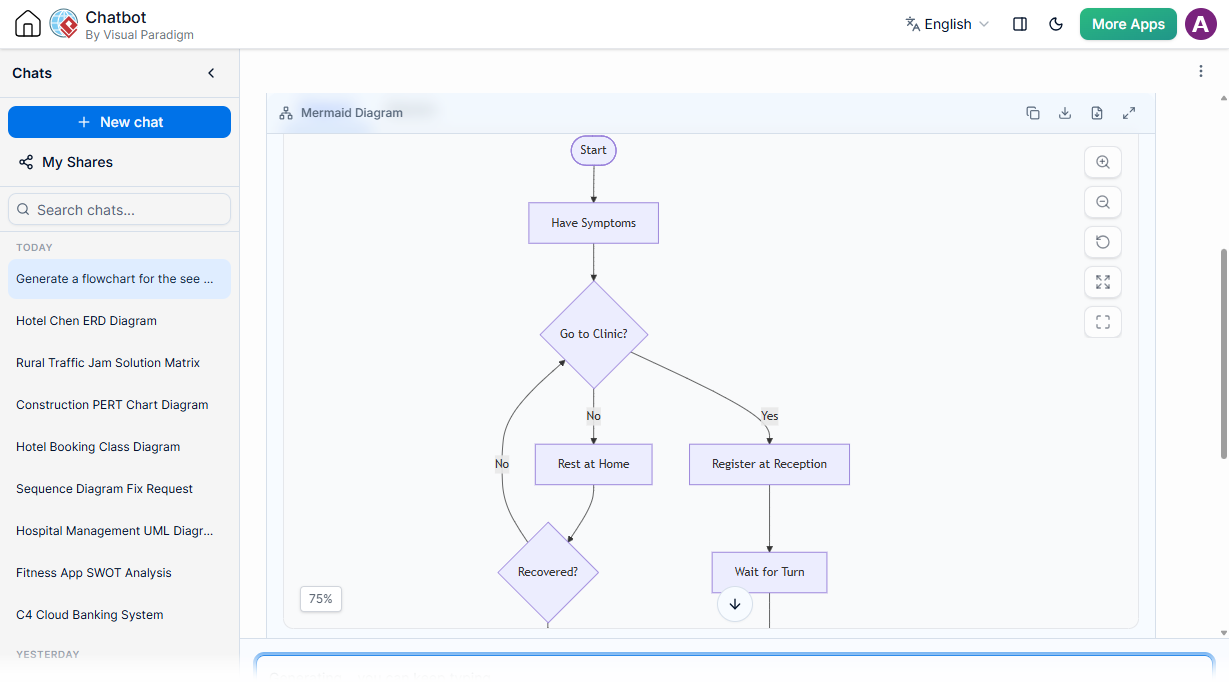
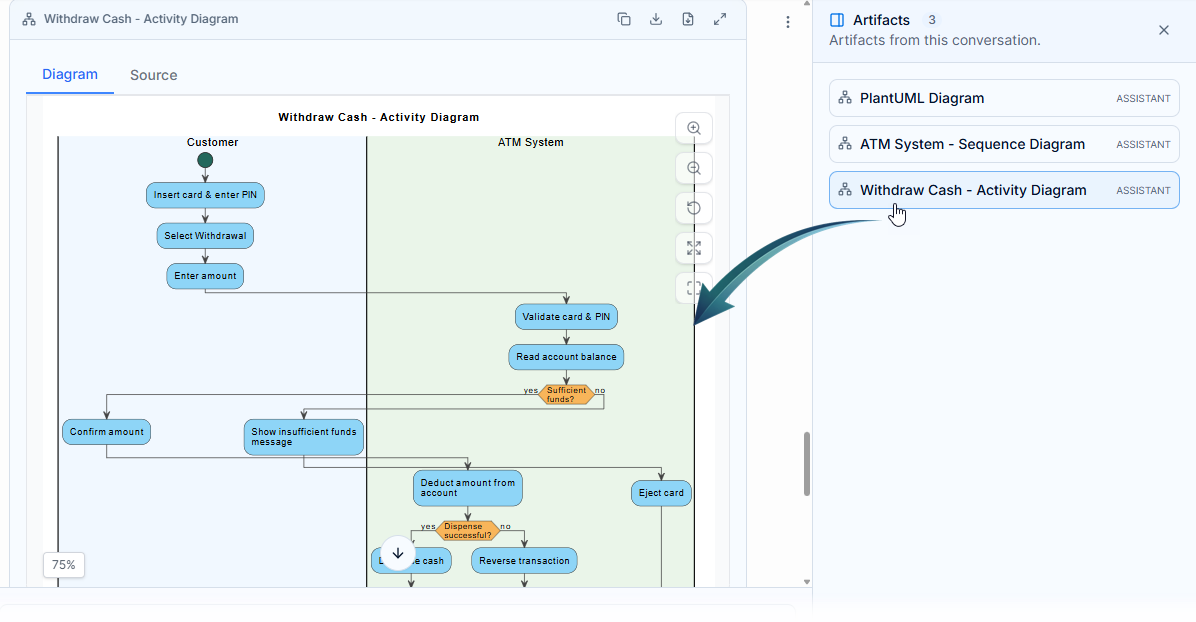
5. Enhanced Session Organization: Artifacts Pane
Technical conversations can get lengthy. To save you from endlessly scrolling up and down to locate your visual assets, we introduced the Artifacts Pane. This dedicated sidebar automatically extracts, indexes, and lists every single diagram generated throughout your active session for instant access.
6. Meaningful Follow-Up Suggestions & Explainers
To help you drill down into your architecture, the upgraded LLM now suggests intelligent follow-up questions tailored to your ongoing conversation. Furthermore, the chatbot no longer just drops a visual and leaves; it provides a comprehensive explanation and analysis of the generated diagram, breaking down the structural logic for you.
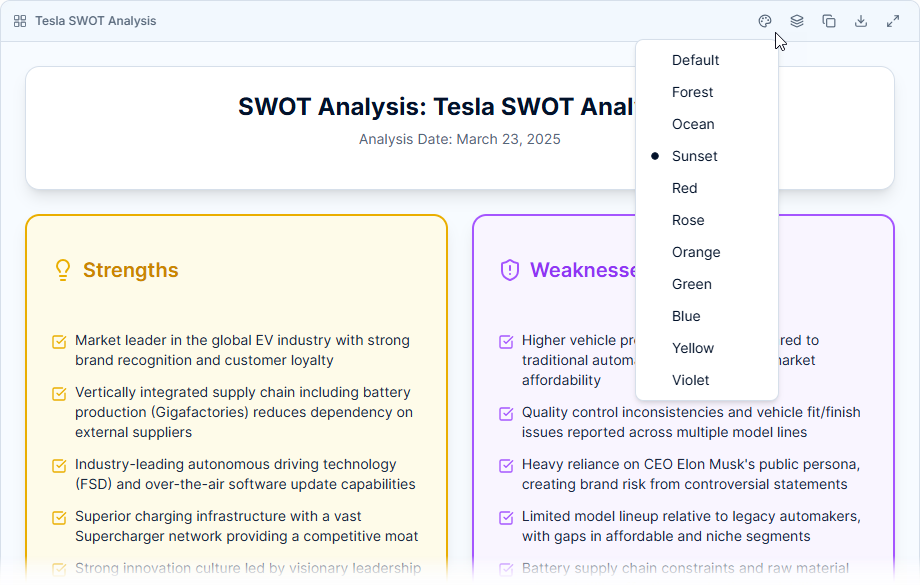
7. Tailored Strategic Themes
For business analysts, you can now seamlessly adjust visual themes for strategic analysis frameworks. Customize the look and feel of SWOT, PEST, PESTLE, SOAR, Eisenhower Matrix, Ansoff Matrix, Blue Ocean Four Actions, and the 4C Marketing Mix with professional, presentation-ready styles.
8. “My Shares” History Tracking
Collaborating with your engineering team is easier than ever. The new “My Shares” dashboard securely saves your shared diagram history, allowing you to quickly retrieve, manage, and reshare active links at any point down the road.
Unmatched Workspace Integration
What sets our AI chatbot apart from generic AI utilities is its deep integration into the Visual Paradigm ecosystem. Take your AI-generated assets further with these built-in power features:
- Retain and Document: Seamlessly export your diagrams directly to Visual Paradigm OpenDocs for robust documentation.
- Edit and Refine: Need to fine-tune a layout? Push your design straight into Visual Paradigm VPasCode to modify your diagram code with absolute precision.
How to Access the New AI Chatbot
If you hold a valid license for the Visual Paradigm Online Deluxe Edition, or a Visual Paradigm Desktop Professional Edition license with active maintenance, you can dive into the revamped version immediately.
Note on Compatibility: While the legacy version will remain accessible online to prevent workflow disruption, it will no longer receive updates or maintenance. We highly recommend all users transition to the upgraded platform to experience the full power of modern AI diagram generation.
To learn more about the underlying technology and capabilities, visit the home page of AI Diagram Chatbot.