


We are thrilled to announce the launch of the Visual Paradigm Unified Platform, a major evolution in how you access tools, manage assets, and collaborate across workflows.
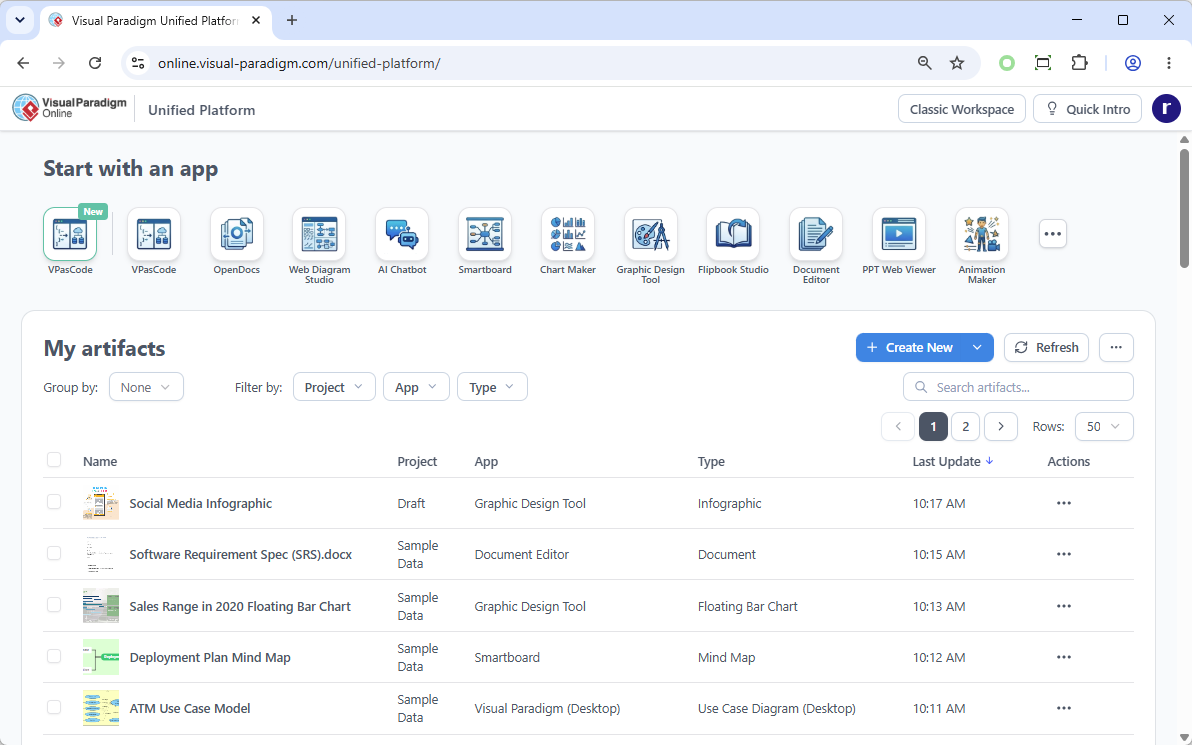
Over the years, the Visual Paradigm ecosystem has grown to include over 100 specialized apps alongside our core modeling tools. However, as our capabilities expanded, our resources became scattered. Users often struggled to find specific apps, data was siloed within individual tools, and a disconnect existed between desktop modeling and cloud-based productivity.
The Unified Platform solves these challenges. It is not just a UI refresh—it is a complete innovation that bridges the gap between Visual Paradigm Desktop and Visual Paradigm Online, bringing all your resources into one centralized hub.
What is the Unified Platform?
The word “Unified” represents the core philosophy behind this release. We have broken down the barriers between applications and platforms to give you a single, cohesive environment. Whether you are creating a complex architecture diagram on your desktop or building an agile roadmap in a web browser, everything now flows into one centralized workspace.
Here are the key pillars of the new Unified Platform:
- A Centralized Cloud Drive for All Data: Say goodbye to siloed data. The Unified Platform introduces a drive-like space that acts as the single source of truth for your work. Every diagram, artifact, document, or project created across our entire suite of apps is automatically organized and visible in this centralized location.
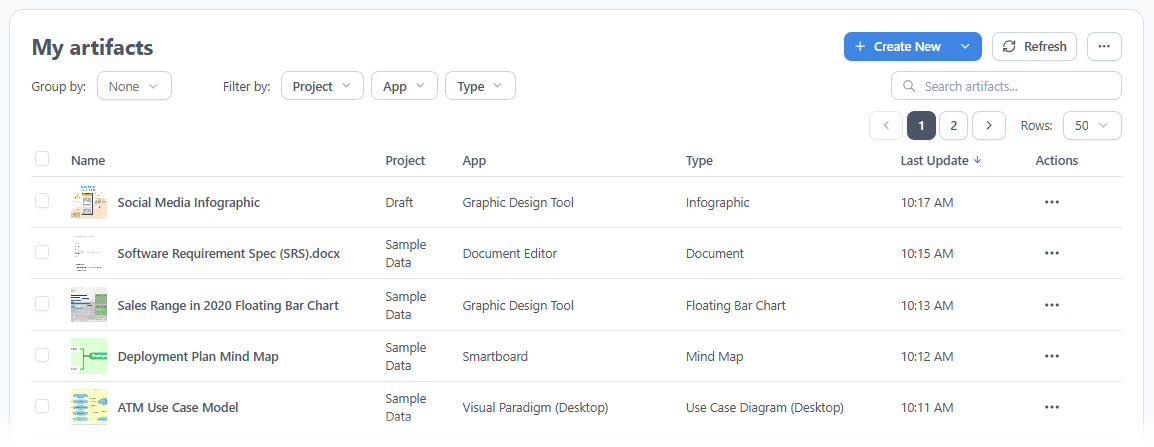
- Desktop and Web Browser Synergy: For our Visual Paradigm Desktop users, the Unified Platform is accessible directly inside the desktop environment via an embedded browser. This means the diagrams you build locally on your desktop are now completely visible and manageable within the Unified Platform. Even better, you can log in through any external web browser on any device to access, view, and manage your desktop-synced and cloud-native assets seamlessly.
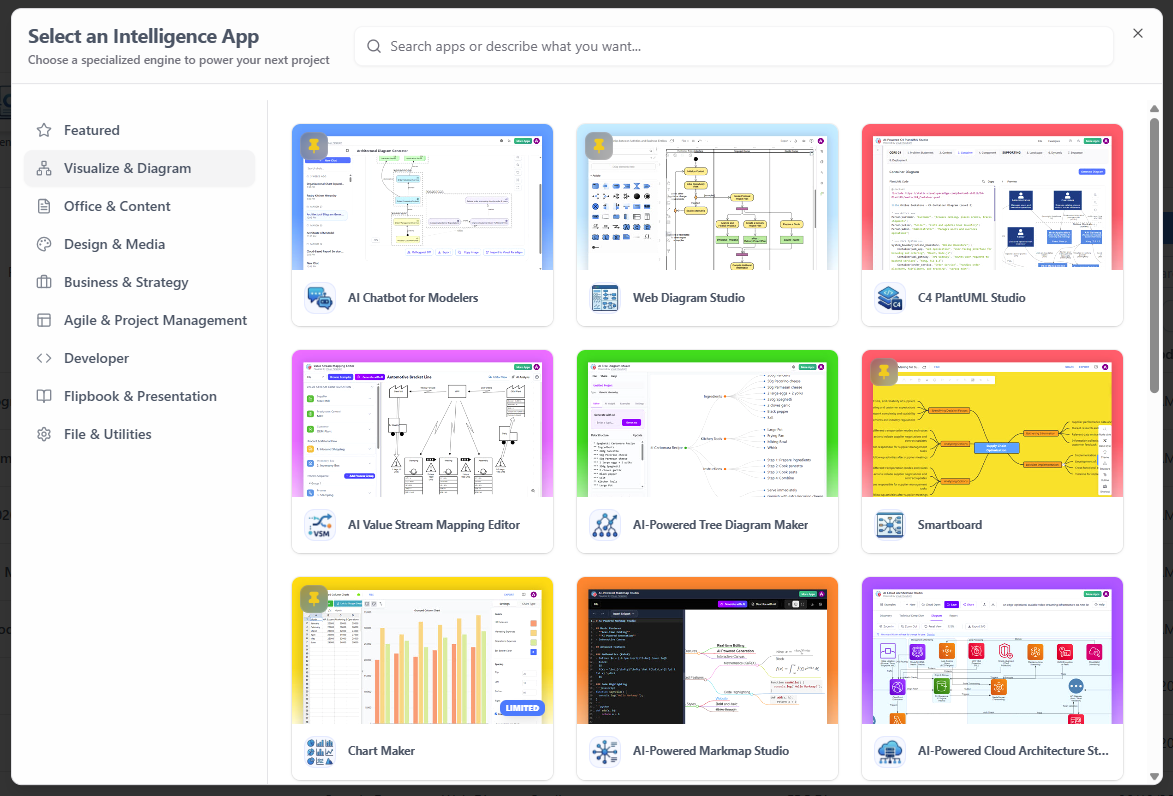
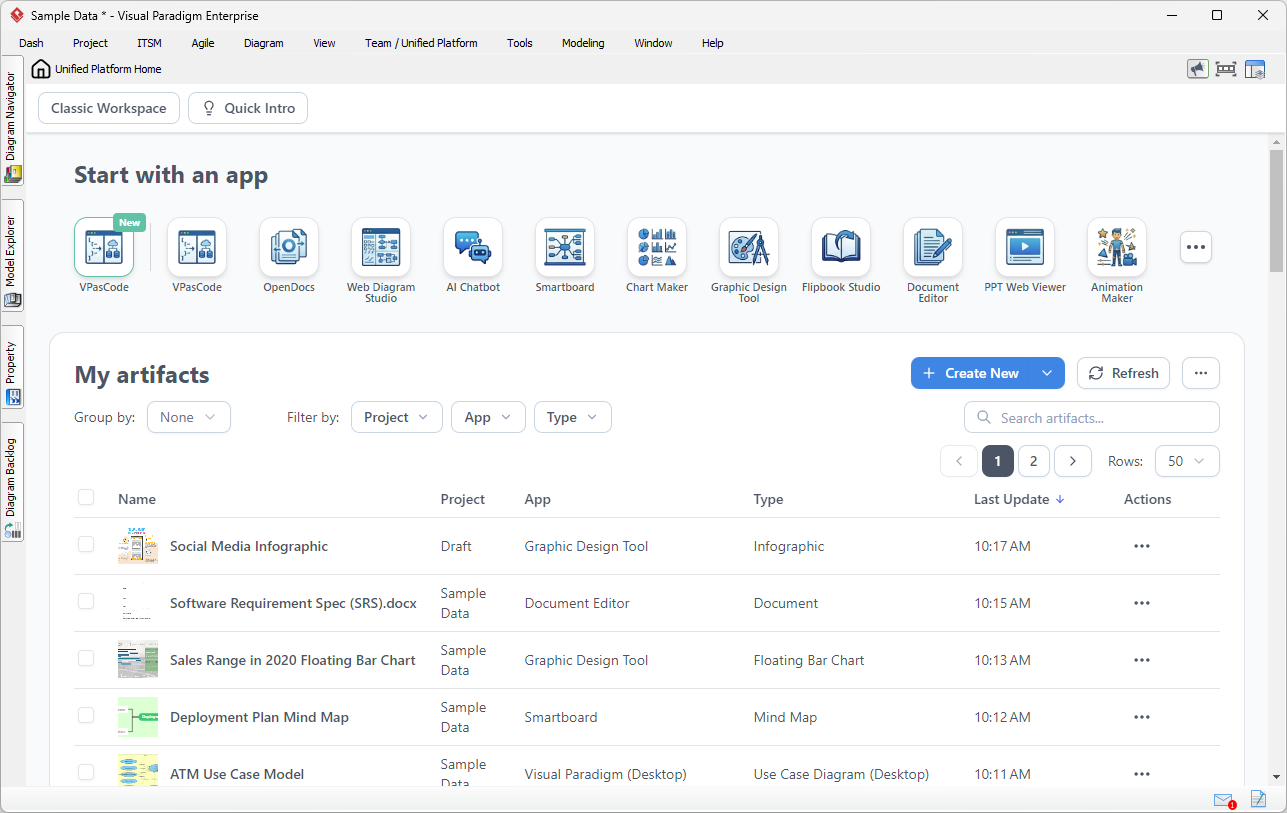
- A Central Entrance to 100+ Apps: You no longer have to hunt for the right tool. The Unified Platform provides a clear, categorized, and centralized dashboard hosting over 100 specialized apps—spanning advanced system modeling, agile planning, business infographics, and strategic management. Exploring and launching the exact tool you need is now just a single click away.
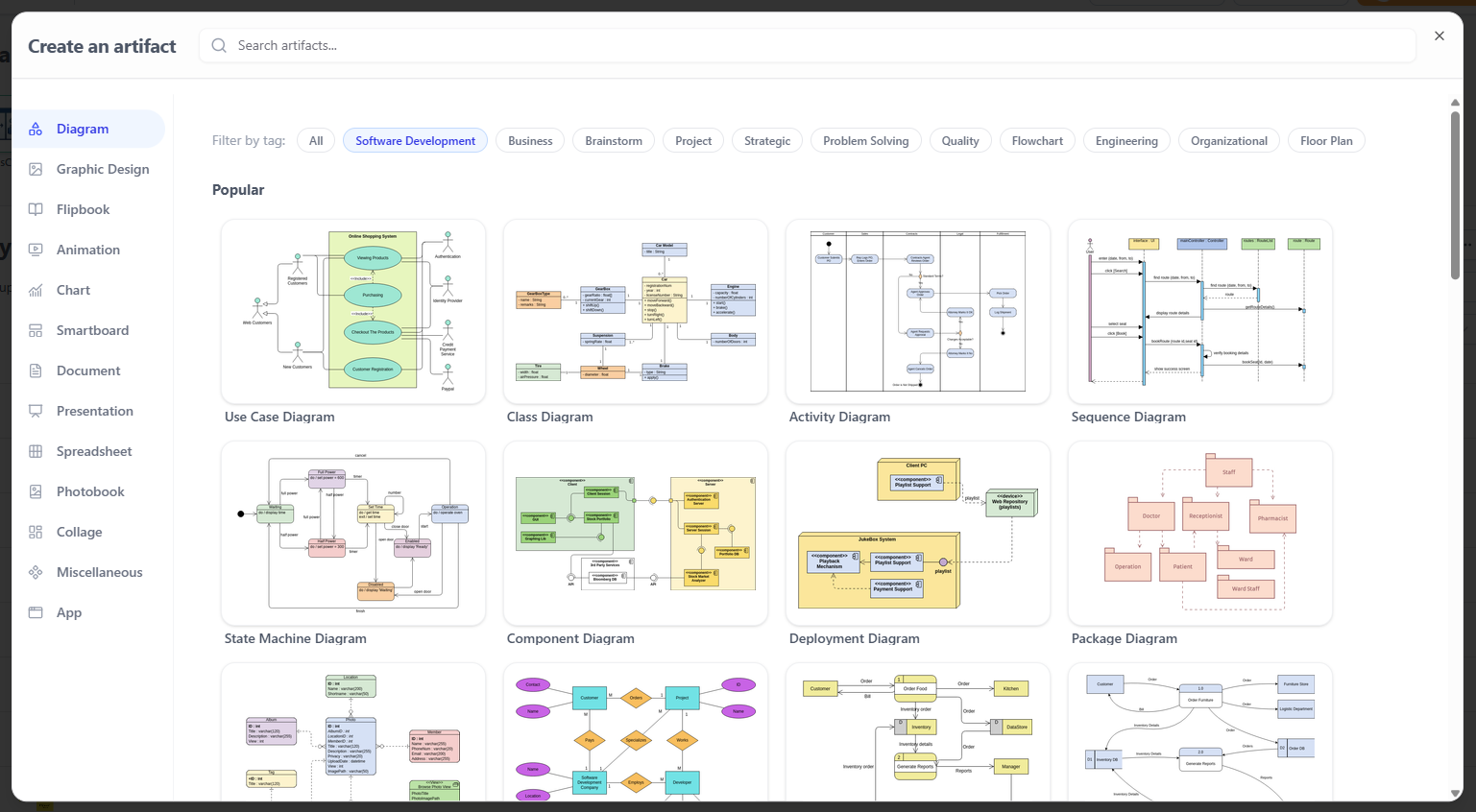
- Streamlined Creation Workflow: We have completely redesigned the creation interface to remove friction from your day-to-day operations. Instead of opening different applications or navigating deep menus to start different types of work, a new, centralized menu allows you to instantly spin up any diagram or visual artifact from one place.
Real-World Scenarios: How the Unified Platform Transforms Your Desktop Workflow
If you are primarily a Visual Paradigm Desktop user, you might wonder how this impacts your daily work. By embedding the Unified Platform directly into your desktop client, we are eliminating the context-switching that slows down complex projects.

Here are three practical scenarios showing how you can leverage this new synergy without ever leaving the desktop application:
Scenario 1: Connect Heavy System Modeling with Product Requirements
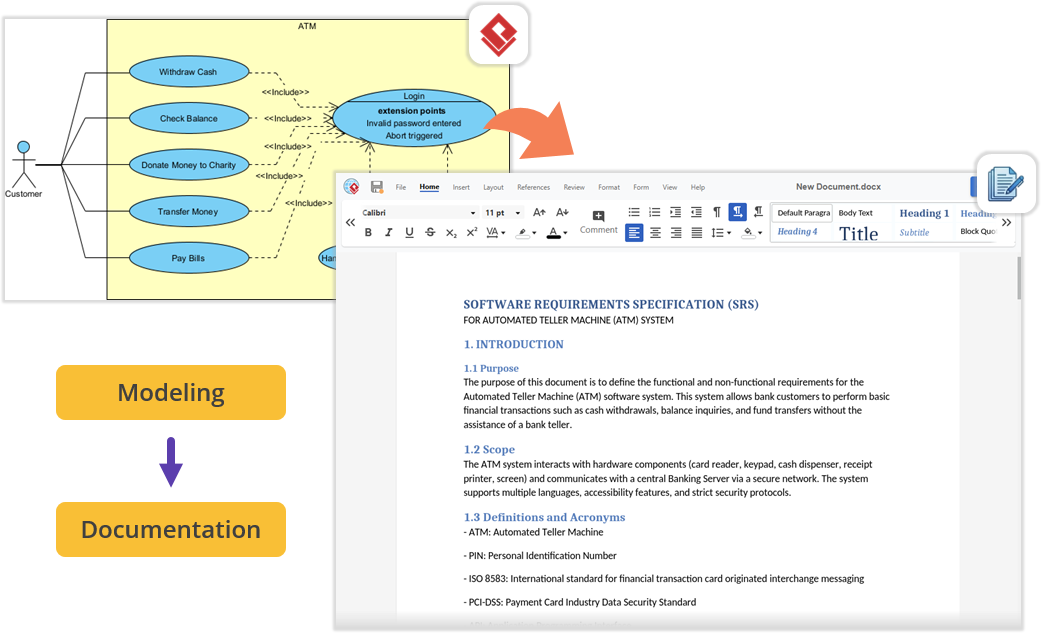
Imagine you are architecting a new software module using UML or SysML inside Visual Paradigm Desktop. Once the technical models are complete, you need to write the comprehensive Product Requirement Specification (PRD). Instead of minimizing Visual Paradigm, opening a local word processor, and exporting/importing image files, you can simply open the embedded Unified Platform. From there, launch the Document Editor app to write your requirements documentation right next to your active modeling environment—keeping everything perfectly organized under a single project space.
Scenario 2: Effortless Documentation via Pipeline and OpenDocs
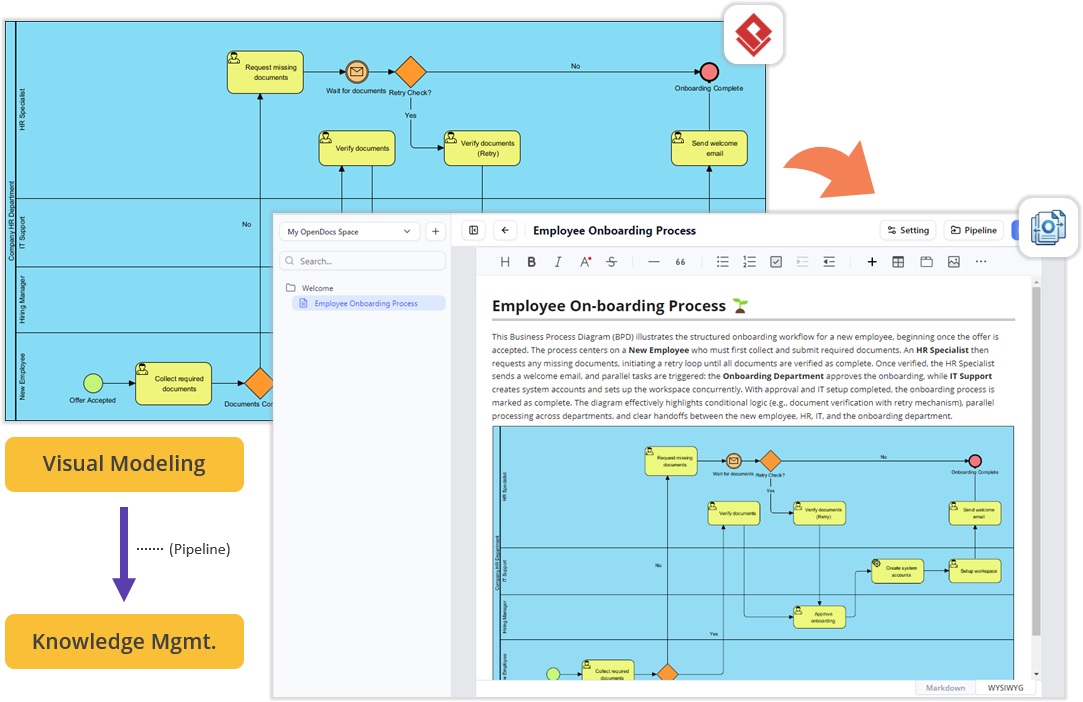
For teams looking to streamline their technical documentation, the flow between your desktop workspace and our star cloud features is now frictionless. You can build your diagrams locally in VP Desktop and send them to the cloud-based Pipeline. Next, switch over to the OpenDocs app within the Unified Platform panel. In the OpenDocs editor, you will find your Pipeline pane waiting for you. You can write your manuals or project guides and simply drag-and-drop your desktop-generated diagrams directly into the document canvas. No file exporting, no broken image links, and zero context-switching.
Scenario 3: Supercharge Projects with Agile and Management Tools
Software development requires far more than just architectural diagrams; it requires project management, scheduling, and team alignment. The Unified Platform instantly unlocks access to a massive library of specialized PM and Agile applications for desktop users. Within the same interface where you manage your codebase models, you can now jump into apps dedicated to Stakeholder Management, generate Development Plans, build interactive Gantt Charts, map out a RACI Matrix, or even design a prototype site using the Website Builder. It bridges the gap between engineering design and project execution.
How to Access the Unified Platform
Getting started with the new ecosystem is incredibly straightforward, whether you prefer working in a browser or inside our desktop software.
For Visual Paradigm Online Users
You can access the platform from any device via your web browser:
- Log into your VP Online account at: https://online.visual-paradigm.com/login.jsp
- Upon successful login, you will automatically be redirected to the new Unified Platform dashboard.
- You can also bookmark and visit the platform directly at any time by going to: https://online.visual-paradigm.com/unified-platform/
For Visual Paradigm Desktop Users
To view your synchronized diagrams and access the 100+ embedded apps right inside your desktop client, use the following steps:
- Ensure you are logged in: To see the Unified Platform menu, you must first connect your desktop application to your cloud repository. If you haven’t logged in yet, go to the main menu and select Team / Unified Platform > Select Repository and enter your VP Online credentials.
- Open the Platform: Once logged in, simply navigate to Team / Unified Platform > Unified Platform in the main menu.

- An embedded browser will open directly inside your workspace, revealing the centralized cloud drive and your entire app ecosystem.
Looking Ahead
The Unified Platform lays the groundwork for the future of the Visual Paradigm ecosystem. Centralizing your data into a single hub opens the door for upcoming features that will allow different apps to utilize cross-source data seamlessly. We are also preparing to introduce an advanced “Project” concept to give you unified, granular permission control over works created across all different applications.
The Unified Platform is designed to make your workflow faster, more organized, and entirely flexible. Update your Visual Paradigm Desktop application or log into your online portal today to experience the next generation of visual productivity.
Related posts:
 Seamless Diagram Lifecycle Management: Enhance and Edit AI-Generated Diagrams in Visual Paradigm OpenDocs via VPasCode
 Introducing Visual Paradigm 18.1: A New Era of Unified Ecosystems and AI-Driven Innovation
 Introducing the AI-Powered Use Case Modeling Studio: The Future of Requirements Analysis
 Visual Paradigm 18.0 Has Arrived – The Most Intelligent & AI-Driven Release in Our History!