


We’re excited to announce a powerful new enhancement to OpenDocs, our leading AI-powered knowledge management tool from Visual Paradigm. With the latest update, OpenDocs now fully supports UML Profile Diagrams — enabling users to extend and customize UML for domain-specific modeling like never before.
This addition brings advanced extensibility to your documentation workflows. Whether you’re defining custom stereotypes, tagged values, or constraints for specialized domains (such as enterprise architecture, healthcare systems, or embedded software), OpenDocs makes it seamless to create and incorporate these advanced UML extensions directly into your rich documents.
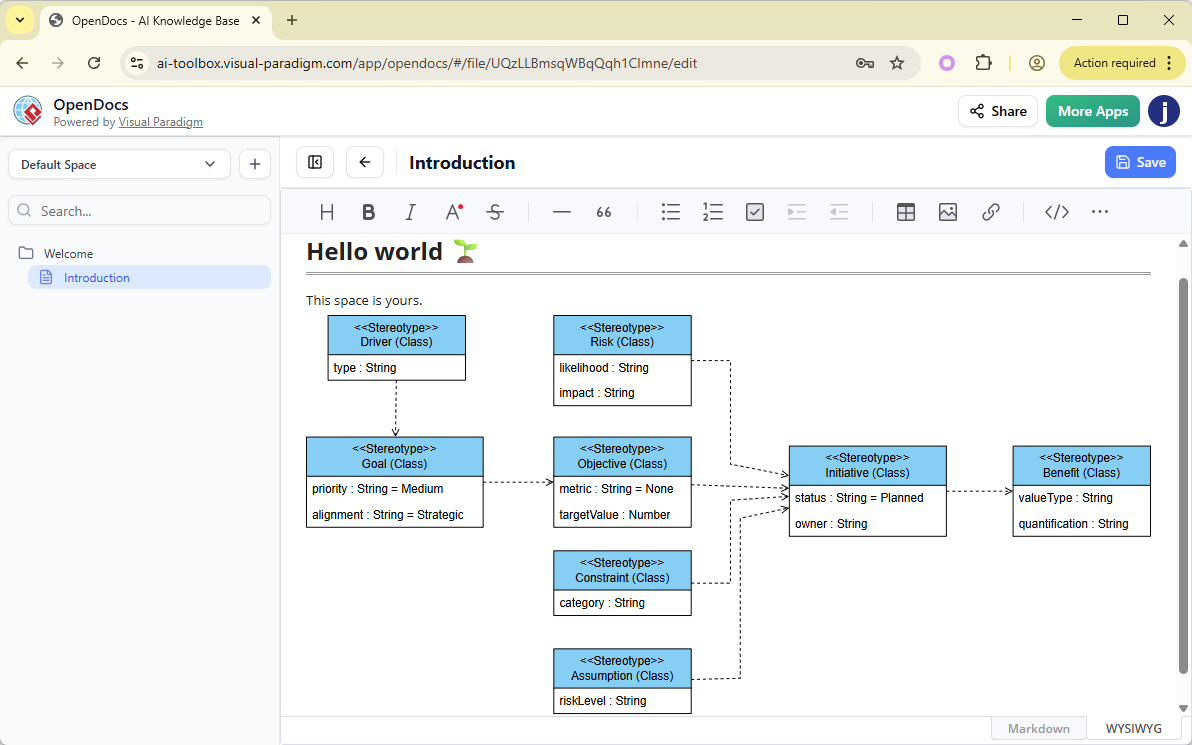
Key Capabilities of UML Profile Diagrams in OpenDocs
- Manual Creation & Editing: Draw and refine UML Profile Diagrams manually using our intuitive, full-featured diagram editor — perfect for precise control over metaclasses, stereotypes, extensions, and more.
- AI Profile Diagram Generation: Leverage our cutting-edge AI profile diagram tool to automatically generate complete UML Profile Diagrams from natural language descriptions. Simply input your problem statement or domain requirements (e.g., “Create a UML profile for automotive software with stereotypes for ECU and sensor components”), and the AI delivers a professional starting point — saving hours of manual work.
- Seamless Integration into Documents: Embed your UML Profile Diagrams as interactive components directly into any OpenDocs page for enhanced visual storytelling, or create dedicated Component Pages focused solely on the diagram for focused modeling and reference.
As an AI-powered knowledge management tool, OpenDocs continues to bridge powerful documentation with intelligent visual modeling. This new AI profile diagram generation capability builds on our existing support for UML types like Class, Sequence, Use Case, Activity, and more — empowering business analysts, software architects, system engineers, and teams to produce clearer, more consistent, and highly customized documentation.
Why UML Profile Diagrams Matter
UML Profile Diagrams provide a lightweight extension mechanism to tailor standard UML for specific platforms or industries. By defining custom stereotypes and properties, you can model complex real-world concepts more accurately — ensuring your diagrams align perfectly with your project’s unique needs. Combined with OpenDocs’ AI diagram generator, this feature accelerates productivity while maintaining professional-grade precision.
How to create a UML Profile Diagram with AI?
- Click on the Insert button in the top bar of your document editor.

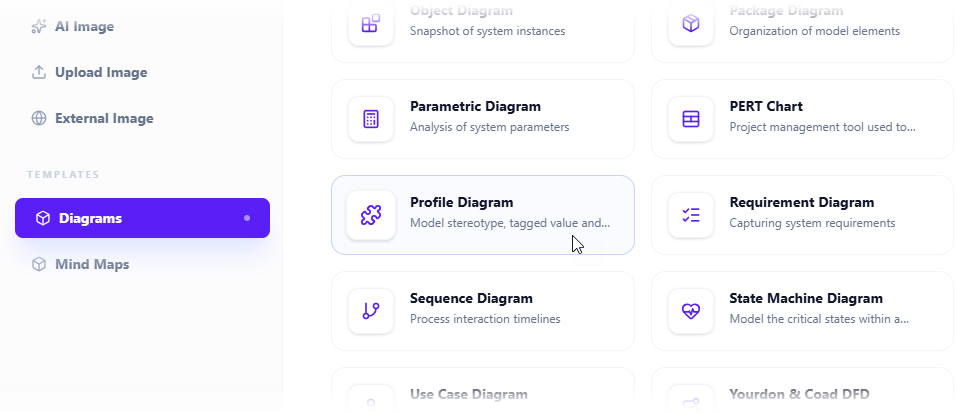
- The Insert dialog box is opened. Select Diagrams tab on the left, and then Profile Diagram on the right.
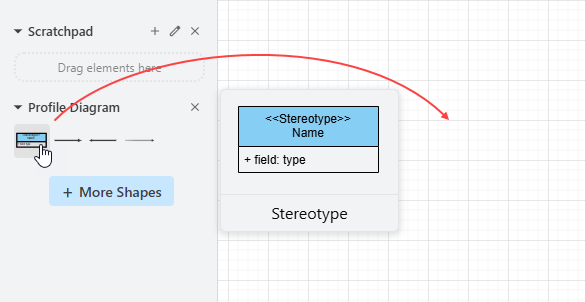
- This opens the diagram editor. You can draw the profile diagram using the symbols on the palette (Just drag and drop a symbol onto the diagram canvas).
To generate a diagram with AI, click on Create with AI at the top right.

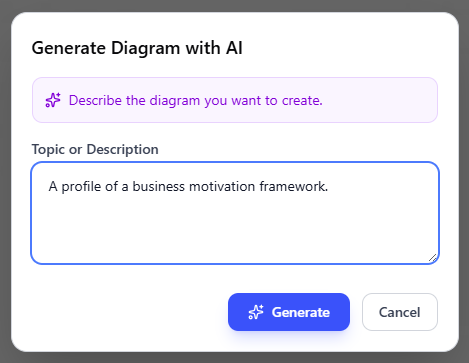
- Describe your problem in the input box. Click Generate.
- AI will analyze your problem and generate a profile diagram accordingly. Below is an example generated.
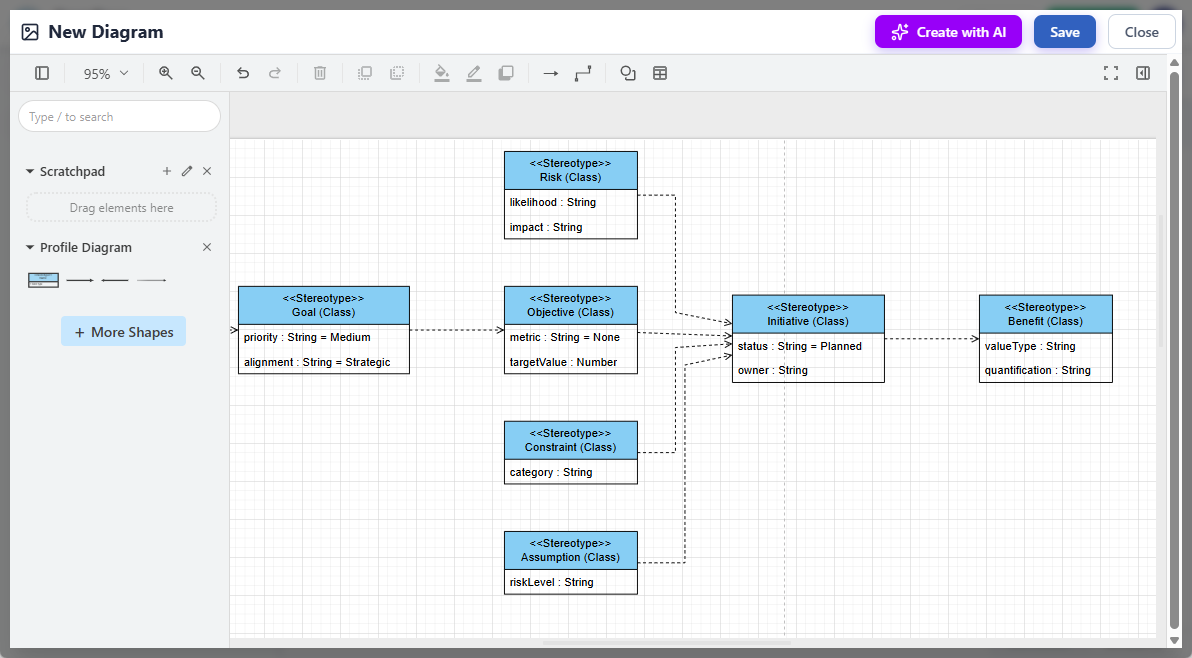
- You may touch up the profile diagram by adjusting the layout, adding new shapes, etc.
- Click Save at the top right.
- Click Close to return to the document editor. The diagram is embedded into your document.
Get Started with AI Profile Diagram Generation Today
Ready to experience the power of AI-powered UML profile diagram creation in a collaborative, web-based environment? Dive in now and transform how you document and visualize domain-specific models.
Try OpenDocs Now – Start Creating AI-Generated Profile Diagrams
For full details on this feature, including examples and best practices, visit our dedicated page:
Explore OpenDocs: The Ultimate AI-Powered Knowledge Management Tool with UML Profile Support
OpenDocs is available to users with a Visual Paradigm Online (Combo Edition) or Visual Paradigm (Professional Edition) license. No installation required — access everything directly in your browser.
Stay tuned for more exciting updates as we continue expanding the boundaries of AI diagram tools and intelligent documentation!