


We’re excited to announce a powerful new addition to OpenDocs, Visual Paradigm’s leading AI-powered knowledge management tool! As part of our ongoing commitment to supercharge documentation and visual modeling, OpenDocs now fully supports the UML Deployment Diagram – one of the most essential diagrams for software architects, system engineers, and DevOps teams.
With this update, you can now harness our advanced AI Deployment Diagram generator to create accurate, professional-grade Deployment Diagrams from simple text descriptions in seconds. No more starting from scratch or wrestling with complex layouts – just describe your system’s physical architecture, and let AI do the heavy lifting!
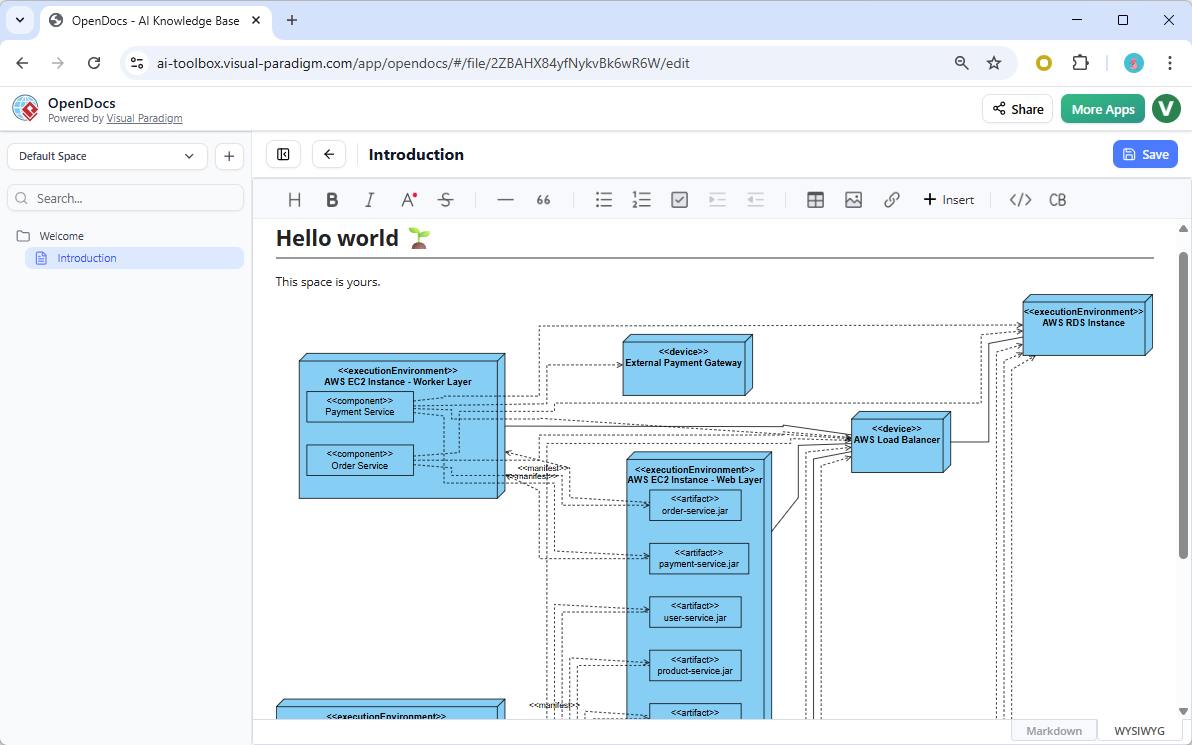
What’s New: UML Deployment Diagram in OpenDocs
The UML Deployment Diagram (also known as Deployment Diagram in UML) models the physical deployment of software artifacts across hardware nodes, servers, devices, and cloud infrastructure. It’s invaluable for illustrating runtime configurations, network topologies, hardware-software mappings, and distributed system architectures.
Key highlights of this new support in OpenDocs:
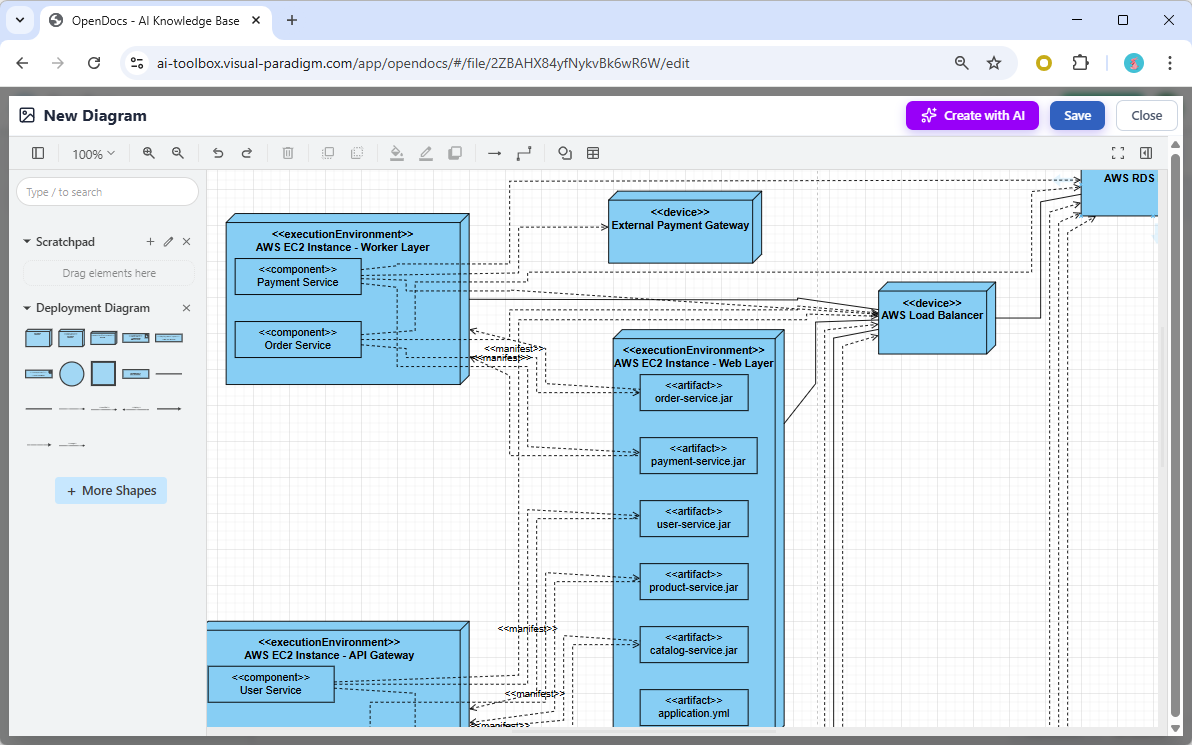
- AI-Powered Creation: Use our AI UML generator to instantly produce a complete Deployment Diagram from natural language input. Example prompts: “Deployment architecture for a microservices-based e-commerce platform with AWS EC2, RDS, and load balancer” or “On-premise cluster with application servers, database nodes, and firewall.”

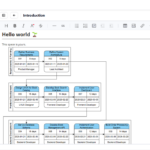
Below is a deployment diagram generated by OpenDoc’s UML deployment diagram generation tool:
- Two Powerful Ways to Incorporate Diagrams:
- Embed a dynamic Deployment Diagram component directly into any document page for seamless visual-text integration.
- Create a dedicated Component Page – a standalone diagram page focused entirely on your UML Deployment Diagram.
- Full Editing Capabilities: After AI generation, refine nodes, artifacts, dependencies, communication paths, and stereotypes using OpenDocs’ intuitive diagram editor.
- Part of Broader Expansion: This joins our recent additions of Flowchart, Data Flow Diagram (including Yourdon DeMarco, Yourdon & Coad, and Gane-Sarson variants), bringing even more diagram types to our AI diagram generation engine.
Why Use the AI Deployment Diagram Tool in OpenDocs?
OpenDocs combines rich documentation with intelligent visual tools, making it the perfect AI-powered knowledge management tool for modern teams. Benefits include:
- Accelerate architecture documentation – generate starting diagrams in moments instead of hours.
- Improve clarity for stakeholders by embedding live, editable Deployment Diagrams in requirements specs, design docs, or wikis.
- Centralize all project knowledge – keep diagrams, notes, and text in one collaborative Space.
- Zero installation – fully web-based and always up-to-date.
Whether you’re modeling cloud deployments, on-premise infrastructure, IoT systems, or enterprise architectures, our AI Deployment Diagram tool helps you visualize complex topologies with UML standards compliance and professional polish.
Get Started Today
Ready to experience the speed and intelligence of AI-assisted diagramming? Head over to the OpenDocs app now and start creating your first AI-generated Deployment Diagram!
Learn more about this exciting feature and explore all supported diagram types on our OpenDocs feature page.
Available now for Visual Paradigm Online (Combo Edition) and Visual Paradigm (Professional Edition) users. Update your workspace and unlock the power of AI today!
Related posts:
 New in OpenDocs: AI-Powered EPC Diagram Support – Generate Event-Driven Process Chain Diagrams Effortlessly
 New in OpenDocs: AI-Powered Component Diagram Support – Generate UML Component Diagrams Effortlessly
 New in OpenDocs: AI-Powered PERT Chart Support – Generate Project Timelines Effortlessly
 Seamless Diagram Lifecycle Management: Enhance and Edit AI-Generated Diagrams in Visual Paradigm OpenDocs via VPasCode