


We’re excited to announce that OpenDocs, our powerful AI-powered knowledge management tool, now fully supports Data Flow Diagram (DFD) creation — with seamless AI assistance to generate professional DFDs from simple text descriptions!
Introducing Data Flow Diagram Support in OpenDocs
Data Flow Diagrams (DFD) are essential for visualizing how data moves through a system, highlighting processes, external entities, data stores, and flows. They provide clarity in system analysis, making them indispensable for business analysts, software engineers, system architects, and project teams documenting information flows, business processes, or software requirements.
Today, we’re thrilled to add robust Data Flow Diagram capabilities to OpenDocs, joining our growing library of AI-supported diagram types. This includes support for the standard Data Flow Diagram notation, along with specialized variants:
- Yourdon DeMarco DFD
- Yourdon & Coad DFD
- Gane Sarson DFD
Whether you’re modeling a simple process or a complex multi-level system, OpenDocs makes it effortless.
AI-Powered Data Flow Diagram Generation
One of the standout features is our AI Data Flow Diagram generator (also known as AI DFD generator or AI Data Flow Diagram tool). Simply describe your system in natural language — for example:
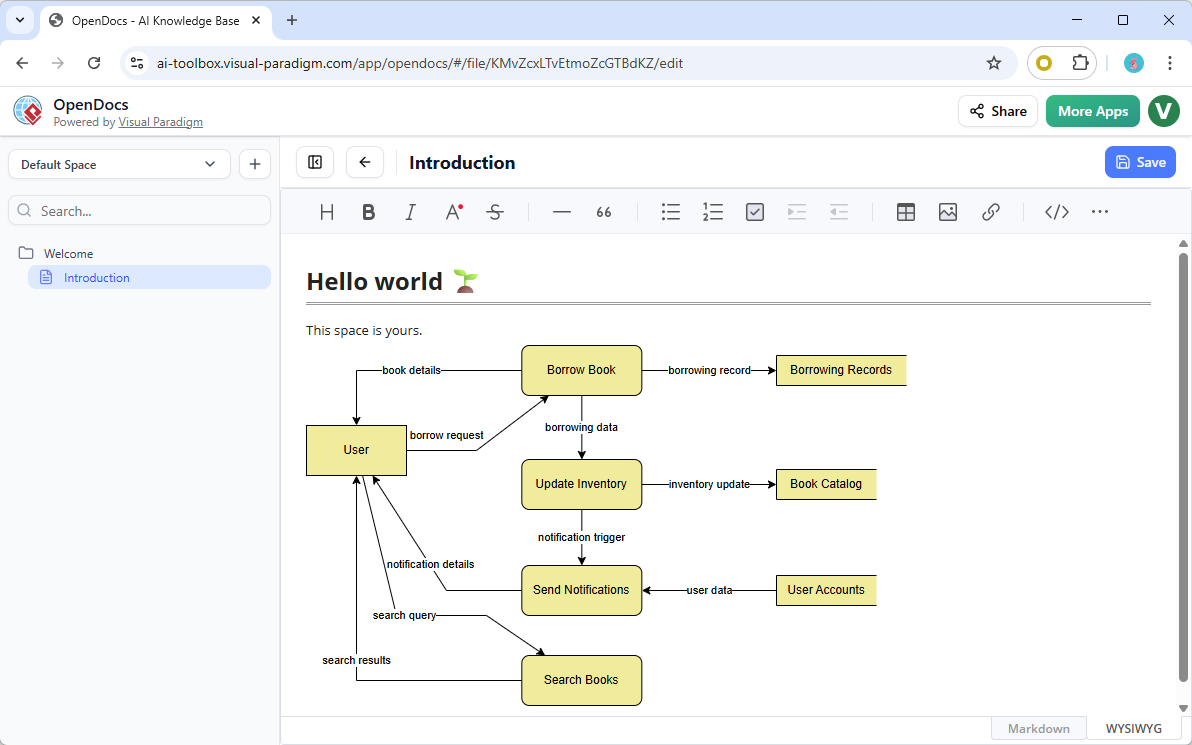
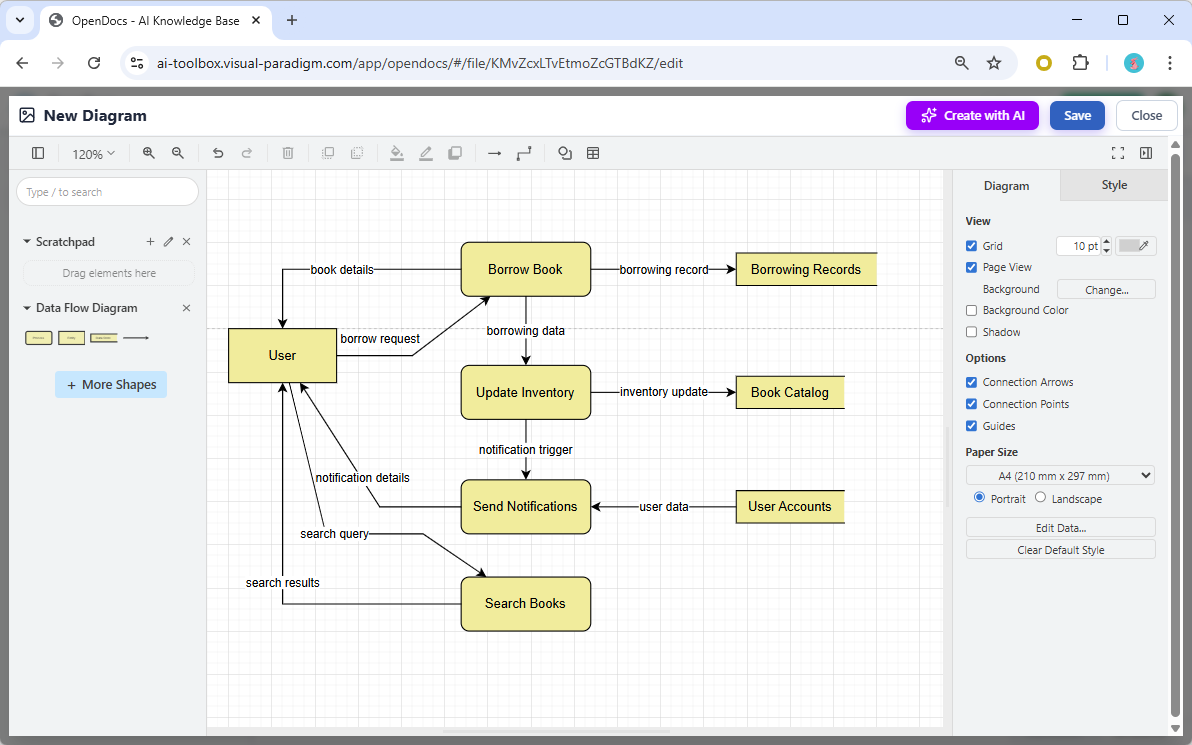
“Create a DFD for an online library system where users search books, borrow them, and the system updates inventory and sends notifications.”

Our AI instantly generates a complete, well-structured Data Flow Diagram — complete with processes, data flows, external entities, and data stores. You can then refine it using the full-featured editor, embed it into your documents, or dedicate a Component Page solely to the diagram. The image below shows a Data Flow Diagram (DFD) generated with OpenDocs’s AI DFD generation tool (With manual touch up for its layout).
This AI DFD generator dramatically reduces manual effort, boosts productivity, and ensures your diagrams are accurate and professional from the start.
How to Use Data Flow Diagrams in OpenDocs
- Embed a Diagram Component — Insert live, editable DFDs directly into your Markdown document pages for rich, visual documentation.
- Create a Component Page — Build standalone diagram pages focused entirely on your DFD, perfect for detailed analysis or sharing specific views.
All diagram types support full editing, customization, and real-time updates across your collaborative Spaces.
Why Choose OpenDocs for Your DFD Needs?
- Centralized, collaborative knowledge hub with diagrams and text in one place
- AI acceleration for rapid diagram creation
- No installation — fully web-based and accessible anywhere
- Seamless integration — embed, edit, and share with ease
- Professional-grade results tailored for analysts, engineers, and teams
This release builds on our recent additions, including Flowchart, UML Deployment Diagram, and other DFD variants, making OpenDocs an even more comprehensive AI-powered knowledge management tool for visual storytelling and system documentation.
Ready to Get Started?
Head over to the OpenDocs landing page to learn more about this feature and how it fits into your workflow.
Or jump straight in and start creating your first AI-generated Data Flow Diagram today:
Try OpenDocs AI-Powered Diagram Tool Now →
Available to all users with a Visual Paradigm Online (Combo Edition) or Visual Paradigm (Professional Edition) license.
Stay tuned for more exciting updates as we continue expanding diagram support and AI capabilities in OpenDocs!