


In the fast-paced world of software engineering, architecture design, and system development, the journey from a raw concept to a formal, production-grade model has traditionally involved friction. Architects and developers love the speed of text-based diagramming, while enterprise teams rely on robust, full-featured modeling suites for deep specifications, team collaboration, and automated documentation. Today, we are thrilled to announce a major feature update that bridges these two worlds: the ability to seamlessly export diagrams created in Visual Paradigm VPasCode directly into Visual Paradigm Desktop via the Visual Paradigm Pipeline.
This integration eliminates disjointed workflows, transforming freeform ideation into powerful, structured enterprise modeling without losing momentum.
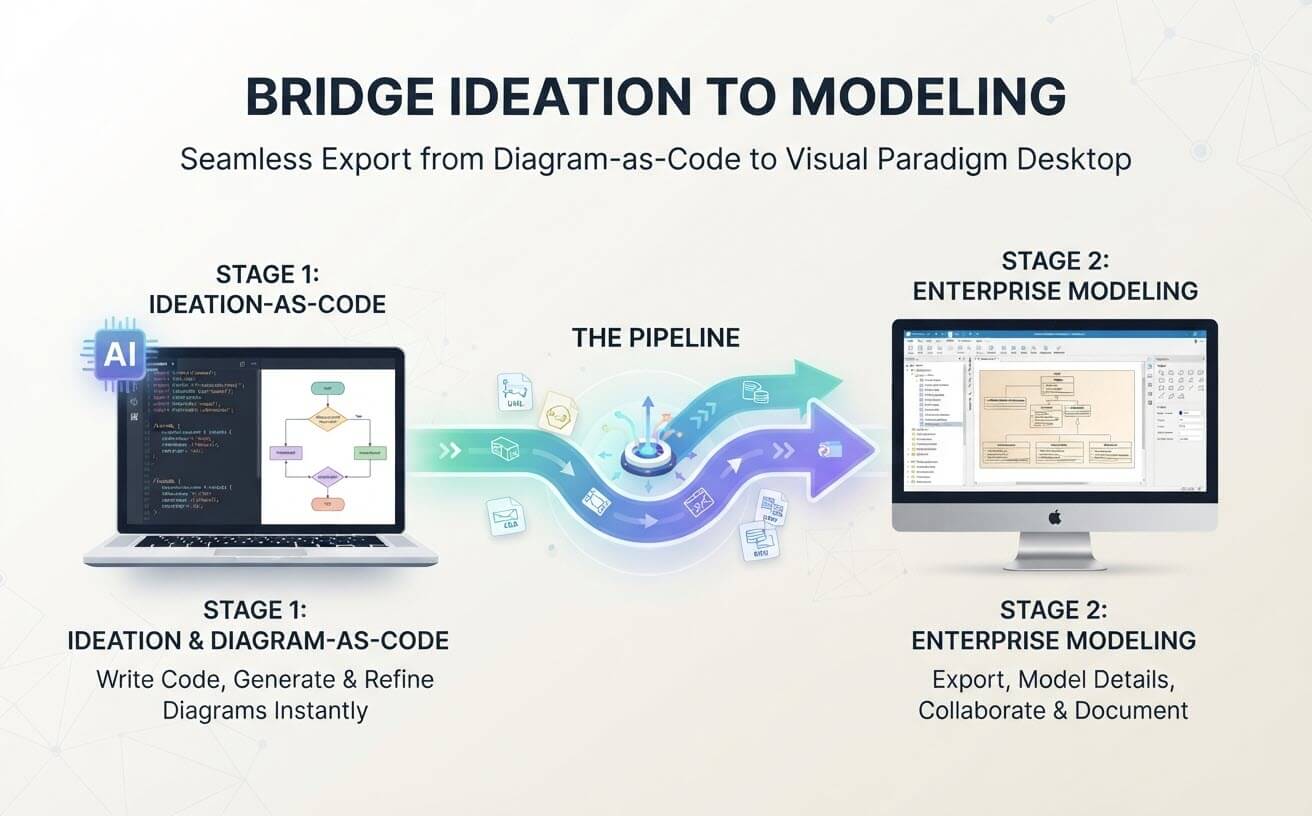
Why This Enhancement Matters: Bridging Ideation and Model Refinement
Text-to-diagram tools and diagram-as-code editors have revolutionized early-stage design. They allow technical professionals to brainstorm rapidly by typing code and viewing real-time renders. However, a common bottleneck has always been the “what’s next?” phase: once a diagram is perfected in a lightweight code editor, how do you scale it into a true software model?
Many standalone diagram-as-code tools leave users stranded with isolated images or files. Visual Paradigm takes a different approach by offering a unified ecosystem. By connecting Visual Paradigm VPasCode with Visual Paradigm Desktop, we ensure your initial brainstorming session evolves naturally into comprehensive architecture management. The core benefits include:
- Zero Friction Workflow: Move designs from a web-based code editor to an enterprise desktop suite instantly.
- End-to-End Traceability: Turn quick sketches into official model artifacts that support sub-diagrams, model references, and deep element specifications.
- Advanced Team Collaboration: Leverage Visual Paradigm Desktop’s powerful team collaboration tools, report generation, and multi-user synchronization once your diagram is imported.
- Ideal for AI-Driven Brainstorming: Utilize VPasCode’s built-in AI capabilities to generate PlantUML, Mermaid, or D2 diagrams from plain text prompts, refine them through conversational AI, and then anchor them permanently into your desktop project models.
How the Visual Paradigm Pipeline Works as Your Central Hub
To achieve this fluid transition without forcing users into rushed workflows, our ecosystem utilizes a centralized hub known as the Visual Paradigm Pipeline. The Pipeline acts as a universal bridge connecting different apps, tools, and features across our suite.
When you finish a diagram in Visual Paradigm VPasCode, you can send it to the Pipeline at your leisure. There is no pressure to import it immediately; you can continue experimenting, editing code, or generating new variations. When you are finally ready to anchor your design into your formal project workspace, Visual Paradigm Desktop retrieves it instantly.
Step-by-Step Procedure: Exporting VPasCode Diagrams to Desktop
Follow these simple steps to bring your diagram-as-code creations into your enterprise modeling environment:
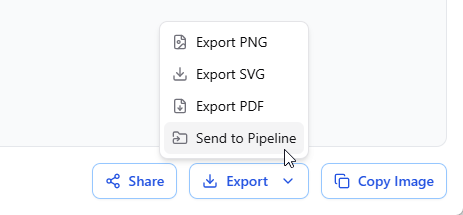
- Send to Pipeline from VPasCode: While editing a diagram in VPasCode, navigate to the Export button located just below the diagram viewer on the right-hand side. Select Send to Pipeline from the popup menu.
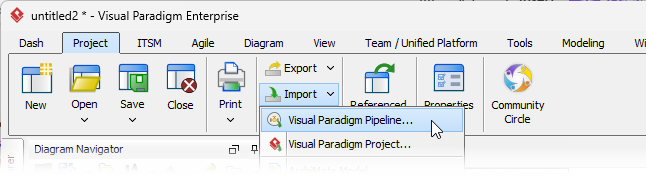
- Open the Import Window in Desktop: Open Visual Paradigm Desktop. On the Project toolbar, select Import > Visual Paradigm Pipeline to launch the Import dialog window.
- Select and Filter Your Diagram: Locate the diagram you transmitted from VPasCode. If you have multiple items queued, click the tiny Filter button on the right to narrow down options by specific diagram types.
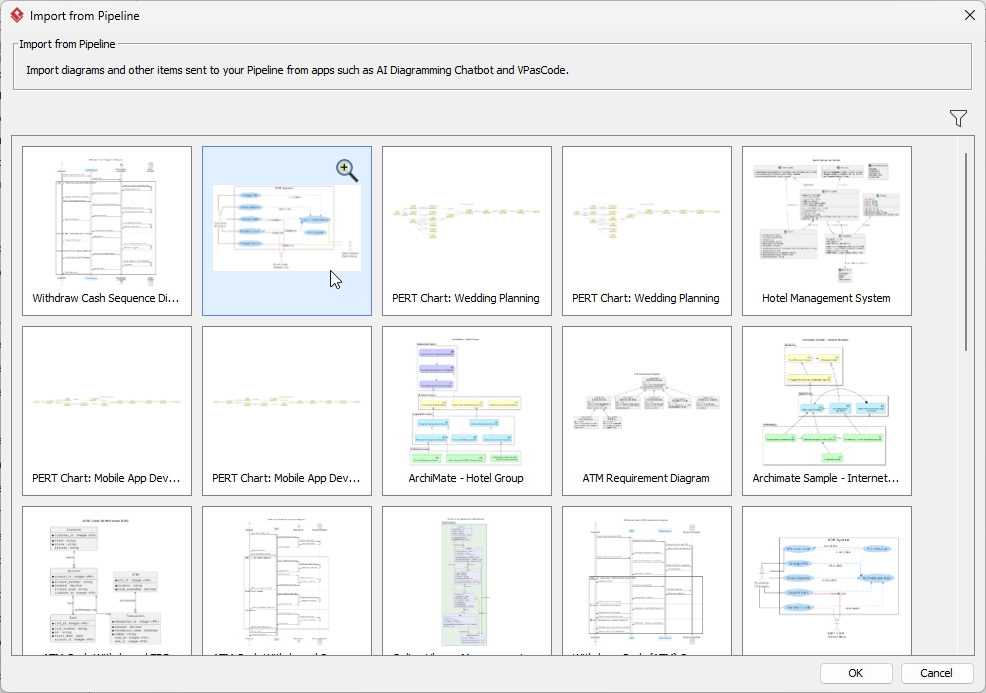
- Import and Model: Click OK. A brand-new diagram will be generated instantly inside Visual Paradigm Desktop. From here, you can refine shapes using the Resource-Centric Interface, create sub-diagrams, generate formal documentation reports, and collaborate with your engineering team.
Comprehensive Support Across Major Diagramming Standards
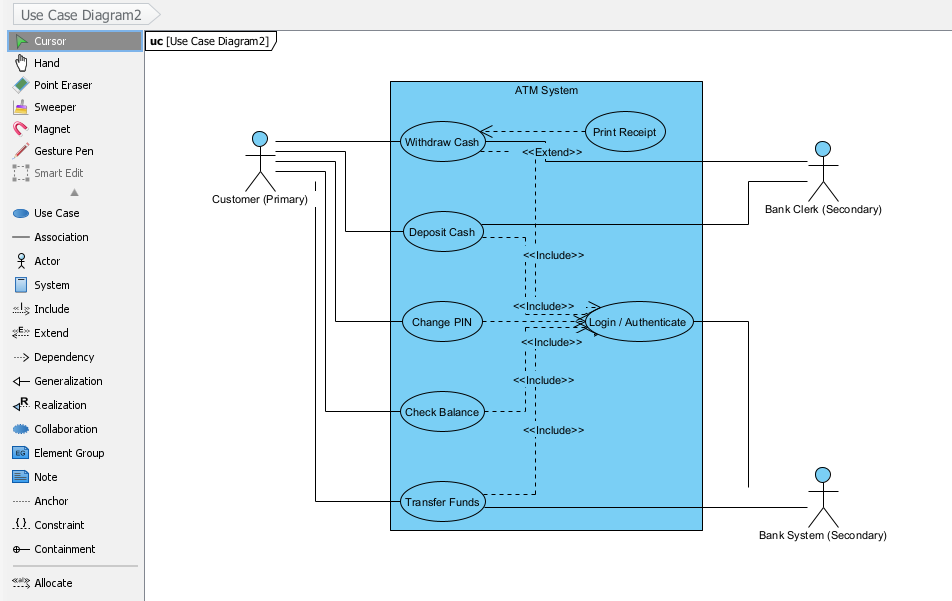
This integration supports a vast array of industry-standard modeling frameworks natively supported by Visual Paradigm Desktop. Whether you are building system architectures or business processes, you can export diagrams spanning multiple languages and methodologies, including:
- UML Diagrams: Class, Sequence, Component, Activity, Object, Use Case, Deployment, State, Package, Composite Structure, and Timing diagrams.
- SysML Diagrams: Requirement, Block Definition, and Internal Block diagrams.
- Architecture Frameworks: ArchiMate modeling and C4 Model views (System Context, Container, Component, and Deployment).
- Project & Data Models: WBS, Markmap (imported seamlessly as mind maps), PERT Charts, Org Charts, Chen ERD, and standard Entity-Relationship Diagrams (ERD).
Ready to Supercharge Your Workflow?
Experience the ultimate synergy between rapid text-based ideation and professional enterprise modeling today. Jump straight into our free code editor to start brainstorming:
Launch Visual Paradigm VPasCode Now and Start Building Free Diagrams
To learn more about this feature, please visit:
https://www.visual-paradigm.com/features/export-diagrams-from-vpascode-to-vp-desktop/