


We are thrilled to announce a major enhancement to the Visual Paradigm AI Diagramming Chatbot! Database designers, software architects, product managers, and developers can now instantly create, explain, and refine complex database models using our brand-new AI ERD Generator capability.
Whether you are designing a brand-new e-commerce backend, refactoring a legacy database schema, or documenting an enterprise system, our AI diagramming tool converts plain text prompts into precise, production-ready Entity Relationship Diagrams (ERDs) in seconds.
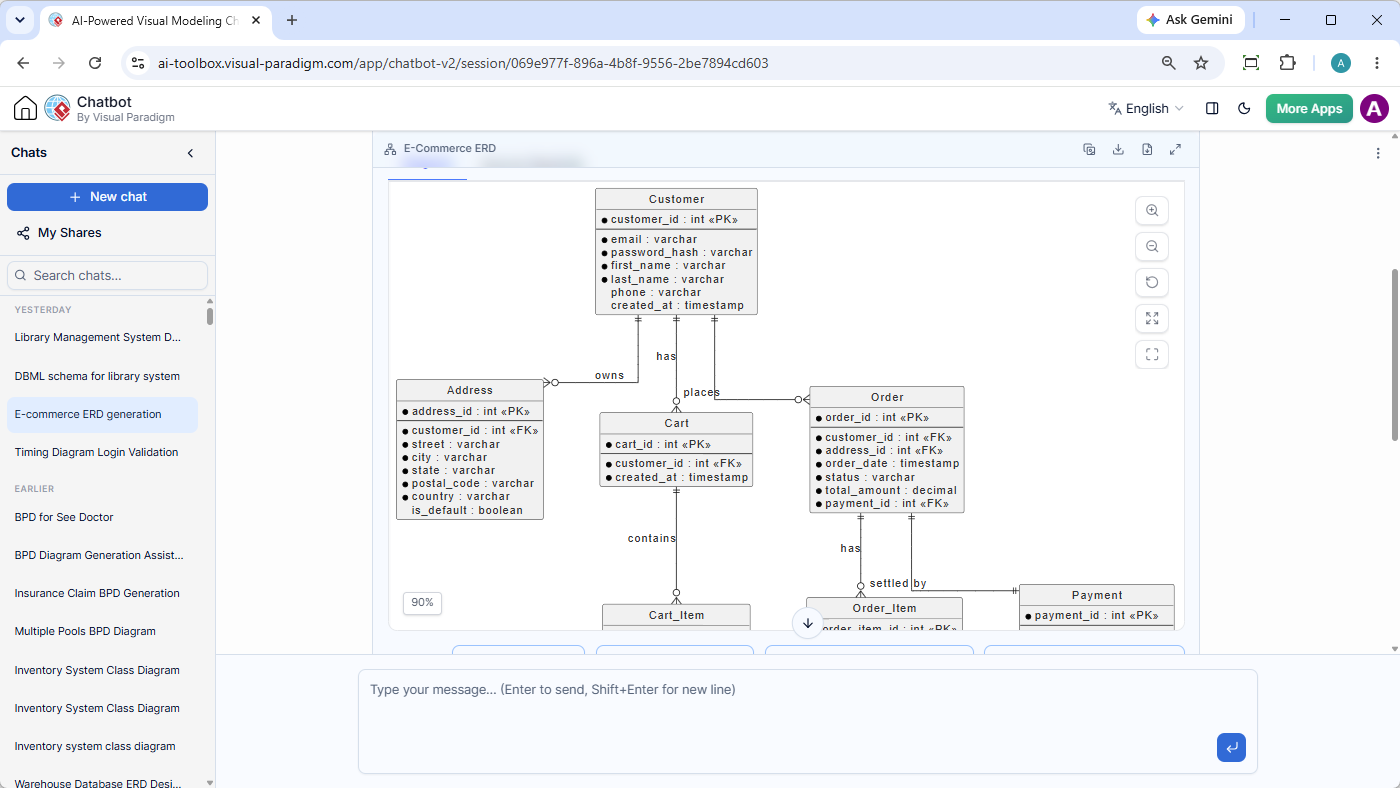
Learn more about the Visual Paradigm AI Diagramming Chatbot or Try the AI ERD Generator directly in your browser now.
What is New? Instant AI ERD Generation from Natural Language
Our AI Diagramming Chatbot already supports a massive suite of diagram types—from UML class and sequence diagrams to ArchiMate, C4 models, and flowcharts. With this latest update, we have expanded our domain-trained AI models to support full Entity Relationship Diagram (ERD) generation.
Instead of manually drawing tables, defining primary keys (PK), foreign keys (FK), attributes, and mapping complex cardinality relationships, you can simply tell the chatbot what system you want to model.
See it in Action: E-Commerce ERD Prompt Example
Simply enter a prompt such as:
“Generate an ERD for an e-commerce system.”
Our chatbot analyzes your prompt and generates a structured, syntactically correct PlantUML script that immediately renders a clear, visually balanced ERD directly inside the dynamic chat artifact viewer.
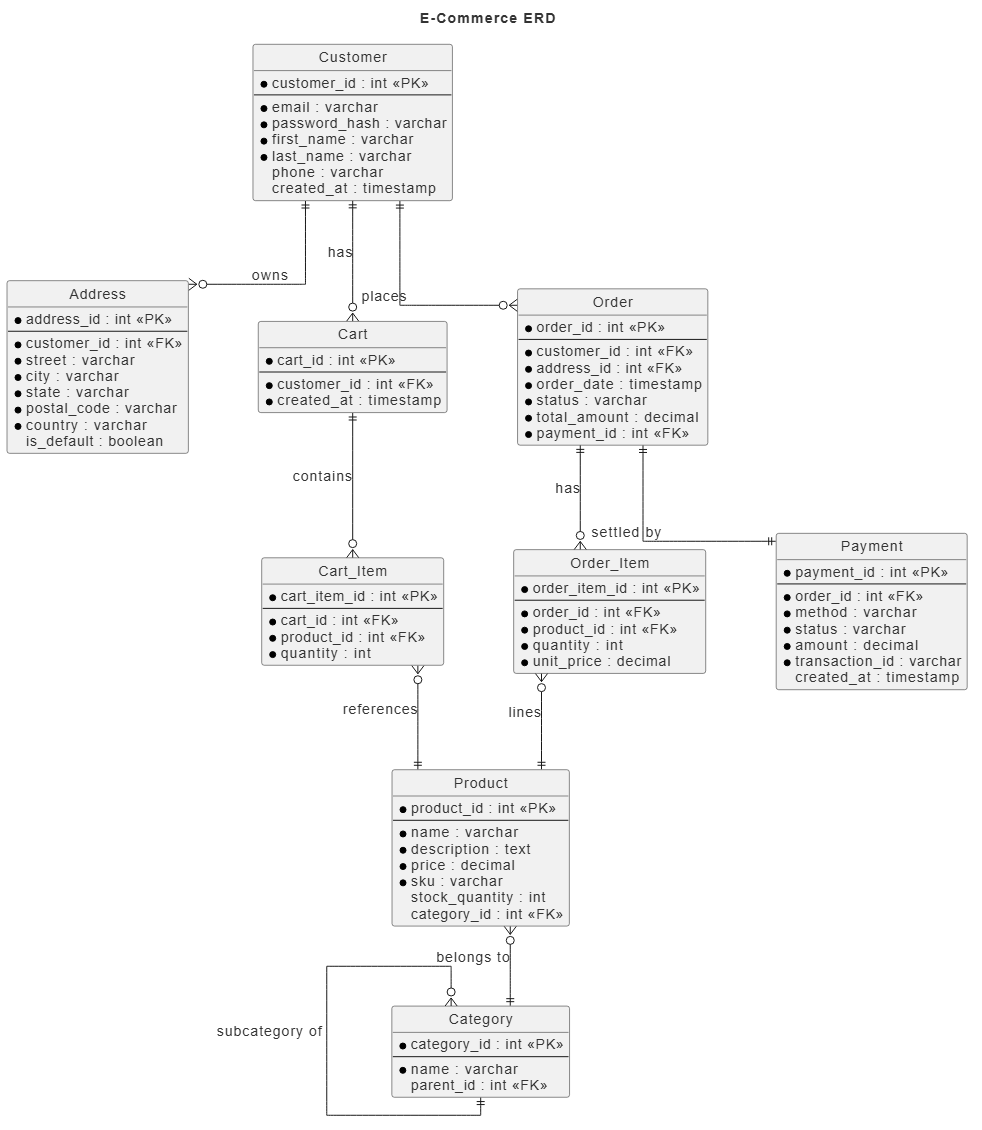
Below is an example of the Entity Relationship Diagram generated by the AI ERD generator for an e-commerce platform:
You can also browse its underlying PlantUML code in the Source PlantUML tab:
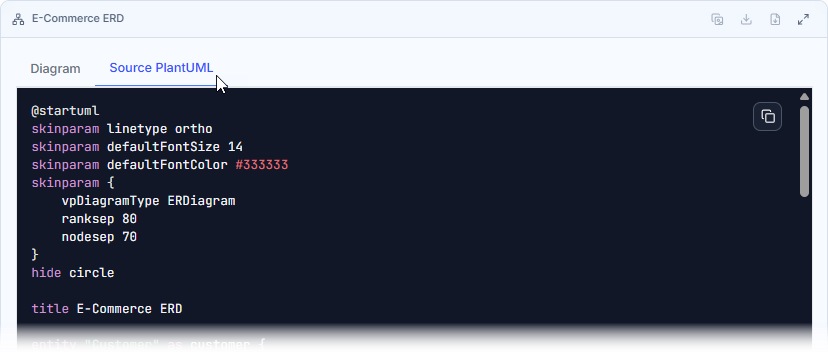
Here is the PlantUML code for the ERD above:
@startuml
skinparam linetype ortho
skinparam defaultFontSize 14
skinparam defaultFontColor #333333
skinparam {
    vpDiagramType ERDiagram
    ranksep 80
    nodesep 70
}
hide circle

title E-Commerce ERD

entity "Customer" as customer {
  * customer_id : int <<PK>>
  --
  * email : varchar
  * password_hash : varchar
  * first_name : varchar
  * last_name : varchar
  phone : varchar
  created_at : timestamp
}

entity "Address" as address {
  * address_id : int <<PK>>
  --
  * customer_id : int <<FK>>
  * street : varchar
  * city : varchar
  * state : varchar
  * postal_code : varchar
  * country : varchar
  is_default : boolean
}

entity "Product" as product {
  * product_id : int <<PK>>
  --
  * name : varchar
  * description : text
  * price : decimal
  * sku : varchar
  stock_quantity : int
  category_id : int <<FK>>
}

entity "Category" as category {
  * category_id : int <<PK>>
  --
  * name : varchar
  parent_id : int <<FK>>
}

entity "Cart" as cart {
  * cart_id : int <<PK>>
  --
  * customer_id : int <<FK>>
  * created_at : timestamp
}

entity "Cart_Item" as cartItem {
  * cart_item_id : int <<PK>>
  --
  * cart_id : int <<FK>>
  * product_id : int <<FK>>
  * quantity : int
}

entity "Order" as order {
  * order_id : int <<PK>>
  --
  * customer_id : int <<FK>>
  * address_id : int <<FK>>
  * order_date : timestamp
  * status : varchar
  * total_amount : decimal
  * payment_id : int <<FK>>
}

entity "Order_Item" as orderItem {
  * order_item_id : int <<PK>>
  --
  * order_id : int <<FK>>
  * product_id : int <<FK>>
  * quantity : int
  * unit_price : decimal
}

entity "Payment" as payment {
  * payment_id : int <<PK>>
  --
  * order_id : int <<FK>>
  * method : varchar
  * status : varchar
  * amount : decimal
  * transaction_id : varchar
  created_at : timestamp
}

customer ||--o{ address : "owns"
customer ||--o{ order : "places"
customer ||--o{ cart : "has"
cart ||--o{ cartItem : "contains"
cartItem }o--|| product : "references"
product }o--|| category : "belongs to"
category }o--|| category : "subcategory of"
order ||--o{ orderItem : "has"
orderItem }o--|| product : "lines"
order ||--|| payment : "settled by"
@enduml
Key Capabilities: Beyond Simple Diagram Generation
The AI ERD generator is built for real-world software engineering and data modeling workflows. Generating the visual diagram is only the first step in a complete conversational workflow:
- Instant Diagram Explanation: Need to present the ERD to stakeholders or onboard new team members? Simply ask the AI chatbot to “Explain this ERD”. The AI will analyze table structures, primary/foreign key connections, and cardinality rules to summarize the relational design in clear, human-readable documentation.
- High-Resolution Exporting: Download your finished ERDs as PNG images, SVG vectors, or copy direct visual artifacts to your clipboard for quick inclusion in slides, emails, or specifications. You can also export full conversation logs as Markdown or standard PDFs.
- Fine-Tune with VPasCode: Thanks to seamless integration with Visual Paradigm VPasCode, you are never locked into an AI-only output. Click “Open VPasCode” to launch the diagram in our dedicated Diagram-as-Code editor. Adjust fields, modify relations, or add custom styling in PlantUML with real-time live preview rendering.
- Publish to OpenDocs: Send your finalized ERDs and explanations directly to Visual Paradigm OpenDocs to build knowledge hubs, technical specs, and team documentation effortless.
Why This Enhancement Matters: The Benefits of AI ERD Generation
Database schema design has traditionally been time-consuming and prone to human oversight during early conceptual phases. Generic AI tools often produce syntax errors or illegal script structures when generating code-based diagrams. Visual Paradigm’s AI ERD Generation tool solves these challenges directly:
1. Drastically Accelerates Database Ideation & Prototyping
Instead of starting with a blank canvas and spending hours building database tables manually, engineers can generate a complete baseline relational schema in seconds. You can go from business requirement discussions straight to a working entity-relationship model instantaneously.
2. Delivers Domain-Trained High Precision
Unlike standard generic LLMs, Visual Paradigm’s AI chatbot is trained on software architecture standards. It generates syntax-valid PlantUML ERDs with accurate primary key / foreign key notations, field types, and standard cardinality syntax (`||–o{`, `}o–||`).
3. Seamlessly Bridges Diagram-as-Code and Enterprise Software Development
Visual Paradigm provides an integrated ecosystem. You can start with an conversational AI prompt, fine-tune the script in VPasCode, export the model to Visual Paradigm Online’s drag-and-drop editor, or sync it directly with Visual Paradigm Desktop for enterprise system modeling and database engineering.
How to Get Started Today
The new Entity Relationship Diagram AI generator capability is available now in the Visual Paradigm AI Diagramming Chatbot.
- Free Trial: Try out text-to-ERD prompts directly today.
- Full Access: Included automatically with VP Online (Deluxe Edition) and VP Desktop (Professional Edition) subscriptions.
Launch the AI Diagramming Chatbot and Create Your First AI ERD Now
To explore all supported diagram types—including UML, SysML, ArchiMate, C4 models, Flowcharts, and Strategy matrices—visit our main Visual Paradigm AI Diagramming Chatbot Page.
Related posts:
 Enhanced AI Activity Diagram Generation: Major Updates to Visual Paradigm AI Chatbot
 New Feature: Import AI-Generated Activity Diagrams Directly into Visual Paradigm Desktop
 Streamline Root-Cause Analysis and Execution with the New Solution Selection Matrix
 Introducing the All-New AI BPMN Generator: From Conversational Ideation to Professional Process Modeling