


We are thrilled to announce a significant enhancement to Visual Paradigm VPasCode, Visual Paradigm’s unified text-to-diagram platform. Today, we are officially adding support for Markmap, transforming VPasCode into one of the most versatile free mind map tools available on the web.
If you are new to our platform, VPasCode is designed to bridge the gap between code and visualization. It allows you to create complex diagrams using popular text-based formats like PlantUML, Mermaid, and Graphviz. With today’s update, you can now leverage the power of Markdown to generate interactive, zoomable mind maps directly in your browser.
What is VPasCode?
VPasCode is a unified environment that combines a powerful code editor with a real-time diagram renderer. Whether you are a developer documenting architecture, a project manager outlining roadmaps, or a student organizing study notes, VPasCode provides a seamless experience. You write simple text on the left, and a beautiful diagram appears on the right.
By integrating Markmap, we have elevated VPasCode from a standard diagramming tool to a comprehensive online mind map tool that supports rich text, mathematics, code snippets, and interactive elements—all for free.
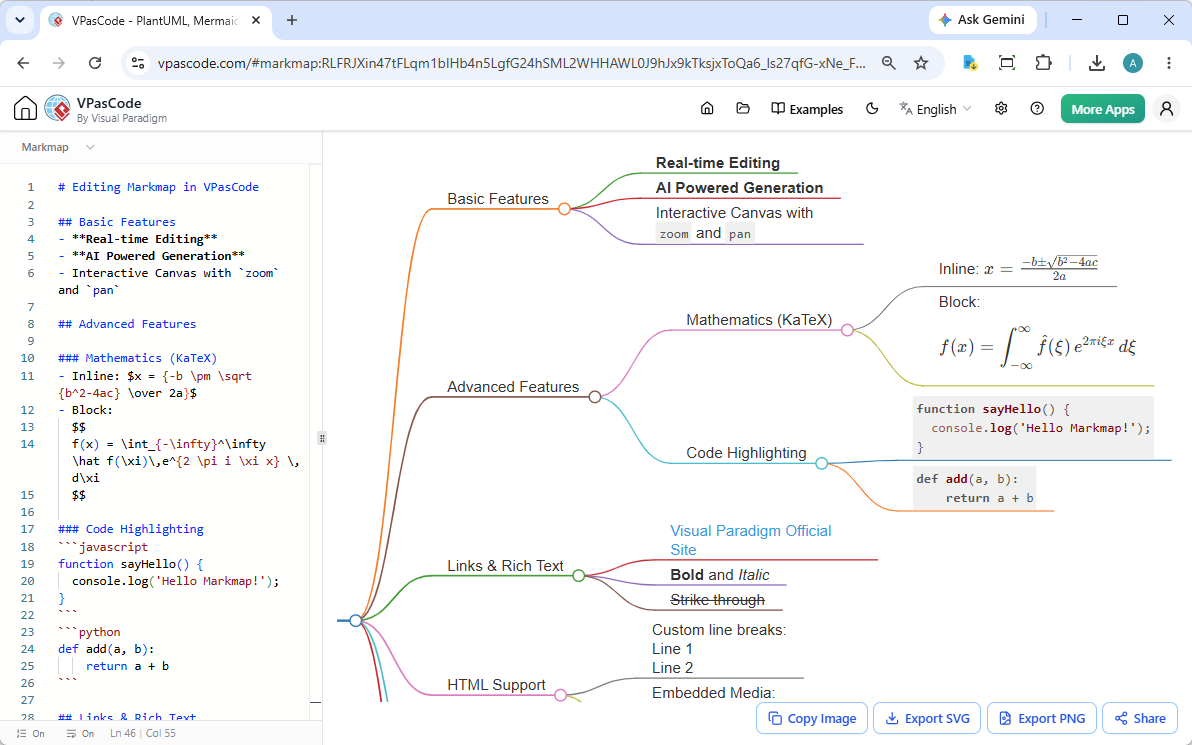
Why Choose VPasCode as Your Free Mind Map Editor?
While many tools exist, few offer the combination of speed, privacy, and flexibility that VPasCode provides. As a free mind map editor, it requires no installation, no account creation for basic use, and works entirely in your browser. Here is what makes our new Markmap integration stand out:
- Real-time Editing: See your mind map evolve instantly as you type.
- Interactive Canvas: Zoom in to focus on details or pan out to see the big picture.
- Rich Syntax Support: Go beyond simple bullets. Include math formulas, code blocks, tables, and even HTML media.
- AI-Powered Generation: Leverage AI assistance to brainstorm and structure your thoughts faster.
Exploring the Power of Markmap in VPasCode
To demonstrate the capabilities of this new feature, let’s look at some practical examples. You can copy these snippets directly into the VPasCode editor to see them in action.
1. Basic Features & Interactivity
At its core, Markmap converts Markdown headers into nodes. But within VPasCode, you get an enhanced experience with zooming and panning capabilities that static images cannot match.
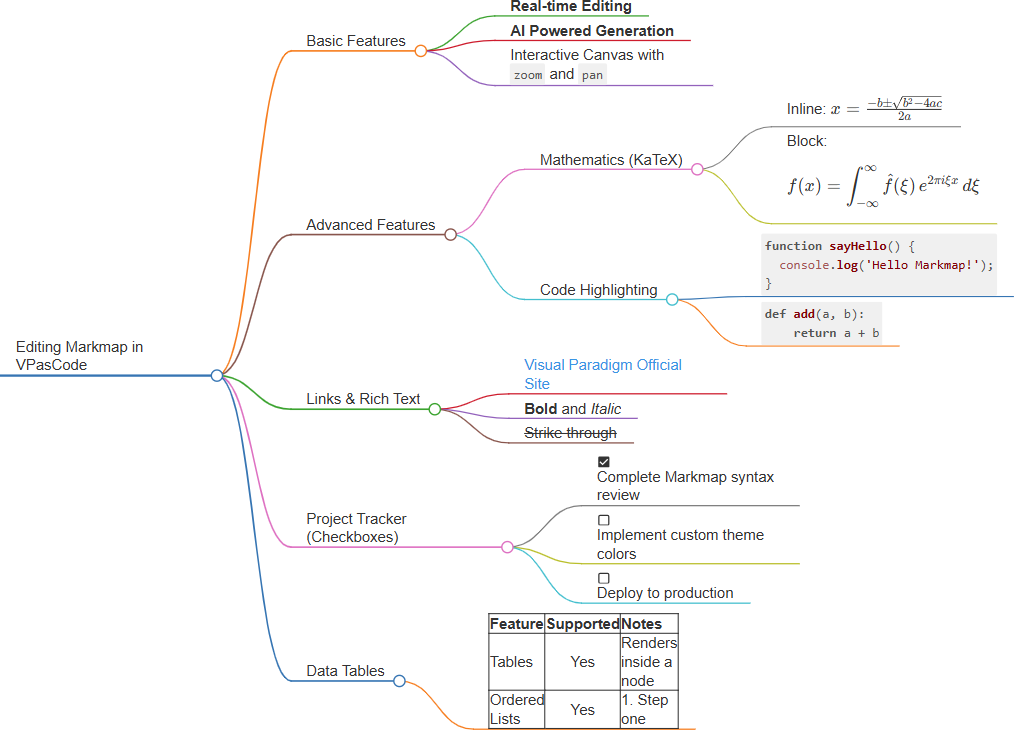
# Editing Markmap in VPasCode

## Basic Features
- **Real-time Editing**
- **AI Powered Generation**
- Interactive Canvas with `zoom` and `pan`

## Advanced Features

### Mathematics (KaTeX)
- Inline: $x = {-b \pm \sqrt{b^2-4ac} \over 2a}$
- Block:
  $$
  f(x) = \int_{-\infty}^\infty \hat f(\xi)\,e^{2 \pi i \xi x} \,d\xi
  $$

### Code Highlighting
```javascript
function sayHello() {
  console.log('Hello Markmap!');
}
```
```python
def add(a, b):
    return a + b
```

## Links & Rich Text
- [Visual Paradigm Official Site](https://www.visual-paradigm.com/)
- **Bold** and *Italic*
- ~~Strike through~~

## Project Tracker (Checkboxes)
- [x] Complete Markmap syntax review
- [ ] Implement custom theme colors
- [ ] Deploy to production

## Data Tables
| Feature | Supported | Notes |
| :--- | :---: | :--- |
| Tables | Yes | Renders inside a node |
| Ordered Lists | Yes | 1. Step one
 2. Step two |
Try it yourself:
2. Project Planning & Roadmaps
One of the most common use cases for an online mind map tool is project planning. Markmap handles hierarchical structures beautifully, making it easy to visualize Q1 roadmaps, sprint plans, or organizational charts.
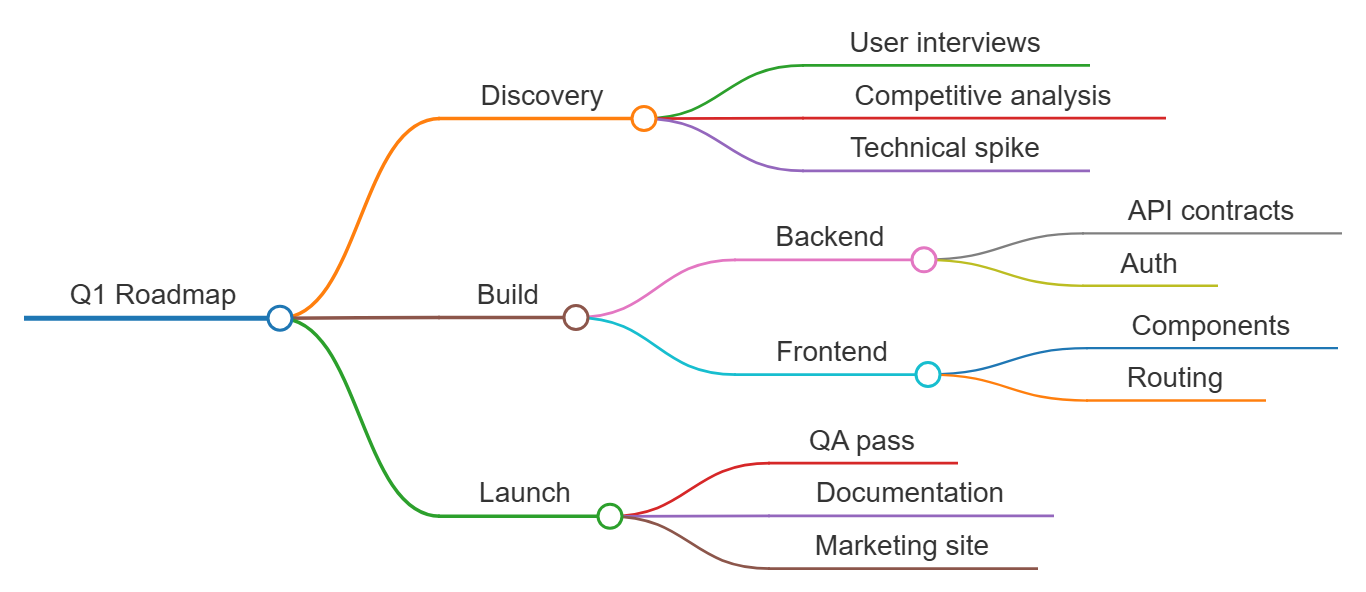
# Q1 Roadmap
## Discovery
- User interviews
- Competitive analysis
- Technical spike
## Build
- Backend
  - API contracts
  - Auth
- Frontend
  - Components
  - Routing
## Launch
- QA pass
- Documentation
- Marketing site
Try it yourself:
3. Study Notes & Learning Paths
Students and educators will find VPasCode invaluable for organizing complex topics. By using nested lists, you can break down large subjects into manageable chunks. This makes it an ideal free mind map tool for academic purposes.
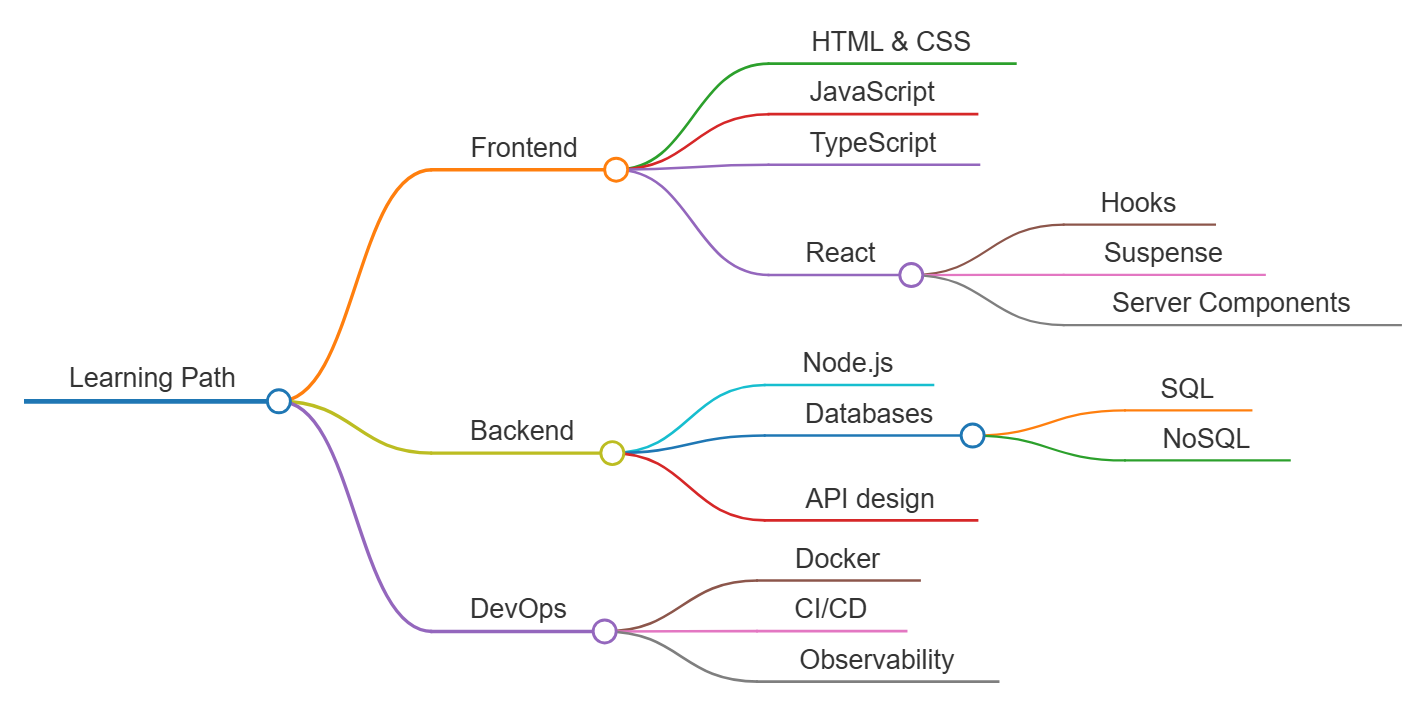
# Learning Path
## Frontend
- HTML & CSS
- JavaScript
- TypeScript
- React
  - Hooks
  - Suspense
  - Server Components
## Backend
- Node.js
- Databases
  - SQL
  - NoSQL
- API design
## DevOps
- Docker
- CI/CD
- Observability
Try it yourself:
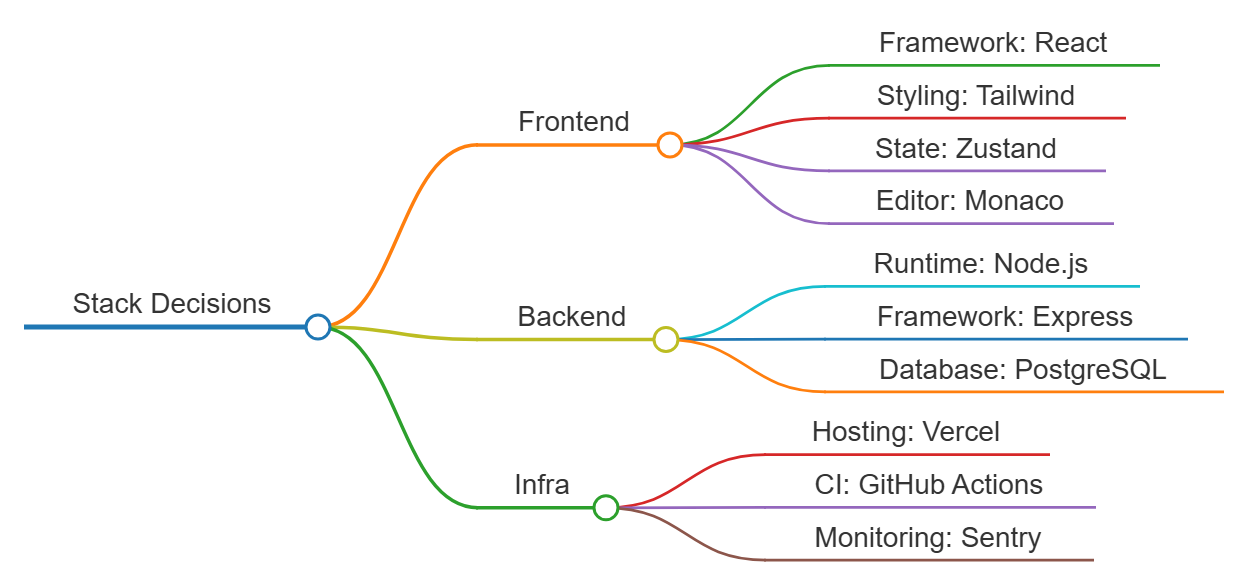
4. Tech Stack Decisions
For engineering teams, documenting technology choices is crucial. VPasCode allows you to present stack decisions clearly, ensuring everyone understands the architecture at a glance.
# Stack Decisions
## Frontend
- Framework: React
- Styling: Tailwind
- State: Zustand
- Editor: Monaco
## Backend
- Runtime: Node.js
- Framework: Express
- Database: PostgreSQL
## Infra
- Hosting: Vercel
- CI: GitHub Actions
- Monitoring: Sentry
Try it yourself:
5. Decision Trees
Markmap isn’t just for hierarchical data; it’s excellent for logic flows and decision trees. Use it to map out customer support scripts, troubleshooting guides, or strategic decision frameworks.

# Decision Helper
## Is it urgent?
- Yes
  - Is it important?
    - Yes: Do it now
    - No: Delegate it
- No
  - Is it important?
    - Yes: Schedule it
    - No: Drop it
Try it yourself:
Start Creating with the Best Free Mind Map Tool Today
The addition of Markmap support solidifies VPasCode’s position as a leading free mind map editor. Whether you are brainstorming ideas, planning projects, or studying for exams, our platform offers the flexibility and power you need without the cost.
Ready to transform your text into visual insights?
For more information about our platform and other supported diagram types, visit our VPasCode Overview.